
Six Things to Change in Your Claude Code Workflow for Opus 4.7
Boris Cherny’s tips for the new model, cross-checked against the official Claude Code and Claude API docs

Claude Opus 4.7 went GA on April 16, 2026. It is positioned as a direct upgrade to Opus 4.6, with notable gains in agentic coding, long-horizon task execution, vision, and self-verification. Pricing is unchanged at $5 per million input tokens and $25 per million output tokens.
The short version: Opus 4.7 runs longer and acts more autonomously than Opus 4.6. If you keep using it the way you used 4.6, you will get a modest step up. If you adjust the workflow around it, you will get a much bigger one.
Boris Cherny, creator of Claude Code, posted a six-part thread on Threads on how he and his team get the most out of Opus 4.7. The tips are small on their own but coherent together. I went through each one, cross-checked it against the Claude Code docs, the migration guide, and the Opus 4.7 announcement, and pulled out what I think actually matters.

Background: what changed in Opus 4.7
Four things matter if you are coming from Opus 4.6:
Adaptive thinking is now the only supported thinking mode. The old
thinking: { type: "enabled", budget_tokens: N }API is no longer accepted for Opus 4.7. See the migration guide.There is a new
xhigheffort level sitting betweenhighandmax. In Claude Code,xhighis the default on Opus 4.7 across all plans, overriding whatever you had set for Opus 4.6 or Sonnet 4.6.The tokenizer changed and uses up to 1.35x more tokens than Opus 4.6 for the same input. Boris announced on Threads that Anthropic has raised paid subscription limits across the board to compensate: “We’ve increased limits for all subscribers to make up for the increased token usage.” If your usage feels higher after the upgrade, that is expected. The allowance went up with it.
The model runs longer and acts more autonomously. Anthropic’s positioning language talks about self-verification, better instruction following, and rigor on complex long-running tasks. In practice, it means you need a workflow that does not rely on babysitting the agent.
The six tips below are the workflow changes that take advantage of that.
Tip 1: switch to auto mode so you are not approving every command
Before Opus 4.7, you had two options. Approve every tool call (safe but slow, and incompatible with walking away from the terminal), or use --dangerously-skip-permissions (fast but reckless). Auto mode is the middle path.
Here is how it works. Before each tool call runs, a classifier reviews it for potentially destructive actions like mass file deletion, sensitive data exfiltration, or malicious code execution. Safe actions proceed automatically. Risky ones get blocked, and Claude is redirected to take a different approach. You only get prompted when the classifier is genuinely uncertain.
A few details worth knowing:
The classifier runs on Claude Sonnet 4.6 regardless of which model your main session uses. Anthropic chose it for speed and cost since it fires on every tool call.
If the classifier blocks an action 3 times in a row or 20 times total, auto mode pauses and Claude Code resumes prompting. That is the built-in backstop.
On entering auto mode, blanket rules like
Bash(*)and wildcard script interpreters are dropped so the classifier can see the most dangerous commands. Narrow allowlist rules likeBash(npm test)are preserved.Auto mode is not a replacement for sandboxing. Anthropic still recommends containers or VMs for sensitive work. The classifier can allow risky actions when user intent is ambiguous, and may block benign ones.
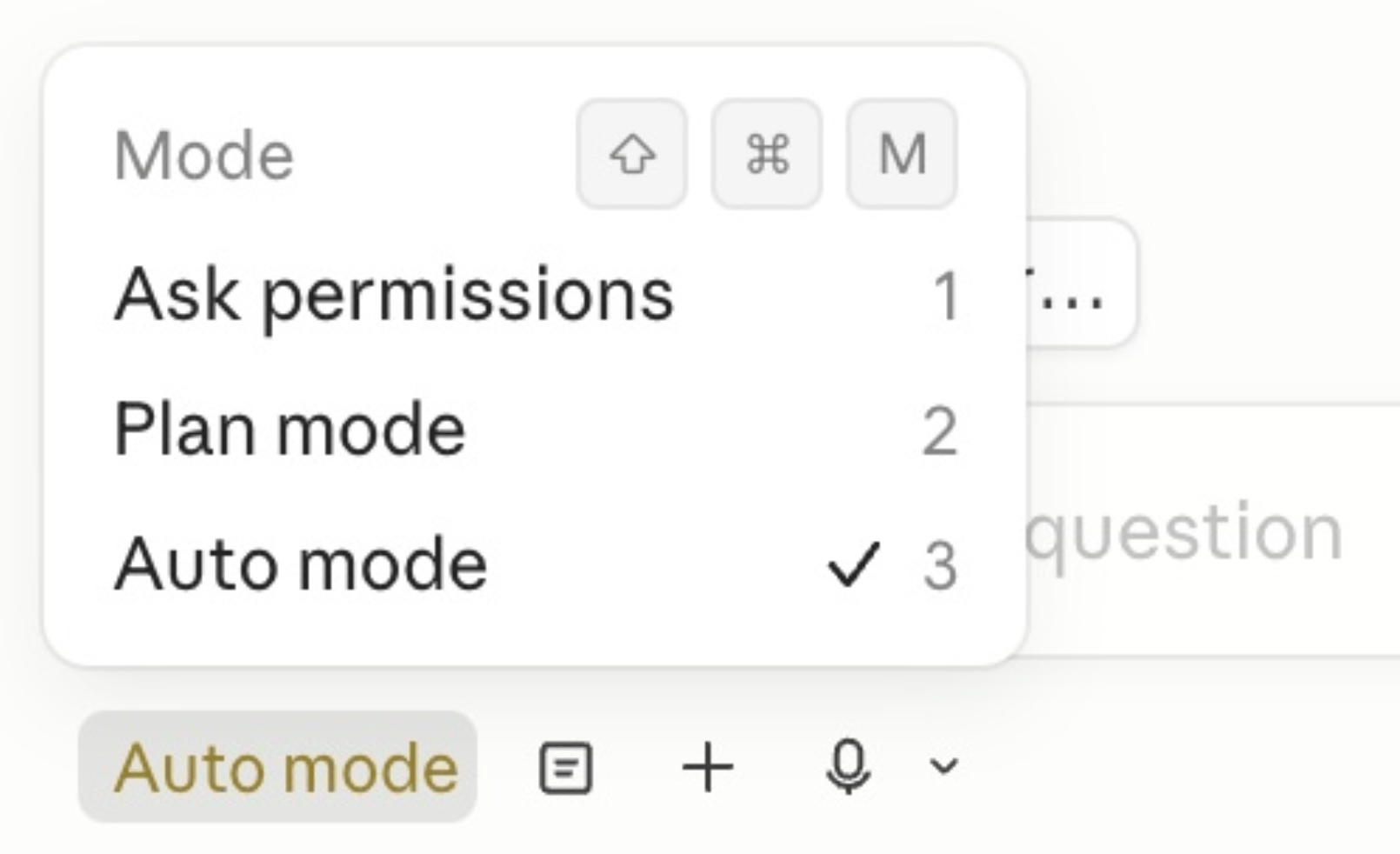
Auto mode is available for Opus 4.7 on Max, Team, and Enterprise plans. In the CLI, toggle it with Shift+Tab. In Desktop or VS Code, pick it from the permission mode dropdown. For the full permission model, see the permission modes docs.
The practical effect is that you can kick off a long-running task and walk away. Or, more realistically, run two or three Claude sessions in parallel because you are not context-switching to click “approve” every ten seconds.
But for some reason, on my Claude desktop app (MacOS Version 1.3109.0 (35cbf6)) , I can’t enable auto mode for Claude Code with my Max $100 plan. I can enable auto mode in Claude Code CLI though.
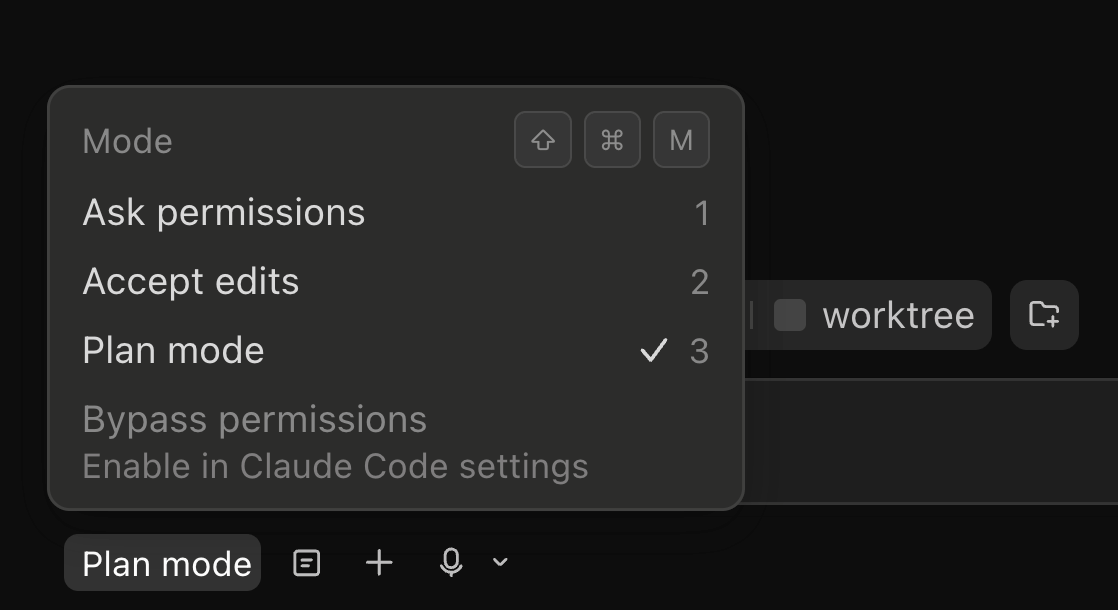
Even if I enable bypass permissions.
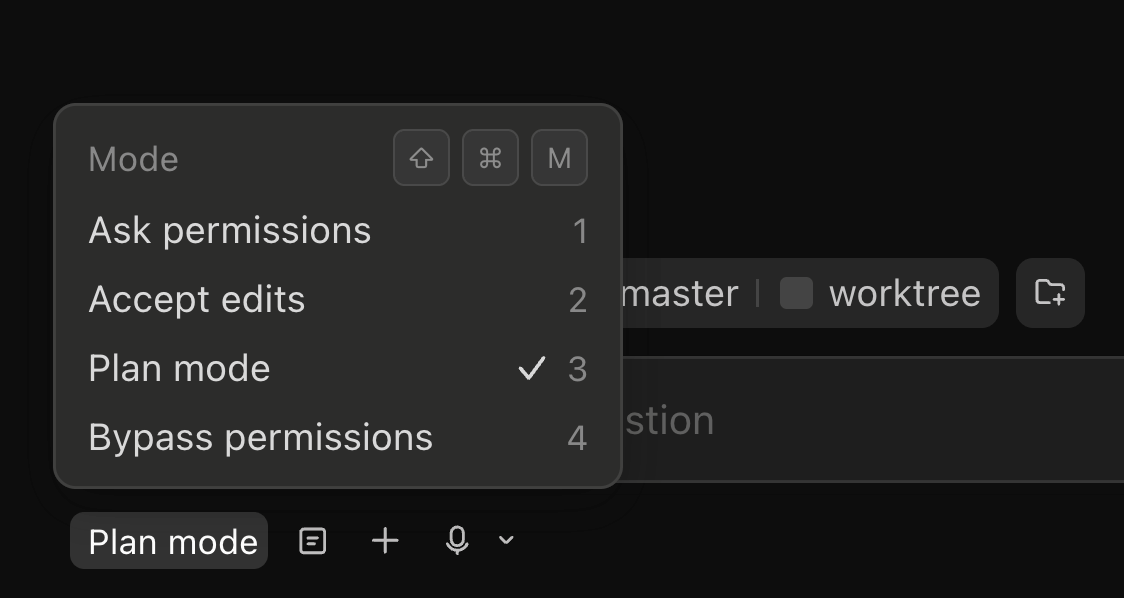
Boris provided screenshot.
Tip 2: run /fewer-permission-prompts once to tune your allowlist
If you do not use auto mode, the alternative is to tune your allowlist so fewer things prompt you in the first place.
Claude Code has a new /fewer-permission-prompts skill that does this for you. Though Claude Code 2.1.111 change log lists as /less-permission-prompts.
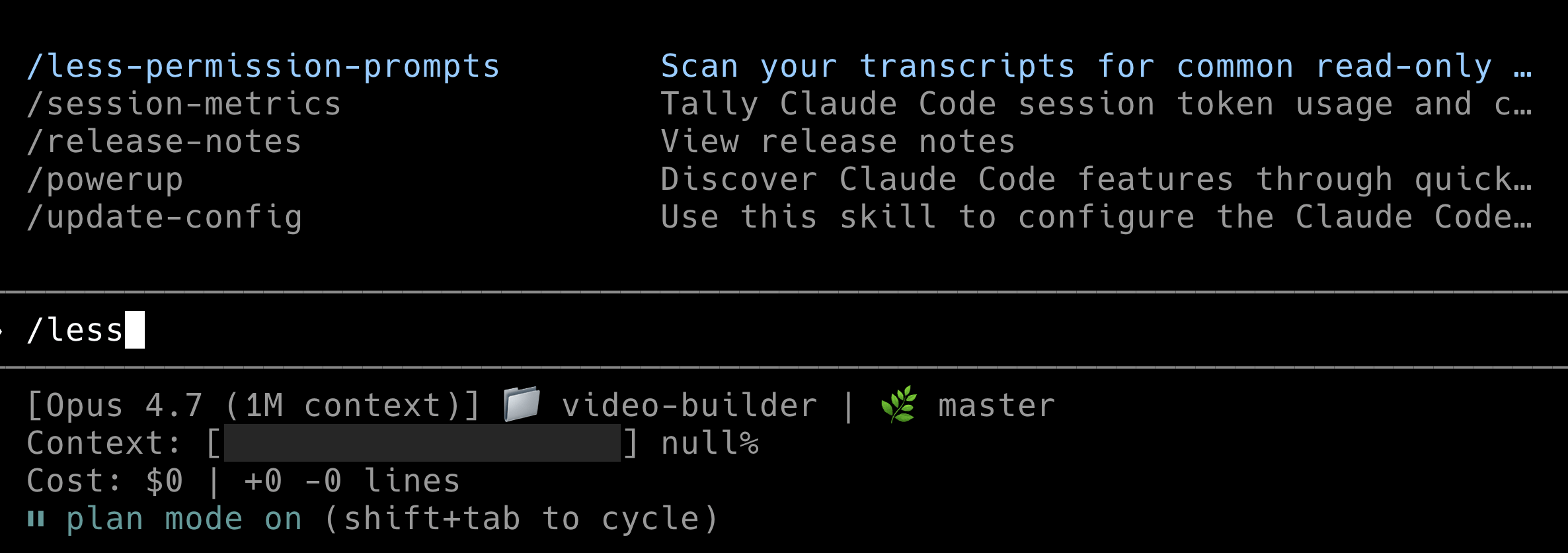
It scans your session history for bash and MCP commands that were safe but triggered repeated prompts, and recommends a list of commands to add to your allowlist. You approve the list, and those commands stop prompting.
Permission rules live in .claude/settings.json (or ~/.claude.json) under the permissions block, with allow, deny, and ask arrays. Rules can be as narrow as specific commands (Bash(git status)) or use glob patterns (Bash(git commit:*), Read(./secrets/**)). See the permissions configuration docs for the full syntax.
Two things worth noting:
Allowlist tuning matters most for people not on auto mode, since it is your main lever for reducing friction in default mode.
Even under
bypassPermissions, writes to protected directories (.git,.claude,.vscode,.idea) still prompt. Knowing which commands to allowlist means fewer blocked runs without reducing safety on the paths that matter.
If you are on auto mode, this is less urgent but still useful. Auto mode handles the hard calls. A tuned allowlist handles the easy ones without involving the classifier at all.
Tip 3: use recaps when you come back to a long-running session
Recaps shipped as a new Claude Code feature in the week leading up to Opus 4.7, specifically to prep for it. They are short summaries of what the agent did and what is next, shown when you return to a session.
They are most useful when you stepped away for a few minutes or hours and Claude has been working autonomously. Opus 4.7 runs longer than 4.6, and if you have been on auto mode, the agent may have executed dozens of tool calls across a long stretch. A concise recap beats scrolling through the transcript.
Recaps are configurable via /recap or the CLAUDE_CODE_ENABLE_AWAY_SUMMARY environment variable, introduced in v2.1.108. Disable them via /config if you find them noisy.
Recaps work well alongside the existing /compact command, which compresses conversation history when context gets long, and /diff, which surfaces file changes. Together these are the tools for rejoining a session you have not been watching closely.
Tip 4: turn on focus mode to hide intermediate steps
Focus mode in the Claude Code CLI hides intermediate work and shows only the final result. Boris’s phrasing: the model has reached a point where he generally trusts it to run the right commands and make the right edits, so he looks only at the final output. Toggle with /focus.
This only works if the verification story (tip 6) is in place. Focus mode without end-to-end verification is a recipe for silent bugs. Focus mode plus verification lets you judge by outcome rather than by watching every step.
It is also a natural pair with auto mode. Auto mode removes permission friction. Focus mode removes visual noise. Together they are how you run Opus 4.7 as an actual agent rather than a supervised intern.
See Claude Code power user tips for the full list of CLI shortcuts.
Tip 5: tune /effort instead of setting thinking budgets
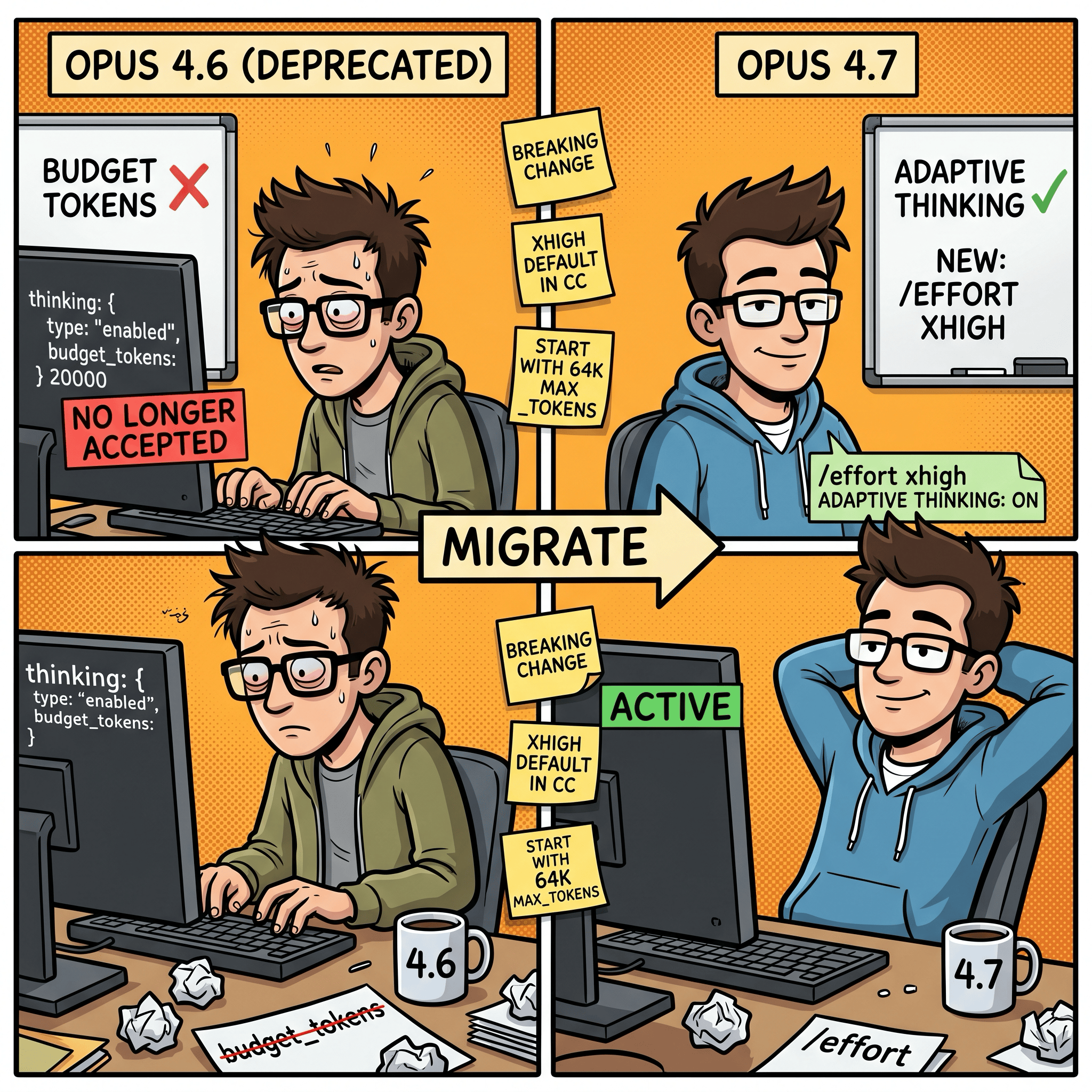
This is the biggest breaking change coming from Opus 4.6.
Opus 4.7 uses adaptive thinking instead of explicit thinking budgets. You no longer set budget_tokens: N. You tune an effort level and let the model allocate thinking tokens itself. Lower effort means faster responses and lower token usage. Higher effort means more intelligence.
I’ve done some benchmarks for Opus 4.7 for further insights at:
Opus 4.7 introduces a new xhigh level between high and max. In Claude Code, xhigh is the default on Opus 4.7 across all plans, overriding whatever effort level you previously had set on Opus 4.6 or Sonnet 4.6. This is the first thing to check after upgrading.
Boris’s rule of thumb: xhigh for most tasks, max for the hardest ones. max applies only to the current session. Other effort levels persist across sessions. Set via /effort in the CLI.
A few things the docs call out that are worth knowing:
Anthropic recommends starting with
xhighfor coding and agentic use, and using at leasthighfor intelligence-sensitive workloads.Opus 4.7 respects effort levels more strictly than 4.6, particularly at low and medium. If you see shallow reasoning on hard problems, raise the effort level rather than trying to prompt around it.
At
xhighormax, set a largemax_tokensbudget. Anthropic suggests starting at 64k, because the model has more room to think and act across tool calls. For Claude Code CLI, I already had set environmental variableCLAUDE_CODE_MAX_OUTPUT_TOKENSto 64K.

Tip 6: give Claude a way to verify its own work
This one has always been the highest-leverage tip, and it matters more with 4.7. Boris’s phrasing: “Make sure Claude has a way to verify its work. This has always been a way to 2-3x what you get out of Claude.”
Verification varies by task:
Backend work: Claude should know how to start the server or service and test it end to end. If your project has a
make devorpnpm test:e2e, document it inCLAUDE.md.Frontend work: use the Claude Chrome extension so the agent can drive a real browser against what it just built.
Desktop apps: use computer use.
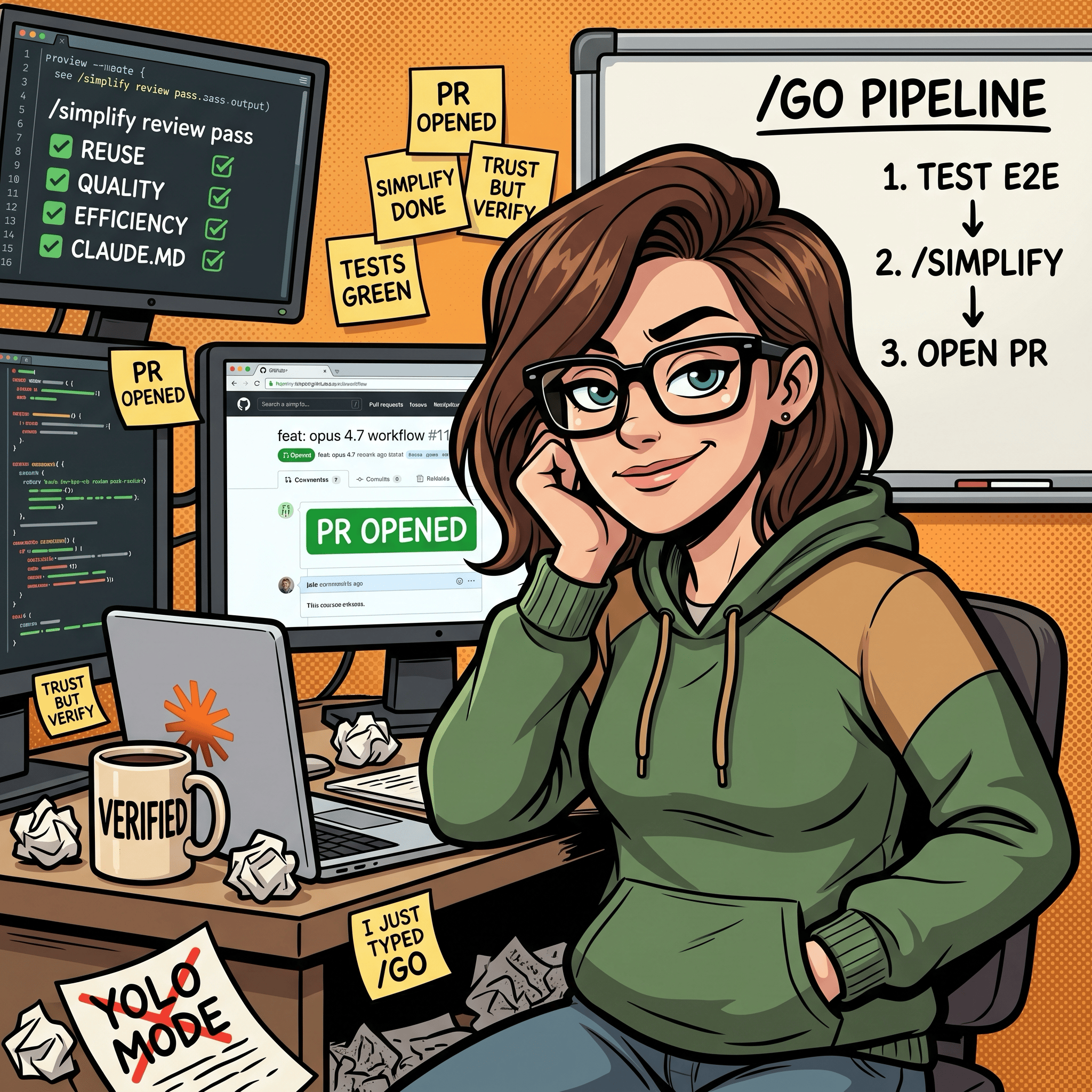
Boris wraps this into a custom skill at the end of most of his prompts. His /go skill runs three steps in sequence: test end to end (bash, browser, or computer use), run /simplify, then open a PR.
Two pieces worth pointing at specifically:
/simplify is a bundled skill that spawns parallel review agents to check changed code for reuse, quality, efficiency, and CLAUDE.md compliance. Append it to any prompt after making changes. It is cheap and catches things you would not catch in a manual review.
Custom skills live in .claude/skills/<name>/SKILL.md with YAML frontmatter controlling invocation. A /go-style skill is maybe 30 lines of markdown and chains tests, /simplify, and PR creation into one command. See the skills docs for the format.
The core principle: treat Claude like any other engineer. If you would not ship a feature without tests or a browser check, do not let Claude either. With Opus 4.7’s longer autonomous runs, verification is what turns “the model did a bunch of work” into “the model did a bunch of work that actually runs.”
How the tips fit together
The six tips are not independent. They stack.
Auto mode removes the permission friction that kept you babysitting. /fewer-permission-prompts tunes the allowlist if you prefer manual approval. Recaps let you step away and rejoin long-running sessions without losing context. Focus mode hides the noise so you can judge by the final result. Effort tuning (especially xhigh) replaces the old thinking-budget dial with a simpler lever for intelligence versus speed. Verification (via /simplify, browser extensions, computer use, custom skills like /go) is the safety net that makes the first five tips responsible rather than reckless.
Boris’s framing lands well: Opus 4.7 feels like a nice improvement with old workflows and a significant leap once you take the time to adjust. The adjustment is the point. If you are going to bump the model, bump the workflow at the same time.
My Tip
I’d also add my own general tip for folks running up to their 5hr session limits too quickly. Seems some folks are not aware of the reduced usage limits during the 5-hour session limits that Anthropic announced a while back.
Update: May 7, 2026: Claude AI has removed peak hour reduced limits and doubled usage limits under an agreement to use SpaceX compute.
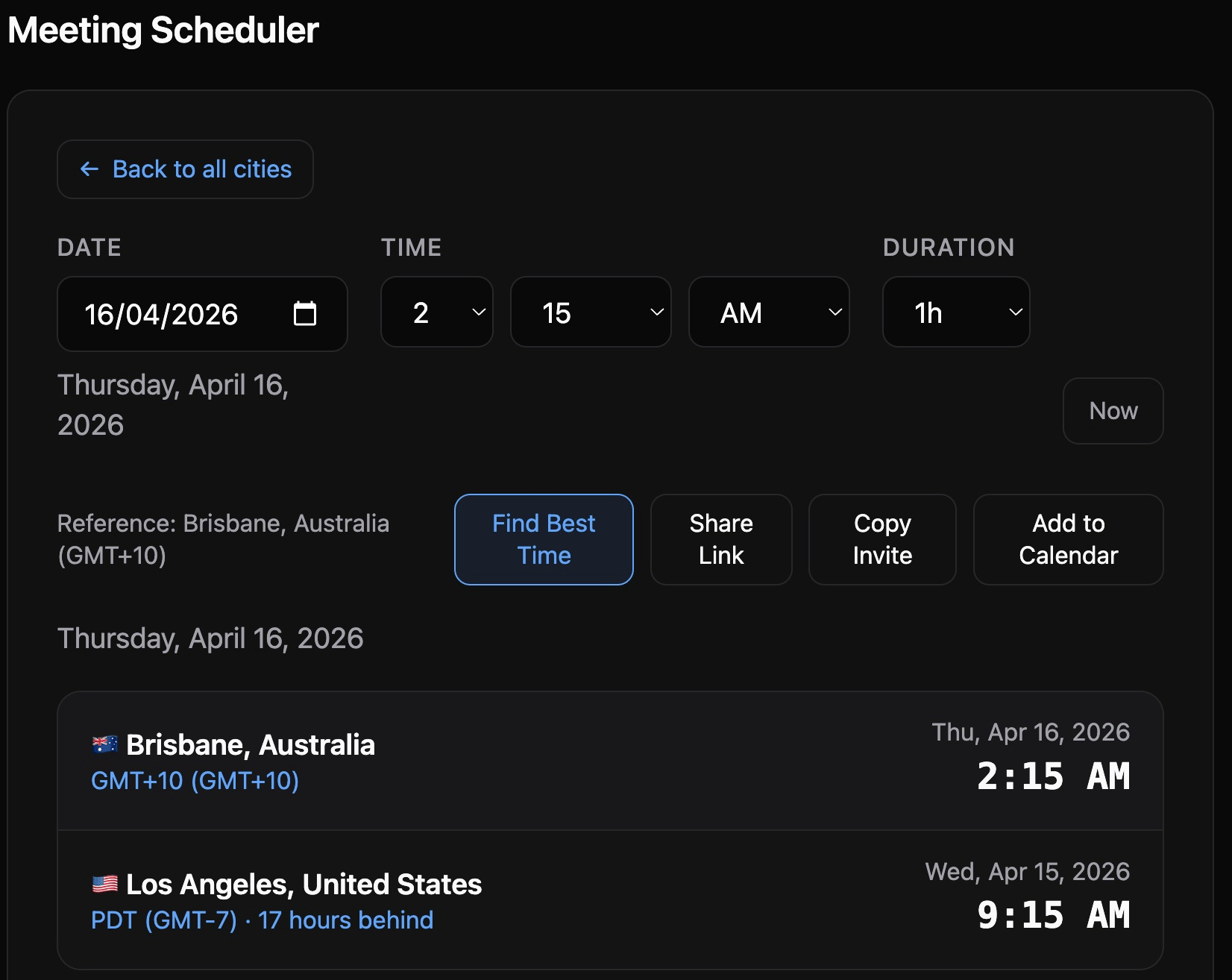
Change your Claude Code time of day patterns to Anthropic’s designated off-peak times as peak hours will consume your 5hr session usage limits much faster during weekdays. While weekly usage limits remain unchanged. Anthropic announced peak times as being between 5am–11am PT / 1pm–7pm GMT. I created my Timezones Scheduler app so I can figure out timezone conversions. Check it out athttps://timezones.centminmod.com. Thariq from Anthropic stated on Twitter:
To manage growing demand for Claude we’re adjusting our 5 hour session limits for free/Pro/Max subs during peak hours. Your weekly limits remain unchanged.
During weekdays between 5am–11am PT / 1pm–7pm GMT, you’ll move through your 5-hour session limits faster than before.I’m logging my token usage at the chat session level with session-metrics skill so can get deeper insights into how Claude modes use tokens - including the token caching. The session-metrics skill plugin is now publicly available too.
What I’m doing with this
I am on Claude Code Max, so auto mode is available. My plan for this week:
Run
/less-permission-promptson my most-used repos to clean up the allowlist before flipping to auto mode.Verify
xhighis active via/effort. Drop tohighif I hit latency issues on simpler tasks.Write a
/go-equivalent skill for each of my active projects so verification is one command away. I already have similar skills, but they are usually project-specific.Turn on focus mode once I trust the verification loop for each project.
I will post a follow-ups after actual use. If any of these tips break for me in practice, I will let folks know.
Sources
If you’re interested in practical AI building for web apps, developer workflows, and infrastructure, subscribe for future posts. You can also follow my shorter updates on Threads (@george_sl_liu) and Bluesky (@georgesl.bsky.social) or subscribe and follow along.