
DeepSeek V4 in Claude Code, Kilo Code, OpenCode: 3-Way AI Verification With GPT-5.5
One API key, three tools, and a skill that runs GPT-5.5, DeepSeek V4 Pro, and Sonnet 4.6 in parallel for second opinions

I never rely on a single AI for code analysis. I wrote about this when I built /consult-codex and /consult-zai - two Claude Code skills that fire parallel queries to Codex GPT-5.5 and ZAI GLM-5.1 for second opinions. That setup caught real bugs that no single model found alone.
DeepSeek V4 Pro gave me a reason to expand from two verifiers to three. It has 1M token context, an Anthropic-compatible API endpoint (so Claude Code speaks to it natively), and the pricing is hard to ignore: $0.435 per million input tokens with a 75% promotional discount running until May 31, 2026. That is roughly 4x cheaper than Claude Opus 4.7 for input.
Update: June 30, 2026. DeepSeek has announced peak hour 2x billable rates starting in mid-July 2026. Use my timezone scheduler app to figure out peak hours for your city timezones.centminmod.com where UTC = London, United Kingdom.
DeepSeek API service is expected to adopt a peak-valley pricing strategy starting in mid-July, with peak-hour prices being twice the regular price, applicable to all billing items.
Peak hours (in UTC): 1:00–4:00 AM and 6:00–10:00 AM.
(UTC+8 equivalent: 9:00 AM–12:00 noon and 2:00–6:00 PM.)
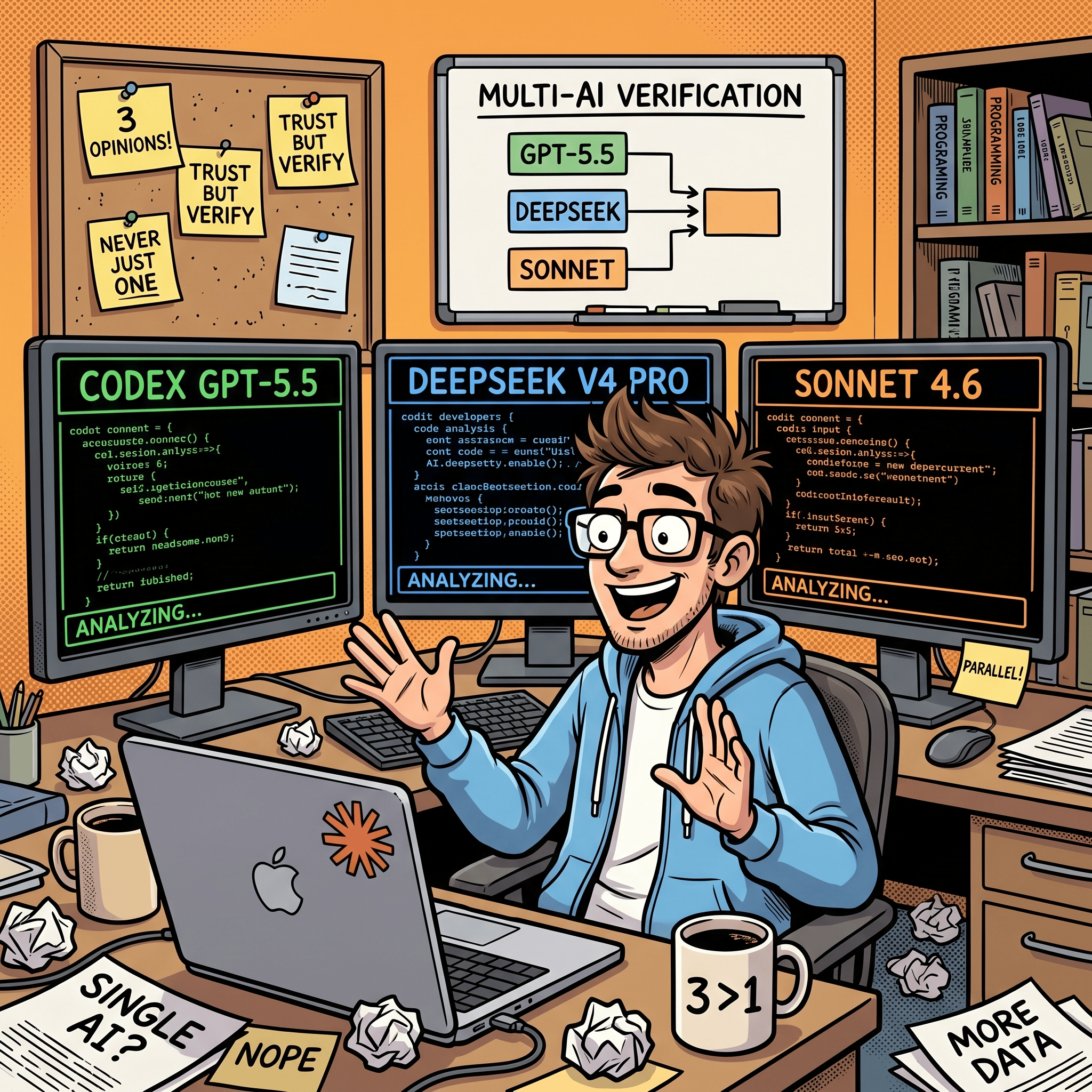
So I built /consult-codex-deepseek - a skill that fires Codex GPT-5.5, DeepSeek V4 Pro, and a Sonnet 4.6 code-searcher agent in parallel and gives me a structured 3-way comparison. Three models, three perspectives, one prompt. Eventually, I’ll release this skill in both my Claude Code plugin marketplace centminmod/claude-plugins and in my Claude Code starter template GitHub repo.
This article covers three things: how to set up DeepSeek V4 in Claude Code, Kilo Code, and OpenCode; how the deepcc shell function lets you run DeepSeek as a separate Claude Code instance alongside your main session; and how the /consult-codex-deepseek skill wires it all together for 3-way verification.
What DeepSeek V4 offers
DeepSeek V4 ships two models through the same API:
DeepSeek V4 Pro is the flagship. 1M token context window, 384K max output, thinking mode enabled by default. It supports tool calls, JSON output, and FIM completion (in non-thinking mode). This is the model you want for code analysis and complex reasoning.
DeepSeek V4 Flash is the lightweight option. Same 1M context and feature set, but faster and significantly cheaper. Good for subagent tasks where you do not need the full reasoning depth.
Both models expose two API formats: OpenAI-compatible at https://api.deepseek.com and Anthropic-compatible at https://api.deepseek.com/anthropic. The Anthropic endpoint enables Claude Code integration without any code changes.
Pricing (as of May 2026)
DeepSeek V4 Pro is currently running a 75% discount extended until May 31, 2026. These are the discounted prices:
V4 Pro input (cache miss): $0.435 / 1M tokens
V4 Pro input (cache hit): $0.003625 / 1M tokens
V4 Pro output: $0.87 / 1M tokens
V4 Flash input (cache miss): $0.14 / 1M tokens
V4 Flash input (cache hit): $0.0028 / 1M tokens
V4 Flash output: $0.28 / 1M tokens
For context, Claude Opus 4.7 costs $15 / 1M input tokens (cache miss) and $75 / 1M output tokens. DeepSeek V4 Pro’s discounted input rate is roughly 34x cheaper. Even after the promo ends, the full price ($1.74 / 1M input) is still about 8.6x cheaper than Opus. At $0.003625 per million tokens, DeepSeek V4 Pro’s cached input is cheaper than Claude Haiku’s cached input.

Getting your DeepSeek API key
Before configuring any tool, you need an API key:
Go to platform.deepseek.com and sign up or log in
Navigate to API Keys
Create a new key and copy it immediately (you will not see it again)
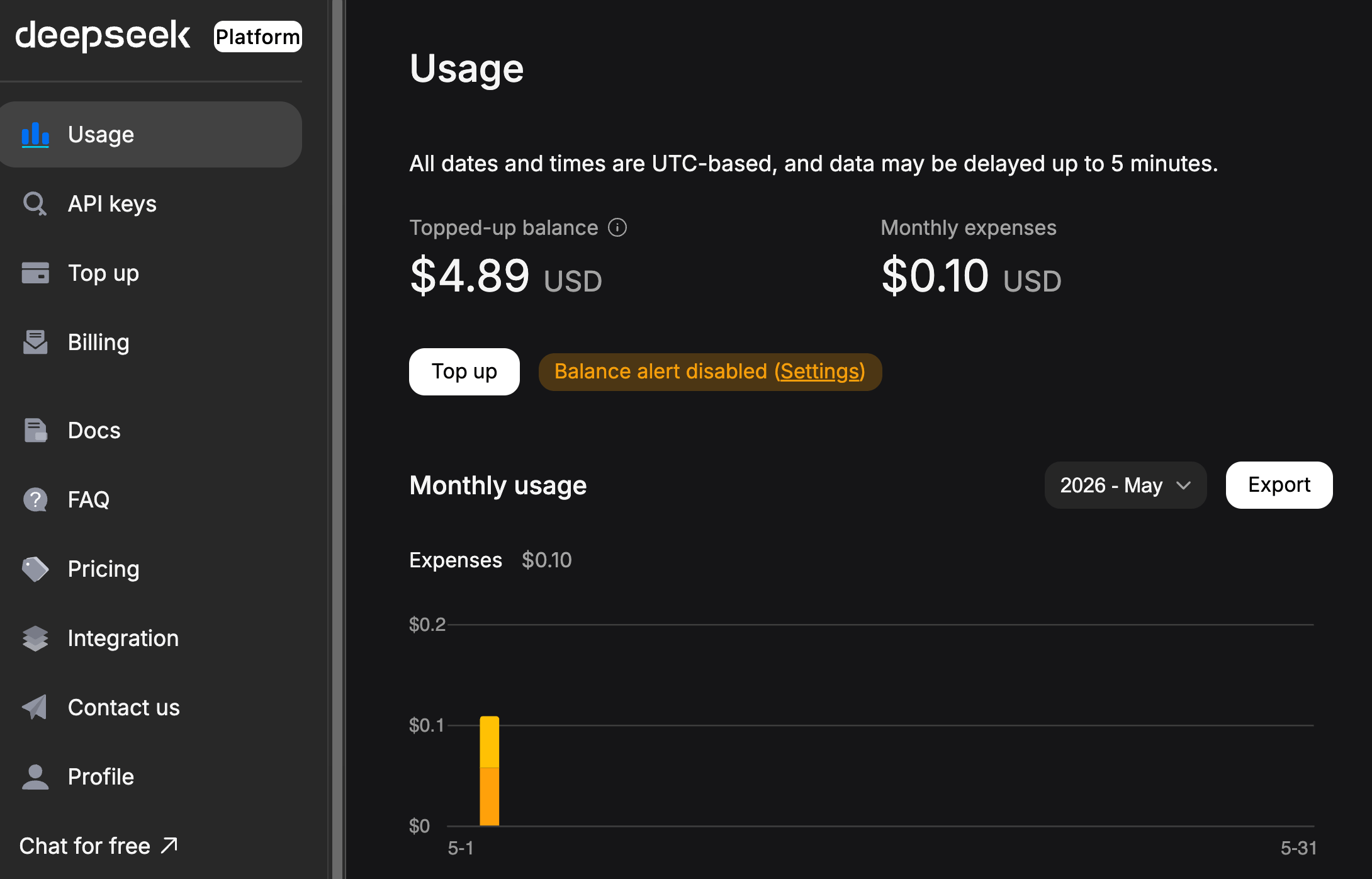
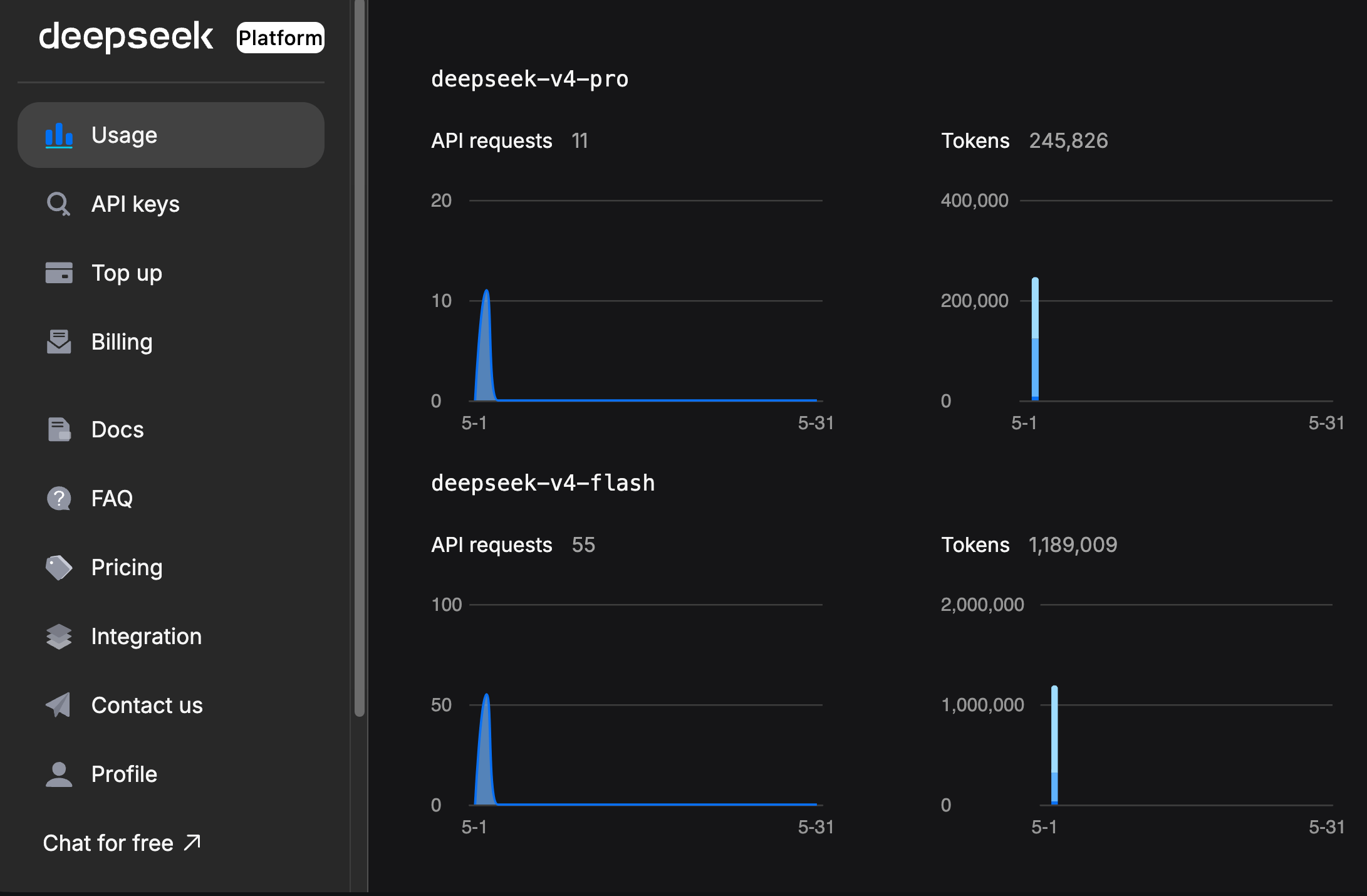
Top up your balance - DeepSeek uses prepaid billing, not post-pay
Keep the key somewhere safe. You will use it across all three tools below.
Setting up DeepSeek V4 in Claude Code
Claude Code does not have a native DeepSeek provider. Instead, DeepSeek exposes an Anthropic-compatible API endpoint, so you redirect Claude Code’s API calls to DeepSeek’s servers using environment variables.
The standard approach (replaces Claude)
Set these environment variables before launching claude:
export ANTHROPIC_BASE_URL=https://api.deepseek.com/anthropic
export ANTHROPIC_AUTH_TOKEN=<your DeepSeek API key>
export ANTHROPIC_MODEL=deepseek-v4-pro[1m]
export ANTHROPIC_DEFAULT_OPUS_MODEL=deepseek-v4-pro[1m]
export ANTHROPIC_DEFAULT_SONNET_MODEL=deepseek-v4-pro[1m]
export ANTHROPIC_DEFAULT_HAIKU_MODEL=deepseek-v4-flash
export CLAUDE_CODE_SUBAGENT_MODEL=deepseek-v4-flash
export CLAUDE_CODE_EFFORT_LEVEL=max
Then run claude as normal:
cd /path/to/your-project
claude
This works, but there is a trade-off to understand: this completely replaces Claude with DeepSeek. Every model selector in Claude Code (Opus, Sonnet, Haiku) now maps to a DeepSeek model. You are no longer talking to Claude at all.
That is fine if you want a pure DeepSeek session. But if you want to use DeepSeek as a second opinion alongside Claude - which is the more interesting use case - you need the shell function approach.
The deepcc shell function (runs DeepSeek alongside Claude)
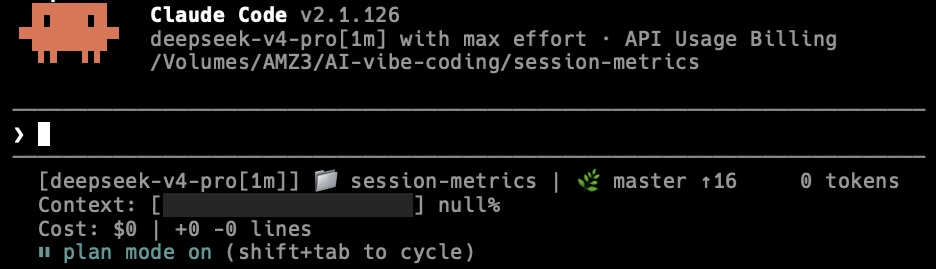
I wrote a shell function called deepcc that wraps the claude command with DeepSeek’s environment variables. Add this to your ~/.zshrc (macOS) or ~/.bashrc (Linux):
deepcc() {
    export ANTHROPIC_BASE_URL=https://api.deepseek.com/anthropic
    export ANTHROPIC_AUTH_TOKEN=<your DeepSeek API key>
    export ANTHROPIC_MODEL=deepseek-v4-pro[1m]
    export ANTHROPIC_DEFAULT_OPUS_MODEL=deepseek-v4-pro[1m]
    export ANTHROPIC_DEFAULT_SONNET_MODEL=deepseek-v4-pro[1m]
    export ANTHROPIC_DEFAULT_HAIKU_MODEL=deepseek-v4-flash
    export CLAUDE_CODE_SUBAGENT_MODEL=deepseek-v4-flash
    export CLAUDE_CODE_EFFORT_LEVEL=max
    claude "$@"
}
Reload your shell (source ~/.zshrc) and now you have two commands:
claude- launches Claude Code with Anthropic’s models as normaldeepcc- launches Claude Code pointing at DeepSeek V4 Pro
You can run them in separate terminal tabs, or - more usefully - call deepcc from inside a Claude Code session as a subprocess. That is exactly what the /consult-codex-deepseek skill does.

DeepSeek V4 Web Search In Claude Code
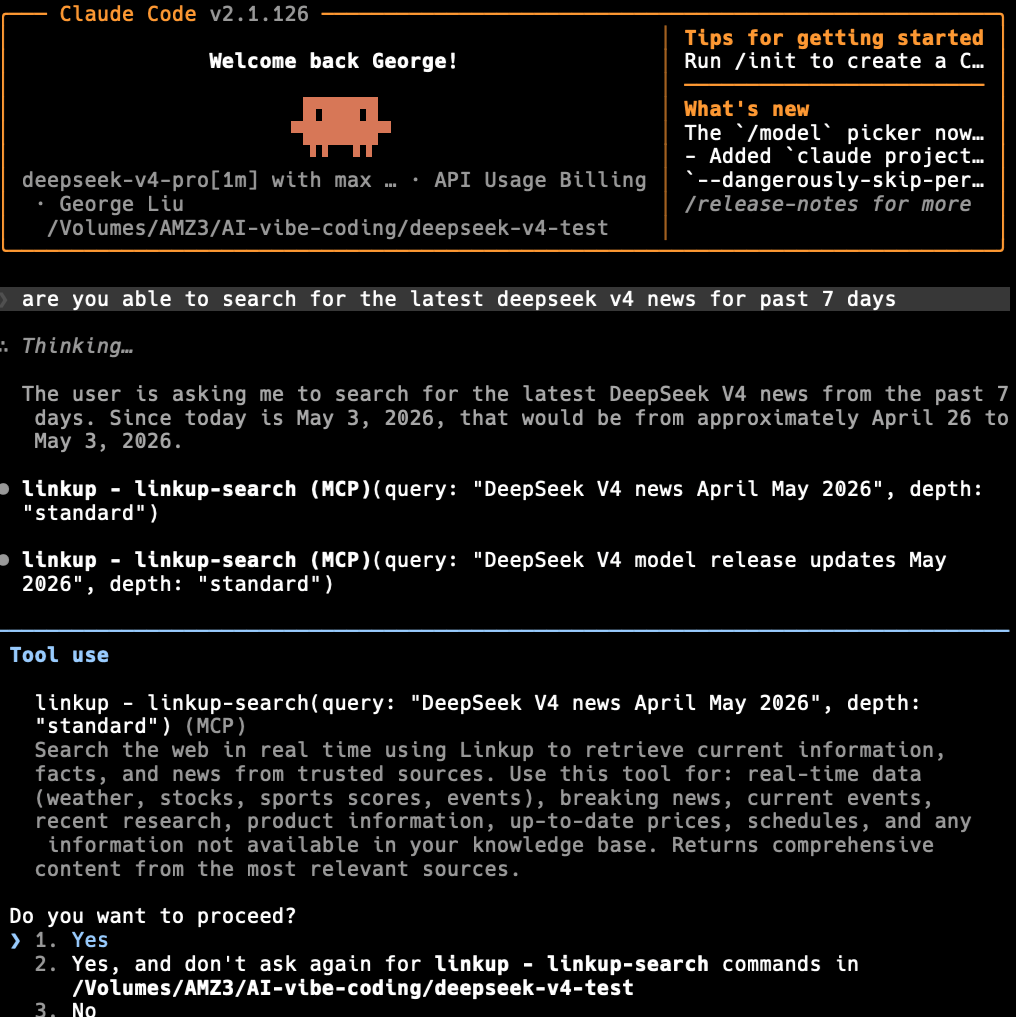
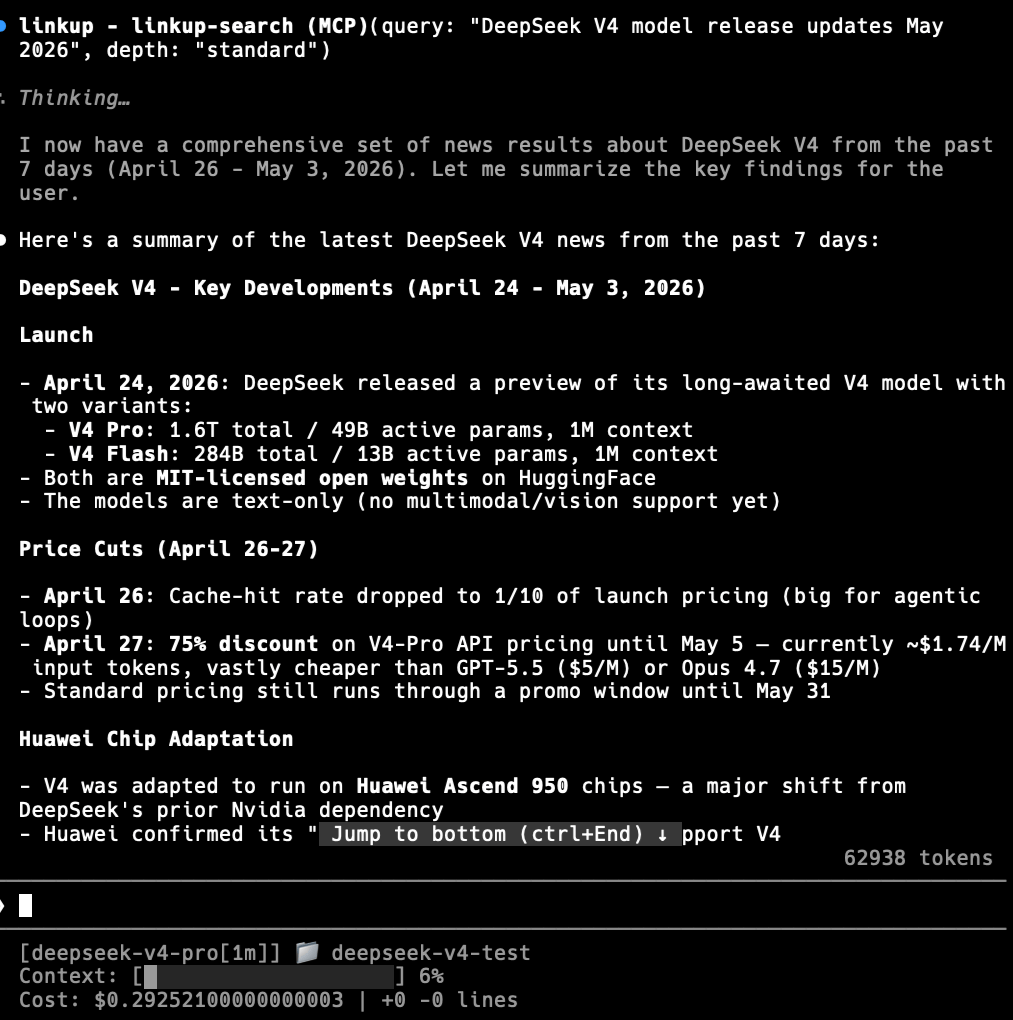
Using DeepSeek V4 Pro within Claude Code harness has some limitations in that there is no native web search. You will need to add Brave, Exa or Linkup MCP search servers to Claude Code to allow DeepSeek V4 models to do web searches.
For Linkup MCP, the free plan provides €5/month of free credits, and their documentation is set up for the Claude Desktop app, but not directly for Claude Code. However, you can install via this command, changing YOUR_API_KEY for your Linkup API key:
claude mcp add linkup npx -- -y linkup-mcp-server apiKey=YOUR_API_KEY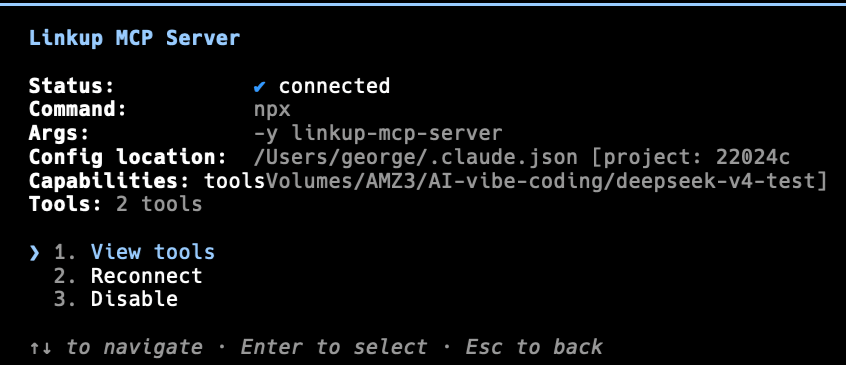
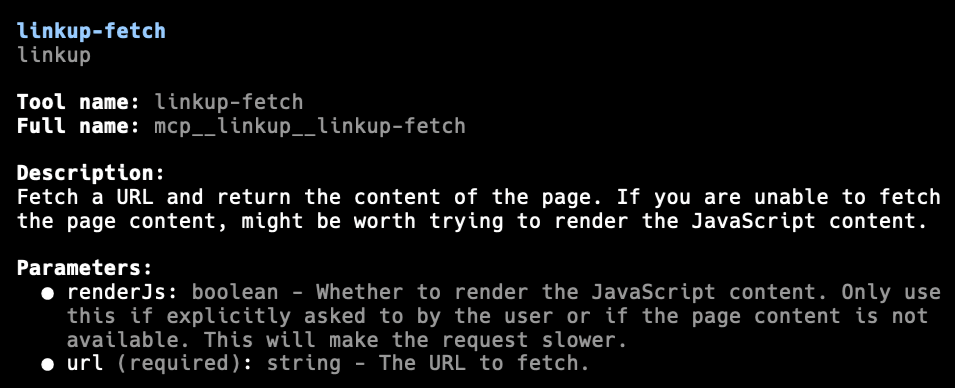
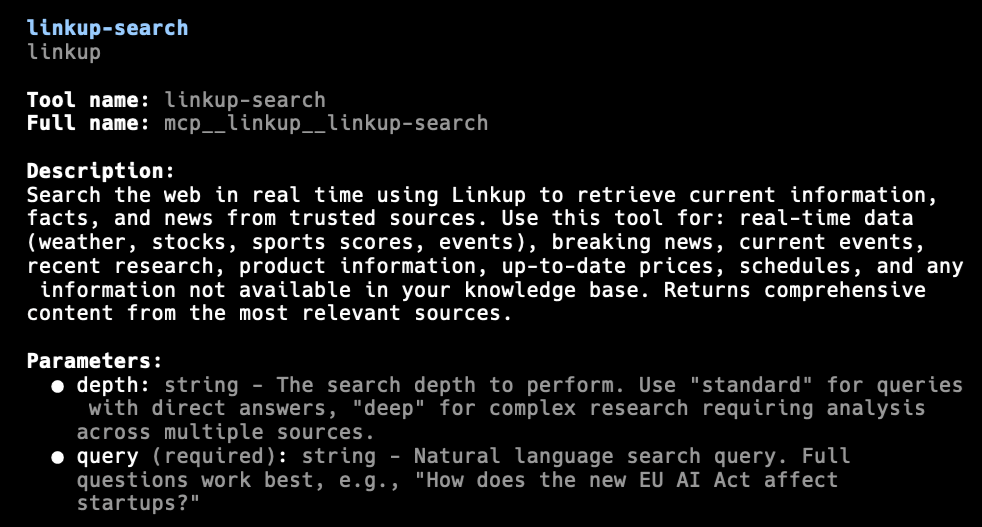
DeepSeek V4 Pro is failing to do web searches in Claude Code CLI.
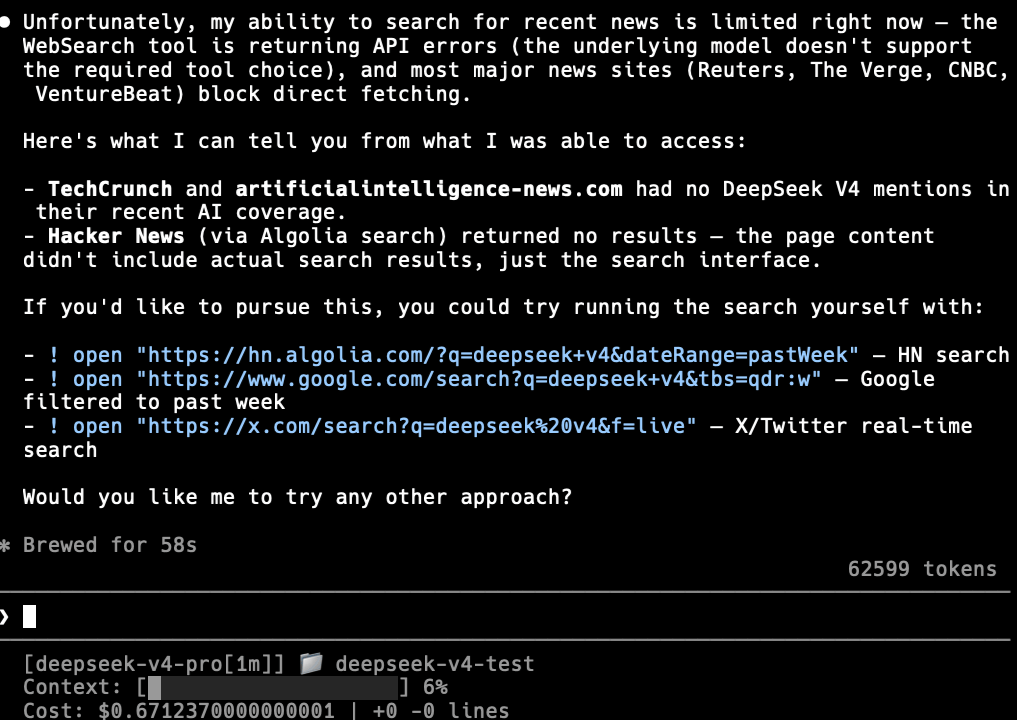
With Linkup MCP search server enabled.
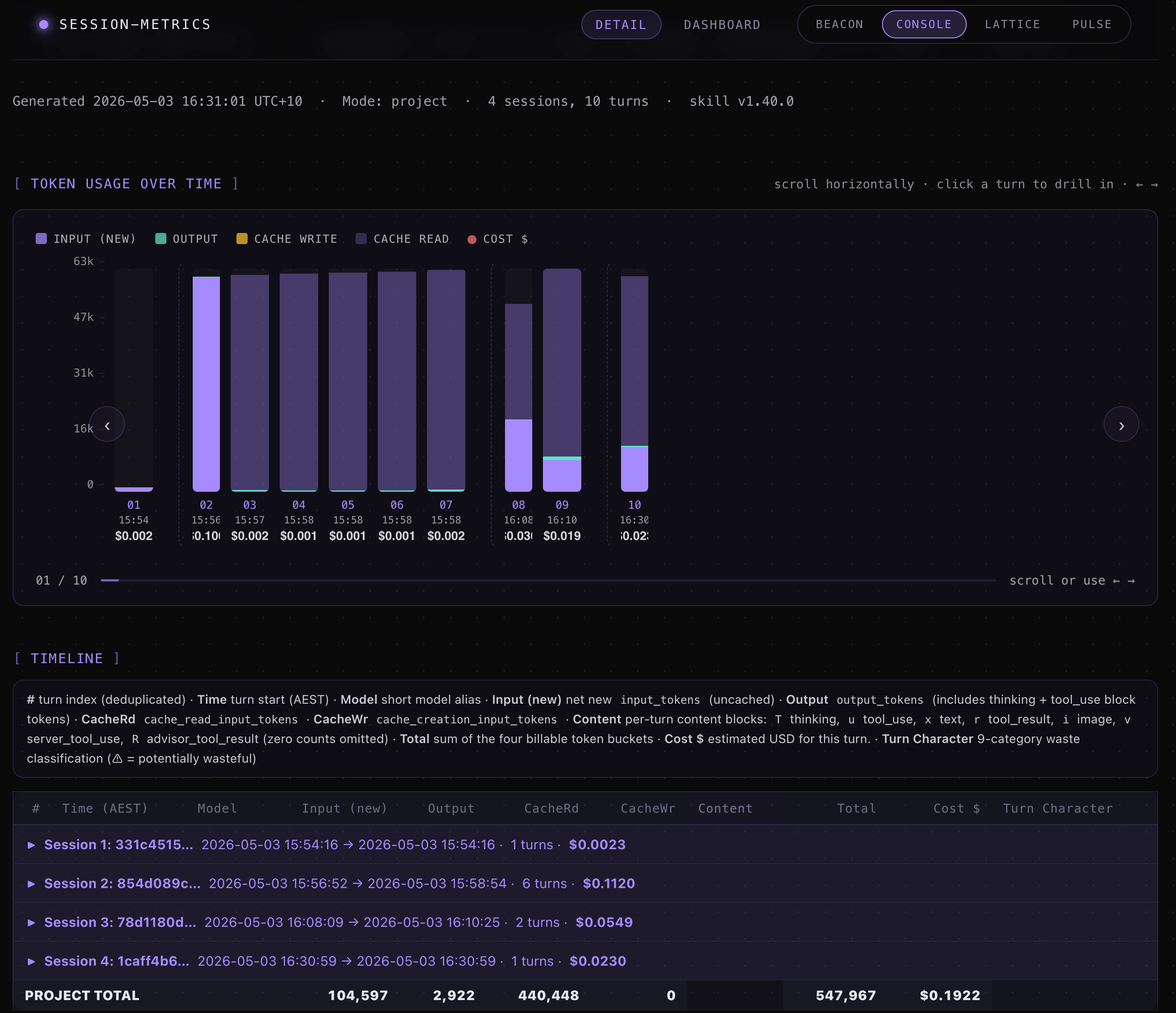
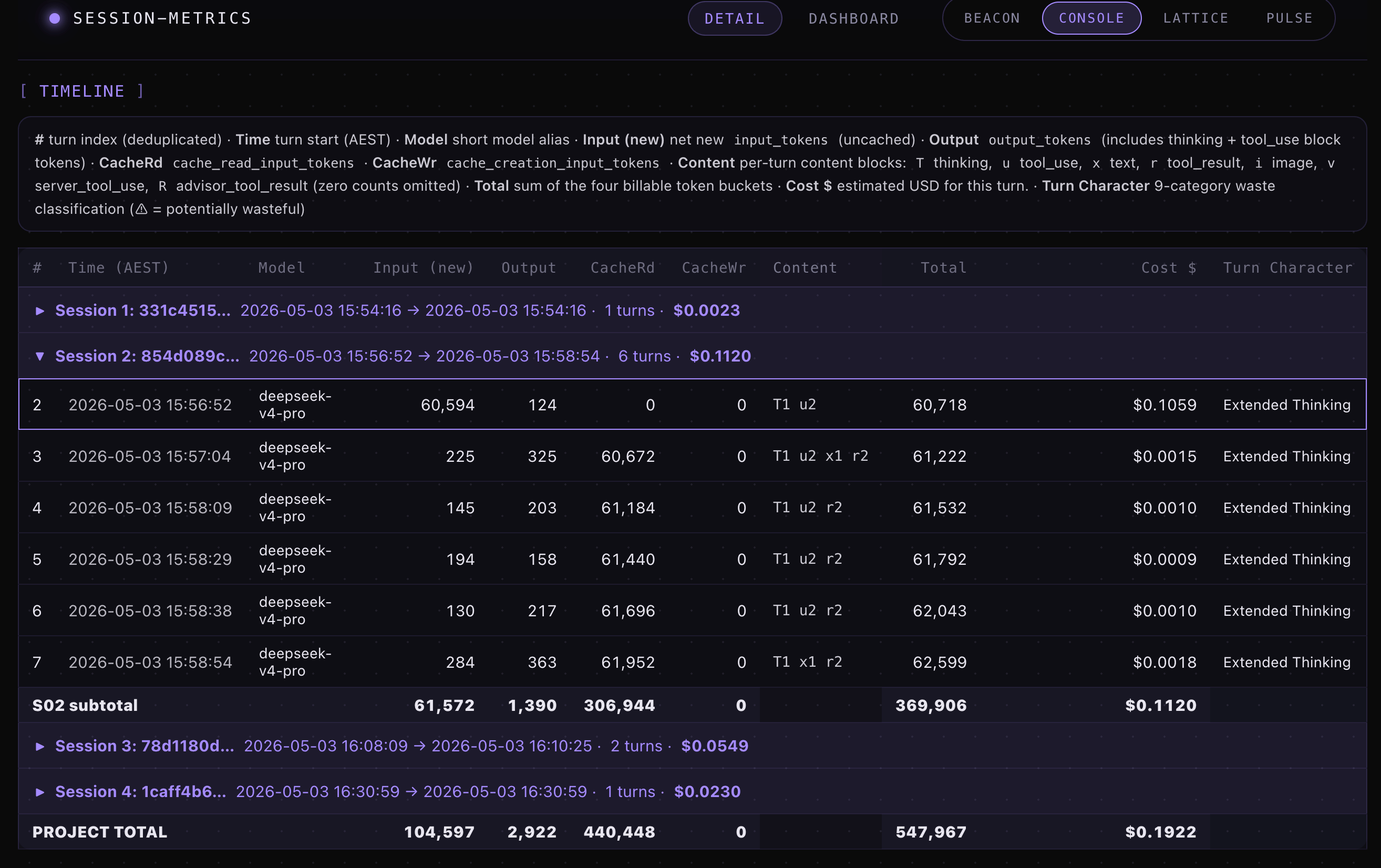
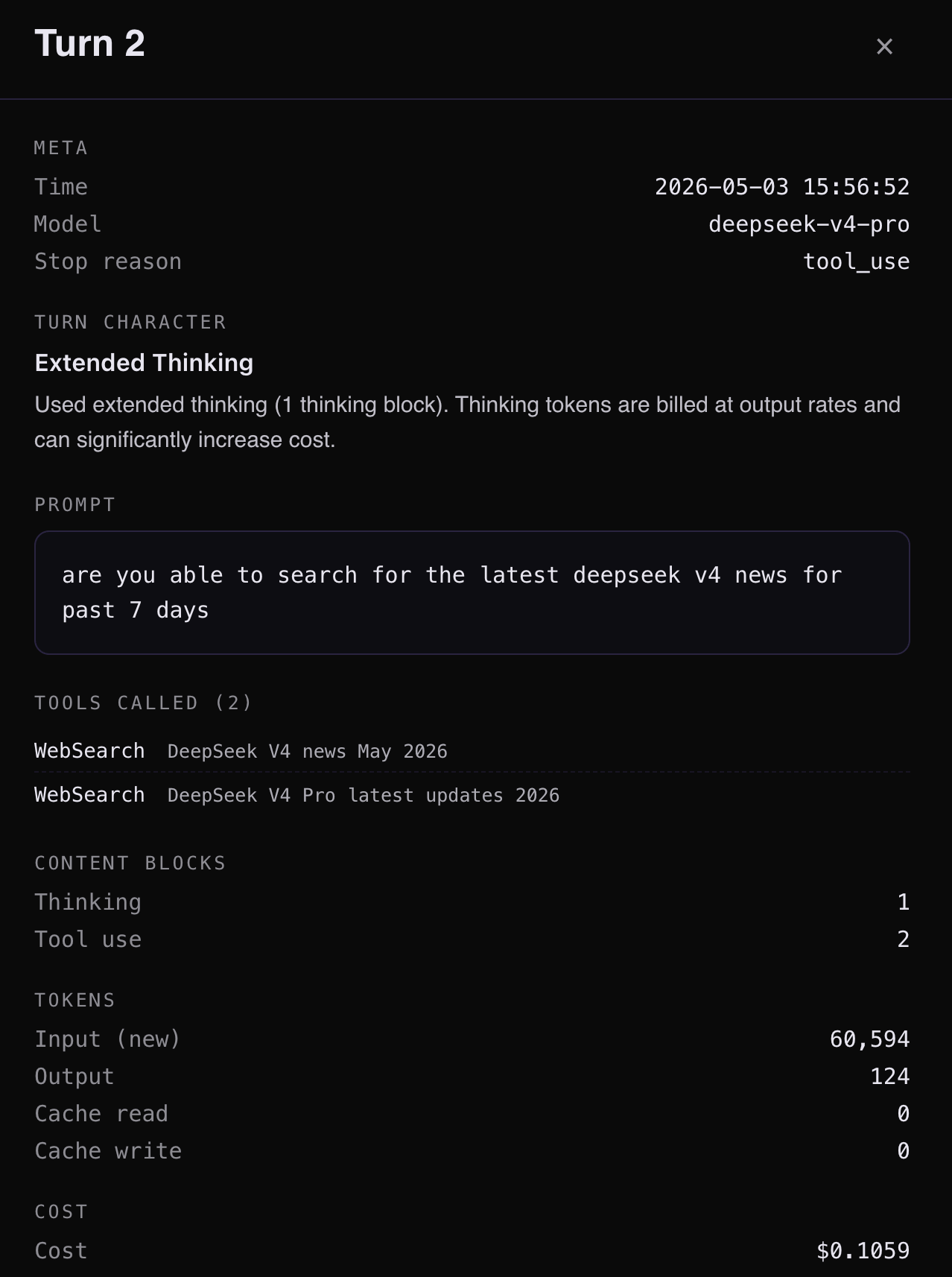
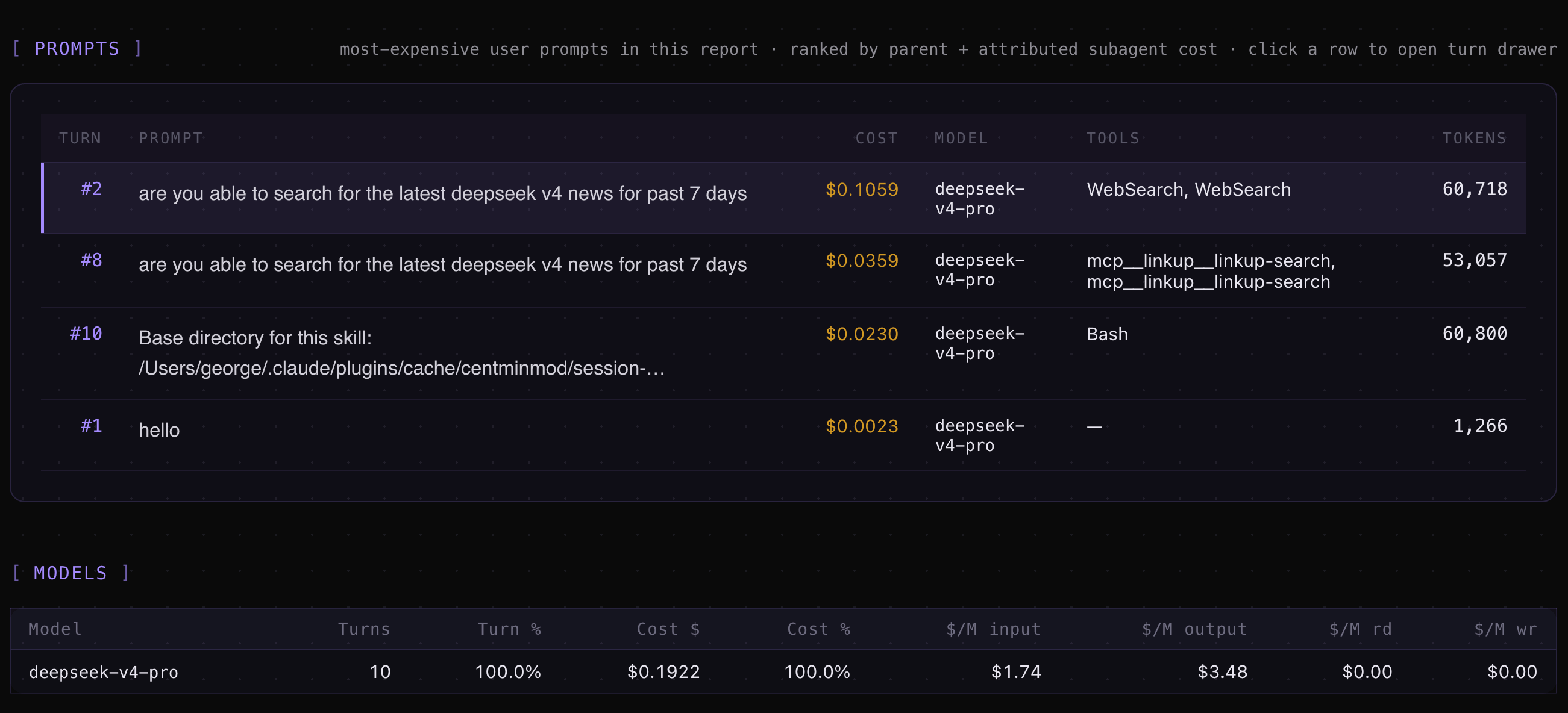
DeepSeek V4 Claude Code Token Usage Metrics
My session-metrics plugin for Claude Code will work with DeepSeek V4 token usage tracking.
/session-metrics:session-metrics export project to html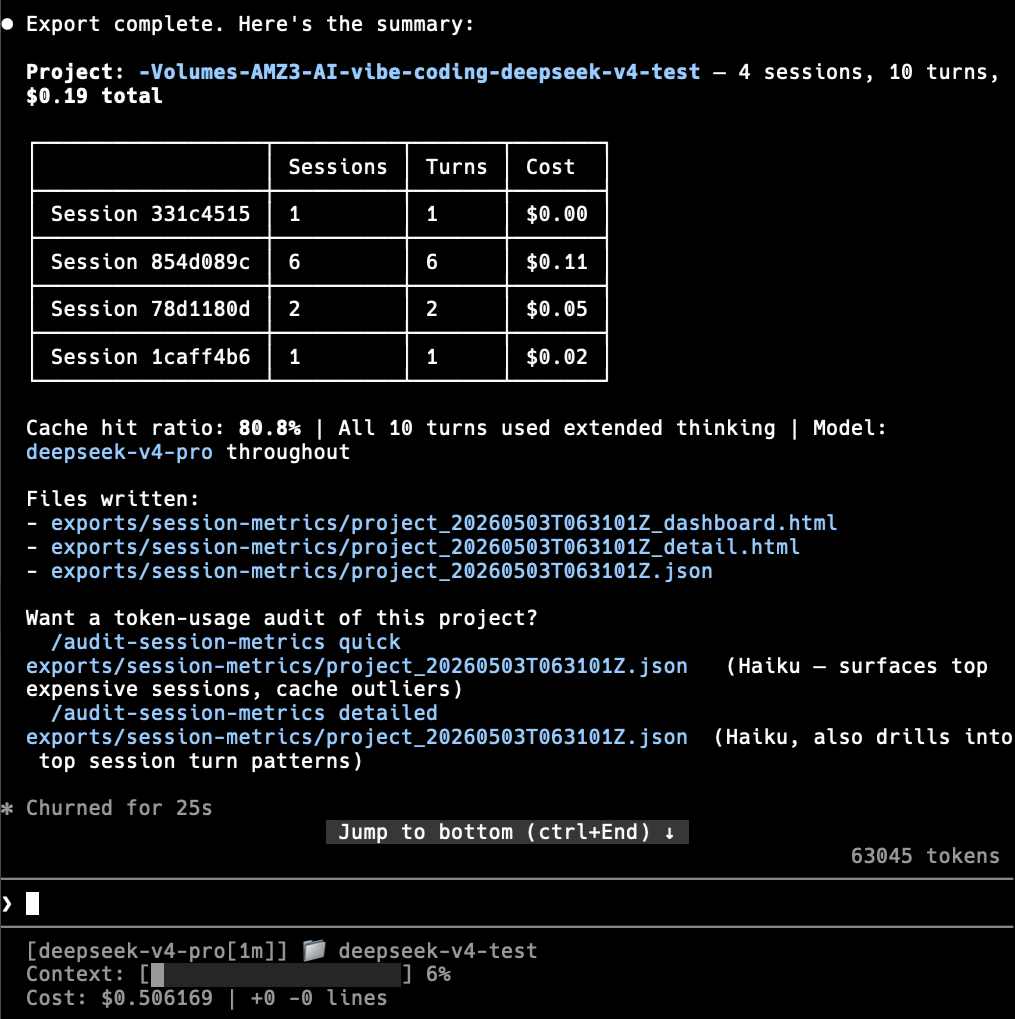
Exported Claude Code project level usage metrics for exports/session-metrics/project_20260503T063101Z_dashboard.html
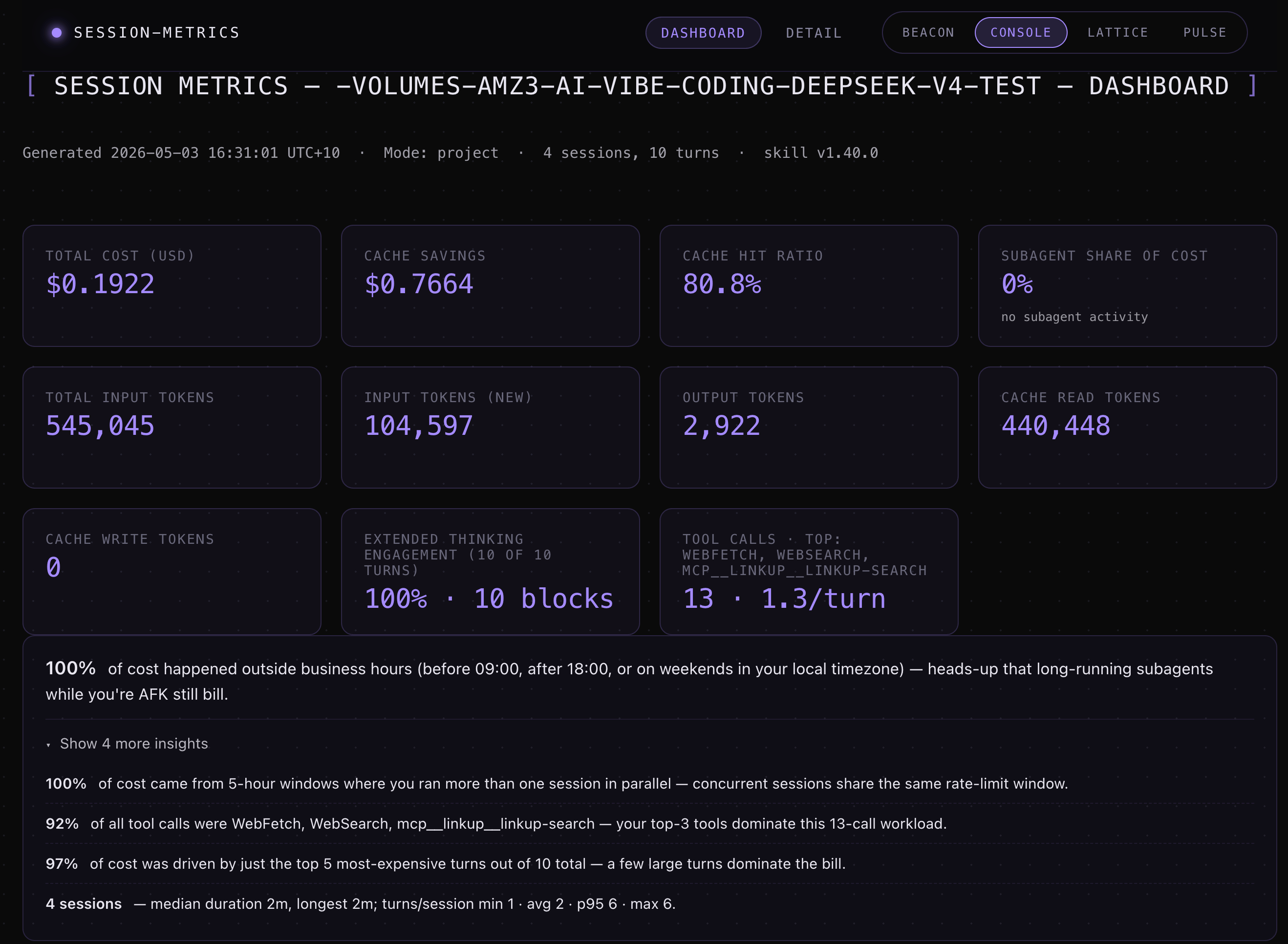
Exported HTML metrics for exports/session-metrics/project_20260503T063101Z_detail.html.
Setting up DeepSeek V4 in Kilo Code
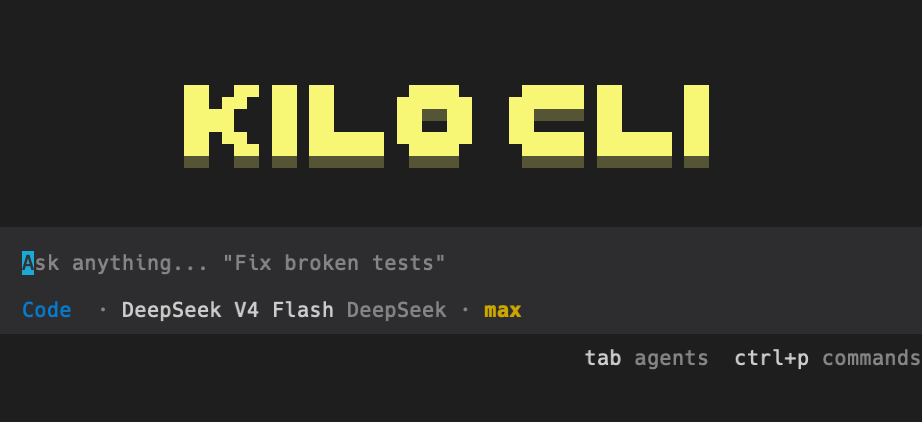
Kilo Code has native DeepSeek support, so setup is simpler than Claude Code. No environment variables needed.
Install Kilo Code CLI if you have not already:
npm install -g @kilocode/cli
kilo --version
Launch Kilo Code in your project:
cd /path/to/your-project
kilo
Type
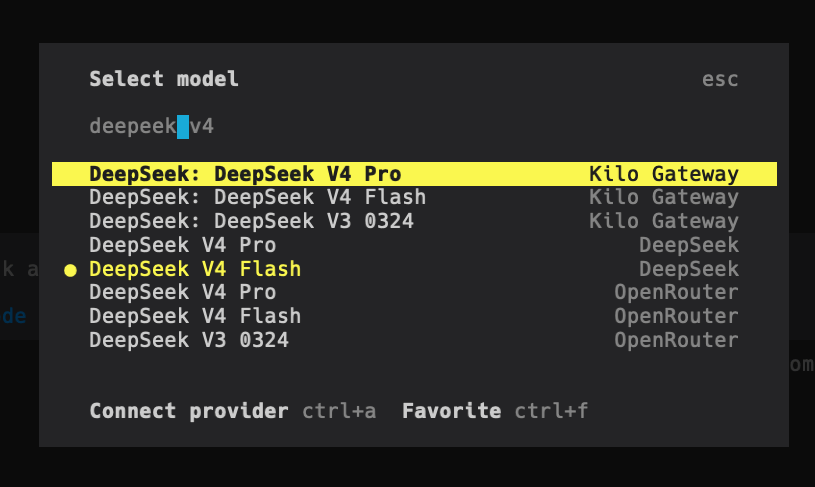
/connectin the command bar to open the Connect Provider panel.Search for
deepseek, select DeepSeek, and enter your API key.Type
/modelsto open the model selector and choose from:DeepSeek V4 Pro
DeepSeek V4 Flash
DeepSeek Chat (legacy, maps to V4 Flash non-thinking mode)
DeepSeek Reasoner (legacy, maps to V4 Flash thinking mode)
That is it. Kilo Code handles the API routing internally. You can switch between DeepSeek and other providers without restarting.
Setting up DeepSeek V4 in OpenCode
OpenCode is an open-source coding assistant with terminal, web, and other interfaces. Like Kilo Code, it has native DeepSeek provider support.
Install OpenCode from opencode.ai/download. Make sure your version is >= v1.14.24 to avoid compatibility issues.
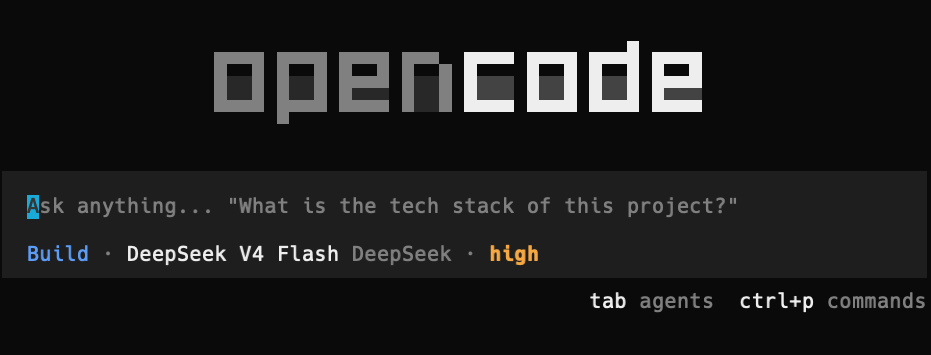
Launch OpenCode:
opencodeType
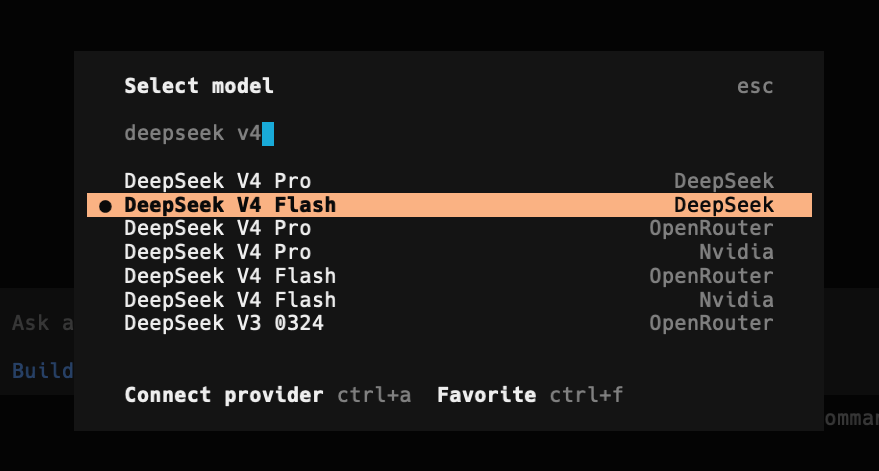
/connectin the input box, then enterdeepseekand select the provider.Enter your DeepSeek API key.
Select the DeepSeek-V4-Pro model.
OpenCode and Kilo Code both use the /connect pattern, which makes switching providers feel consistent. Neither requires you to manage environment variables manually.
The /consult-codex-deepseek skill: 3-way verification
This is where the pieces come together. I already had /consult-codex and /consult-zai for 2-way verification. The new /consult-codex-deepseek skill upgrades the pattern to 3-way: Codex GPT-5.5, DeepSeek V4 Pro, and Sonnet 4.6 code-searcher all analyze the same question in parallel.
Why three opinions instead of two
Two-way verification already catches things a single model misses. I documented this in Post 04 - during the Timezone Scheduler build, Codex caught request limit concerns that Claude alone did not flag, while the code-searcher found a caching optimization Codex overlooked.
Three-way verification adds a tiebreaker. When two models agree and one disagrees, you have a clear signal about which finding to trust. When all three disagree, you know you need to verify manually. The agreement level becomes a confidence metric.
It also gives you model diversity. GPT-5.5, DeepSeek V4 Pro, and Sonnet 4.6 have different training data, different architectural decisions, and different blind spots. A bug that all three independently flag is almost certainly real.
How the skill works
When you type /consult-codex-deepseek followed by a code question, the skill:
Wraps your question with structured output requirements - file paths with line numbers, confidence levels, limitations, and code snippets.
Fires all three analyses in parallel using a single message with multiple tool calls. No serial waiting. The three agents are:
Codex GPT-5.5 via
codex -p readonly exec(OpenAI’s Codex CLI in readonly mode)DeepSeek V4 Pro via
deepcc --bare --print(the shell function from above)Sonnet 4.6 code-searcher via Claude Code’s built-in Agent tool with
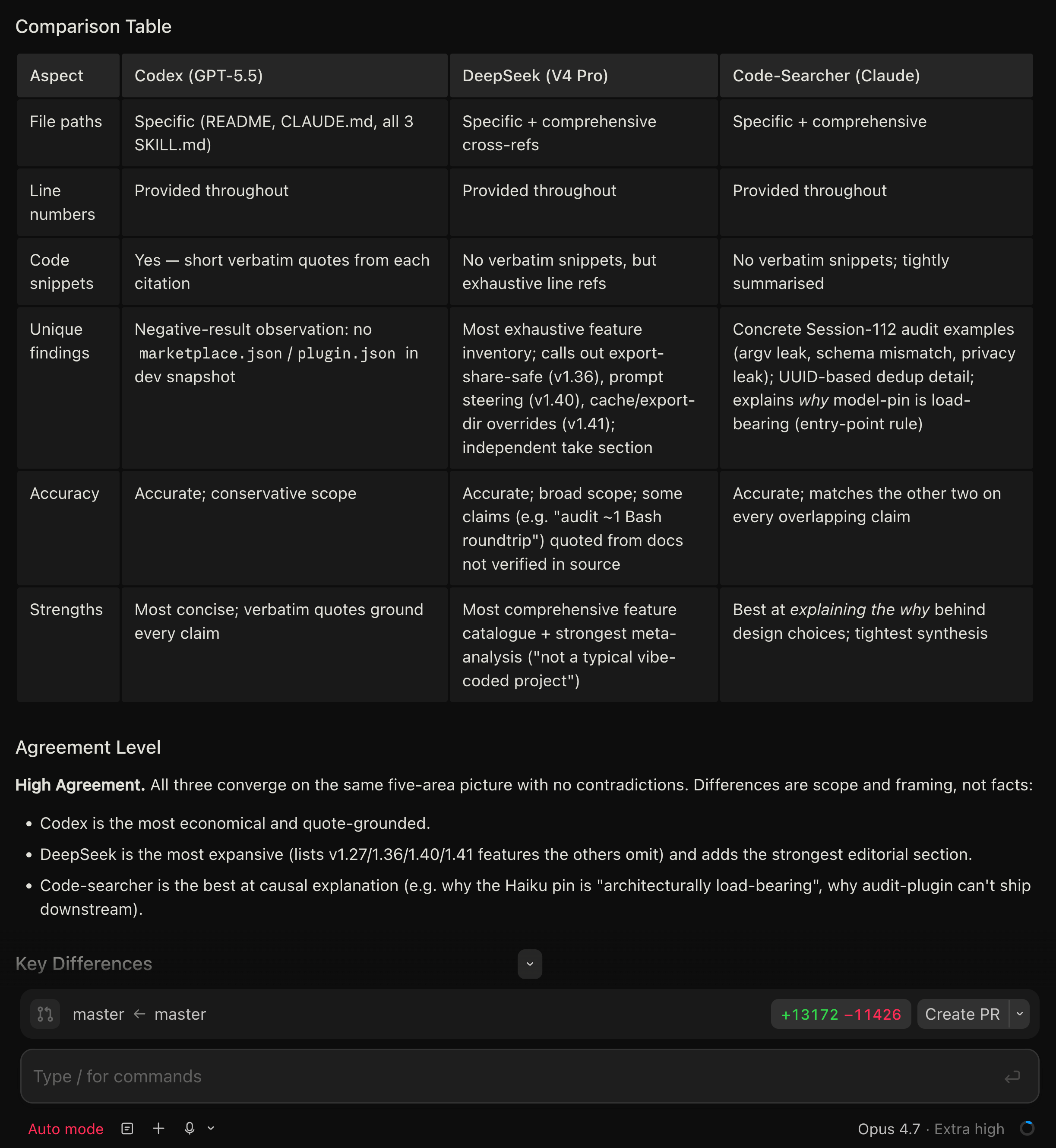
subagent_type: "code-searcher"Produces a structured comparison with a 3-column table covering file paths, line numbers, code snippets, unique findings, accuracy, and strengths for each model.
Assigns an agreement level: High Agreement (all three converge - ship with confidence), Partial Agreement (overlapping findings with unique additions - investigate the differences), or Disagreement (contradicting findings - manual verification required).
Synthesizes the best insights from all three into a unified analysis, prioritizing findings corroborated by multiple agents with specific file:line citations.
The parallel invocation
The skill writes a prompt file for each external CLI tool and launches all three simultaneously. Here is what the Codex and DeepSeek invocations look like (simplified):
# Codex GPT-5.5 (readonly mode)
zsh -i -c 'codex -p readonly exec "$(cat $CLAUDE_PROJECT_DIR/tmp/codex-prompt.txt)" --json 2>&1'

# DeepSeek V4 Pro (via deepcc shell function)
zsh -i -c 'deepcc --bare --print "$(cat $CLAUDE_PROJECT_DIR/tmp/deepseek-prompt.txt)" \
  --allowedTools "Bash,Read,Edit" --add-dir "$CLAUDE_PROJECT_DIR" 2>&1'
The zsh -i (or bash -i on Linux) is required to load the interactive shell, which is where deepcc is defined. The code-searcher runs natively inside Claude Code using the Agent tool, so it does not need a shell wrapper.
What the output looks like
After all three agents finish (typically 30 to 90 seconds depending on codebase size and query complexity), you get output structured like this:
## Codex (GPT-5.5) Response
[Full analysis with file:line citations]

## DeepSeek (V4 Pro) Response
[Full analysis with file:line citations]

## Code-Searcher (Claude) Response
[Full analysis with file:line citations]

## Comparison Table
| Aspect          | Codex (GPT-5.5) | DeepSeek (V4 Pro) | Code-Searcher |
|-----------------|-----------------|-------------------|---------------|
| File paths      | Specific        | Specific          | Specific      |
| Line numbers    | Provided        | Provided          | Provided      |
| Unique findings | [details]       | [details]         | [details]     |

## Agreement Level
High Agreement / Partial Agreement / Disagreement

## Synthesized Summary
[Best insights from all three, prioritized by corroboration]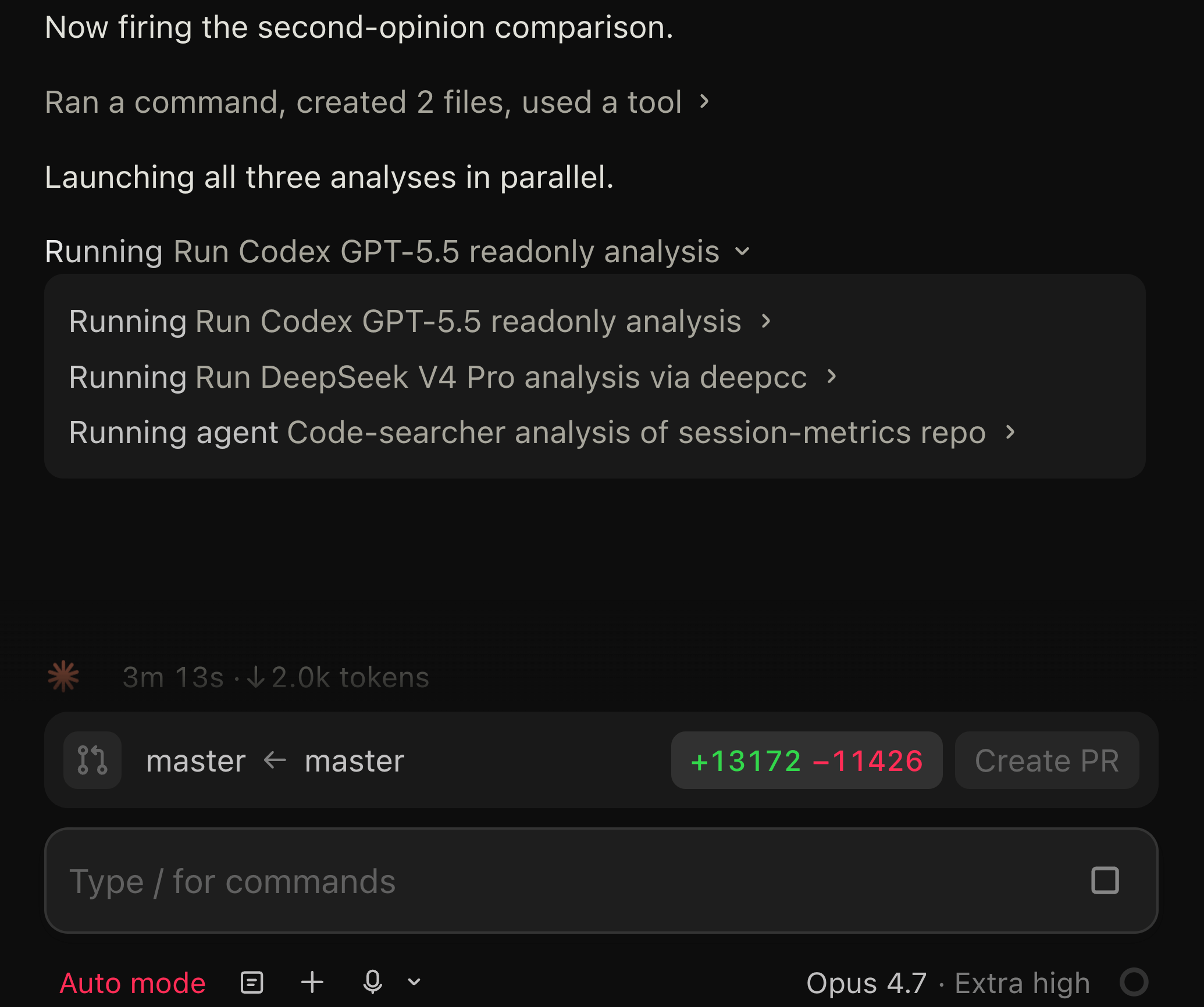
Prerequisites for the skill
To use /consult-codex-deepseek, you need all three backends configured:
Claude Code with your Anthropic subscription (runs the main session and code-searcher agent)
OpenAI Codex CLI installed globally:
npm install -g @openai/codexwithOPENAI_API_KEYsetThe
deepccshell function in your~/.zshrcor~/.bashrcwith your DeepSeek API key
The skill itself is a Claude Code custom skill. If you are not familiar with creating custom skills, my dual-AI consultation article covers the basics.
What to watch out for
DeepSeek rate limits are dynamic
DeepSeek does not publish fixed rate limits. Instead, they dynamically limit concurrency based on server load. When you hit the limit, you get an immediate HTTP 429 response. During high-traffic periods, this can happen more frequently than you would expect from Claude or OpenAI.
If a request has not started inference after 10 minutes, the server closes the connection. For agentic use cases where DeepSeek needs to reason through complex code, this timeout can occasionally bite. The consultation skill handles this gracefully - if DeepSeek times out, it still presents the Codex and code-searcher results and notes the failure.
Thinking mode is on by default
DeepSeek V4 models default to thinking mode enabled. This means the model reasons through problems before responding, similar to Claude’s extended thinking. For code analysis this is usually what you want. If you need non-thinking mode (faster, cheaper), check DeepSeek’s thinking mode guide for how to toggle it.
Error codes to know
The error codes you are most likely to hit:
401 - Wrong API key. If you are getting this from a subprocess, check whether OAuth tokens are bleeding through (use
--bare).402 - Insufficient balance. DeepSeek uses prepaid billing. Top up at platform.deepseek.com/top_up.
429 - Rate limit. Wait and retry, or reduce concurrent requests.
503 - Server overloaded. Common during peak hours. Retry after a brief wait.
The --bare gotcha (worth repeating)
If you are calling deepcc from inside a Claude Code session and getting 401 errors despite having the correct API key, you almost certainly need --bare. This was the most time-consuming debugging issue I hit during setup. The parent session’s OAuth token silently overrides your DeepSeek API key in the subprocess environment. --bare prevents this.
When to use which tool
Claude Code + deepcc is the power-user setup. You get DeepSeek alongside Claude in the same terminal workflow, and you can automate multi-model consultation with skills. The trade-off is more configuration (shell functions, env vars, understanding --bare).
Kilo Code is the easiest path if you just want to try DeepSeek V4. Native provider support, no env vars, switch models with /models. Good for evaluation and side-by-side comparison with other providers it supports.
OpenCode is similar to Kilo Code in ease of setup but is open-source. If you care about inspecting how the tool talks to the API or want to extend it, OpenCode is the better choice.
For my workflow, I use Claude Code as my primary tool with Opus 4.7, and deepcc as one leg of the 3-way verification skill. I use Kilo Code and OpenCode when I want to run a pure DeepSeek session without Claude Code’s environment variable overhead.
What I learned
The Anthropic-compatible endpoint is the key enabler. DeepSeek exposing api.deepseek.com/anthropic means any tool that talks to the Anthropic API can talk to DeepSeek with zero code changes. Just swap the base URL and auth token.
Three-way verification catches more than two-way. The tiebreaker dynamic is genuinely useful. When Codex and DeepSeek agree but the code-searcher disagrees, I investigate the code-searcher’s reasoning (it often has better file-level context). When all three agree, I ship with higher confidence.
The --bare flag is essential for subprocess use. This is not documented anywhere in DeepSeek’s integration guide. If you are building skills or automation that call DeepSeek from inside a Claude Code session, --bare is the difference between it working and getting mysterious 401 errors.
DeepSeek V4 Pro’s reasoning is slow but thorough. Expect 30 to 90 seconds for complex code questions with thinking mode on. The consultation skill runs all three agents in parallel, so DeepSeek’s slower response time does not bottleneck the workflow - you just wait for the slowest agent.
Pricing makes multi-model verification practical. At $0.435 per million input tokens (with the promo), adding DeepSeek as a verification layer costs almost nothing relative to the Claude Opus session it is verifying. A typical consultation query costs a few cents on the DeepSeek side.
If you’re interested in practical AI building for web apps, developer workflows, and infrastructure, subscribe for future posts. You can also follow my shorter updates on Threads (@george_sl_liu) and Bluesky (@georgesl.bsky.social) or subscribe and follow along.