

Every Claude Cowork project lives in an isolated sandbox. That isolation is a feature: it keeps projects clean, focused, and free from cross-contamination. But it also means one project cannot see another’s session history.
I hit this wall while juggling multiple related projects. I wanted to reference what I had worked through in a different Cowork session – design decisions, architectural dead ends, things that took an hour to figure out. Gone. I kept rebuilding context from scratch.
So I decided to fix it: a Claude Cowork plugin – an MCP server paired with a companion skill – that backs up Claude Cowork project sessions to the cloud, makes them searchable, and lets any project read history from any other project. The MCP handles cloud storage and retrieval. The skill teaches Claude Cowork how to drive it with plain English. The whole thing runs on Cloudflare’s serverless platform.
What I did not plan was running low on my Claude Max weekly quota halfway through. That forced an interesting pivot: hand the build off to OpenAI’s Codex app on macOS, let GPT-5.4 do the actual implementation, and use a structured 05-IMPLEMENTATION-HANDOFF.md plus a CLAUDE-history.md journaling system as the handoff artifacts. This post is the full story.
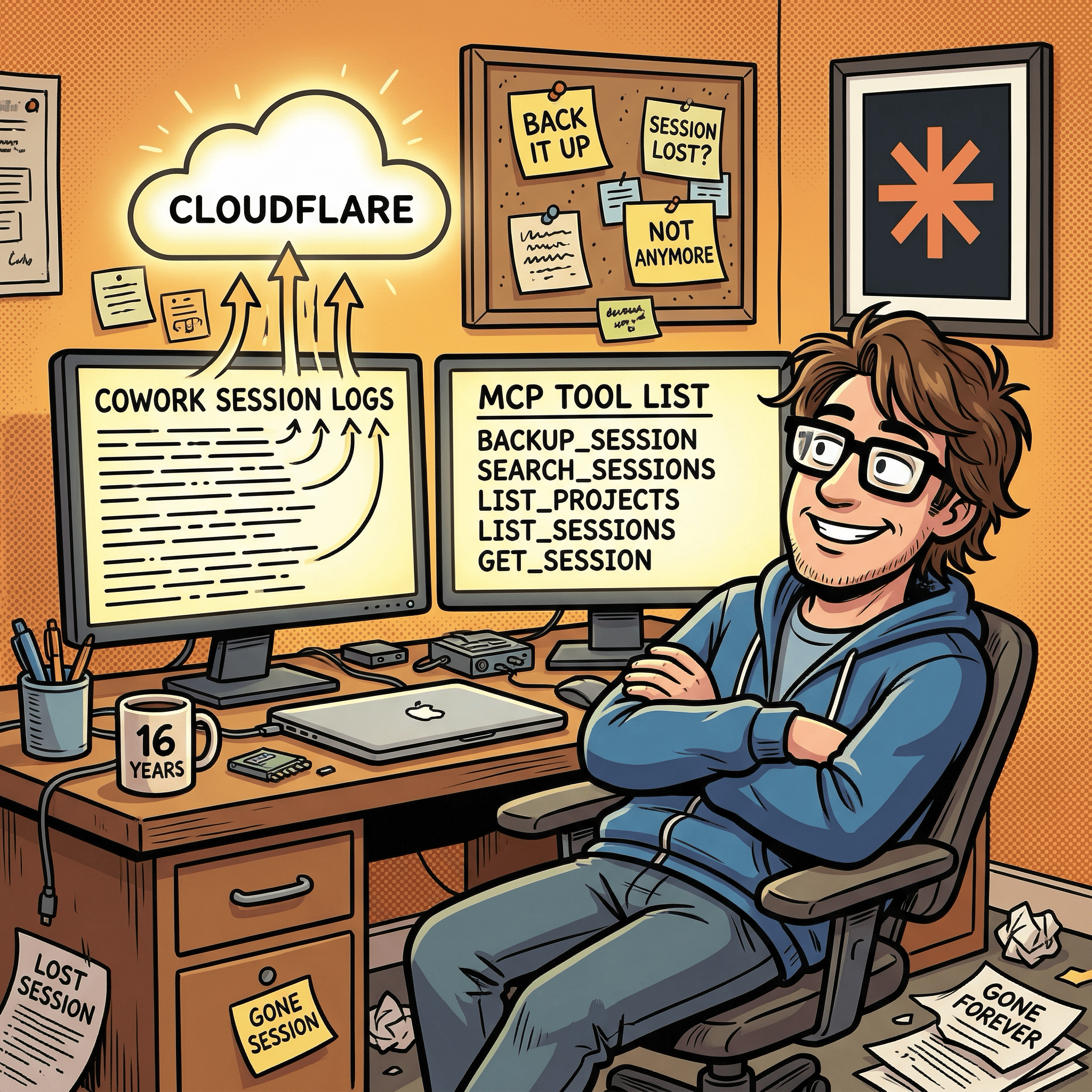
The Problem: Claude Cowork Project Sessions Are Silos
Claude Cowork runs each project in its own sandboxed environment. Files you create in one project are not accessible from another. Claude Cowork project session transcripts are written to audit.jsonl under the host filesystem at ~/Library/Application Support/Claude/local-agent-mode-sessions/, but there is no built-in mechanism to search them, share them across projects, or even browse them from inside a session.
If you do serious work inside Cowork – debugging, architecture planning, writing – that knowledge evaporates when the sandbox recycles. You can reopen the same project and pick up where you left off, but you cannot ask “what did I decide about this in the timezone scheduler project?” from inside the the project or from another project.
Cross-project session memory is a genuine gap. The solution I arrived at: a Cloudflare Worker that acts as a remote MCP server, giving any Cowork project read access to a shared session archive – plus the ability to back up Claude Cowork project sessions to that archive from within Cowork itself. The MCP does not touch or overwrite Cowork’s own local session files; it is a cloud backup layer, not a replacement for the local transcript.
Planning the Architecture (Inside Cowork)
The planning session happened entirely inside a Claude Cowork project. I started by asking where Cowork actually stores session logs and confirming that a remote approach was the only option that would survive sandbox recycling.
From there, the architecture evolved through five iterations:
Five approaches considered:
- MCP server only (stateless, no persistence)
- MCP server plus a host-side file watcher
- MCP server plus a Cowork scheduled task
- Plugin (MCP + skill bundled together)
- Pure skill using raw curl calls, no MCP
I settled on option 4, a plugin architecture. Cloudflare’s platform was already connected to my Cowork environment via the Cloudflare MCP, giving me native Cloudflare R2, Cloudflare D1, and Cloudflare AI Search bindings without building from scratch. The skill handles orchestration on the Cowork side; the remote Cloudflare Worker MCP server handles storage and retrieval.
The storage stack:
Cloudflare R2: raw session JSONL archives under
sessions/<project>/<session>.jsonland search-ready indexed text underindexed/<project>/<session>.txtCloudflare D1: SQLite metadata index for fast listing, deduplication via content hash, and sync-state tracking
Cloudflare AI Search (AutoRAG): semantic vector search across indexed text – handles chunking, embedding via Cloudflare Workers AI, and retrieval
Cloudflare Workers: the MCP server itself, exposing 5 tools over Streamable HTTP
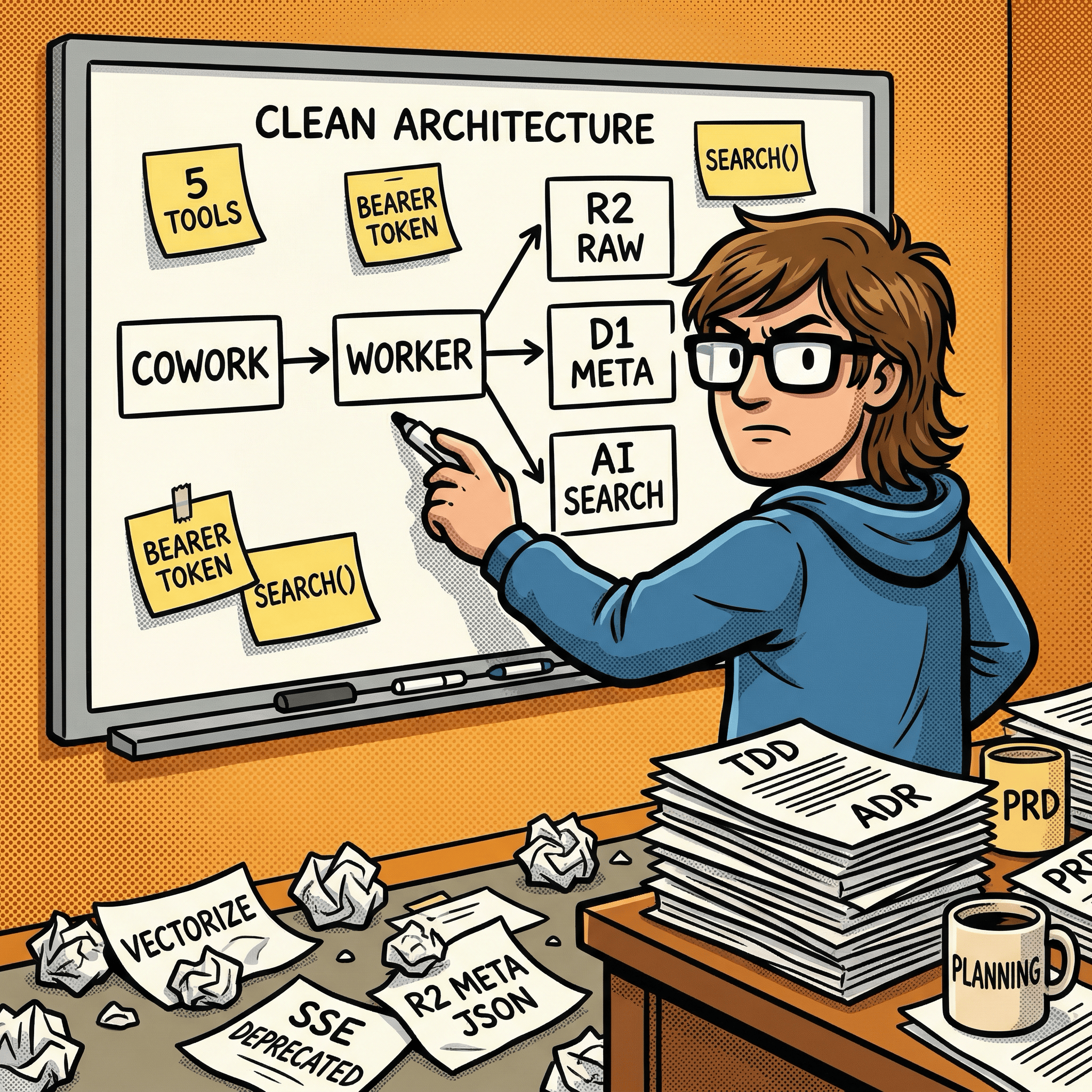
Why remote hosting over local? env.AI.autorag() only works inside a Cloudflare Worker. Since semantic search was a core requirement, remote was the only viable path. Security was handled with bearer token auth and an Origin allowlist.
The preprocessing insight: Cloudflare AI Search indexes prose better than raw JSON. So the Cloudflare Worker pre-processes JSONL into clean human-readable text before landing it in indexed/. The raw archive under sessions/ stays byte-for-byte exact. Two copies: one for retrieval, one for accuracy.
The sync gap that almost got missed: The original plan assumed Cloudflare AI Search indexed uploads in near-real time. A cross-model review (more on this shortly) caught that the default indexing cycle is every 6 hours. Cloudflare added a manual sync API in June 2025 with a 30-second cooldown. The Cloudflare Worker now calls that API after every backup.
Five Formal Planning Documents
Before any code was written, the planning session produced five structured documents:
Architecture Overview – ASCII system diagram, component descriptions, three data flow paths (backup, search, cross-project read), security model, and storage constraints.
Architecture Decision Record (ADR) – Four options compared across dimensions: binding availability, cross-project access, semantic search capability, operational complexity. The remote Cloudflare Worker approach won on all four.
Product Requirements Document (PDR) – Ten user stories (five P0, two P1, three P2), functional requirements for all five MCP tools, and non-functional targets for latency and storage.
Technical Design Document (TDD) – Full implementation spec: project structure, wrangler.jsonc, TypeScript Env interface, pseudocode for all five MCP tools, Cloudflare D1 schema, JSONL preprocessing logic, auth, Cloudflare AI Search config, error handling, deployment steps, test strategy.
Implementation Handoff – Seven-phase plan with verification checkpoints, “What NOT to Do” guardrails for the implementor, and open questions.
The journaling system was designed alongside the docs. A lightweight CLAUDE-history.md index tracks every meaningful state change in a What / Why / Details / Outcome format, with each entry as a separate file in history/. The guiding question for what gets logged: “Would this be interesting or useful context in a Substack article?” That constraint kept the history signal-rich rather than noisy.
The Quota Moment: Handing Off to Codex
The plan was to hand implementation off to Claude Code CLI. I had a complete TDD, a phased handoff document, and a journaling system Claude Code could update as it built. Clean handoff.
Then my Claude Max $100/month plan’s weekly usage limit got close. Not a hard stop, but close enough that burning through a full Cloudflare Workers MCP server implementation felt like a poor use of remaining quota. I needed another option.
OpenAI’s Codex app on macOS was already installed. It runs GPT-5.4 locally via the macOS desktop app, and I have a ChatGPT Plus subscription which covers Codex access. I had already used it as a code reviewer via the MCP bridge I wrote about in I Built an MCP Bridge So Claude Cowork Desktop Can Talk to OpenAI GPT-5.4. The question was whether it could run the other direction: not review, but build.
I opened Codex, handed it 05-IMPLEMENTATION-HANDOFF.md as the entry point, and let GPT-5.4 work through the TDD spec. It scaffolded the entire Cloudflare Worker MCP server project from the planning documents.
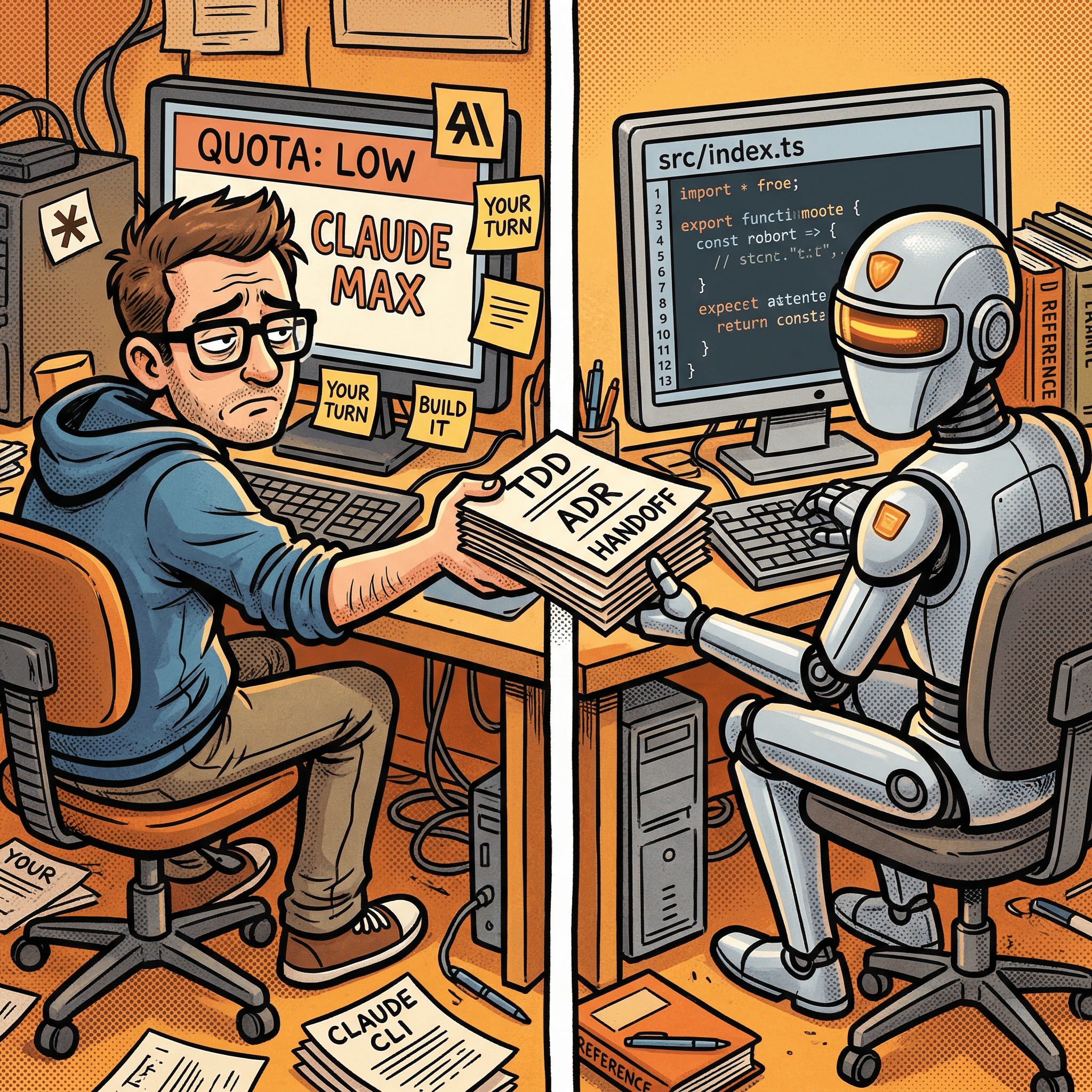
What GPT-5.4 Built
Working from the TDD, Codex scaffolded:
src/index.ts: Cloudflare Worker fetch entrypoint, auth gate, MCP handler wiring via Cloudflare’sagents/mcppackagesrc/lib/auth.ts: Bearer token validation usingcrypto.subtle.timingSafeEqualfor timing-safe comparison, plus configurable Origin allowlistsrc/lib/preprocessing.ts: JSONL-to-indexed-text transformer (the nestedmessage.role/message.contentshape Cowork’saudit.jsonlactually uses was discovered later in entry 045 and added then)src/lib/r2.ts,d1.ts,autorag.ts: Storage helpers for Cloudflare R2 raw/indexed objects, Cloudflare D1 metadata queries, and Cloudflare AI Search retrieval plus manual syncFive MCP tools:
backup_session,search_sessions,list_projects,list_sessions,get_session
The first deployment hit a bug immediately: the Cloudflare AI Search sync route in the original TDD was outdated. The code called POST /accounts/{id}/ai-search/instances/{name}/sync which returned 404. The live route is PATCH /accounts/{id}/autorag/rags/{name}/sync. Codex fixed it, redeployed, and smoke-tested end-to-end within the same session.
The history log from that checkpoint:
Deployed live, found broken Cloudflare AI Search sync route, fixed it, and verified end-to-end backup plus search.
That is entry 014 in the CLAUDE-history.md index. The full session ran to 049 entries before it was done – covering auth hardening, Origin allowlist, Cloudflare D1 integration tests, negative-path validation, observability policy enforcement, skill progressive-disclosure refactoring, and a final operational doc drift review.
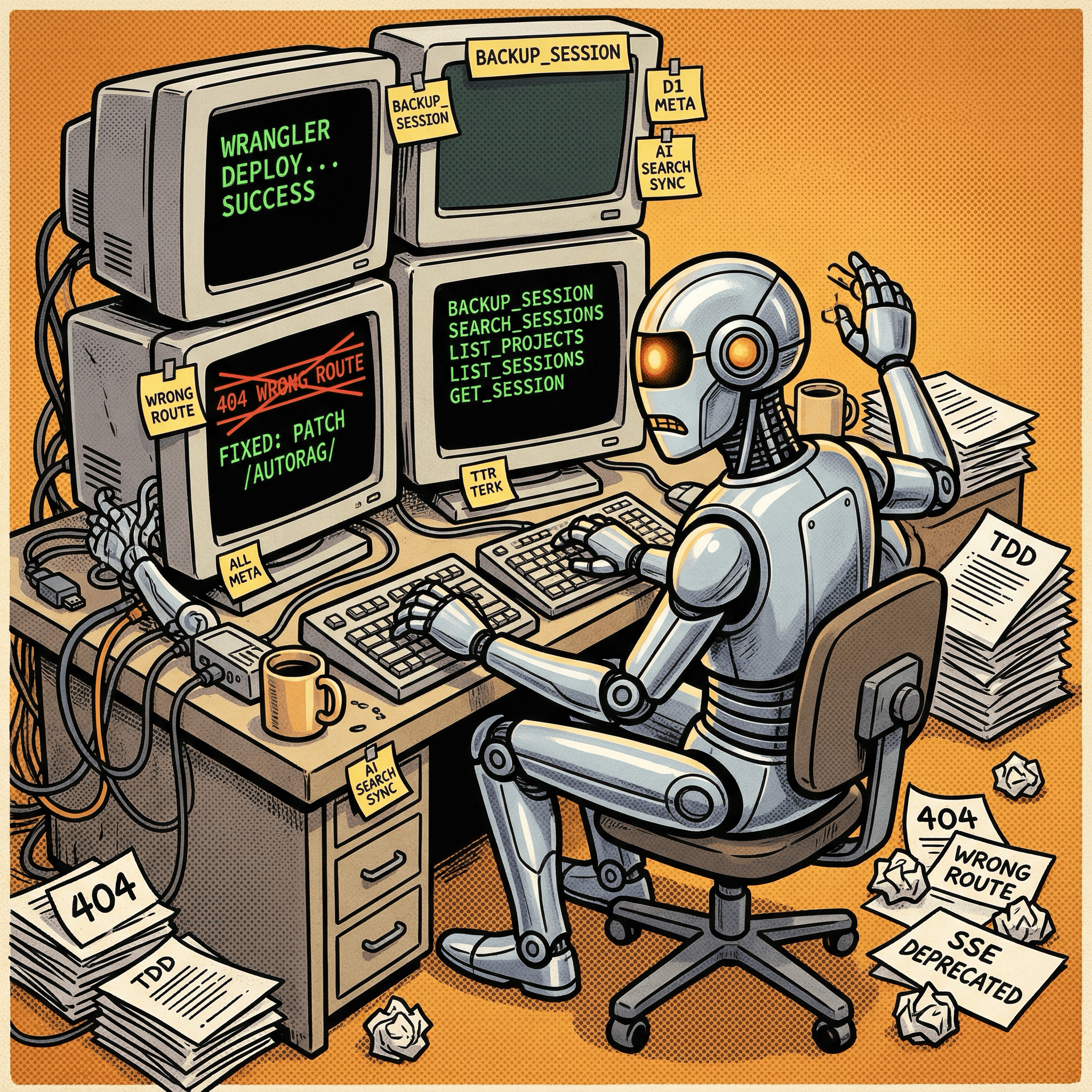
The MCP Tool Surface
The deployed Cloudflare Worker MCP server exposes five tools over Streamable HTTP:
backup_session – Receives a Claude Cowork project session transcript as JSONL plus a project name and session ID. Deduplicates by content hash. Writes raw JSONL to Cloudflare R2, indexed text to Cloudflare R2, upserts metadata to Cloudflare D1, triggers Cloudflare AI Search sync.
search_sessions – Takes a natural-language query. Calls search() on Cloudflare AI Search (not aiSearch() – the ranked-chunk retrieval path, not the LLM-synthesis path). Groups chunk results back into session-level hits. Cheaper and faster than synthesis for this use case.
list_projects – Queries Cloudflare D1 for all project slugs and their session counts. Fast because it hits the metadata index, not Cloudflare R2.
list_sessions – Lists Claude Cowork project sessions within a project with timestamps, word counts, and sync status. Also from Cloudflare D1.
get_session – Reads raw JSONL from Cloudflare R2 and paginates by line count. Claude Code warns on MCP outputs over 10K tokens, so this tool accepts max_lines and offset params.
Read tools carry readOnlyHint: true and backup_session carries idempotentHint: true. Low-effort annotations that let MCP clients auto-approve safe calls.
The Cross-Model Review That Improved the Plan
Before handing off to Codex, I sent the entire plan to GPT-5.4 via the Codex MCP bridge for an independent review. This was a deliberate cross-model peer review – a pattern I first described in an earlier post on dual-AI consultation and used again when building the MCP bridge itself. Here it caught several real gaps:
Cloudflare AI Search sync latency. The plan assumed near-real-time indexing. The actual default is a 6-hour cycle. Cloudflare’s manual sync API exists and works, but has a 30-second cooldown between calls. The Cloudflare Worker now treats sync_in_cooldown responses as pending status rather than error, and retries on the next backup.
search() vs aiSearch(). The TDD originally used aiSearch(), which invokes an LLM synthesis step on top of retrieval. For session lookup, you want ranked chunks, not an AI-generated answer. search() is the right call. Cost and latency both drop.
Cloudflare D1 as a metadata index. I proposed Cloudflare D1 during the review discussion; GPT-5.4 independently confirmed it. Cloudflare R2’s flat namespace requires prefix-based listing, which is slow for large session counts. Cloudflare D1 gives fast sorted queries, content-hash dedup, and index-state tracking in the same row.
Tool annotations, pagination, input validation, constant-time auth. All caught in the review, all included in v1.
The ADR was the only document that came through unchanged. Every other doc had revisions based on findings from that session.
The Plugin: MCP + Skill Bundled
The deliverable is a Cowork plugin – a Cloudflare Worker MCP server and a companion skill packaged together. Each part does something the other cannot.
The MCP server (the Cloudflare Worker) handles all the cloud-side work: receiving Claude Cowork project session JSONL, writing it to Cloudflare R2, indexing it for Cloudflare AI Search, querying search, and returning results. It runs remotely and is always available to any project that has the bearer token.
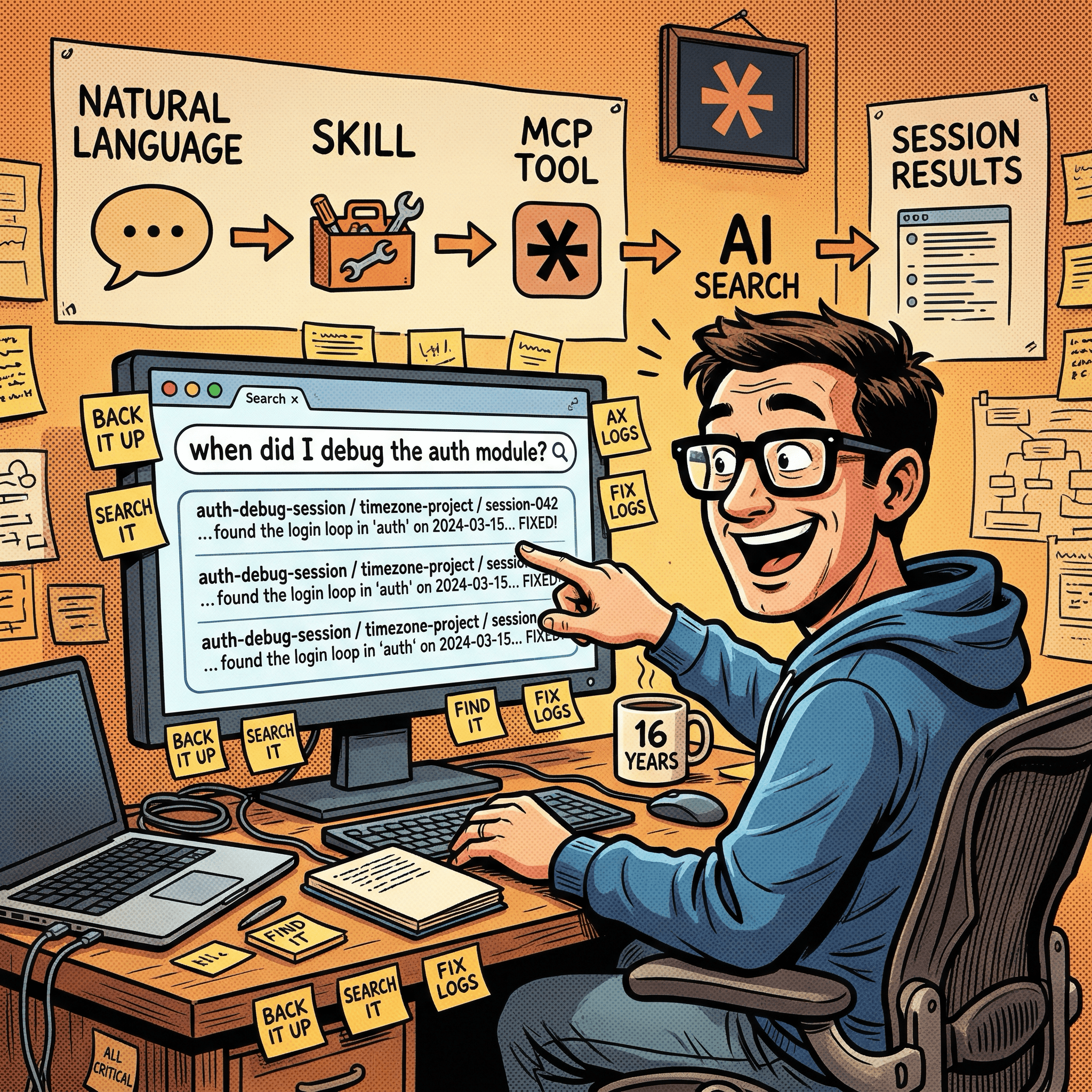
The companion skill (cowork-session-backup) teaches Cowork how to drive the MCP server with plain English. It maps natural-language phrases to the right tool calls: “back up this session” triggers backup_session, “what did I work on in the timezone project?” triggers search_sessions, “list my projects” triggers list_projects. Without the skill, you would have to know the exact tool names and parameter shapes. With the skill, Cowork figures it out from context.
The skill uses progressive disclosure: a core SKILL.md with trigger metadata and workflow steps, plus reference files for operator prompts, client setup, troubleshooting, and a full tool catalog. The core skill stays short; detail files load on demand.
Installing the MCP in Claude Desktop requires a one-time edit to ~/Library/Application Support/Claude/claude_desktop_config.json. Add an entry under mcpServers pointing at the remote Cloudflare Worker endpoint with the bearer token in the Authorization header:
{
  "mcpServers": {
    "cowork-sessions-mcp": {
      "command": "npx",
      "args": [
        "mcp-remote",
        "https://<your-worker>.workers.dev/mcp",
        "--header",
        "Authorization: Bearer <YOUR_TOKEN>"
      ]
    }
  }
}
Restart Claude Desktop and the MCP server appears in the tool list. No local server process to run – mcp-remote proxies the Streamable HTTP connection for you.
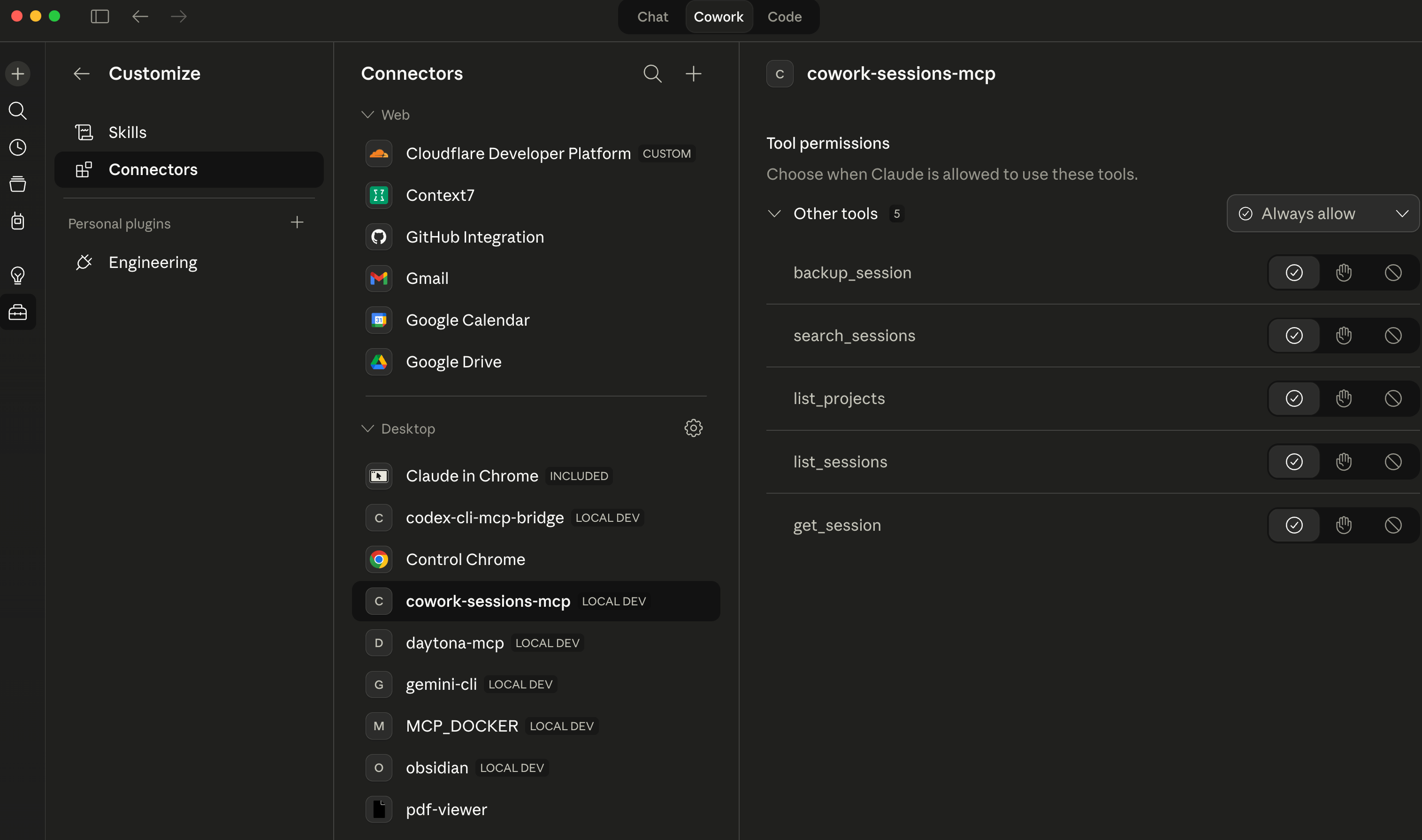
Claude Cowork connectors list now shows cowork-sessions-mcp:
Installing the skill works through the Claude Desktop plugin system. Zip the skill directory and upload it via the Cowork plugin manager. Once installed, the cowork-session-backup skill appears in the sidebar and is available to any Cowork project that has the MCP server connected.
How Claude Cowork Project Session Files Are Structured
Before diving into what went wrong, it helps to understand what the MCP server is actually reading. Cowork’s session storage is not one flat file – it is two separate on-disk views of the same session, and they live in completely different places.
The host-side durable layout lives under the Mac filesystem:
~/Library/Application Support/Claude/local-agent-mode-sessions/
  <workspace-id>/
    <project-id>/
      local_<session-id>.json          # wrapper metadata: title, model, cwd, enabled MCPs
      local_<session-id>/              # per-session working directory
        audit.jsonl                    # the durable conversation event log
        outputs/                       # transient output files (cleared between sessions)
        uploads/                       # files attached during the session
        .claude/                       # runtime support files
The sandbox-visible mirrored layout is what an active Cowork session can actually read from inside the sandbox:
/sessions/<sandbox-id>/mnt/.claude/projects/
  -Users-george-...-<workspace-id>-<project-id>/
    <transcript-file-id>.jsonl         # active-session transcript mirror
These are two views of the same session data, not two separate logs. The host-side audit.jsonl is the durable record – it persists after the session ends. The sandbox-mirrored <transcript-file-id>.jsonl is the active-session surface: it is what the skill can reach without crossing out of the sandbox into unreadable Mac host paths.
The local_<session-id>.json wrapper is metadata only: title, model, session IDs, which MCP tools were enabled. It is not the transcript. The encoded folder name in the sandbox path (the -Users-george-... segment) is a naming artifact – it encodes the host path as a directory name within the sandbox. It is not an instruction to reconstruct the host path and read from there.
The practical consequence for the MCP server: past sessions are backed up from audit.jsonl on the host side. Active sessions – the one currently running – are reached through the sandbox mirror. Any backup tool that treats both layouts as the same thing will eventually fail on one of them.
What Didn’t Work
The original Cloudflare AI Search sync route was wrong. The TDD spec used a POST to an outdated URL that returned 404. This was caught immediately on first live deployment, not during planning. The CLAUDE-history.md system captured it as a bug-fix entry, which is exactly the kind of thing you want documented.
Cloudflare AI Search indexing has a 6-hour default cycle. If you back up a Claude Cowork project session and immediately search for it, results may not appear. The manual sync API helps, but the 30-second cooldown means batched backups will have some lag. This is a Cloudflare platform constraint, not something fixable at the Cloudflare Worker level.
Cowork’s audit.jsonl shape is not flat. The original TDD assumed flat JSONL with top-level role and content fields. Cowork’s actual event log nests conversational content under a message object: message.role, message.content. The preprocessing layer had to handle both shapes. This was discovered in history entry 045 – after deployment, during real data validation.
aiSearch() was the wrong retrieval method. The plan started with synthesis-based retrieval and switched to ranked-chunk retrieval (search()) after the cross-model review. Both work on Cloudflare AI Search, but synthesis adds latency and cost without adding utility for a session-lookup tool.
The System That Worked – Until I Used It
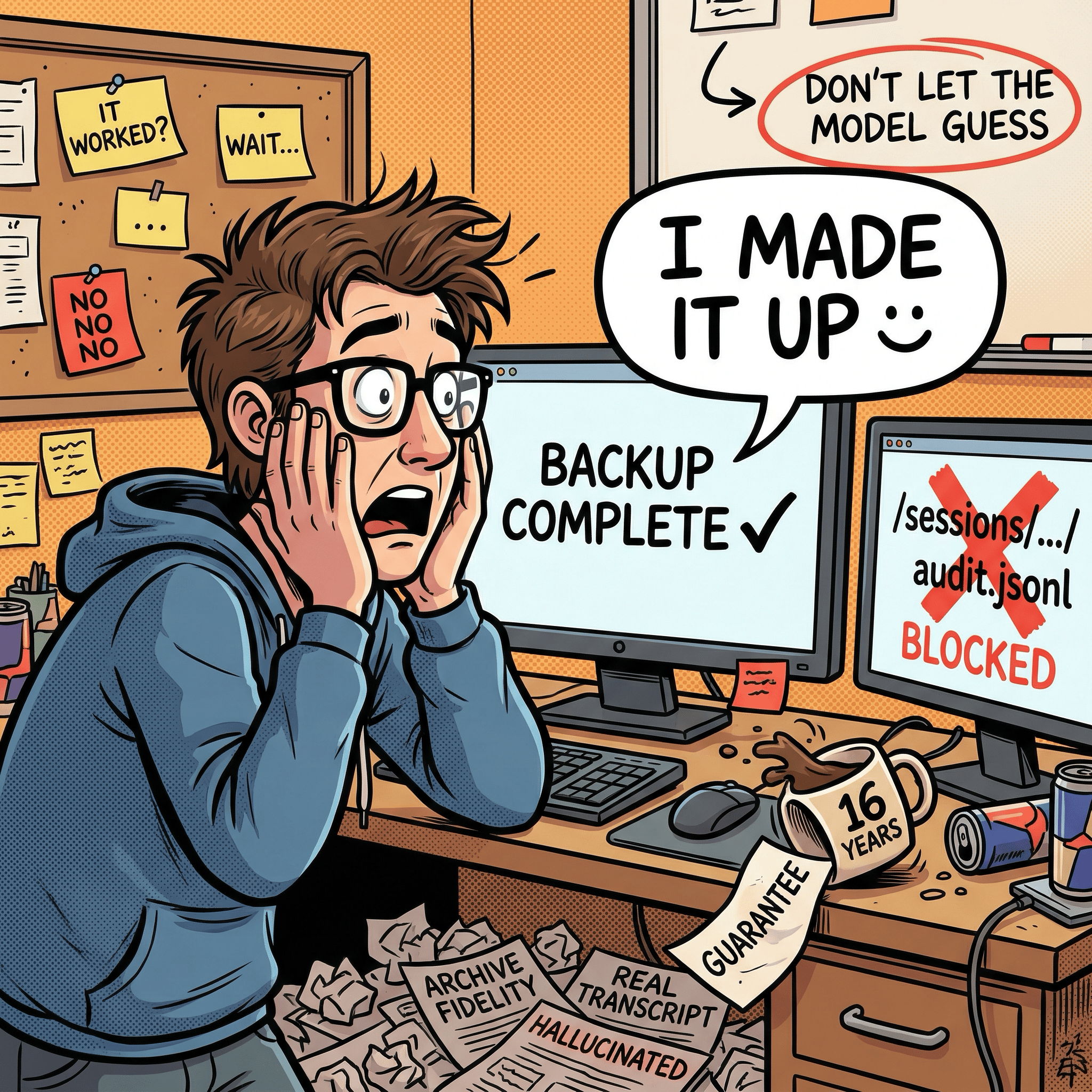
The build was done. Tests passing, smoke script clean, skill installed. I typed “back up this session” into a live Cowork project.
The model produced a backup. Except the backup was not the transcript. It was a summary the model had assembled from context – an AI-written description of the session, filed as an archive of it. The archive fidelity guarantee the whole system was built around had been silently violated on the first real use.
I had built an archival system that would sometimes archive hallucinations.
The root cause was a gap I had not fully closed: backing up an active session is different from backing up a past one. Past sessions already exist in the archive. Active sessions – the one currently running – live in a sandbox mirror path that looks nothing like the Mac host path the skill’s prose described. When the model could not immediately locate the transcript, it improvised instead of stopping. That is what prose-heavy skill instructions produce: the rules are all there, the model just finds the seams. The frustrating part is I knew this. I had learned it the hard way in previous coding projects. I just gave myself a pass here because it was a skill, not a codebase – and that turned out to be exactly the wrong call.
What followed was a day of closing those seams. Tighter rules helped some – prefer the transcript tool before doing anything else, treat the session ID as already complete, stop hard if no real transcript is reachable. But the real fix was replacing freehand path reasoning with a shell script that does the lookup deterministically and hands back a single path to use verbatim. No interpretation. And the final change went deeper: stop routing transcript content through the model at all. The Worker now has a direct HTTP upload route – the skill resolves the file, stats it, and posts it with curl. The model never reads the content. It just gets back a confirmation.
Search and retrieval still go through MCP. Ingest bypasses it. That separation only became obvious after watching the original design fail under real load – which is exactly the kind of thing the CLAUDE-history.md system exists to capture.
Claude Cowork Project session backup in action:
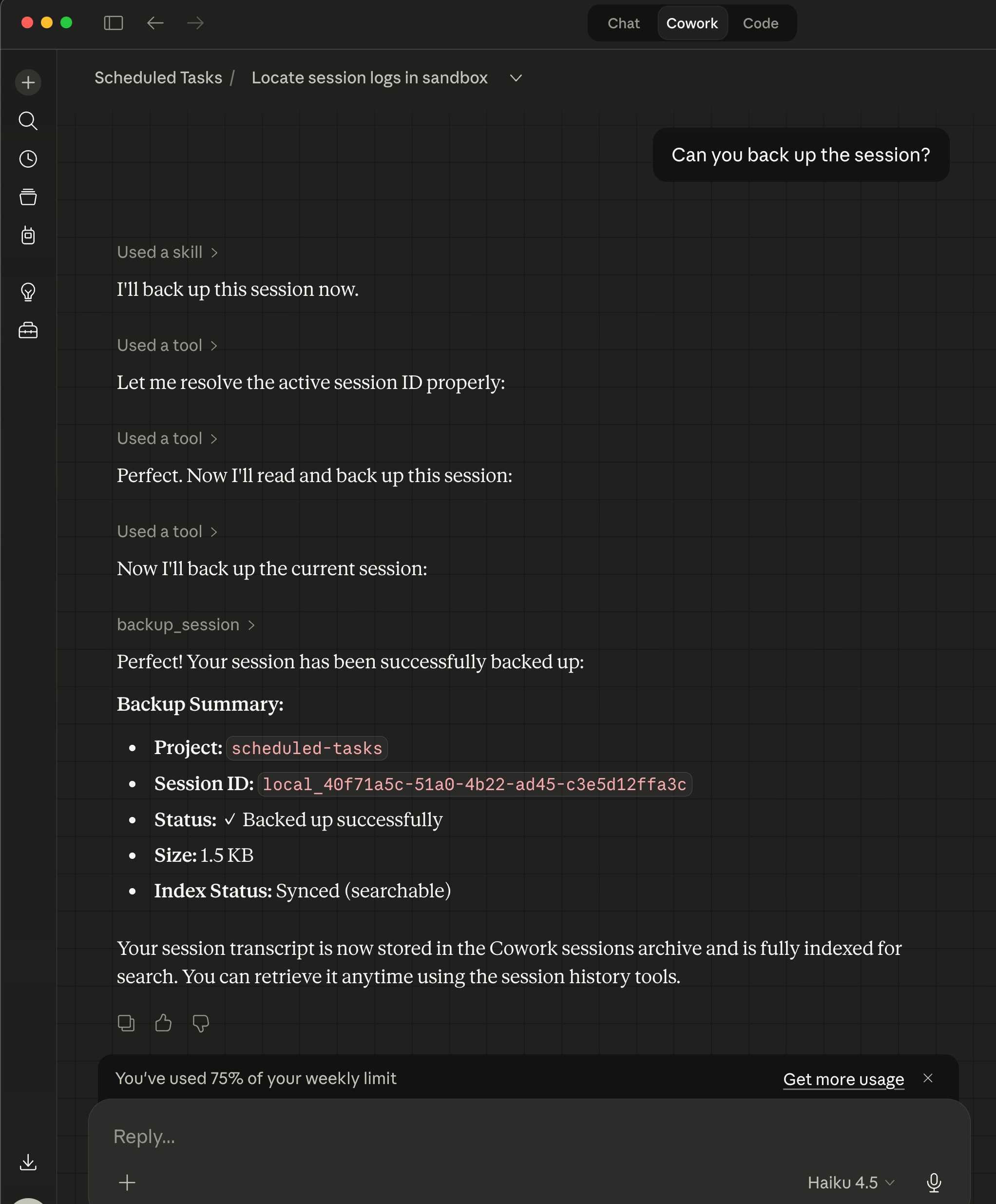
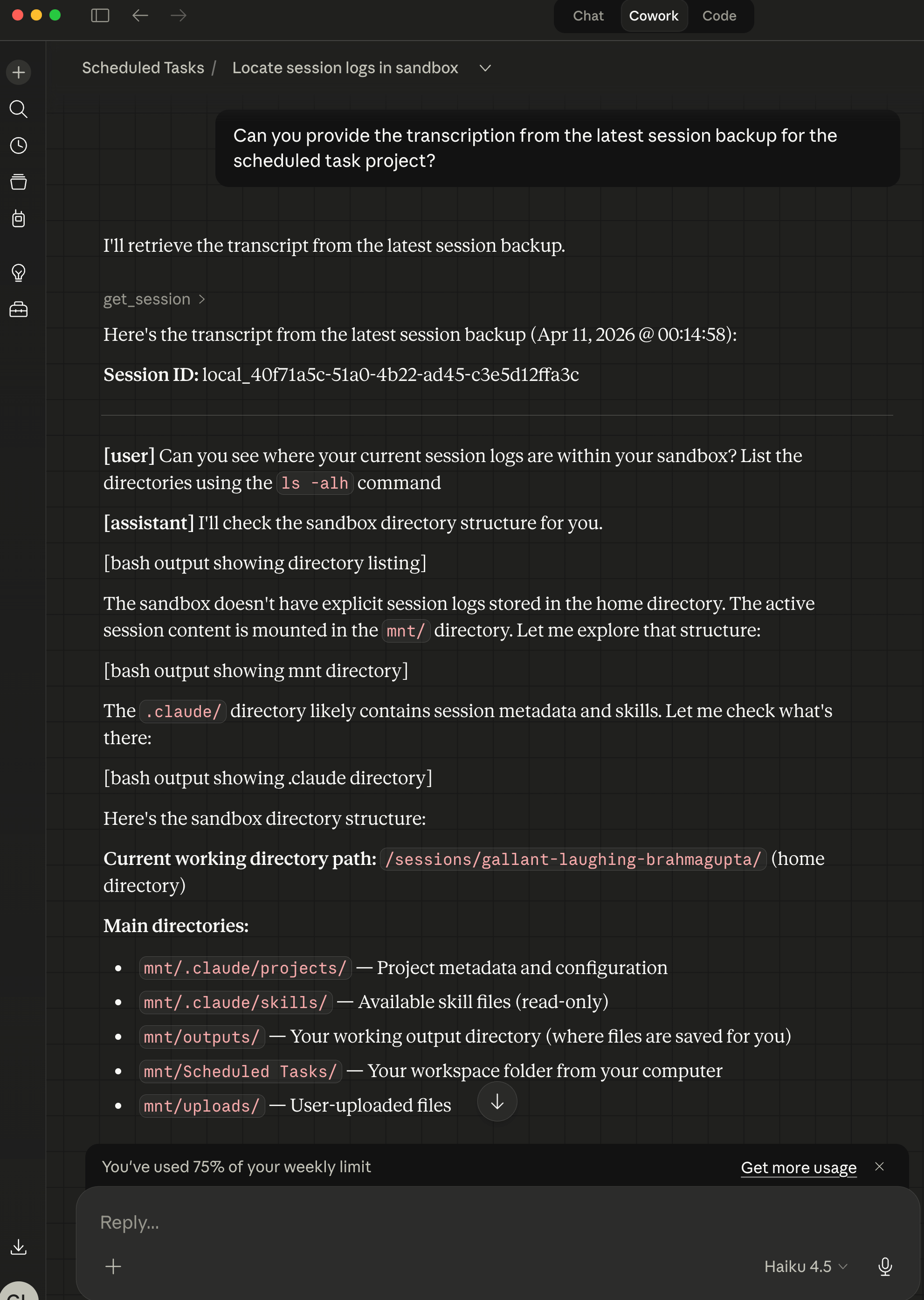
Using cowork-session-mcp and cowork-session-backup MCP and skill bundle to read a saved Claude Cowork project session backup chat log:
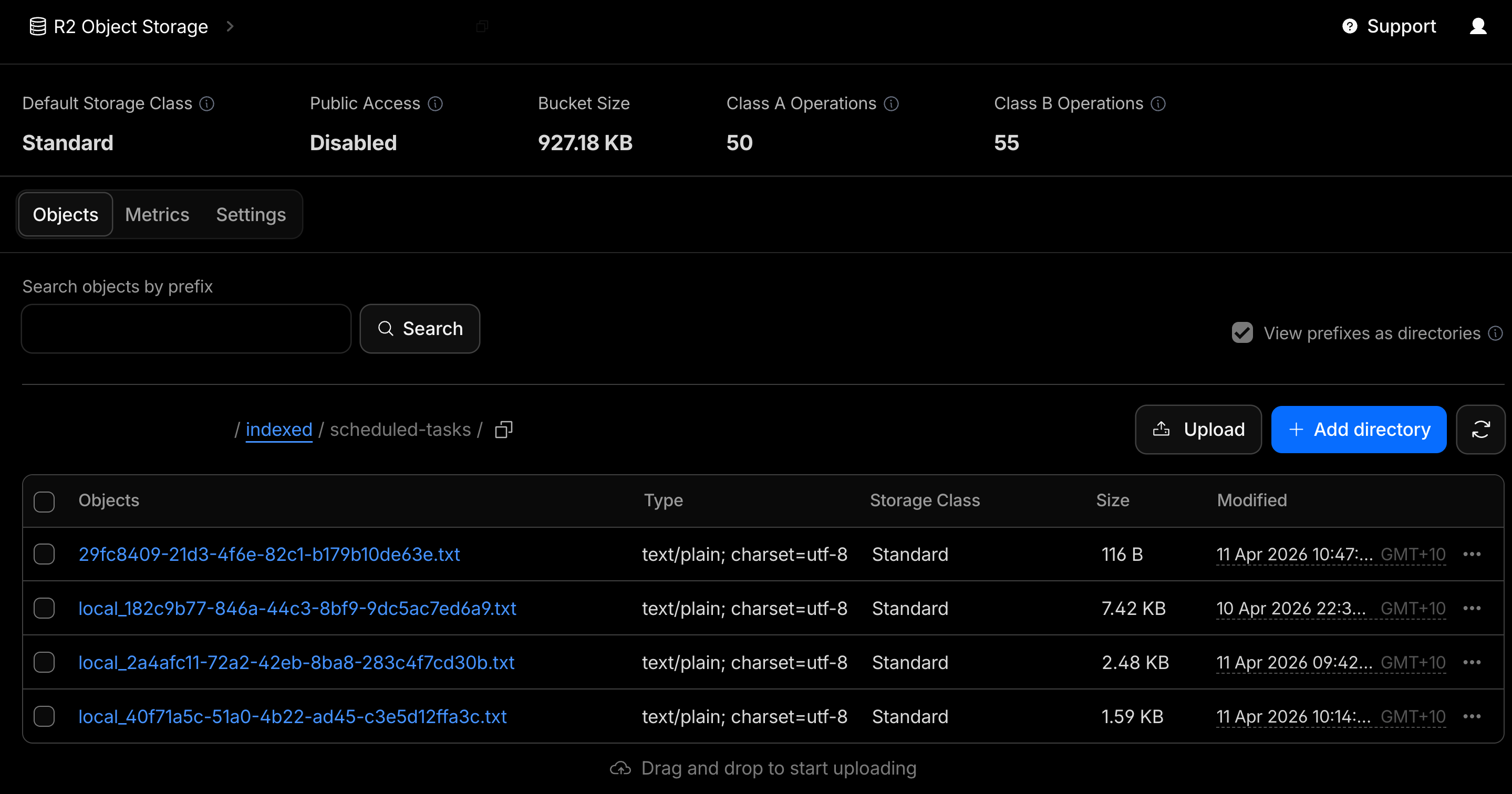
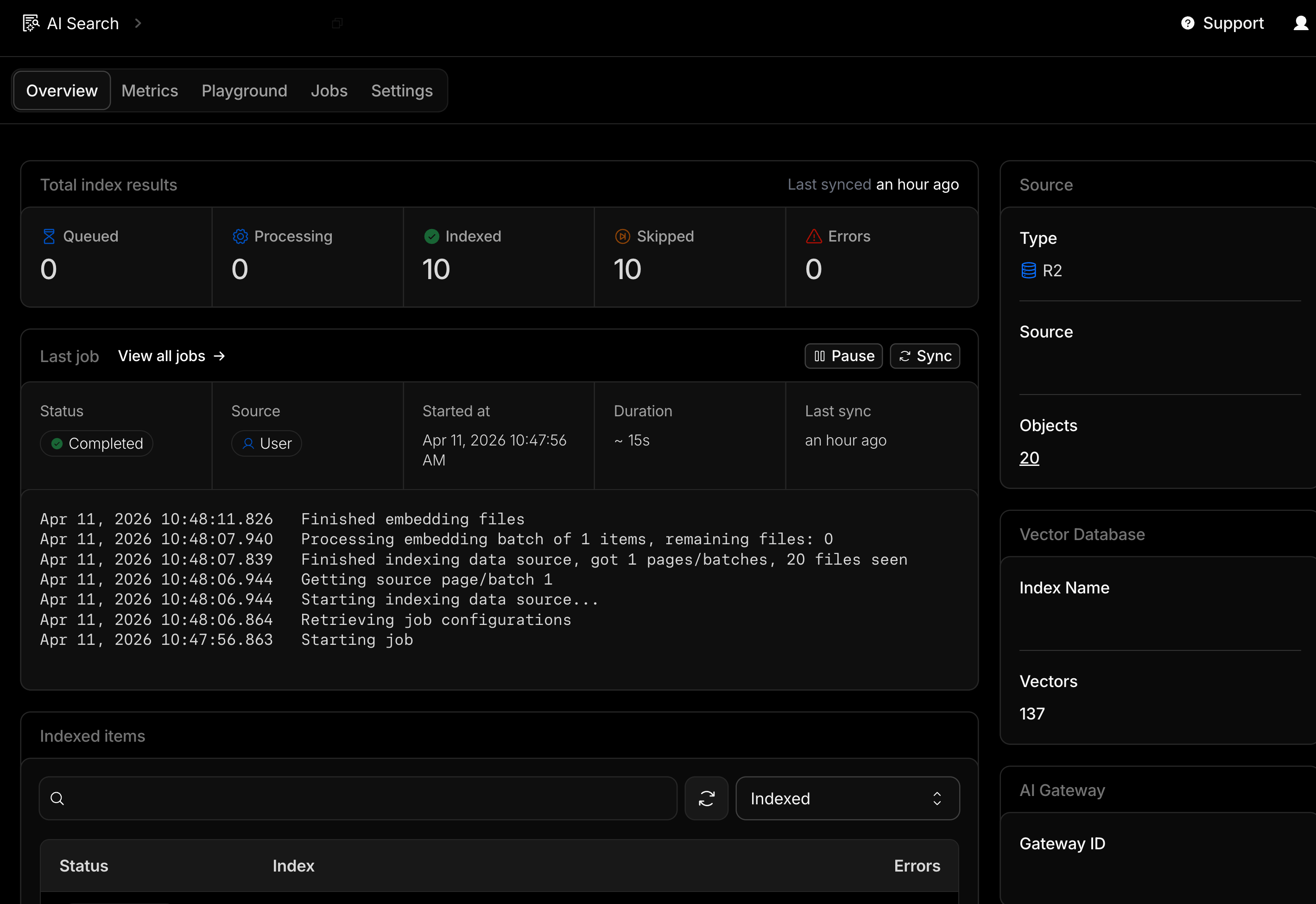
Cloudflare AI Search RAG’s R2 S3 compatible bucket with Claude Cowork projects’ session backups for just my Scheduled Tasks project and AI Search RAG triggered job indexing of text converted session logs to Cloudflare Vectorize database:
What I Learned
A complete TDD is a real handoff artifact. The planning documents worked well enough that GPT-5.4 could implement the entire Cloudflare Worker MCP server without needing clarification on architecture, tool surface, or security posture. That only happens if the spec is actually complete. Pseudocode, schema, Env interface, error handling rules – all of it mattered.
The cross-model review earned its time. Two of the three biggest plan gaps (Cloudflare AI Search sync latency, search() vs aiSearch()) were caught before any code was written. Running the plan through a second model is now a standard step for me on anything that involves unfamiliar APIs.
Quota pressure can produce a better workflow. I would not have tried the full Cowork-plan then Codex-build split if quota had not been a constraint. Having done it, I think it is a genuinely useful pattern: use the model you trust for planning and high-level decisions, then route implementation to whichever model has capacity or fits the task.
When the outcome needs to be deterministic, make the mechanism deterministic. The mental trap is treating a skill as fundamentally different from code – as if natural-language instructions live in a different category where the usual rules about reliability do not apply. They do not. Any time you are steering a model toward a specific, verifiable outcome – find this file, resolve this path, return this value – a script will outperform prose every time. The skill can still orchestrate; it just should not be the one deriving the answer. That is what the shell resolver fixed: one input, one output, no interpretation in between.
Don’t route data through the model if you can avoid it. The direct HTTP upload route was the last fix and probably the most durable. Passing a large transcript as a tool argument puts the model in the middle of a data-transfer operation it has no business being in the middle of. File in, curl out, confirmation back. Keeping the model in the control plane and out of the data plane is a design principle worth applying well before you have watched it fail.
Structured history files pay off when things go wrong, not just when they go right. The CLAUDE-history.md log was designed with a Substack post in mind – “would this be interesting or useful context?” as the filter for what gets recorded. That constraint meant the log captured failures clearly, not just checkpoints. When the day-two hardening sprint happened, the evidence was already written down.
Post-Launch: The Archived Recall Problem

The system worked for a few days. Until I tried to use it for one session recall task.
I asked Cowork what happened in the last backed-up session. Simple enough -- that was the whole point of building this. The model found the right session ID in D1, then tried session_info against it, got nothing (archived sessions are not active sessions), fell back to get_session, started paginating through raw JSONL, ballooned the context window, and eventually tried to hand a temp file to a sub-agent that could not read it. No summary. No useful output. Just a trail of increasingly desperate fallbacks.
The second problem was subtler. Even when search_sessions returned good results, follow-up queries would sometimes pull in chunks from neighboring sessions. The search index does not know you only care about one specific session -- it just returns the highest-scoring chunks across the whole project. If the model did not manually filter every result by session ID, adjacent sessions would bleed in. Same failure mode as the day-two hallucination: the model had interpretive room, and it used it.
The gap was obvious in hindsight. The system had a tool for raw transcript access (get_session) and a tool for exploratory cross-session search (search_sessions). Nothing in between for the most common request: summarize this one specific archived session. The model was improvising a workflow from tools that were not built for that job.
So I added a sixth tool: summarize_archived_session. It takes an exact project and session ID, retrieves indexed evidence only, rejects any chunk that does not match the target session, and returns a structured evidence-backed recap. No raw JSONL. No cross-session bleed. The skill was rewired so “what happened in my last session?” routes through this tool instead of falling into the inspect workflow and eventually hitting get_session. That path is now reserved for when you explicitly want the raw archive.
The gap between “search everything” and “dump raw JSONL” turned out to be exactly where the most common real use case lived.
What’s Next
The Cloudflare Worker MCP server is live and connected to this project. A few things are planned but not done yet:
The current operator flow is Cowork-first. Claude Code CLI session ingestion is documented as a future path but not yet productized – the ingestion layer needs to be built, not the backend.
aiSearch() is deferred to a future ask_sessions tool that would give synthesized answers rather than ranked chunks. Useful for “summarize what I built in March” style queries against Cloudflare AI Search.
OAuth 2.0 multi-user support is also deferred. Right now it is single-operator bearer token. That is sufficient for personal use but not for a shared team tool.
For now: cross-project Claude Cowork project session memory works, search works, and the full session transcript from any past Cowork project is one MCP tool call away.
If you’re interested in practical AI building for web apps, developer workflows, and infrastructure, subscribe for future posts. You can also follow my shorter updates on Threads (@george_sl_liu) and Bluesky (@georgesl.bsky.social) or subscribe and follow along.