

I wanted Claude Desktop and Claude Cowork to be able to delegate tasks to OpenAI’s Codex CLI (powered by GPT-5.4) without leaving the conversation. Not just coding tasks. Second opinions on article drafts, code reviews, security audits, content critiques. Any task where a different model’s perspective adds value. Not as a party trick. As a real workflow where one AI can ask another AI for a second opinion, run a review, or handle a task it is not well suited for.
The problem: Claude Desktop runs inside a macOS sandbox that restricts which external processes it can reach. And even if it could call the Codex CLI directly, Codex speaks its own protocol, manages its own sessions, and has its own security model. You need something in between.
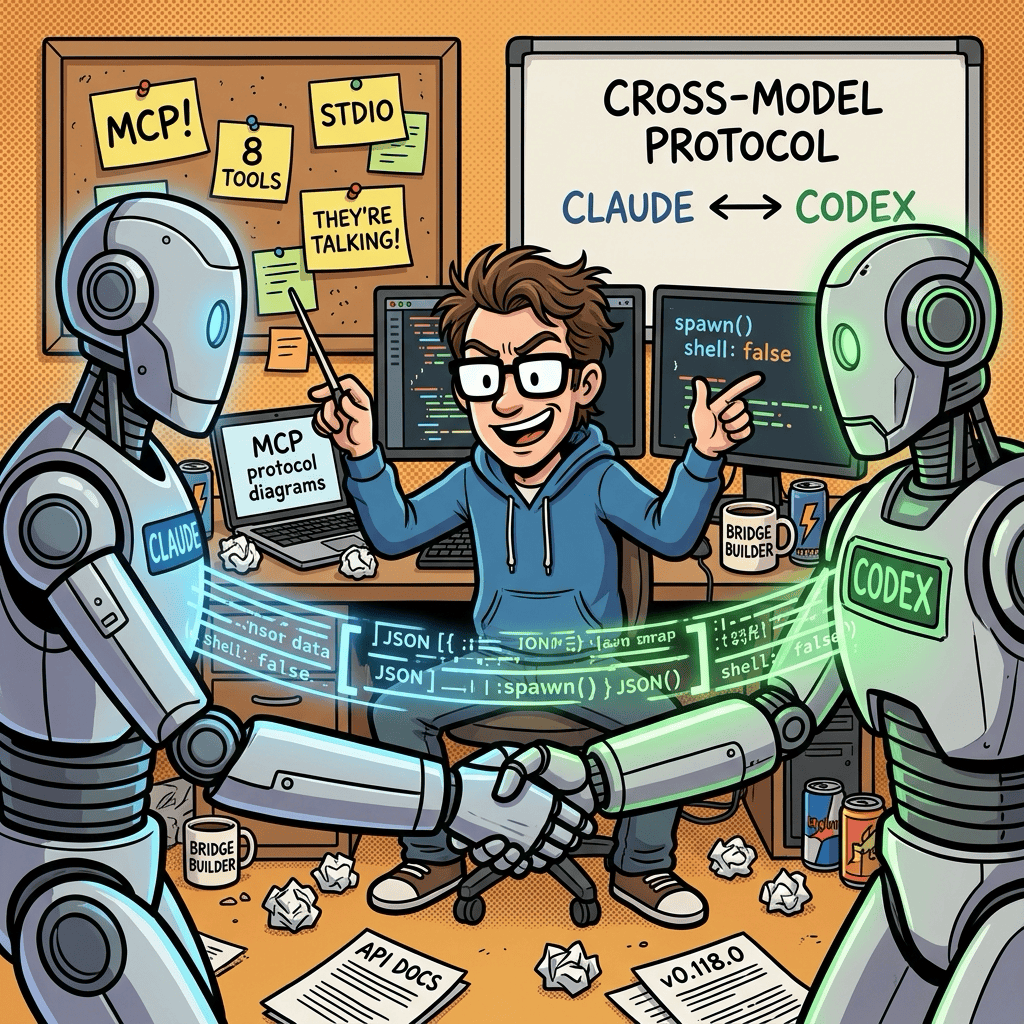
So I built a bridge. A full MCP (Model Context Protocol) server that sits between Claude and Codex, translating requests, managing run state, enforcing security boundaries, and handling all the rough edges of making two AI systems cooperate.
The interesting part: I did not build it alone. The Codex desktop app (GPT-5.4) wrote the initial implementation. Claude Code (Opus 4.6) tested it, found bugs, hardened it, and documented it. Two different AI models, collaborating on the same codebase, each catching what the other missed.
Here is how that went.
Why Cross-Model Matters
Most people use one AI tool. That is fine for simple tasks. But when you are building something non-trivial, or writing something that needs to hold up to scrutiny, a single model has blind spots. It will not catch its own assumptions. It will not question its own reasoning.
Having a second AI review the first AI’s work is like having a second pair of eyes on a pull request or a draft. Except these “eyes” have different training data, different strengths, and different failure modes. I used this bridge to have Codex critique my Substack article drafts, not just code. The screenshots later in this post show exactly that: Codex reading a full article and returning a structured summary with strengths and weaknesses.
This idea did not come out of nowhere. I had already built two custom Claude Code slash commands for exactly this purpose: /consult-codex (which shells out to OpenAI’s Codex CLI for a GPT-5.4 second opinion) and /consult-zai (which does the same via Zhipu’s GLM-Z1 model). I wrote about both in How To Get a Second AI Opinion in Claude Code With Codex CLI and GLM. Those skills work well from the Claude Code CLI, but they cannot reach Claude Desktop or Cowork because Claude Desktop app runs in an isolated sandbox environment. That limitation is what pushed me toward building a proper MCP server: same cross-model idea, but accessible from any MCP client.
What the Bridge Does
The Codex CLI MCP Bridge is a TypeScript MCP server that communicates over stdio (standard input/output, the same pipe-based protocol most MCP servers use). It exposes 8 tools and 7 resources that let any MCP client (Claude Desktop, Claude Code, opencode) interact with a locally installed Codex CLI.
The tools:
codex_run_task starts a new task asynchronously, returning a run ID immediately
codex_continue_run and codex_resume_session let you pick up where a previous task left off
codex_review_repo runs Codex’s code review mode against uncommitted changes, a branch, or a specific commit
codex_get_run and codex_get_run_updates poll status and stream events
codex_cancel_run stops a running task
codex_list_runs shows recent activity
The resources (read-only MCP endpoints) expose run summaries, event logs, diffs, and review output so you can inspect results without re-running work.
A typical flow looks like this:
Claude calls
codex_run_taskwith a prompt and a working directory. The bridge spawns a Codex process and returns a run ID.Claude polls
codex_get_runorcodex_get_run_updatesto track progress. Events stream back as Codex works.When Codex finishes, Claude reads the final message or the resource output (summary, diff, or review).
In plain English: you can sit in Claude Desktop, ask it to “have Codex review my uncommitted changes,” and the bridge handles everything. Claude dispatches the request, Codex does the review, and the results come back into your conversation.
The Build: Two AIs, One Codebase
The core implementation was built in a single afternoon (about 4 hours on April 6, 2026), then hardened and integrated over two more sessions that evening and the following day, all through a relay between the Codex desktop app and Claude Code CLI.
Phase 1: Codex Writes the Foundation
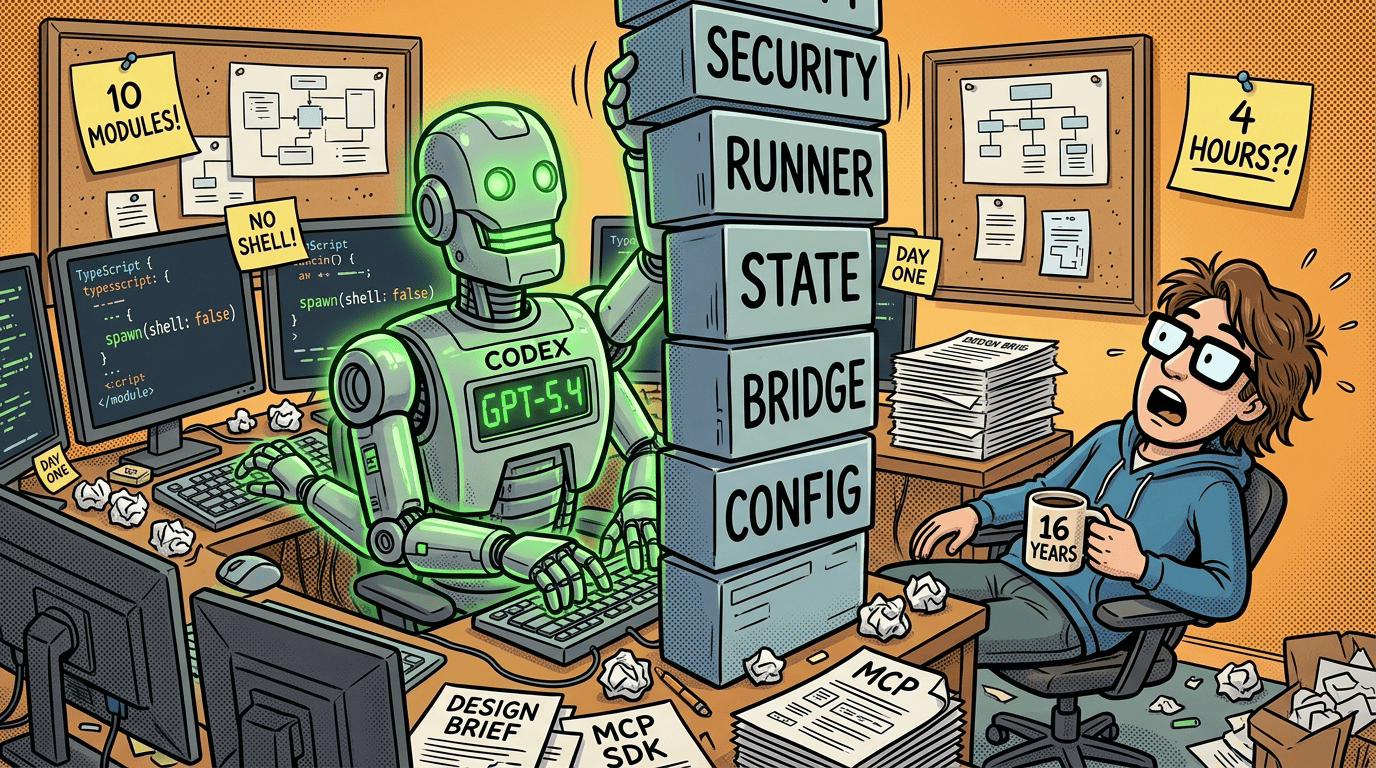
I started in the Codex desktop app (GPT-5.4) with a design brief describing what I wanted: a secure MCP bridge for delegating work to the local Codex CLI.
Codex produced the entire initial codebase from scratch in one pass:
10 source modules covering the bridge service, Codex runner, security, state persistence, workspace management, and configuration
All 8 MCP tools and 7 MCP resources
A security model with no-shell subprocess spawning, path traversal protection, environment allowlisting, and secret scrubbing
5 initial tests
Full README and contributor guide (AGENTS.md)
Key architectural decisions Codex made on its own:
Build on the MCP TypeScript SDK and the local
codexCLI, not the OpenAI Agents SDK. The goal was a reusable MCP bridge, not an agentic application.Use
child_process.spawn()withshell: falseand structured argv only. No shell injection surface.Default to git worktree isolation (a lightweight clone of your repo) for coding runs. Codex works on a temporary copy of your project so your real files are untouched.
Never expose Codex’s
--dangerously-bypass-approvals-and-sandboxflag through MCP. The bridge is supposed to be security-aware.
After the initial build, Codex did a second audit pass and strengthened the security model: fail-closed root validation, noPersist mode for in-memory-only runs, timeout and heartbeat enforcement, and a rule that documentation updates must accompany code changes.
Phase 2: Claude Code Tests and Breaks Things
With Codex’s implementation in hand, I switched to Claude Code (Opus 4.6) for the testing and hardening phase.
Claude Code’s first contribution was a full suitability analysis: architecture review, security assessment, MCP compliance check, macOS compatibility confirmation, and code quality review. It created a CLAUDE.md file documenting all of this.
Then came live MCP tool testing. Claude Code systematically tested all 8 tools through the running bridge. Six passed. Two failed:
codex_review_repoused a--output-schemaflag that Codex CLI 0.118.0 does not support. The flag existed in the design but not in the actual CLI.codex_continue_rundid not check whether the source run was ephemeral (in-memory only, with no persisted session). Ephemeral runs have no server-side state to resume.
I fed these findings back to Codex, which fixed both bugs and added regression tests. This became the core development loop:
Codex builds or implements
Claude Code exercises it like a real MCP client
Claude Code surfaces behavioral mismatches
Codex fixes and adds tests
Phase 3: The Auth Discovery
The most useful bug Claude Code found was not in the bridge code itself. It was in how the bridge handled authentication.
I had authenticated Codex with a ChatGPT Plus subscription. When Claude Code ran a live test, it got 401 errors. The bridge was hardcoding its own isolated codexHomeDir (a design choice to keep the bridge’s state self-contained), completely ignoring the CODEX_HOME environment variable where my OAuth tokens lived.
The fix was one line in config.ts:
// Before:
codexHomeDir: path.join(baseStateDir, "codex-home"),
// After:
codexHomeDir: process.env.CODEX_HOME ?? path.join(baseStateDir, "codex-home"),
Simple, but you would not find this bug by reading the code. You find it by running the bridge with real credentials in a real environment. That is what the multi-agent workflow caught.
Phase 4: Security Hardening via Dual AI Consultation
For the security hardening pass, I used both approaches side by side: the new MCP Bridge (to delegate a task to Codex from any client) and my original /consult-codex Claude Code skill (which runs Codex and a code-searcher agent in parallel from the CLI). This was the first real comparison between the skill-based approach I built earlier and the MCP bridge approach.
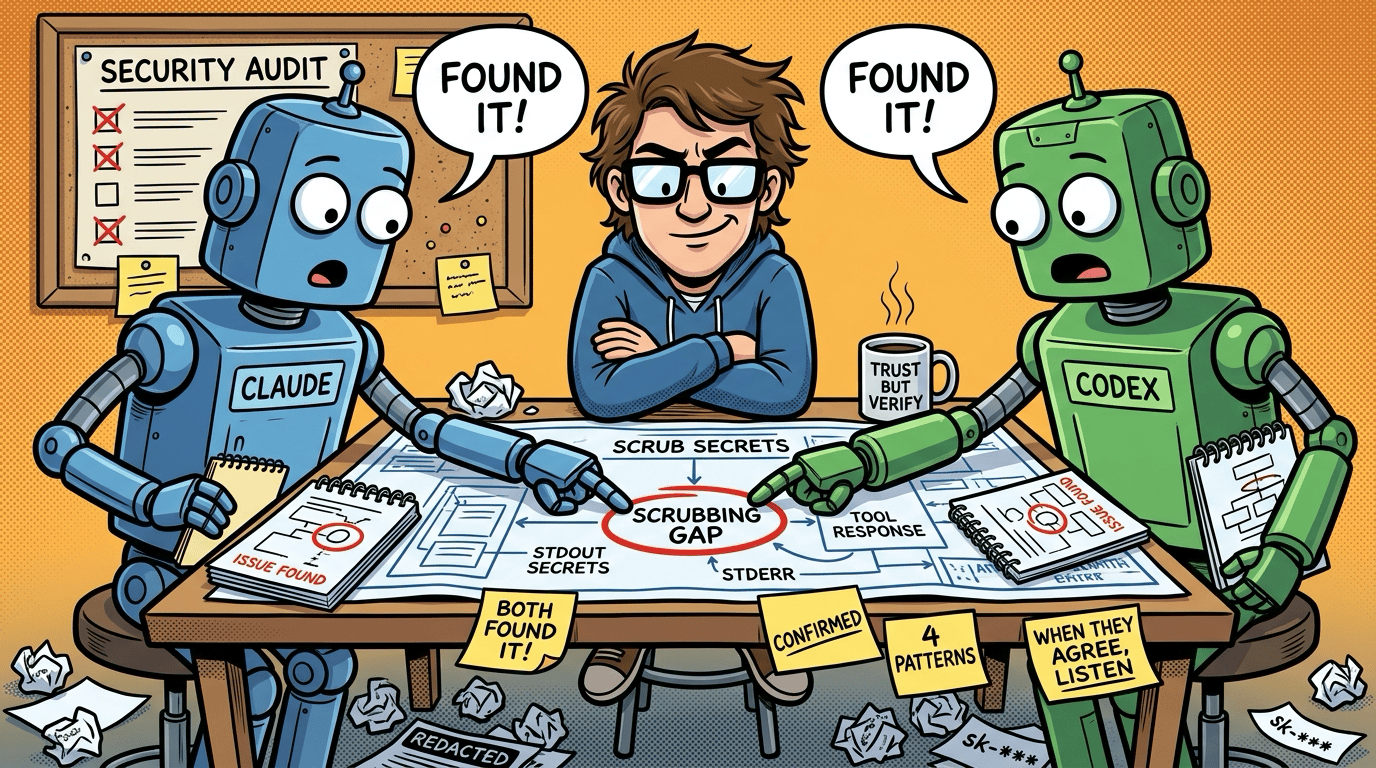
Both were given the same question: audit the bridge’s secret-scrubbing security posture.
Both independently found the same gap: scrubSecrets() covered resources and stderr but missed tool response paths and stdout ingestion. Both also independently discovered that readRunSummary was unscrubbed.
Claude Code then implemented the fix across 3 source files, scrubbing at all 4 stdout ingestion points plus the readRunSummary boundary. Three new regression tests were added for the scrubbing changes. By the end of all sessions, the test suite had grown to 22 test cases across 6 test files.
The value here was not just finding the bug. It was having two different AI models independently confirm the same finding. When Codex and Claude Code agree something is wrong, you can be much more confident it is actually wrong.
Setting It Up in Claude Desktop
Getting the bridge running in Claude Desktop took some troubleshooting. The macOS sandbox means GUI apps do not inherit your shell’s PATH or nvm configuration, so a few things needed explicit configuration.
The config file lives at ~/Library/Application Support/Claude/claude_desktop_config.json. The working config looks like this:
{
  "mcpServers": {
    "codex-cli-mcp-bridge": {
      "command": "node",
      "args": ["/path/to/codex-mcp/dist/index.js"],
      "env": {
        "CODEX_CLI_MCP_ALLOWED_ROOTS": "/path/to/project-a:/path/to/project-b",
        "CODEX_CLI_MCP_STATE_DIR": "/path/to/codex-mcp/.codex-cli-mcp-bridge-test",
        "CODEX_HOME": "/Users/you/.codex",
        "CODEX_BIN": "/Users/you/.nvm/versions/node/v22.22.0/bin/codex",
        "CODEX_CLI_MCP_DEFAULT_WORKSPACE_MODE": "in_place"
      }
    }
  }
}
A few things to note:
CODEX_BIN points to the absolute path of the correct Codex binary (find yours with
which codexin your terminal). Without this, Claude Desktop may find an older globally installed version.CODEX_HOME tells the bridge where your Codex auth tokens live. Without it, the bridge uses an isolated directory and your credentials are invisible.
CODEX_CLI_MCP_ALLOWED_ROOTS is the safety boundary. The bridge rejects any task whose working directory falls outside these paths. Multiple paths are colon-separated.
CODEX_CLI_MCP_DEFAULT_WORKSPACE_MODE should be
in_placefor Claude Desktop’s sandbox, which blocks writing outside the project directory.
The most common first-run failures are: Claude Desktop finding the wrong Codex version (fix with CODEX_BIN), 401 auth errors from missing CODEX_HOME, and access denied when CODEX_CLI_MCP_ALLOWED_ROOTS does not include the directory you are working in.
See It In Action
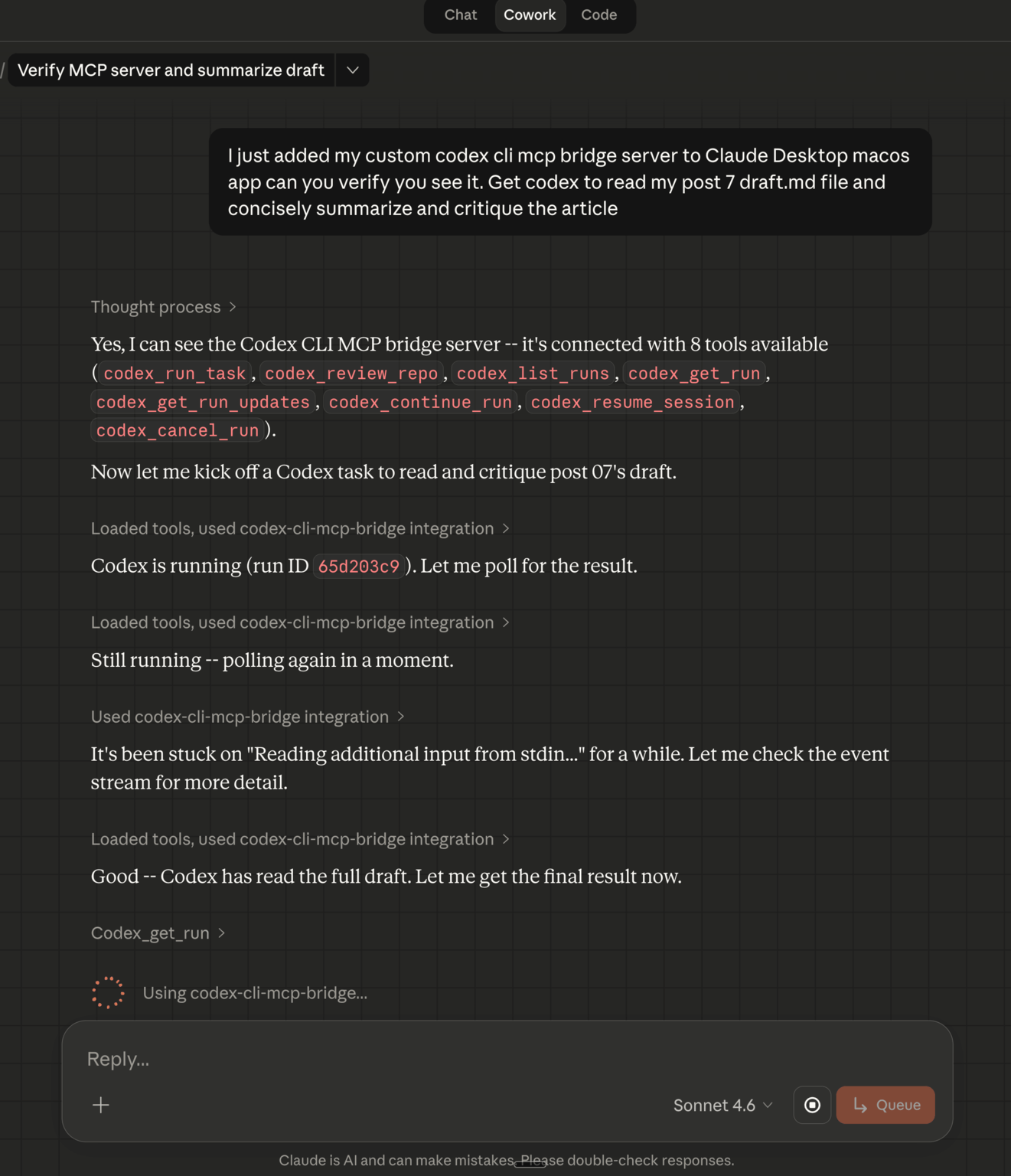
Once connected, the bridge appears as a connector in Claude Desktop’s Cowork mode with 8 tools available. Codex CLI MCP isn’t the first AI CLI MCP I have created. I had created a Google Gemini CLI MCP server when Gemini CLI was first launched. I also recently created my own custom Obsidian MCP server and SKILL bundle too - subscribe to this Substack for notification of those articles 😉
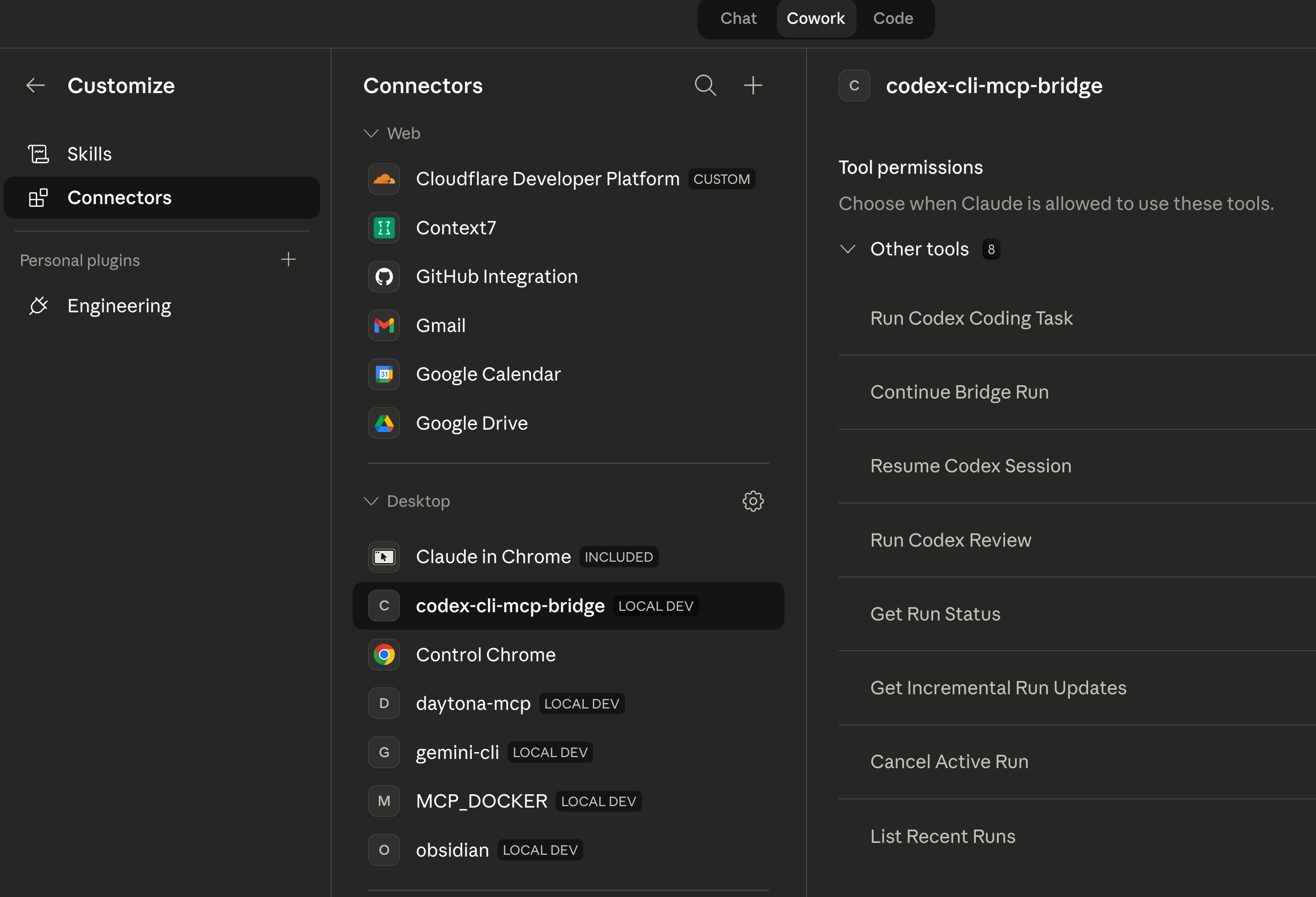
From there, you can ask Claude to delegate tasks to Codex using natural language. Here is what it looks like when I asked Claude Cowork to have Codex read and critique one of my article drafts:
Codex reads the full draft, produces a structured summary and critique with strengths and weaknesses, and the results flow back into the Cowork conversation:
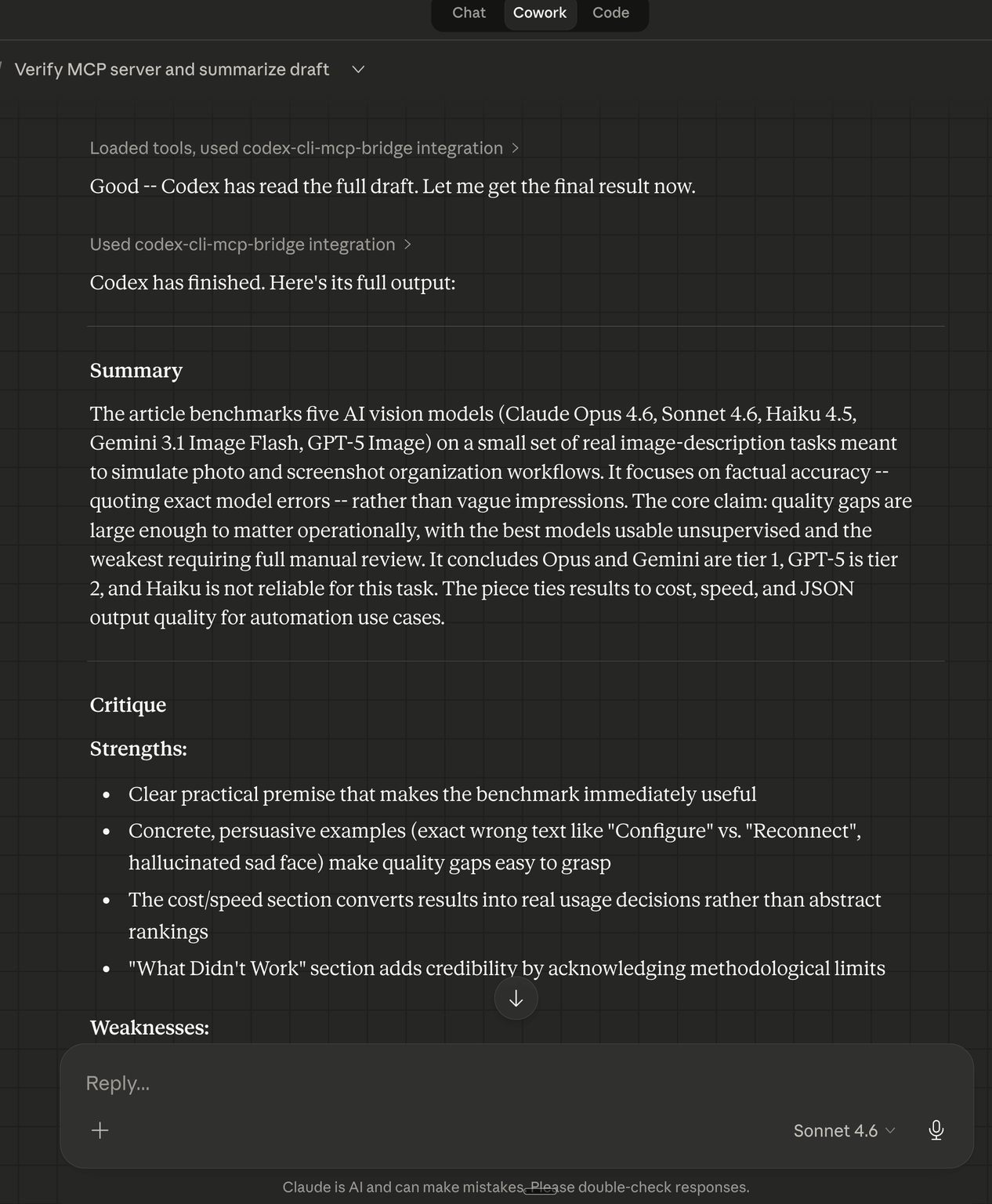
The practical value: I got a GPT-5.4-powered content critique without leaving Claude. The bridge handled all the session management, event streaming, and cleanup transparently.
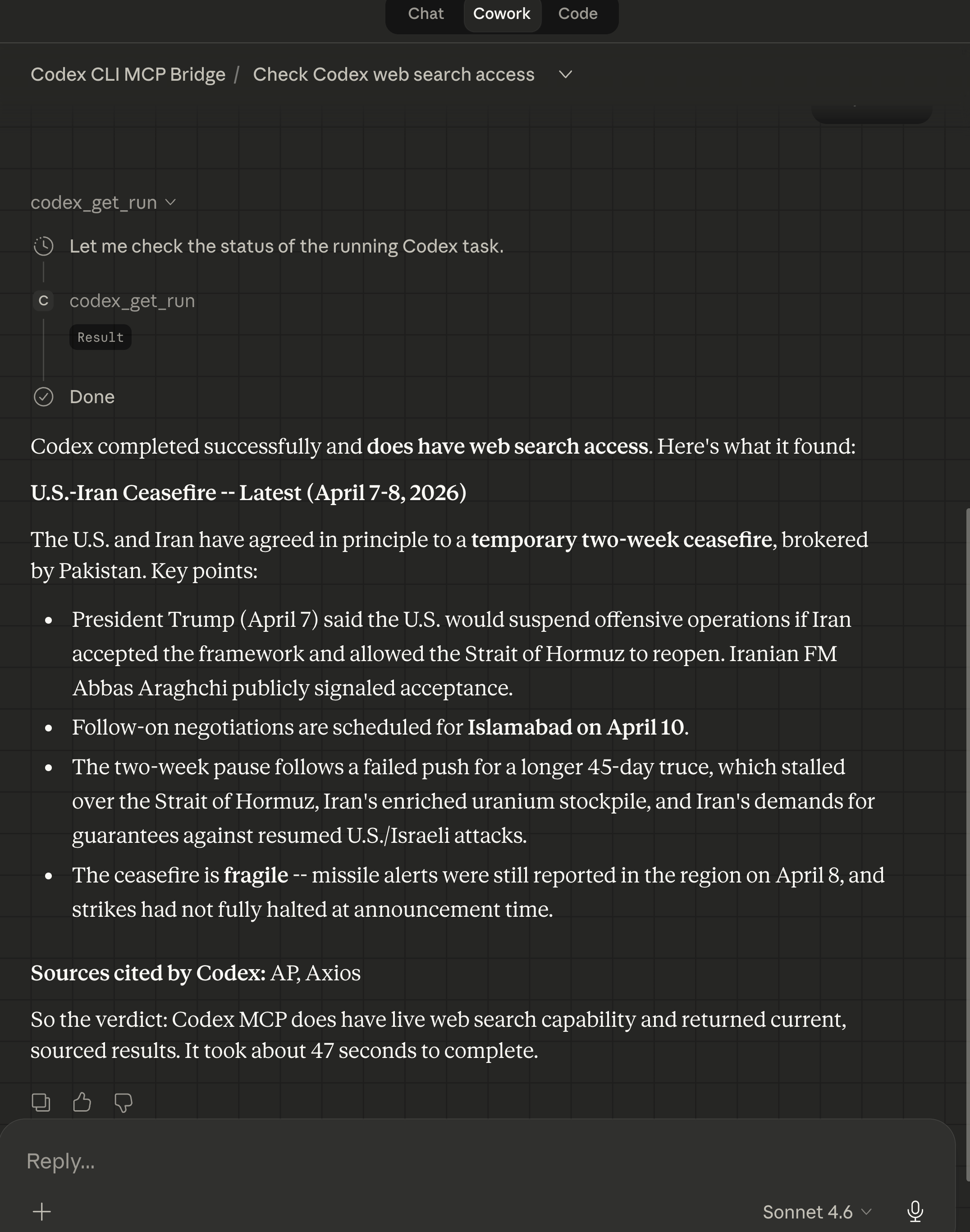
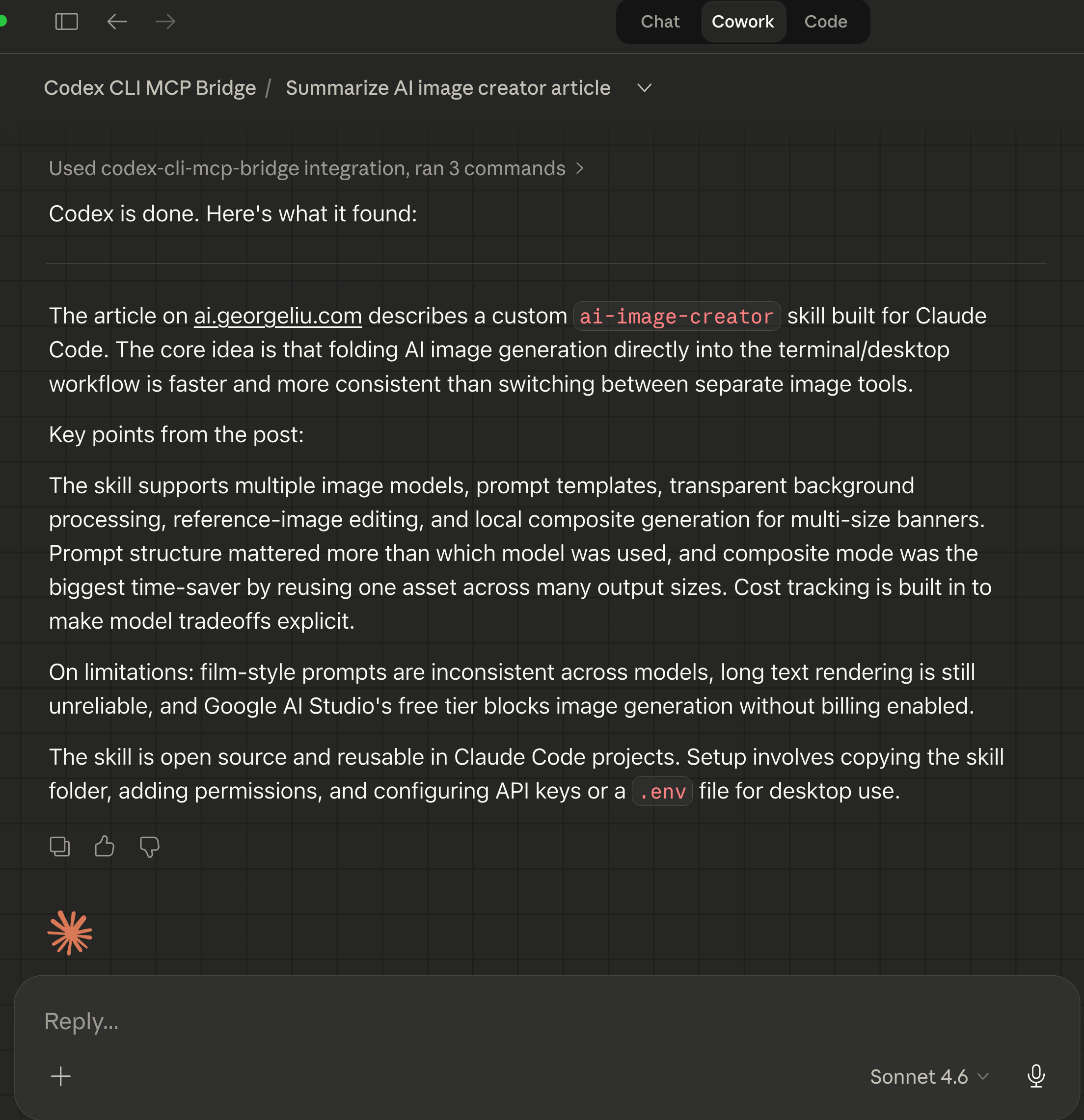
I can now also get Claude Cowork to offload web searches and web browsing summarization to Codex CLI MCP bridge’s GPT-5.4.
Asking GPT-5.4 to do a web search for latest news:
Asking GPT-5.4 to summarize web site link:
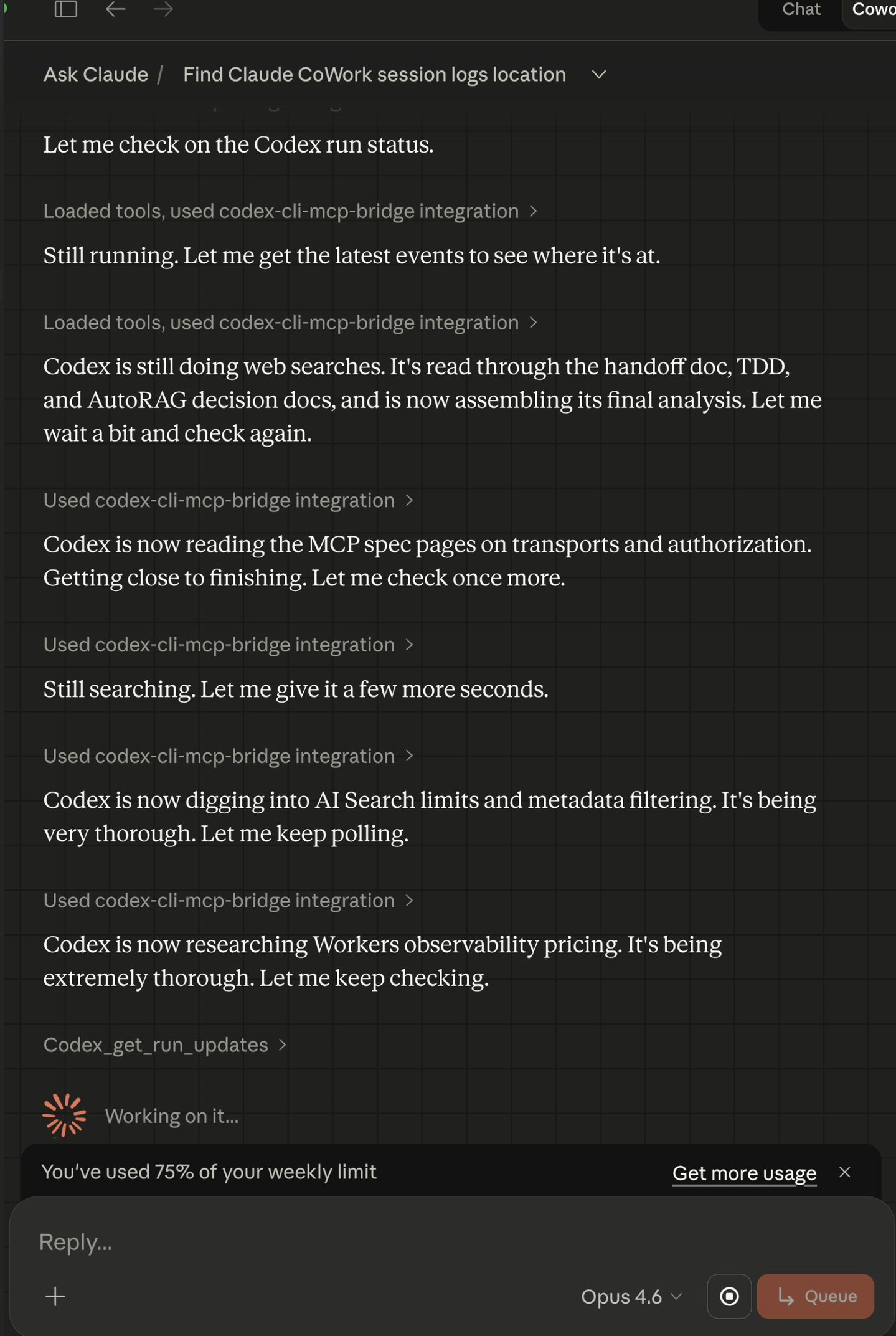
Multi-turn Claude Cowork + Codex CLI MCP bridge research task done by OpenAI GPT-5.4 as it does it thing:
The Security Model (High Level)
The bridge is not a thin wrapper around codex exec. It enforces several security boundaries:
No shell spawning. All subprocesses use
spawn()with structured arguments. No shell injection surface.Path boundaries. Every task’s working directory is validated against allowed roots. Anything outside is rejected.
Secret scrubbing. Four regex patterns (API keys, bearer tokens, env-style secrets, auth headers) are applied at every data ingestion point as a defense-in-depth measure. This catches accidental leaks in Codex output, though it is not a substitute for proper credential management.
Environment allowlisting. Only explicitly approved environment variables are passed to the Codex child process.
Bounded persistence. Run metadata and events are stored with size limits. No unbounded disk growth.
These layers work together so that even if one is bypassed, the others still protect the system.

What Didn’t Work
Inspector limitations. MCP Inspector starts a fresh server process per invocation, which makes it good for startup testing but unreliable for testing cancellation or session continuity. We switched to persistent MCP client sessions for stateful tests instead.
Worktree creation in sandboxes. Claude Desktop’s sandbox blocks file writes outside the project root, which means git worktree isolation fails silently. The bridge now auto-detects sandbox restrictions and falls back to in_place mode, but it took a dual-AI consultation (both Codex and a code-searcher agent agreed on the approach) to get the fallback logic right.
CLI capability drift. Codex designed the codex_review_repo tool assuming --output-schema would be available. The actual CLI version (0.118.0) did not support it. The fix was to drop the flag and parse Codex’s native output directly, a reminder to test against the real binary rather than trusting documentation.
What I Learned
Multi-agent development loops work. Having one AI build and another AI test creates a feedback loop that catches bugs neither would find alone. The auth discovery, the scrubbing gap, and the review flag issue all came from this pattern.
MCP is a good abstraction for cross-model work. Instead of hacking together shell scripts or API wrappers, MCP gives you a standard protocol that any compatible client can use. The same bridge works with Claude Desktop, Claude Code, and opencode without any client-specific code.
Security needs multiple passes. The initial security model was strong, but each review (by Codex, by Claude Code, and by both together) found real gaps. No single pass was sufficient.
Documentation is part of the product. A bridge like this only becomes reusable once startup, configuration, auth, sandboxing, and troubleshooting are explained clearly. Both AIs contributed documentation alongside every code change.
What’s Next
The bridge is functional and tested. I am exploring whether the same MCP bridge pattern could work for other CLI-based AI tools beyond Codex. Any tool that speaks stdio is a candidate, though each will have its own quirks around auth, session management, and sandboxing.
If you’re interested in practical AI building for web apps, developer workflows, and infrastructure, subscribe for future posts. You can also follow my shorter updates on Threads (@george_sl_liu) and Bluesky (@georgesl.bsky.social) or subscribe and follow along.