
My Claude AI Already Remembers Everything. I Built It a Second Brain Anyway.
CLAUDE.md files handle project state. Obsidian handles the knowledge that compounds.

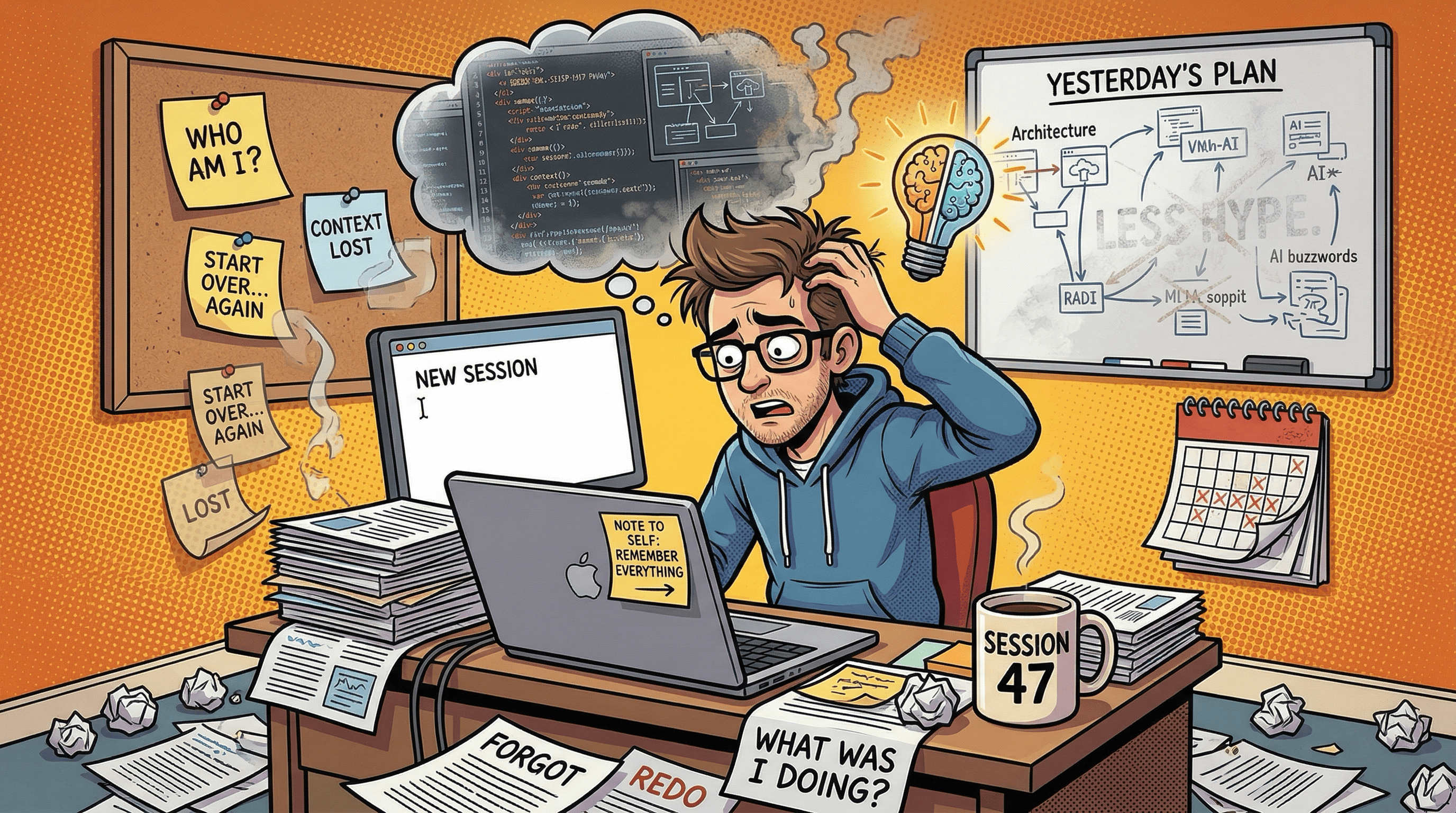
Most AI coding tools forget everything between sessions. Mine does not, because I have invested time building a detailed CLAUDE.md memory system: a set of structured markdown files that track project state, decisions, patterns, troubleshooting, and references. These load automatically at the start of every session and give Claude enough context to pick up exactly where the last session left off.
For project state, this works well. Five sessions into building this Substack, Claude knows the publication strategy, the content calendar, the workspace layout, every decision we made and why. No re-explaining.
But CLAUDE.md files have a ceiling.
Research findings, post retrospectives, audience insights, growth experiment results, content planning notes. These are not project state. They are institutional memory, the kind that compounds over time and gets more valuable the more you have. Cramming all of it into flat markdown files that load into every session wastes context window on information that is only relevant 10% of the time. And as the project grows, those files get longer, eating into the context budget that should be spent on actual work.
I needed to level up. Something the AI could query on demand, pulling only the knowledge relevant to the current task. Something with structure, search, and the ability to grow without bloating the context budget. A second brain that sits alongside the CLAUDE.md system, not replacing it.
That distinction matters because a lot of “AI memory” setups collapse two very different jobs into one system. Project memory is about the current state of work: what changed, what is blocked, what happens next. A second brain is about knowledge that compounds over time: research, patterns, lessons, and reusable context. Mixing the two sounds tidy, but in practice it creates bloat, duplication, and uncertainty about what is still current.
So I built one. In a single session. Using Obsidian as the backend, a custom MCP server as the bridge, and Claude Cowork (Anthropic’s desktop app for macOS, currently in research preview) powered by Claude Opus 4.6 as the AI partner.
Full disclosure: I had about 8 hours of total Obsidian experience when I started this project and just a bit more with Claude Cowork as I mainly used Claude Code. I knew it was a markdown-based note app with a plugin ecosystem. I did not know its REST API, Dataview query language, or how to design a vault structure for programmatic access. Claude Opus 4.6 in Cowork carried most of the technical implementation, from writing the MCP server to designing the vault schema to debugging every failure along the way. I directed the architecture and caught the edge cases. Opus did the heavy lifting.
The approach is not Claude Cowork-specific. The MCP server works with Claude Code from the terminal, Claude Desktop, or any MCP-compatible client. I used Claude Cowork because it has file access, a sandboxed shell, and MCP support in a desktop environment, but everything in this post translates directly to Claude Code CLI workflows.
Here is what worked, what broke spectacularly, and what I learned.
Why Obsidian
There were several options for a persistent knowledge store. A SQLite database, a SaaS knowledge base, a vector store, or Obsidian.
I picked Obsidian for practical reasons. It is local-first, so no data leaves my machine. It uses plain markdown files, so the content is readable and portable without any special tooling. It has a plugin ecosystem that includes Dataview for live queries and a Local REST API plugin that exposes the vault over HTTP.
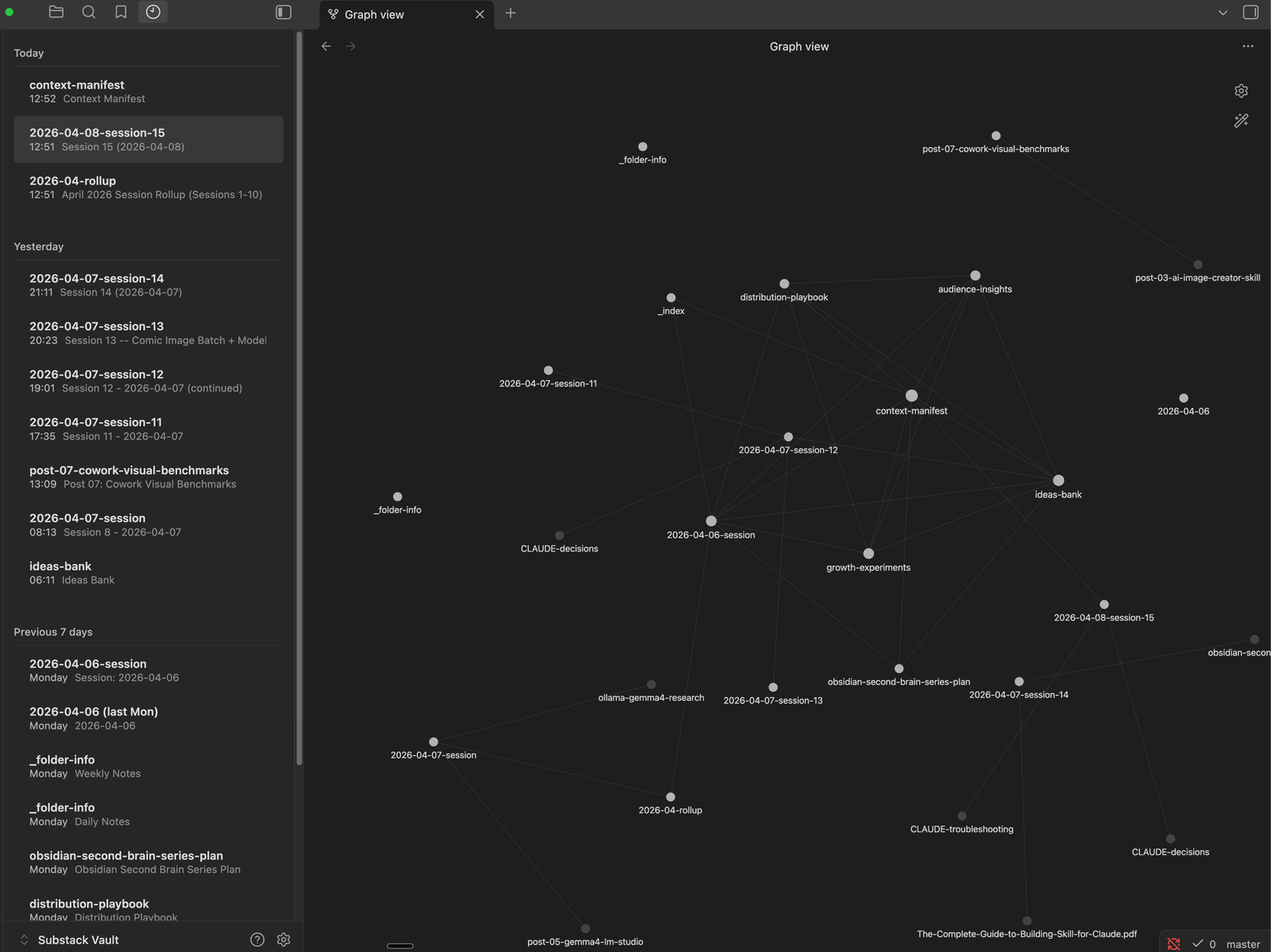
The obvious objection is that Obsidian notes are just markdown files, and Claude can already read those directly. True, up to a point. But I wanted more than raw file access: structured frontmatter, live Dataview queries, and a relationship layer where every note links to others via [[wikilinks]] and Obsidian visualizes those connections automatically. Over time, the graph reveals patterns invisible in flat file systems – which topics cluster together, which decisions keep coming up, which research feeds into which posts. A database stores data. Obsidian stores knowledge with relationships. That distinction matters when you are building a memory system that should get smarter over time.
The architecture
Before writing any code, I made three design decisions that shaped everything that followed.
Decision 1: Domain split. The CLAUDE.md files remain the source of truth for project state (what is happening right now, what to do next, current roadmap). Obsidian handles accumulated knowledge (research, retrospectives, audience data, experiments, session logs). No overlap between the two systems. If a fact lives in CLAUDE.md, it does not get duplicated in Obsidian, and vice versa.
This prevents the worst failure mode of AI memory: conflicting information in two places with no way to know which is current.
Decision 2: Context budget. Maximum 5 MCP tool calls at session start. The whole point of a second brain is on-demand access, not dumping everything into context. A routing protocol determines which vault files to load based on the task type. Writing a post? Load the content planning files. Debugging a tool? Load the troubleshooting snippets. Just doing general work? Load only the context manifest (the vault’s entry point) and nothing else. A system that can load everything usually should not.
Decision 3: Progressive disclosure for the AI skill. The skill file that teaches Claude how to use the Obsidian tools is 120 lines. The detailed reference material (context loading protocol, Obsidian features, OpenAPI spec) lives in separate files that are only read when needed. This follows the same pattern I used in my AI Image Creator skill: keep the entry point lightweight, push depth into reference files that load on demand.
I documented these decisions following Anthropic’s official skill-building guide, which recommends the same progressive disclosure pattern for managing AI context efficiently.
Obsidian configuration
Four community plugins, all from Obsidian’s built-in plugin browser:
Local REST API (v3.5.0) – Required. Exposes your vault over HTTPS at
https://127.0.0.1:27124
with API key authentication and a full OpenAPI specification. Every MCP tool talks to Obsidian through this plugin. Copy the auto-generated API key for the MCP server’s OBSIDIAN_API_KEY environment variable.
Dataview (v0.5.68) – Required. Adds a query language (DQL) for searching notes by frontmatter fields, filtering by tags, and returning structured tables. A single query like TABLE file.name, status FROM #type/research WHERE status = "active" SORT file.mtime DESC returns exactly the notes you need, instead of reading files one by one. Also powers live query blocks inside notes that update automatically as the vault changes.
Periodic Notes (v0.0.17) – Optional. Manages daily/weekly/monthly notes with configurable formats and folders. Our obsidian_periodic_note MCP tool uses the REST endpoint this plugin provides. Settings: Daily format YYYY-MM-DD in Periodic/Daily, Weekly format gggg-[W]ww in Periodic/Weekly. Create the folders before configuring the plugin. Important: disable Obsidian’s built-in core “Daily notes” plugin (Settings > Core plugins) to avoid conflicts – Periodic Notes fully replaces it.
Recent Notes (v1.5.5) – Optional. Sidebar panel grouping recently edited notes by time period. The human-facing version of what our obsidian_recent_changes MCP tool does programmatically. No API – its value is for browsing the vault yourself.
If you skip the optional plugins, 14 of the 16 MCP tools still work with just Local REST API and Dataview.
The elegant first attempt
Obsidian’s Local REST API plugin exposes a full OpenAPI specification. I downloaded it from the plugin’s documentation and fed it to Opus. All 2,252 lines of it, covering every vault operation: read, write, search, list, Dataview queries, all documented with schemas, parameters, and response types. Having the complete spec meant Opus could understand the full API surface without me explaining each endpoint.
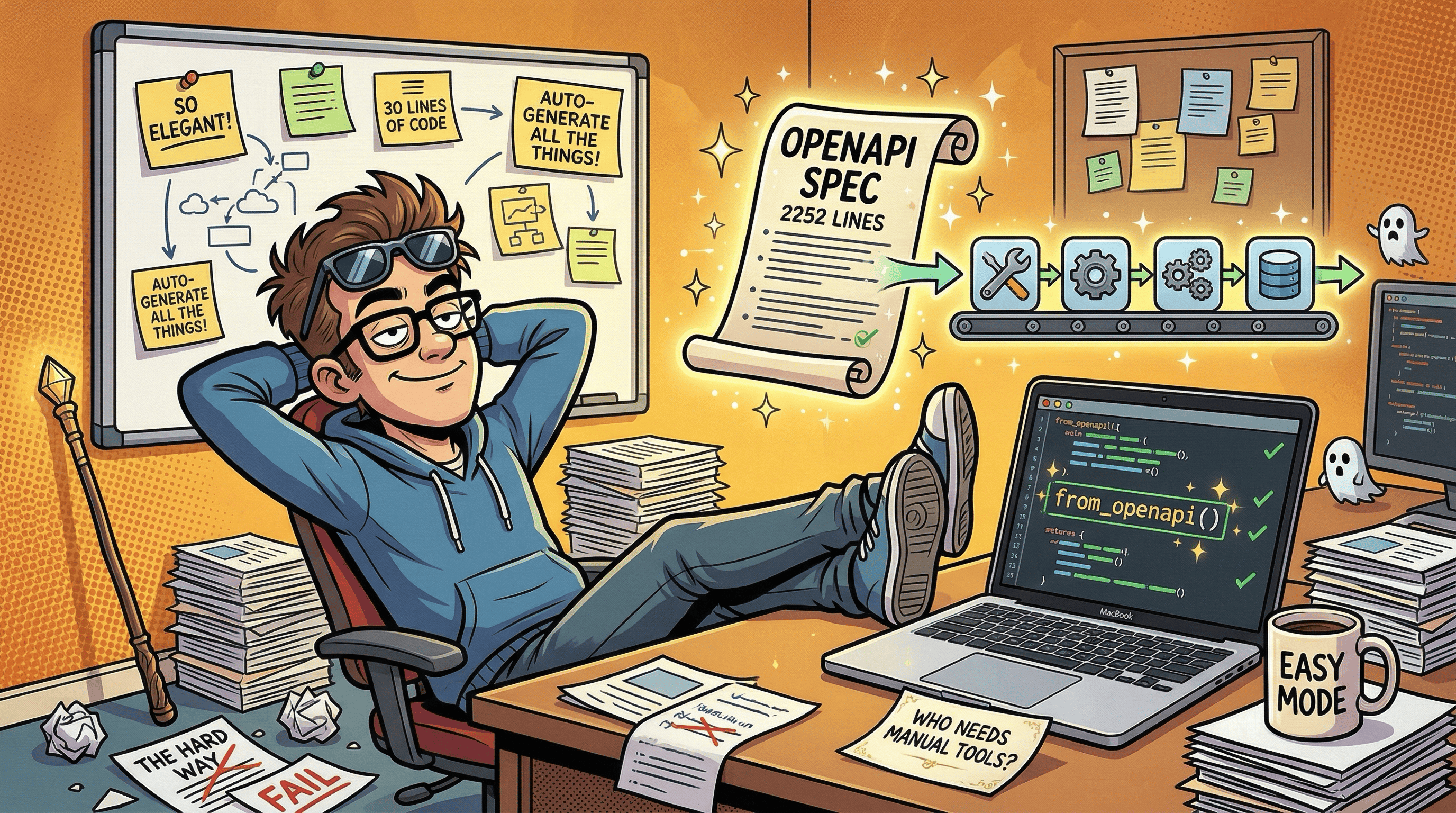
The FastMCP library for Python has a from_openapi() method that auto-generates MCP tools from an OpenAPI spec. Feed it the spec, get a complete tool server. Opus suggested this approach and wrote the implementation. About 30 lines of code:
from fastmcp import FastMCP

mcp = FastMCP.from_openapi(
    openapi_spec="references/openapi.yaml",
    base_url="https://127.0.0.1:27124",
    headers={"Authorization": f"Bearer {api_key}"}
)
Three lines to bridge Obsidian to Claude. The server started. The tools registered. I could see them in Cowork’s MCP panel. On paper this is exactly the kind of abstraction you want: the API already has a full spec, the MCP framework already knows how to turn specs into tools, less custom glue code to maintain. It looked like the whole project would take 30 minutes.
The empty braces mystery
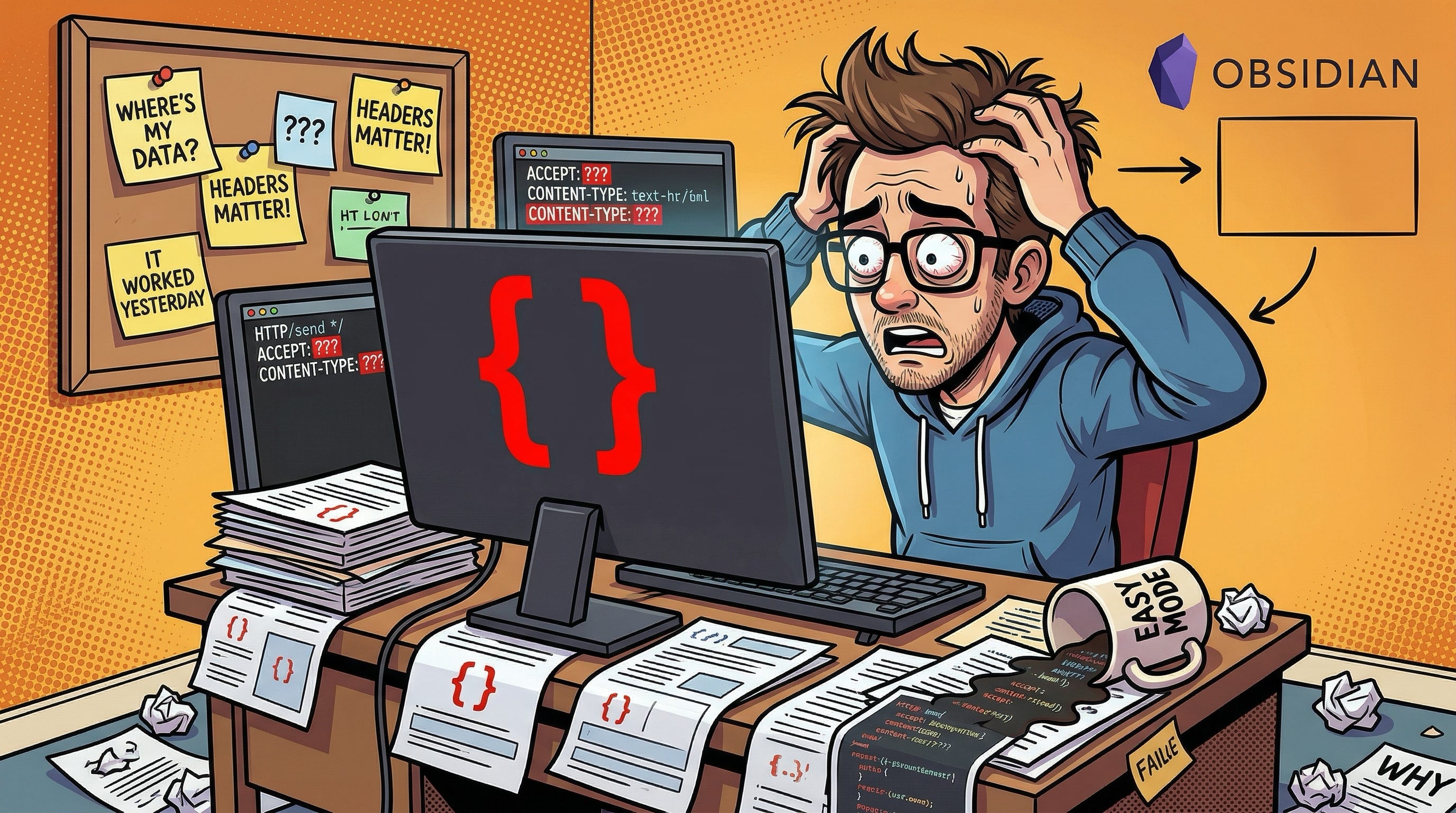
The first read call returned {}.
Not an error. Not a timeout. A perfectly successful HTTP 200 response containing an empty JSON object. Two bytes of nothing.
I checked the vault. The file was there, full of content. I tried different files. Same result. I tried the search endpoint. Same {}. I tried Dataview queries. HTTP 400.
The debugging took longer than I want to admit. The trap was that nothing looked broken at the transport layer. Authentication worked. The server responded. The tools registered. The failure was entirely semantic. The issue turned out to be headers.
Obsidian’s REST API requires specific headers that vary by endpoint. Reading a note as markdown needs Accept: text/markdown. Dataview queries need Content-Type: application/vnd.olrapi.dataview.dql+txt. Without these, the API returns successfully but with empty or wrong content.
from_openapi() sets global headers at server creation time. It has no mechanism to set per-request headers based on which endpoint is being called. So every tool was sending the same generic headers, and every content-aware endpoint was returning empty results. That is a nasty class of bug: it gives you the confidence of success without the substance of success.
The auto-generation approach that looked so elegant could not handle a fundamental requirement of the API it was wrapping.
The rewrite
Opus replaced the 30-line auto-generated server with a second MCP server: 16 manually defined tools, each setting its own headers explicitly:
@mcp.tool()
async def obsidian_read_note(path: str) -> str:
    """Read a note's markdown content from the vault."""
    async with httpx.AsyncClient(verify=False) as c:
        r = await c.get(
            f"{API_URL}/vault/{path}",
            headers={**AUTH, "Accept": "text/markdown"},
        )
        r.raise_for_status()
        return r.text
Compare that to the auto-generated version which could not set Accept: text/markdown on this specific call. This is less elegant than auto-generation and much more reliable. Once the API required per-endpoint behavior, hand-written tools stopped being technical debt and started being the correct abstraction.
The server is a single Python file using PEP 723 inline dependency metadata. Run it with uv run server.py and the dependencies (fastmcp, httpx) install automatically. No virtual environment, no requirements.txt, no setup steps. One file, one command.
One gotcha worth noting: Obsidian’s REST API uses a self-signed SSL certificate, so the HTTP client needs verify=False. And in Cowork’s sandboxed environment, the sandbox cannot reach 127.0.0.1 on the host machine directly. The MCP server runs on the host (registered in Claude Desktop’s MCP config), not inside the sandbox. This is handled transparently by the MCP protocol, but it is worth understanding if you are debugging connection issues.
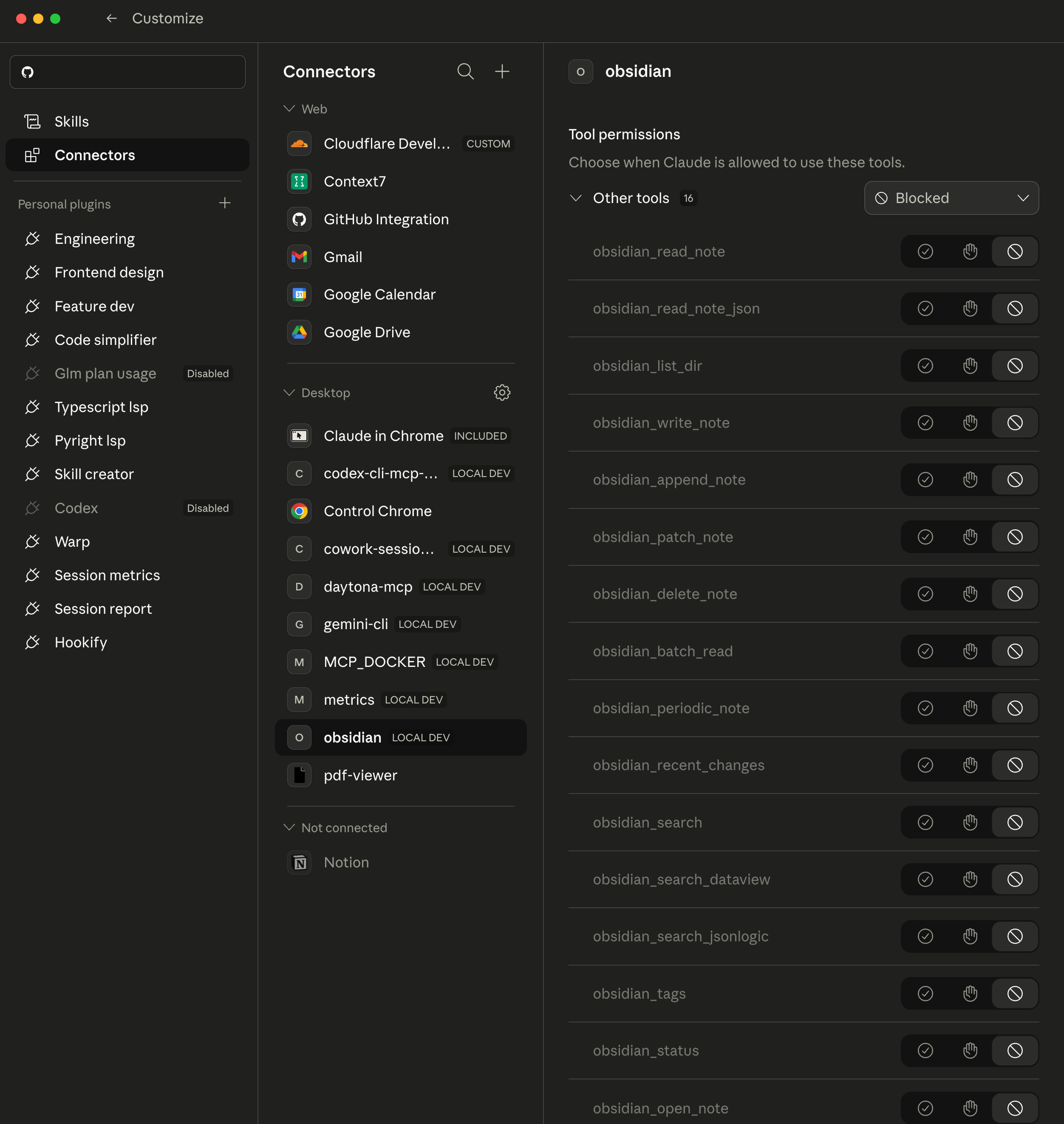
I built all 16 tools, grouped by function:
Read/Write: read note (markdown), read note (JSON metadata), write note, append to note, patch note (heading-level update), delete note
Search: full-text search, Dataview DQL queries, JSONLogic queries
Batch/Convenience: batch read (multiple notes in one call), periodic note (daily/weekly/monthly), recent changes (vault-wide, sorted by modification time)
Navigate: list directory contents, get all tags with hierarchy counts, check server status, open a note in the Obsidian UI
Then I tested them against live vault data.
Every tool worked. Here is what real output looks like from a few of the tools, tested against live vault data.
A Dataview DQL query to find active notes sorted by modification time:
TABLE type, status
FROM "Claude-Cowork/George-Substack"
WHERE type != null
SORT file.mtime DESC LIMIT 5
Returns structured results:
[
  {"filename": "research/obsidian-second-brain-series-plan.md",
   "result": {"type": "research", "status": "active"}},
  {"filename": "context-manifest.md",
   "result": {"type": "reference", "status": "active"}},
  {"filename": "sessions/2026-04-06-session.md",
   "result": {"type": "session", "status": "active"}}
]
The batch read tool pulls multiple notes in a single MCP call (returning a JSON map of path to content, with ERROR 404 for missing paths). The recent changes tool walks the vault directory tree and returns files sorted by modification time. All examples above are real data from the live vault, captured during testing.
The seven vault files I had created during initial testing with the from_openapi() server? All empty shells. File size: 2 bytes each. I had been looking at them in Obsidian’s file explorer and assuming they had content because they had frontmatter titles. They did not. The frontmatter was {} too. I rewrote all seven using the custom server and verified each one by reading the content back.
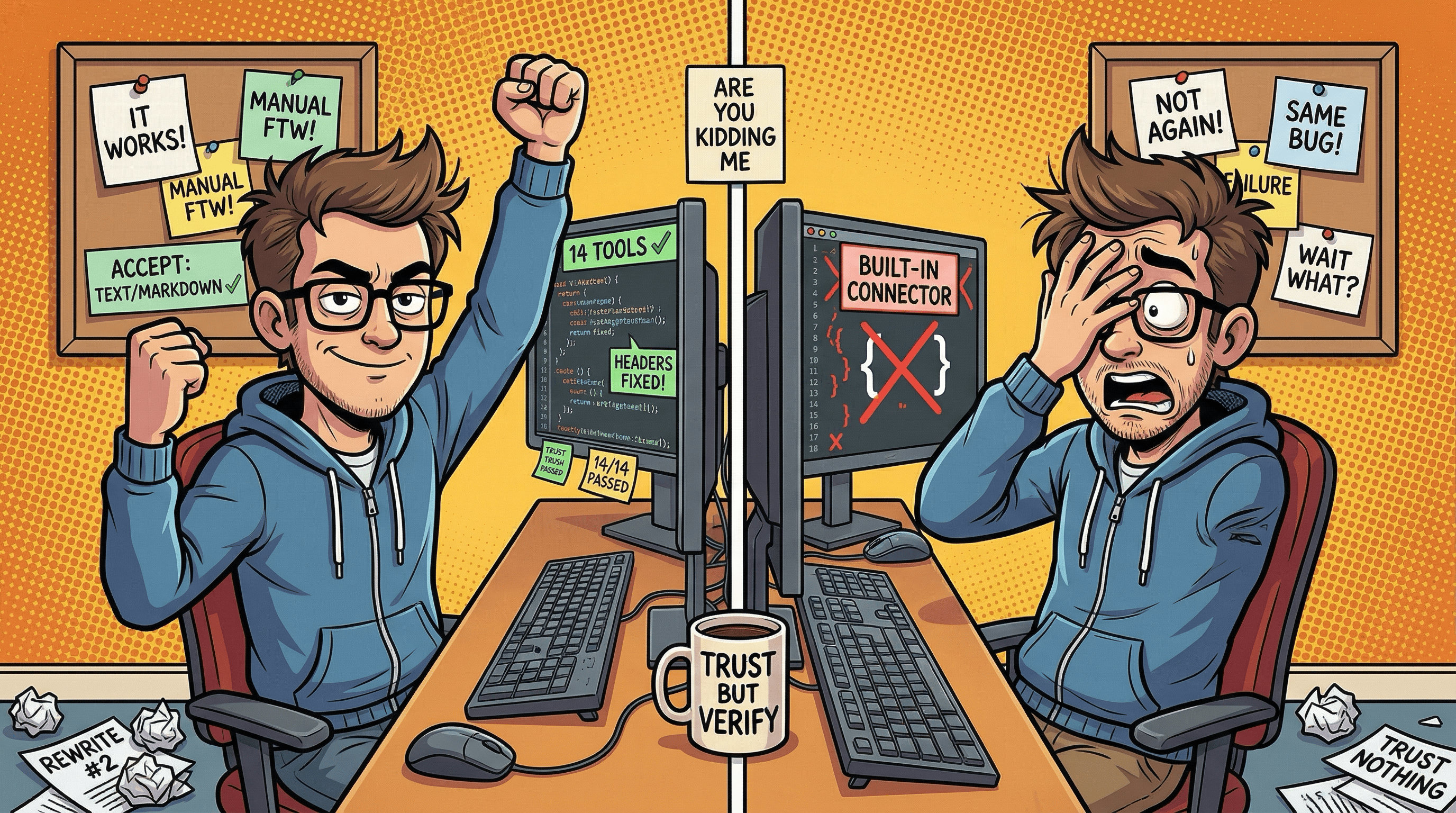
Lesson: “Does it connect?” is not the same as “Does it work?” Two MCP servers authenticated, registered, and returned HTTP 200 while producing completely wrong output. Always test with real data and verify the actual content of what gets written.
The working system
With the custom MCP server verified, I built out the vault structure and the Claude skill.
The vault lives at Claude-Cowork/George-Substack/ inside my Obsidian vault. Its entry point is context-manifest.md, a table of contents that tells the AI what the vault contains, what is in progress, and where to look. The AI reads this first to decide what else it needs.
The trust boundary is narrow. The AI can query freely and write to specific note types that follow known templates (session logs, research notes, series plans), but it cannot rewrite everything. Memory is useful only if it stays legible and reviewable. A knowledge map (_index.md) contains six Dataview live queries that surface notes by type, status, and recency, updating automatically as the vault changes.
Every note uses structured frontmatter:
---
tags:
  - cowork/george-substack
  - type/session-log
  - topic/obsidian-setup
created: 2026-04-06
updated: 2026-04-06
type: session-log
status: active
confidence: high
---
Tags create a searchable hierarchy. The type and status fields power Dataview queries. The confidence field flags knowledge that might be outdated. Wikilinks ([[related-note]]) connect notes to each other, building the knowledge graph from day one.
The skill teaches Claude how to use this system via a session protocol and a routing table:
The skill teaches Claude how to use this system via a session protocol and a routing table. Writing a post loads content/ideas-bank and content/audience-insights. A post retrospective loads content/growth-experiments. Research or troubleshooting loads the relevant folder listing. General work loads only the context manifest.
At session start, read the context manifest (1 MCP call), then optionally load 1-4 more files based on task type. At session end, write a session log and update the manifest. This keeps startup context under 5 MCP calls regardless of vault size.
This is a scaling strategy, not magic. As the vault grows, noisy tags, stale notes, and accumulating session logs will require pruning and summarization. There is also a subtler problem: the memory system describes itself in multiple places (the skill file, README, CLAUDE.md files, vault notes, and this article). Within one day of building this, I found stale tool counts in seven files and an incorrect narrative in five. AI memory systems need session-end audits the same way codebases need tests. Building the system is the exciting part. Keeping it accurate is the real work.
The fallback design. If Obsidian is not running, the project still works. The CLAUDE.md files contain all project state. The second brain is additive, never a single point of failure.

Obsidian 2nd brain for full memory context that Claude Cowork has access to.
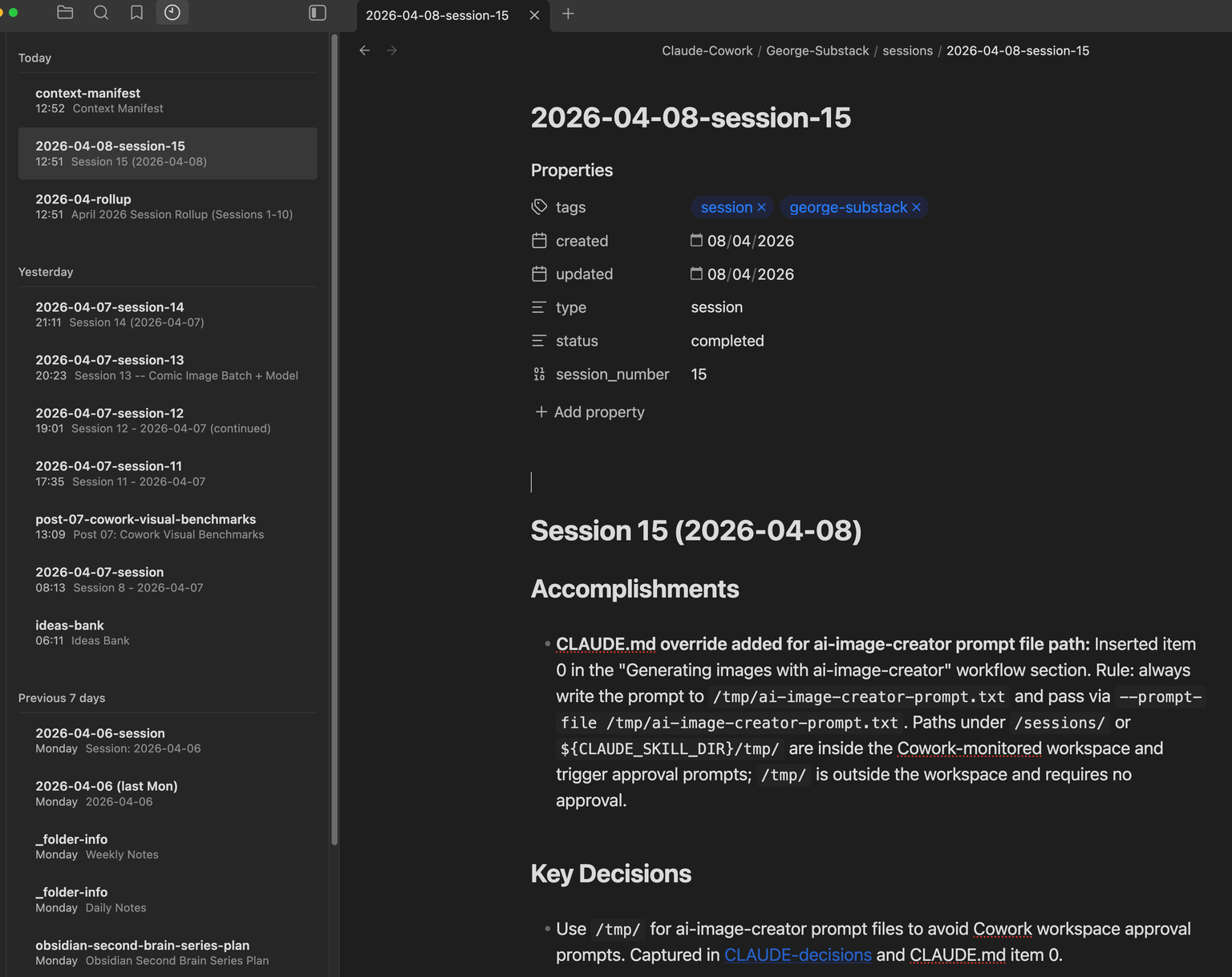
Obsidian graph view.
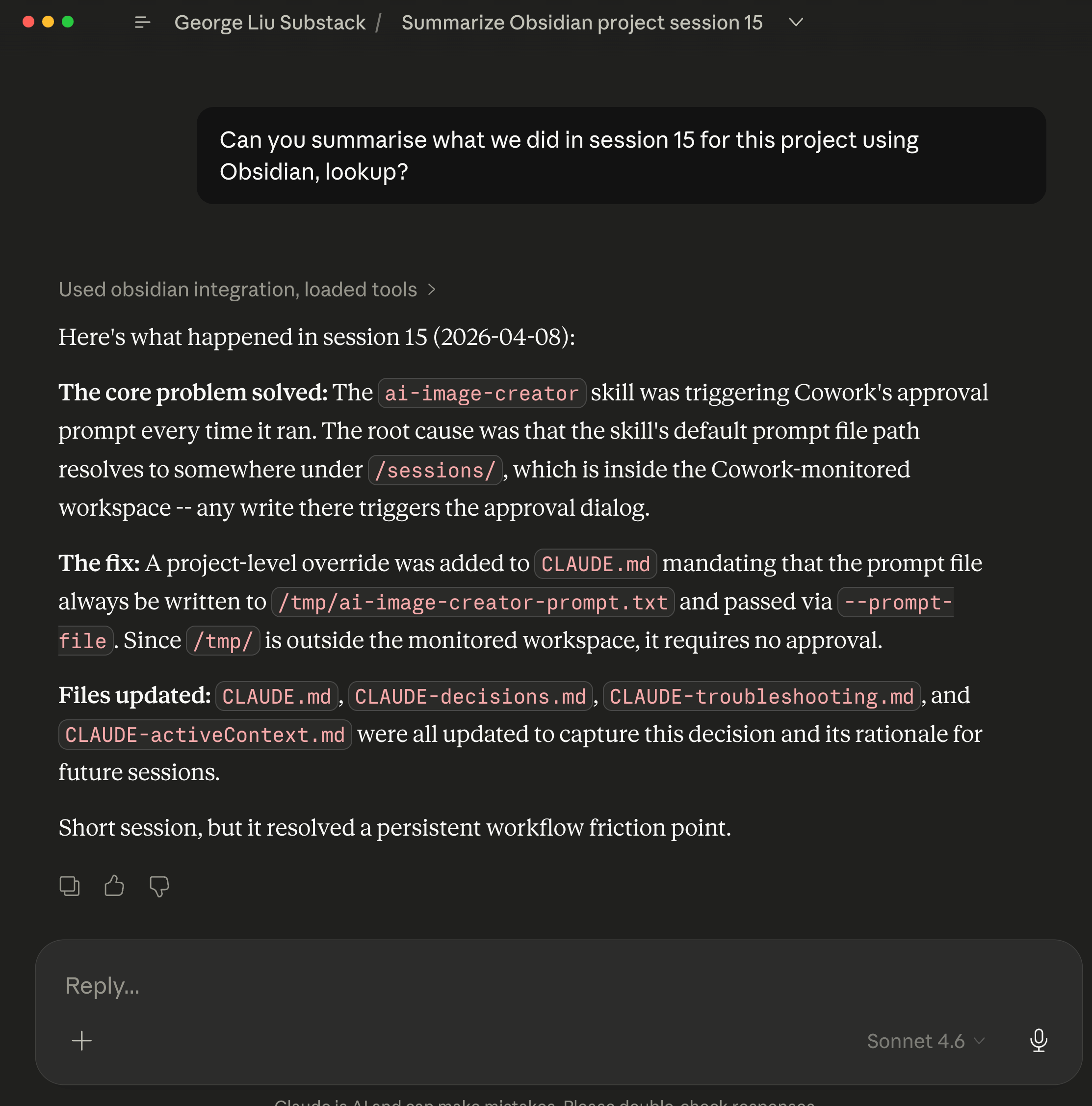
Using Obsidian MCP & Skill bundle to query what I did in Claude Cowork project ~15 days ago.
Claude Cowork desktop app’s MCP connector listing for Obsidian MCP. You can also see a separate cowork-session-mcp server that I created that allows Claude Cowork projects to read other projects’ sessions even if they are sandbox isolated as well as backup Claude Cowork project sessions to the cloud - Cloudflare R2 S3 object storage and be searched via Cloudflare AI Search RAG system. See how I did that here.
How AI helped build this
This entire system was built in a single Cowork session with Claude Opus 4.6. I came in with 8 hours of Obsidian experience, a general idea of what I wanted, and zero knowledge of the REST API or Dataview query language. Opus handled the implementation: writing the MCP server, designing the vault schema, creating the skill file, and seeding the initial vault notes. Then it used that vault to plan this five-part article series – writing the series plan as an Obsidian research note with frontmatter, wikilinks, and Dataview-queryable metadata. The second brain’s first real job was planning the article about its own creation.
The debugging was genuinely collaborative. When from_openapi() returned {}, I described the symptom and Opus worked through possible causes until it identified the header limitation. Having the full session context meant the diagnosis built on everything we had already explored together.
The lesson for AI-assisted building: the human still needs to push the direction. I made the architecture calls, decided on the domain split, and chose Obsidian. Opus executed on those decisions faster and more thoroughly than I could have alone. The combination worked because each side contributed what it was best at.
What I learned
Architecture matters more than the storage backend, because memory failures are usually loading failures, routing failures, or trust-boundary failures – not markdown-vs-database failures. The domain split (project state vs accumulated knowledge), context budget (max 5 calls), and task-type routing are what make this system practical. You could swap Obsidian for Notion, a SQLite database, or a folder of text files and the architecture would still work. The hard problems are deciding what to load, when to load it, and how to prevent context bloat.
Auto-generation has a ceiling, and it fails silently. from_openapi() is powerful for APIs with uniform header requirements. But when an API needs different content types per endpoint, auto-generation breaks without telling you. The from_openapi() server authenticated correctly, registered tools, and returned HTTP 200 on every call – but the content was {}. The output looks correct at the transport layer while being completely wrong at the data layer. Testing with real data, reading back what you wrote, and verifying file sizes is the only way to catch this class of bug.
AI needs the same UX patterns humans do. Progressive disclosure, clear entry points, routing tables, structured metadata. The skill file is essentially UX design for an AI user. A wall of text works no better for Claude than it does for a human reading documentation.
Design for failure from the start. The CLAUDE.md fallback means the project never depends on Obsidian being available. This is the same principle behind graceful degradation in web development: the enhanced experience is optional, the core experience always works.
Not every workflow needs this much machinery. If your vault is small, your notes are mostly static, and your AI only needs occasional file access, direct filesystem access may be simpler and good enough. The Obsidian + MCP approach earns its complexity when you want structured metadata, live queries, a human-usable interface, controlled write paths, and memory that works across sessions and clients without dumping whole folders into context every time.
Documentation drifts and bugs hide in the gaps. After the initial build, the tool count was stated as “14” in seven files. When I added three new tools, the count became “17” in the draft but was actually 16 (I miscounted). Separately, the recent_changes tool passed basic testing but failed on nested directories because it used relative filenames instead of full paths – a bug that only appeared with real directory depth. Both problems share the same root cause: a system that describes itself in multiple places will contradict itself faster than you expect. The fix is a session-end audit: grep for known facts across all files before closing out. I built a checklist for this and added it to the skill’s session-end protocol.
Not everything worked perfectly. After creating notes via the API, Obsidian’s full-text search initially only matched filenames, not content. The indexer had not caught up with files created programmatically. Tags also returned empty for a while before populating. If you build something similar, expect a brief lag between writing a note and being able to search its contents. Dataview queries (which read frontmatter directly) worked immediately, which is why they are the primary query mechanism in this system.
Using this outside Cowork
I built this in Cowork, but the MCP server is a standalone Python script that works with any MCP-compatible client: Claude Code CLI, Claude Desktop, Cursor, Windsurf, Cline, or others adopting the Model Context Protocol. Add the server to your MCP config, point it at your Obsidian vault, and the 16 tools are available in every session. The skill file (SKILL.md) drops into any project’s .claude/skills/ directory and works the same way. The from_openapi() header limitation applies to any client, so building the custom server from the start skips the issue entirely.
Before building your own, consider mcp-obsidian by Markus Pfundstein (uvx mcp-obsidian). It handles per-request headers correctly and covers batch reads, periodic notes, and recent changes. The main gap: no Dataview DQL support, which is our core query mechanism for structured retrieval. If you only need file read/write and basic search, mcp-obsidian is the simpler path.
For testing either server, MCP Inspector gives you a browser UI to test tools, inspect responses, and view logs – no install required:
npx @modelcontextprotocol/inspector uv --directory path/to/server run server.pyThe pattern also works outside coding workflows. Meeting notes, research, editorial planning, decision logs – anything where you want to keep active work separate from accumulated knowledge and load only the slice the current task needs.
What’s next
This is Part 1 of a series. The system exists. Now the real test begins: using it across multiple sessions and seeing whether persistent memory actually changes how the AI works with this project. Part 2 starts here.
Questions I want to answer in future parts:
Does the knowledge graph reveal useful patterns over time?
Does the context budget hold as the vault grows?
What happens when session logs accumulate and need pruning?
How does having memory change the quality of content planning and post drafting?
The system worked in the controlled environment of a build session. The next question is whether it stays useful when the vault gets messier, the sessions get longer, and the memory starts competing with itself.
If you’re interested in practical AI building for web apps, developer workflows, and infrastructure, subscribe for future posts. You can also follow my shorter updates on Threads (@george_sl_liu) and Bluesky (@georgesl.bsky.social) or subscribe and follow along.