
I Gave Claude Cowork an Obsidian Second Brain. Here Is What It Remembered After 11 Sessions
Real usage across weeks of drafting, debugging, and content planning was the actual test. The second brain passed some tests and failed others.

In Part 1, I built a persistent memory system for my AI workflow using Obsidian, a custom MCP server, and Claude Opus 4.6 in Cowork. The system had 16 MCP tools, a structured vault with frontmatter metadata, Dataview queries for structured retrieval, and a context budget of 5 MCP calls at session start. It worked in the controlled environment of a single build session.
That is the easy part.
The hard question was always whether it would stay useful when real work started piling in. When sessions got messy. When I was focused on deadlines instead of metadata hygiene. When the vault grew from 7 seed notes to something larger.
So I used it. The Substack project had been running for 5 sessions before I built the second brain. Over the next 11 sessions (sessions 6 through 16), I drafted articles, debugged tooling, generated images, and reorganized content. I did not treat it gently. I treated it the way you treat any tool when you are busy: I used it when I remembered and skipped it when I was in a hurry.
Here is one example before I explain the setup. In session 8, I spent 20 minutes figuring out that a sandboxed environment cannot delete certain lock files using normal commands. The fix (os.rename() works where rm does not) got documented. Five sessions later, the same problem appeared during a different task. This time, Claude found the existing entry and applied the fix in under a minute. That one entry saved at least 15 minutes and the frustration of hitting the same wall twice. That is what a working second brain does.

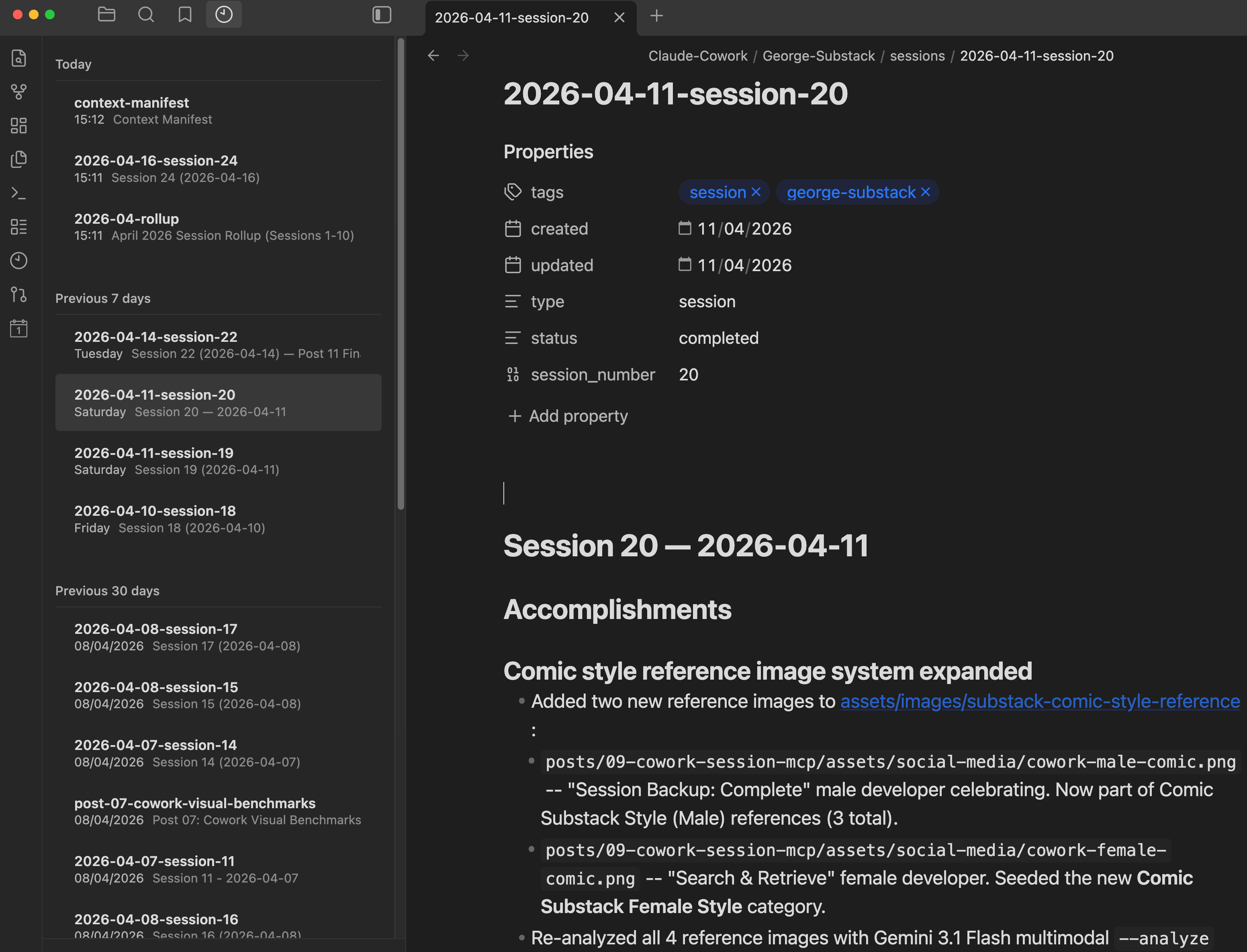
Example saving Claude Cowork project’s local memory bank and Obsidian second brain memory - saving to an Obsidian session 11 memory file.
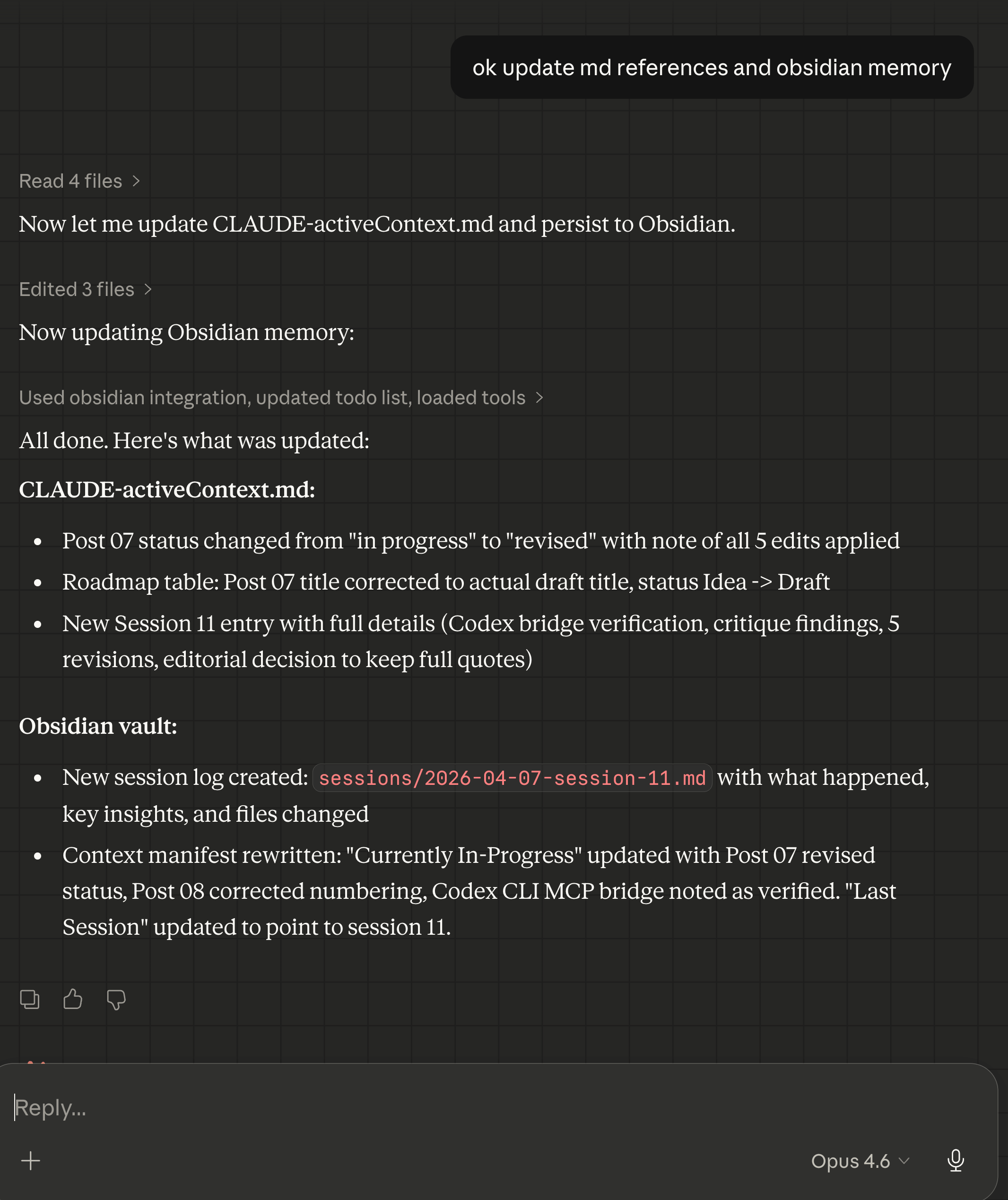
Recalling my Claude Cowork project’s session work done ~12 days ago using Obsidian MCP & Skill bundle.
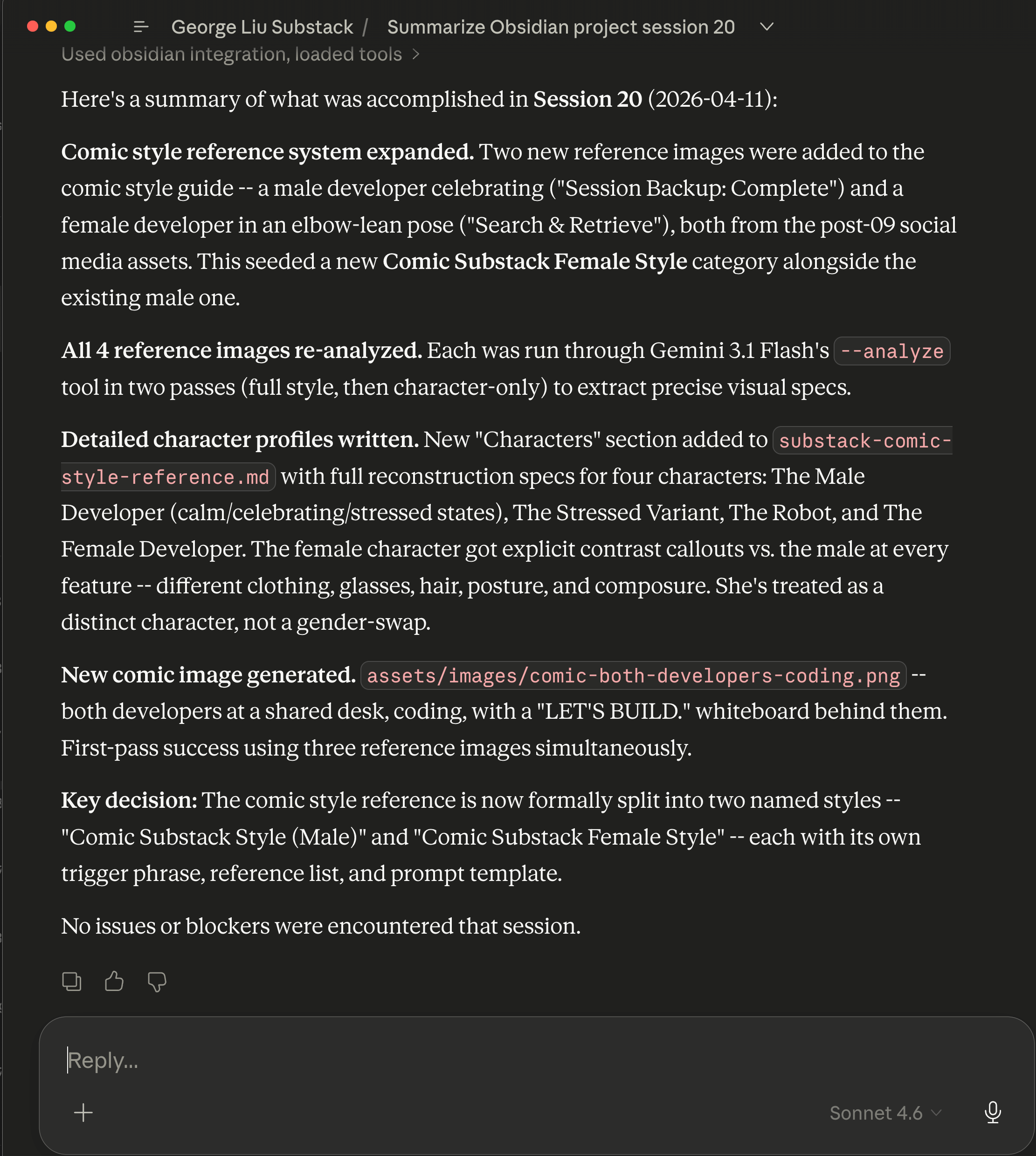
Inside the Obsidian notes saved for the Claude Cowork project’s 2nd brain for session 20 on April 11, 2026.
How the MCP server exposes the second brain
Quick mental model, then back to the results.
The core problem is simple: AI assistants like Claude lose their memory between sessions. My CLAUDE.md files solve this for project state (what is happening right now, what to do next), but they cannot scale to hold research, retrospectives, troubleshooting knowledge, and session history without bloating the context window.
Obsidian solves this by being a queryable knowledge store that sits outside the context window. The AI does not load everything at startup. It loads a single entry point (the context manifest), reads enough to understand what the current session needs, then queries for specific knowledge on demand.
The bridge between Claude and Obsidian is a custom MCP server (the adapter that lets Claude read, write, and search the vault). It is a lightweight Python script that exposes 16 tools over the Model Context Protocol. Each tool maps to an Obsidian REST API endpoint with the correct headers set explicitly (the reason it is custom-built, as Part 1 explained). The server runs on your local machine so it can reach Obsidian’s local API.
Here is what those 16 tools look like in practice:
Reading and writing (6 tools):
obsidian_read_note– fetches a note’s full markdownobsidian_read_note_json– returns just the frontmatter metadata as structured JSON, useful when you only need type/status/tags without the full bodyobsidian_write_note– creates or overwrites a noteobsidian_append_note– adds content to the end without touching what is already thereobsidian_patch_note– surgical edits by heading or block reference (though I discovered it fails on files over roughly 12K characters)obsidian_delete_note– removes a note
Searching and querying (3 tools):
obsidian_search– full-text keyword search across the vaultobsidian_search_dataview– runs Dataview DQL queries (Obsidian’s query language for note metadata) against structured frontmatter. This is the primary retrieval mechanism. Roughly 80% of my queries go through Dataview because the frontmatter schema makes filtering precise.obsidian_search_jsonlogic– complex boolean filtering for edge cases that DQL cannot express
Navigating and batch operations (7 tools):
obsidian_list_dir– shows directory contentsobsidian_tags– returns all tags with counts (the shape of your knowledge at a glance)obsidian_recent_changes– lists recently modified filesobsidian_batch_read– fetches multiple notes in one MCP call, saving round trips when loading session contextobsidian_status– health check on the vault connectionobsidian_periodic_note– creates or opens daily/weekly notesobsidian_open_note– opens a note in the Obsidian desktop UI
The tools let the AI browse a knowledge base the way a human would: start with an overview, drill into what is relevant, write back what it learned. The difference is speed and precision, structured queries instead of clicking around.
What makes the queries precise is structured frontmatter on every note:
---
tags:
  - cowork/george-substack
  - type/session-log
  - topic/mcp-setup
created: 2026-04-06
updated: 2026-04-06
type: session-log
status: active
confidence: high
---
Instead of full-text searching for “which sessions discussed image generation,” the AI can run:
TABLE type, status, created
FROM "Claude-Cowork/George-Substack"
WHERE contains(tags, "topic/image-generation")
SORT file.mtime DESC
In plain English: “Show me every note in the project folder tagged with image-generation, sorted newest first, and include its type, status, and creation date.” The AI gets back a structured table instead of scanning every file. No guessing, no context wasted on irrelevant notes.
Where the system worked: session continuity
The clearest win was session-to-session continuity. Each session starts by reading the context manifest, a single Obsidian note that contains the current project state, what happened last session, and a routing table that tells the AI what to load based on the task type.
Every new session started with enough context to be productive within the first exchange. No “remind me what we were working on.” No re-explaining decisions. Here is what a typical session start looks like:
Claude reads the context manifest (1 MCP call). This tells it: the project has 18 post folders, 5 are published, one draft was completed yesterday, here is the routing table for what to load next.
Claude reads the last session log (1 MCP call). This tells it: yesterday we drafted a tutorial article, generated 4 images, hit a swap memory issue with a local AI model, and documented the workaround.
Based on what I ask for, Claude loads 1-2 targeted notes. If I say “let’s work on the next article,” it loads the ideas bank. If I say “debug the image generation tool,” it loads the troubleshooting entries.
Total: 3-4 MCP calls, under 10 seconds, and Claude has enough context to work as if it had been present for the entire project history.
This was most noticeable when sessions were closely spaced. I had stretches where three or four sessions happened in the same day, each building on the previous one. The handoff was clean because the manifest is small (under 100 lines), focused (only current state and routing), and always up to date.
The session logs added a layer beyond just “what happened.” Each log captured decisions made and why. In session 12, I chose a narrative format for an article instead of pure tutorial. Three sessions later, when deciding the format for a different article, Claude read the session 12 log, found that decision and its rationale, and suggested the same approach. Without the log, we would have had the same discussion from scratch.
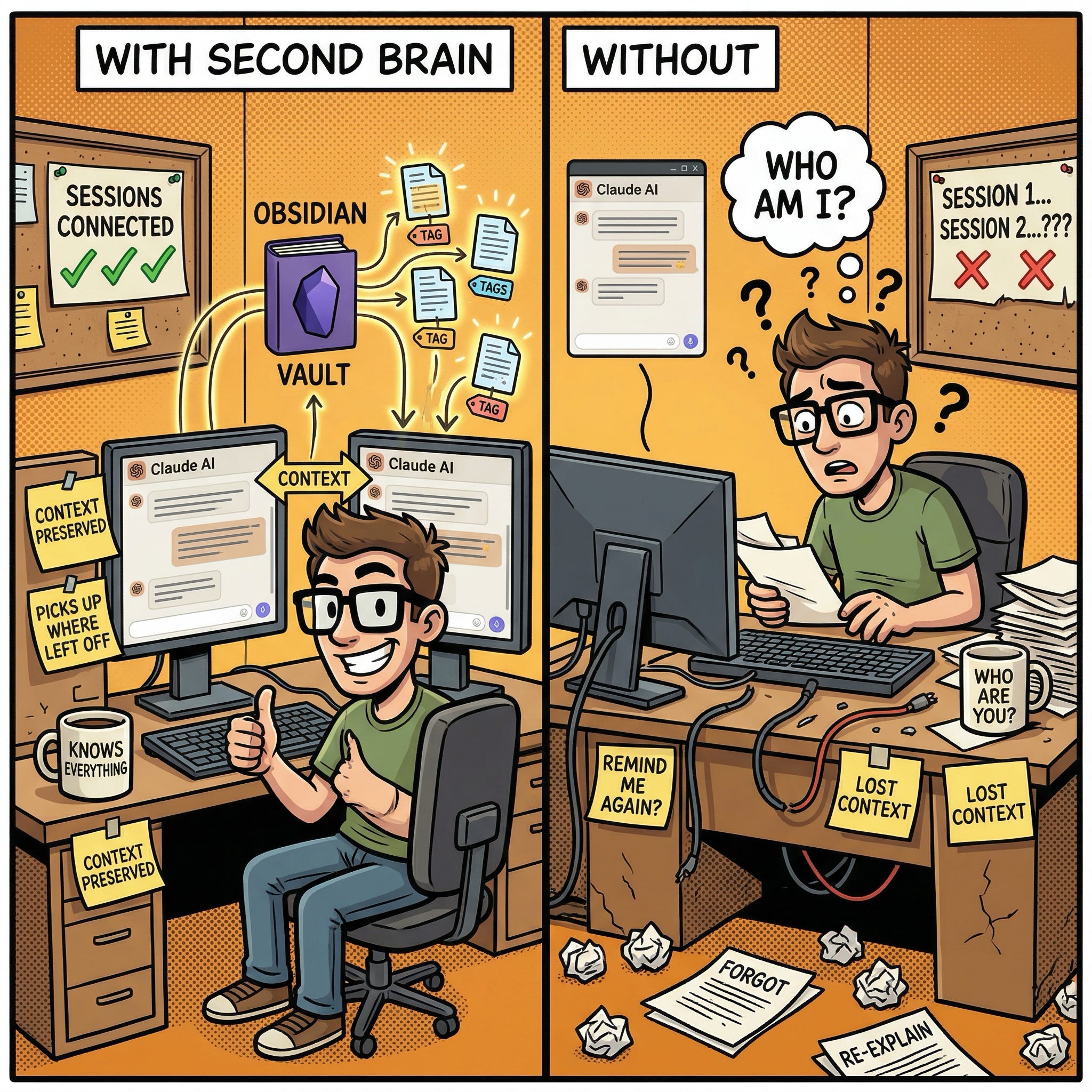
Where the system worked: troubleshooting memory
The second big win was accumulated troubleshooting knowledge.
Over 11 sessions, I hit roughly 10 distinct technical problems: API limitations, sandbox filesystem quirks, tool configuration errors, dependency version issues, and platform-specific gotchas. Each one got documented, either in the Obsidian vault or in the project’s troubleshooting file (which the AI loads at session start).
The payoff came when the same class of problem appeared again. Here is a real example: in session 8, I discovered that the sandboxed environment cannot delete certain lock files using normal commands (rm, unlink, Python’s os.remove()). After 20 minutes of debugging, I found that os.rename() works where delete does not. (Yes, this is arguably a sandbox escape bug. The point here is not the fix itself but that it got documented.) That workaround was recorded in the troubleshooting file.
In session 13, the exact same lock file problem appeared during a different task. This time, Claude found the existing entry and applied the os.rename() fix in under a minute. No re-discovery, no debugging, no wasted time. One documented entry saved at least 15 minutes and the frustration of hitting the same wall twice.
Another example: the Obsidian REST API has a quirk where the PATCH endpoint silently fails on files over ~12,000 characters. I discovered this the hard way in session 16 when trying to append to a growing monthly rollup file. The API returned HTTP 400 with no useful error message. After diagnosing the size limit, I documented the workaround (use write_note to overwrite the full file instead of patching) and changed the default workflow to use smaller, standalone files. Every future session that touches large vault notes will avoid this trap entirely.
By session 16, the accumulated knowledge covered roughly 10 documented issues. New problems were more likely to be variations of something already documented than entirely novel. The second brain was actively reducing the time cost of future sessions.
Where the system worked: the context budget held
Part 1 set a rule: maximum 5 MCP calls at session start. The concern was that as the vault grew, startup would get heavier and eat into the context budget.
After 11 sessions, the vault grew from 7 seed notes to 17 across three directories. The 5-call budget was never exceeded. A typical start used 3-4 calls: manifest, last session log, and 1-2 targeted notes.
The routing table in the manifest is what makes this work:
Writing or planning a post – load the ideas bank and any existing research notes on the topic
Growth planning – load growth experiments and audience insights
Technical debugging – load relevant troubleshooting entries and research notes
Content calendar review – load the ideas bank
General continuation – load just the manifest and last session log (the minimum viable context)
Most of the vault stays unloaded in any given session. A session focused on writing an article never touches the troubleshooting entries. A session focused on debugging never touches the content planning notes. This is the opposite of “load everything and hope the AI figures out what is relevant.”
At 17 notes, 5 calls is comfortable. At 170, it would still work because the manifest and routing table stay small. The vault grows; the startup cost stays flat. The bottleneck would be the routing table becoming stale, not the vault becoming too large.
For comparison: without the second brain, all session history, research, and troubleshooting would need to live in CLAUDE.md files that load into every session. That approach works at 5 sessions. It does not work at 50.
Where the system fell short: metadata discipline
I ran a Dataview query against the vault to check frontmatter consistency:
TABLE type, status
FROM "Claude-Cowork/George-Substack"
WHERE type = null
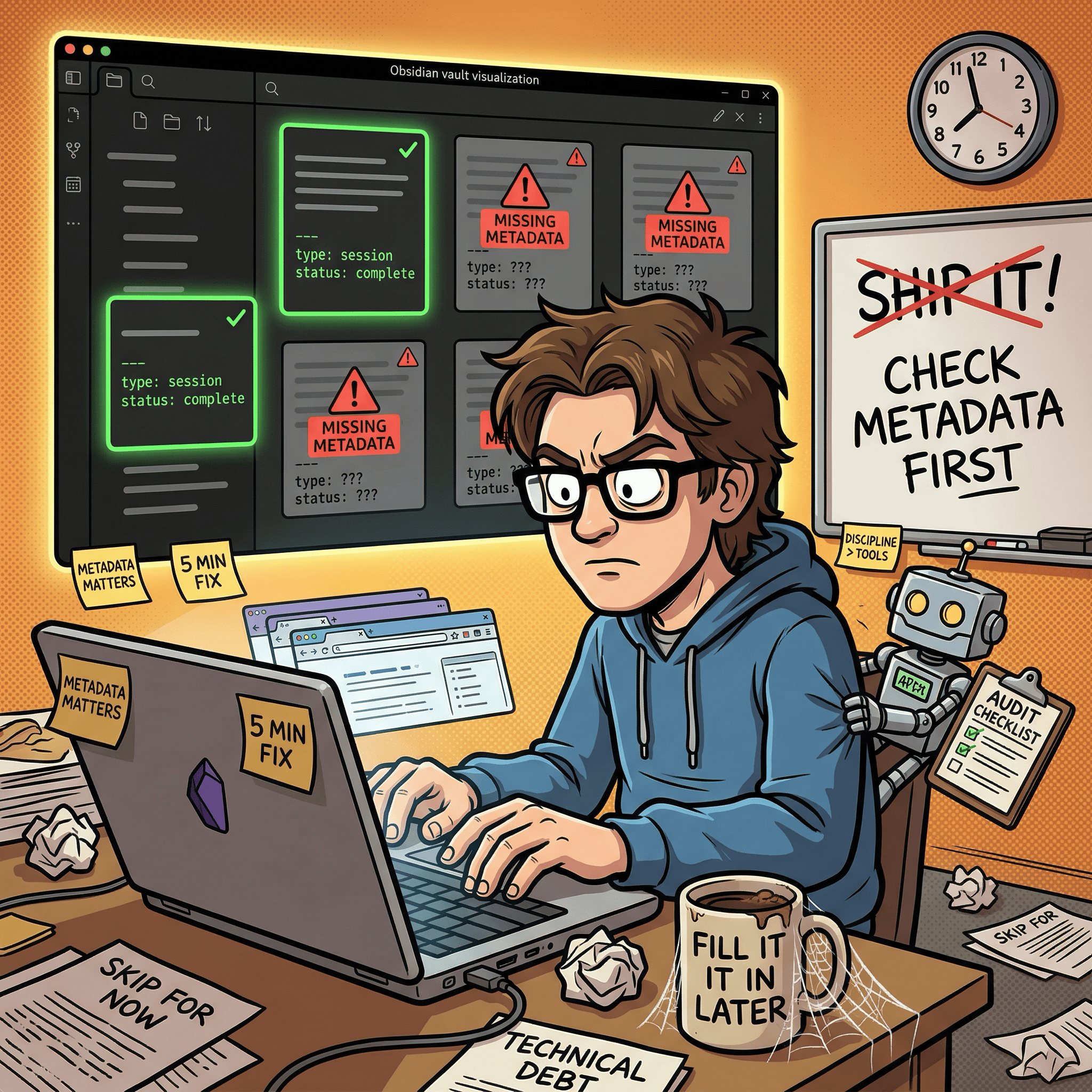
Two of 17 notes came back with null values for type and status. They had been created during busy sessions where the focus was on getting content written, not on filling out metadata. The notes existed, the content was there, but the frontmatter was missing or incomplete.
This matters because Dataview queries are the primary retrieval mechanism. A note without proper frontmatter is invisible to structured queries. It can still be found by full-text search, but it will not show up in any WHERE type = "session-log" filter. For a system that relies on metadata for routing and discovery, missing frontmatter is the equivalent of a misfiled document in a cabinet system. The document exists but cannot be found through normal channels.
The root cause was not technical. The schema is well-defined. The problem was behavioral: when a session is moving fast and the priority is getting work done, metadata feels like overhead. It is the kind of task that is easy to skip in the moment and painful to reconstruct later.
Where the system fell short: inconsistent status values
A subtler problem emerged in the status field. Session logs used three different values for the same concept: active, complete, and completed. There was no canonical list of allowed values, so each session picked whichever felt natural at the time.
This creates a filtering problem. A Dataview query for WHERE status = "complete" misses notes marked completed. A query for WHERE status = "active" returns both genuinely in-progress work and finished sessions that were never updated. The inconsistency is small but compounds as the vault grows.
The fix is straightforward: define a controlled vocabulary. Four values cover every case: active (current, in use), complete (finished), draft (work in progress), and stale (needs review or update). Document it in the context manifest so every session sees it. Then do a one-time cleanup pass across existing notes to normalize the values.
This took about five minutes to implement. The lesson is that vocabulary drift starts immediately, not after months of usage. If you are building a similar system, define your allowed values on day one and put them somewhere the AI sees every session.
Where the system fell short: unused content planning notes
The vault has four content planning notes: an ideas bank, audience insights, growth experiments, and a distribution playbook. All four were created during the initial build session with good structure and placeholder content. After 11 sessions of real usage, only the ideas bank received any updates.
The other three sat untouched. Not because they were poorly designed, but because the 11 sessions were almost entirely focused on drafting and editing. There was no audience data to log (the publication was too new) and no growth experiments to record (the focus was building a content backlog).
This highlights a common trap in memory system design: building structure for workflows that have not started yet. The notes are well-structured and will be useful eventually, but right now they are empty scaffolding.
The takeaway: seed only the notes you will use in the first month. Add structure for future workflows when those workflows actually begin.
The audit that changed the process
Midway through this evaluation, I ran a systematic audit of the vault using Dataview queries. This was not planned. I was preparing for this article and realized I did not actually know the state of my own knowledge base.
The audit was three queries:
Missing frontmatter: TABLE file.name FROM "Claude-Cowork/George-Substack" WHERE type = null returned 2 notes out of 17. Both were session logs created during intensive drafting sessions.
Inconsistent status values: TABLE file.name, status FROM "Claude-Cowork/George-Substack" WHERE status != null revealed three different values for “finished” across session logs.
Last-updated staleness: TABLE file.name, updated FROM "Claude-Cowork/George-Substack" WHERE type = "reference" SORT updated ASC showed that the content planning notes had not been touched since day one.
The audit took under five minutes. The fixes took another ten. But the audit revealed something more important than the individual findings: the system had no built-in self-check mechanism.
Discipline held for roughly 60% of sessions and slipped in the rest. The pattern was predictable: focused creative sessions (writing, generating images) ended with clean updates. Multi-task or long-running sessions skipped metadata. The sessions that generated the most knowledge were the ones most likely to skip maintenance.
Same dynamic as testing in a codebase. When you are moving fast, tests feel like overhead. Until you ship a bug that tests would have caught. Three Dataview queries, run once a week, would have caught every issue I found.
Six process fixes
Based on the audit, I implemented six changes. Each takes under 10 minutes. Together they determine whether a memory system stays useful past the first month.
1. Frontmatter validation at session end. Added a Dataview query to the session-end checklist: TABLE file.name FROM "Claude-Cowork/George-Substack" WHERE type = null. If any notes come back, fix them before closing the session. This catches the “created in a hurry, forgot the metadata” problem.
2. Controlled status vocabulary. Defined four allowed values: active, complete, draft, stale. Documented in the context manifest where every session reads it. Ran a one-time cleanup across existing notes. No more completed vs complete ambiguity.
3. Session-end reminder in the active context file. Added a one-line HTML comment at the bottom of the session history section pointing to the update-memory skill (a structured checklist that walks the AI through updating all memory files at session end). This puts the reminder in the file that every session reads, right next to where session logs get written. It is a nudge, not enforcement, but nudges at the right moment are often enough.
4. Standalone session log files as the default. Every session gets its own file at sessions/YYYY-MM-DD-session-NN.md. The monthly rollup contains only a one-line-per-session index table with wikilinks, not full session details. This keeps the rollup small, avoids the API size limit I discovered on large file patches, and makes individual sessions independently queryable via Dataview.
5. Lightweight reflection prompts at session end. Two optional questions added to the checklist: “Did this session produce a reusable insight?” (if yes, append to the relevant content note) and “Did any external signal come in?” (reader feedback, subscriber data, engagement metrics). These are not mandatory, but making them visible prevents the content planning notes from sitting idle indefinitely.
6. Post-retrospective template. Created a lightweight note template for capturing what worked, what to change, and reusable insights after each published article. Even 5-10 lines per article creates searchable institutional memory over time. The first retrospective becomes the proof of concept.
None of these are technically complex. They are all process discipline. That is the core insight from 11 sessions of real usage: the hard part of a persistent memory system is not building it. It is maintaining it.
Early results from the fixes. I implemented these changes during the session where I wrote this article, so they got an immediate field test. The frontmatter validation query returned zero nulls after cleanup. The controlled vocabulary check found zero rogue status values. The standalone session log worked cleanly. One issue persisted: the patch_note API size limit hit me twice more during this session, on two different files that had grown past the threshold. The documented workaround (full rewrite via write_note) resolved it each time, but the pattern is telling. Documented knowledge does not always prevent you from trying the broken path first. It just shortens recovery from minutes to seconds.
What I learned (that Part 1 could not teach)
Building a memory system and maintaining a memory system are different skills. Part 1 was an engineering project: design, build, test, ship. Maintaining the system is a habits project: consistency, discipline, auditing. The build took one session. The maintenance is ongoing and will never be “done.” Anyone building a similar system should budget as much energy for the maintenance habits as for the initial build.
Metadata is the system. Without it, you just have a folder of markdown files. The frontmatter, the tags, the status values, the Dataview queries that filter on them: this is what makes Obsidian a queryable knowledge base instead of a fancy file system. When metadata is missing or inconsistent, the system degrades silently. Notes exist but cannot be found. Queries return incomplete results. The failure mode is not “it breaks” but “it slowly becomes less useful without anyone noticing.”
The context budget architecture from Part 1 held up. Five MCP calls at session start, task-type routing, progressive loading. At 17 notes and 11 sessions, this was never strained. The routing table meant most sessions loaded 3-4 notes and left the rest untouched. The vault doubled in size and the startup cost stayed flat. This is the most encouraging result for long-term viability.
Troubleshooting memory is the highest-value knowledge type. Session logs are useful for continuity but individually low-value. Content planning notes are useful in theory but were not exercised. Troubleshooting entries actively prevented repeated work and saved real time. If you can only maintain one category of knowledge in your second brain, make it the things that went wrong and how you fixed them.
Audit your knowledge base the way you audit your code. A knowledge base without health checks will drift. Frontmatter goes missing, status values diverge, notes go stale. A 5-minute Dataview audit at the end of each week catches these problems before they compound. The audit I ran for this article found issues in 11% of notes (2 out of 17). In a vault of 200 notes, that ratio would mean 22 unfindable notes. Catch it early.
Part 1’s design was mostly right, but incomplete. The architecture (domain split, context budget, routing) was solid. The vault structure was sound. The MCP tooling was reliable. What was missing was the maintenance layer: validation queries, controlled vocabularies, reflection prompts, and audit habits. Part 1 built the engine. This article adds the maintenance manual.
What is next
Part 3 will cover the content planning layer that sat idle during these 11 sessions. As the publication matures and audience data starts coming in, the second brain should shift from “remembering what happened” to “surfacing what matters.” Specific questions I want to answer:
Does the Obsidian knowledge graph reveal patterns that are invisible in flat files? Which topics cluster together, which decisions keep recurring, which research feeds into which content?
Can the AI use accumulated context to make better content recommendations? If it has read 10 session logs and 5 post retrospectives, does it suggest better article angles than it would without that history?
What happens when session logs need pruning? At some point the vault will have 50+ session logs. The monthly rollup mechanism handles archival, but does the summarization lose important nuance?
The six process fixes from this article are now live. The next test is whether they hold up over the next round of sessions, or whether maintenance discipline slips again the moment deadlines return. If the fixes work, Part 3 is about growth. If they do not, Part 3 is about why process discipline is harder than engineering.
If you’re interested in practical AI building for web apps, developer workflows, and infrastructure, subscribe for future posts. You can also follow my shorter updates on Threads (@george_sl_liu) and Bluesky (@georgesl.bsky.social) or subscribe and follow along.