
Claude AI Desktop App Gets Redesigned
Claude Code for desktop new design leveled up

Today Claude AI released their new Claude AI desktop app and it got a completely new design that is way more useful - especially for Claude Code for desktop. Download the app, or update and restart if you already have it. Check out the documentation to learn more.
Anthropic also released Claude Code Routines. A routine is a Claude Code automation you configure once - including a prompt, repo, and connectors - and then run on a schedule, from an API call, or in response to an event. Routines run on Claude Code’s web infrastructure, so nothing depends on your laptop being open. Claude Code Routine runs have quotas. Max $100 plan has 15 quota. Daily included routine runs - included routine runs per rolling 24 hours. Additional runs use Extra Usage when enabled.
Run sessions in parallel
The new sidebar puts every active and recent session in one place. Kick off work across multiple repos and move between them as results arrive.
You can filter by status, project, or environment, or group the sidebar by project to find and resume sessions faster. When a session’s PR merges or closes, it archives itself so the sidebar stays focused on what’s live.
When you need to ask a question mid-task, you can open a side chat (⌘ + ; or Ctrl + ;) to branch off a conversation. Side chats pull context from the main thread, but don’t add anything back to the thread, to avoid misdirecting your tasks.
Review and ship without leaving the app
The redesign brings more commonly-used tools into the app, so you can review, tweak, and ship Claude’s work without bouncing to your editor:
Integrated terminal: Run tests or builds alongside your session.
In-app file editor: Open files, make spot edits directly, and save changes.
Faster diff viewer: Rebuilt for performance on large changesets.
Expanded preview: Open HTML files or PDFs in-app, in addition to running local app servers in the preview pane.
Every pane is drag-and-drop. Arrange the terminal, preview, diff viewer, and chat in whatever grid matches how you work.
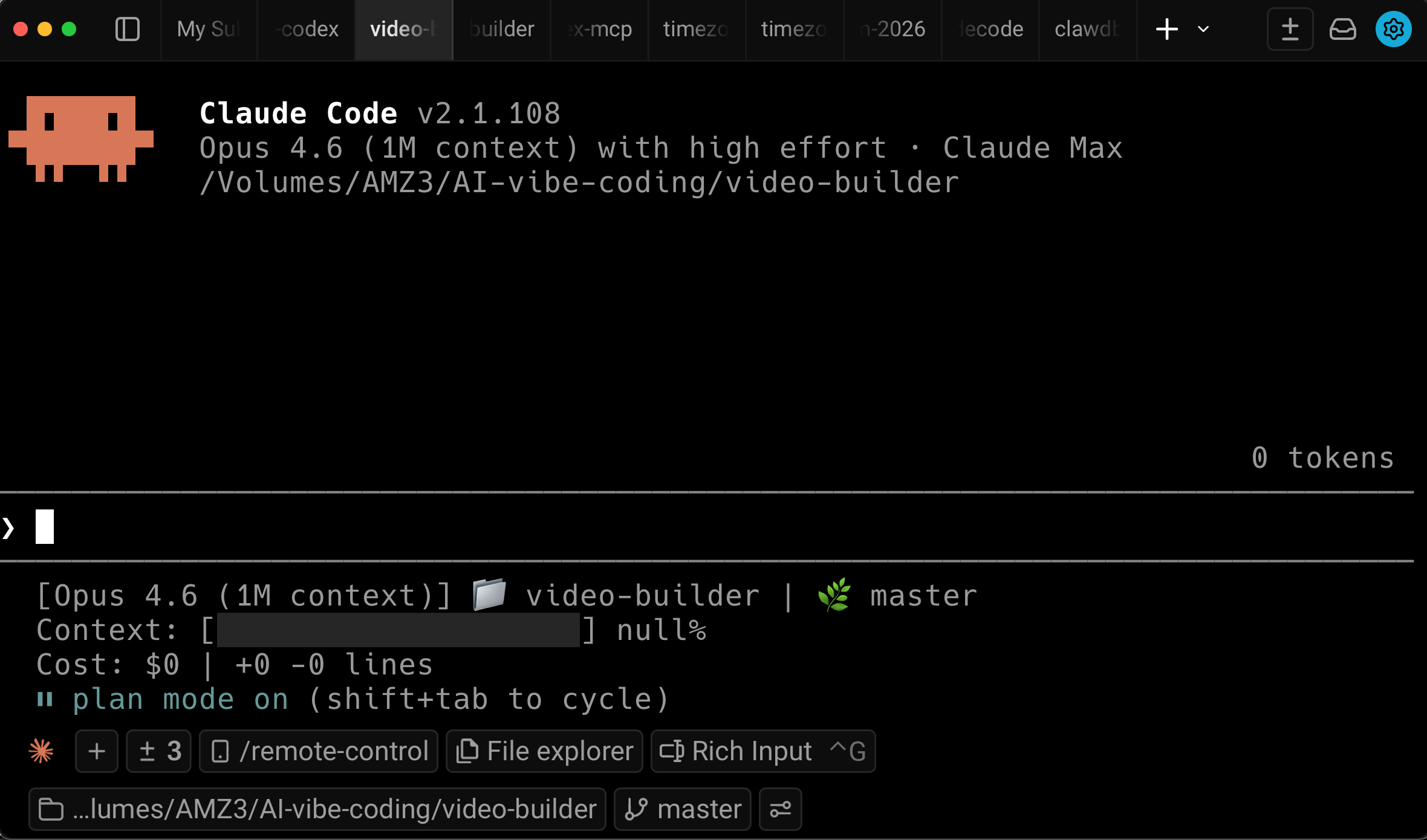
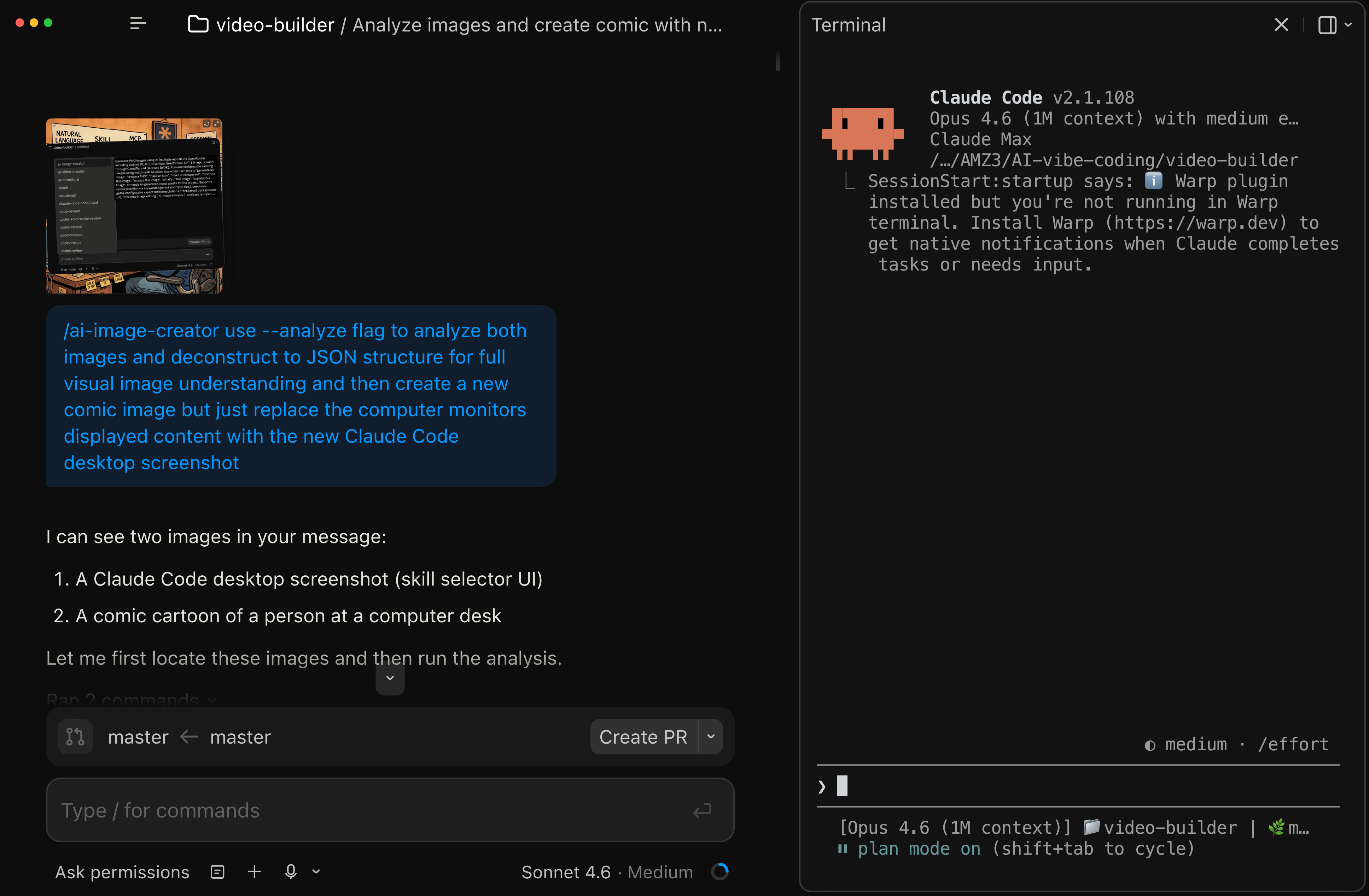
This is the existing Claude Code CLI within Warp.dev terminal app that I currently use.
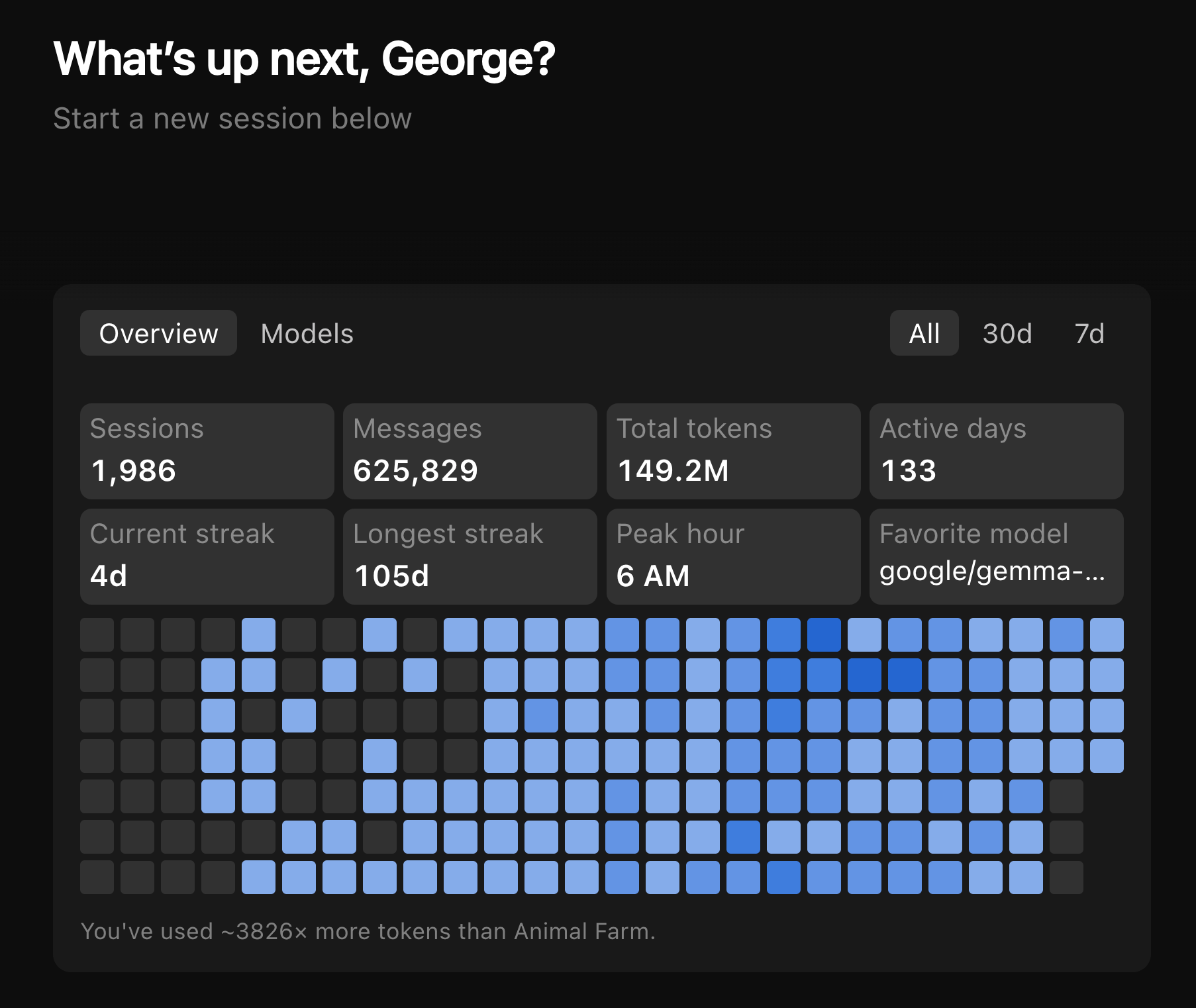
The new Claude Code within Claude desktop app greets you with your Claude Code usage statistics.
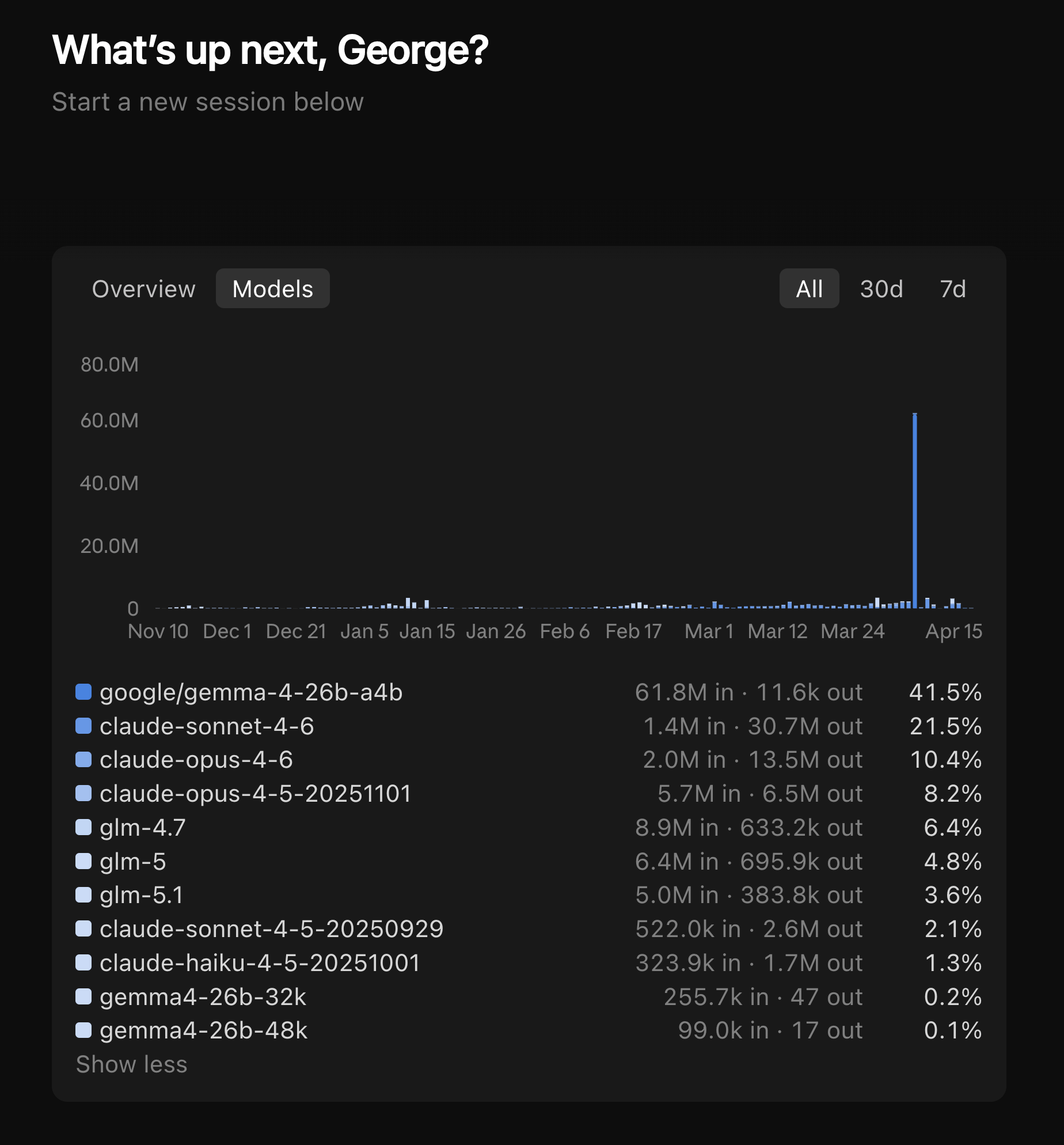
I use more than Claude Opus and Sonnet models in Claude Code CLI previously.
Did you know in new Claude Code desktop app, if you click on Clawd mascot in bottom right it animates and starts typing! 😍
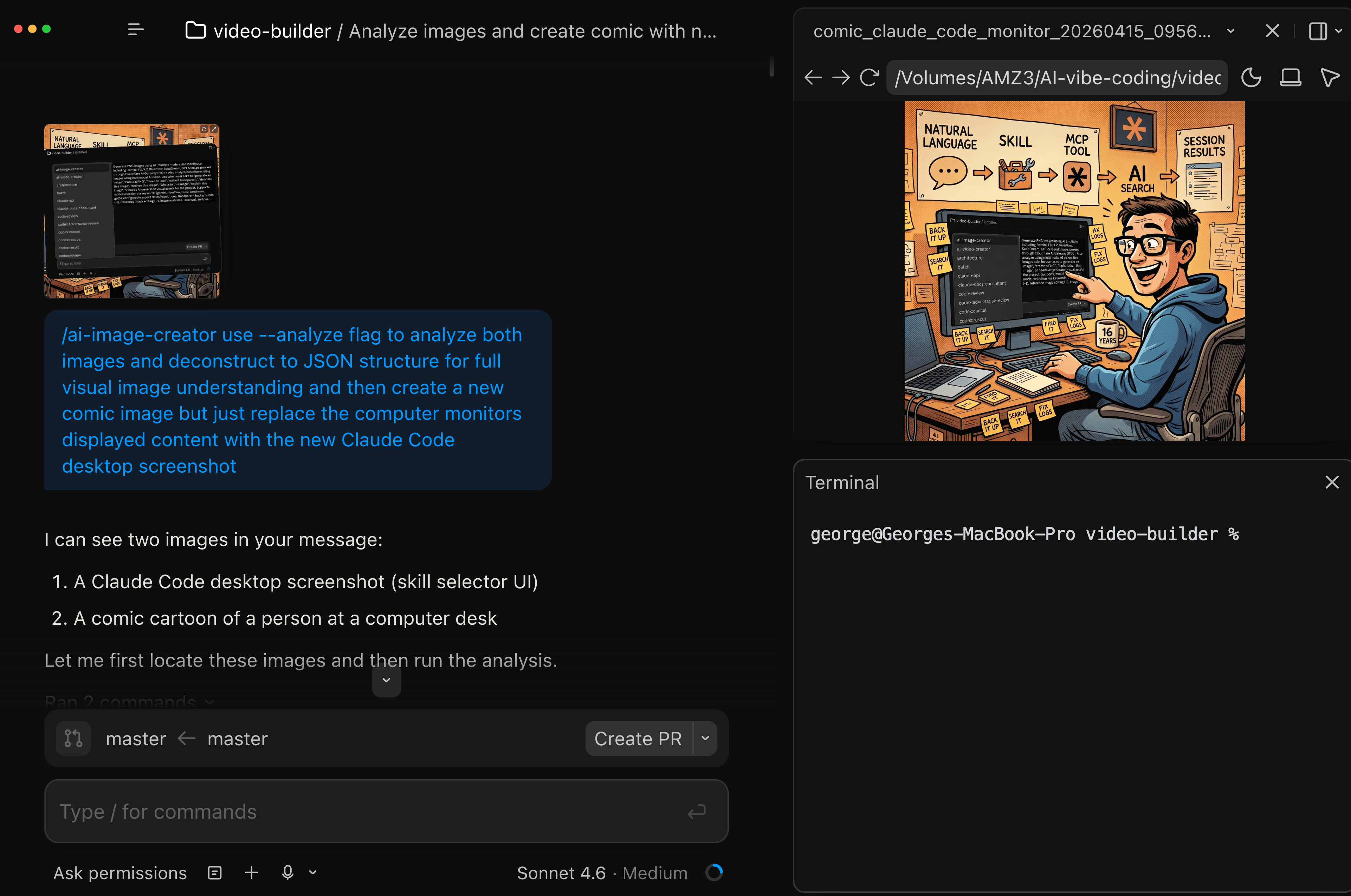
Loving the new task and preview panes. Demo of me using my Claude ai-image-creator skill to edit an existing image with the screenshot of new Claude Desktop GUI using underlying Google Nano Banana 2 for image editing within Claude Code for Desktop 😎
Prompt I used to edit my image:
/ai-image-creator use --analyze flag to analyze both images and deconstruct to JSON structure for full visual image understanding and then create a new comic image but just replace the computer monitors displayed content with the new Claude Code desktop screenshot
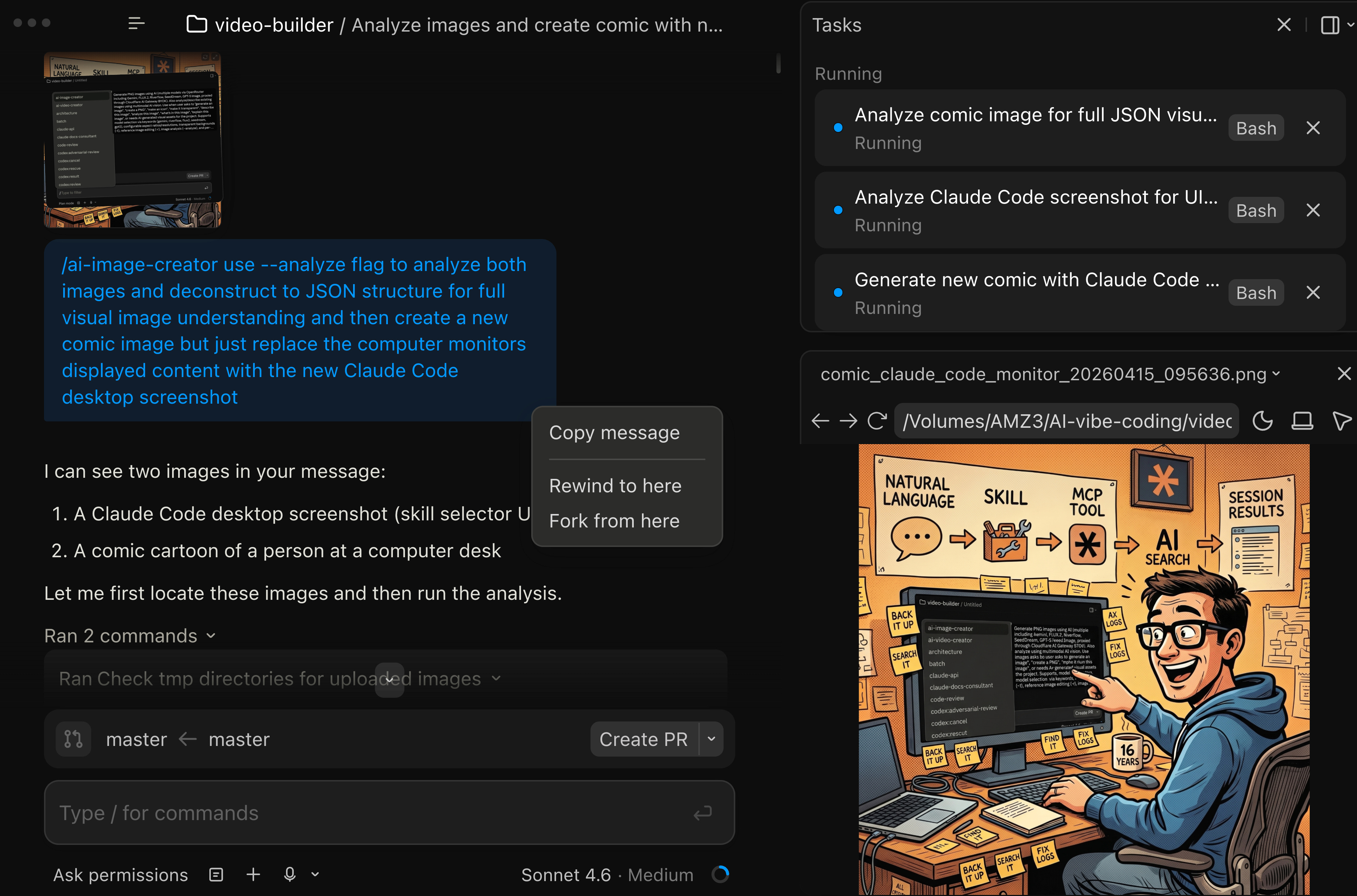
Resulting image created within Claude Code for desktop using my Claude ai-image-creator skill.

The new terminal pane so you can have Claude Code for desktop running on left pane and have another terminal pane on the right.
Loaded Claude Code CLI in right terminal pane.
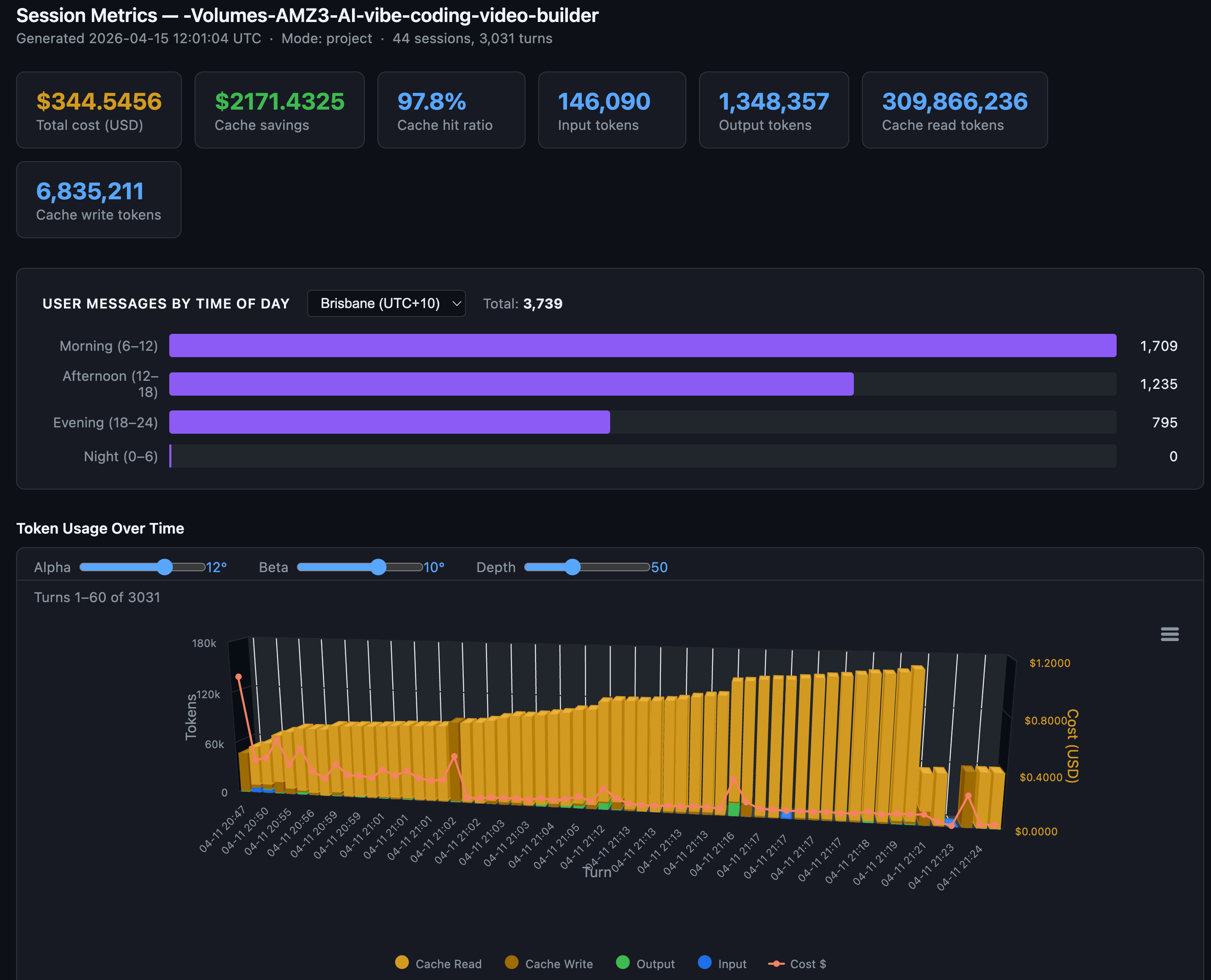
Claude Code with desktop app, running my sessions-metric SKILL which can export to csv, markdown, and HTML a project’s individual session or entire project’s session metrics. With charting and tables for token usage by session turn (response) to be able to see how token consumption usage changes over a session. The new preview pane is awesome showing the exported HTML format project sessions’ metrics.
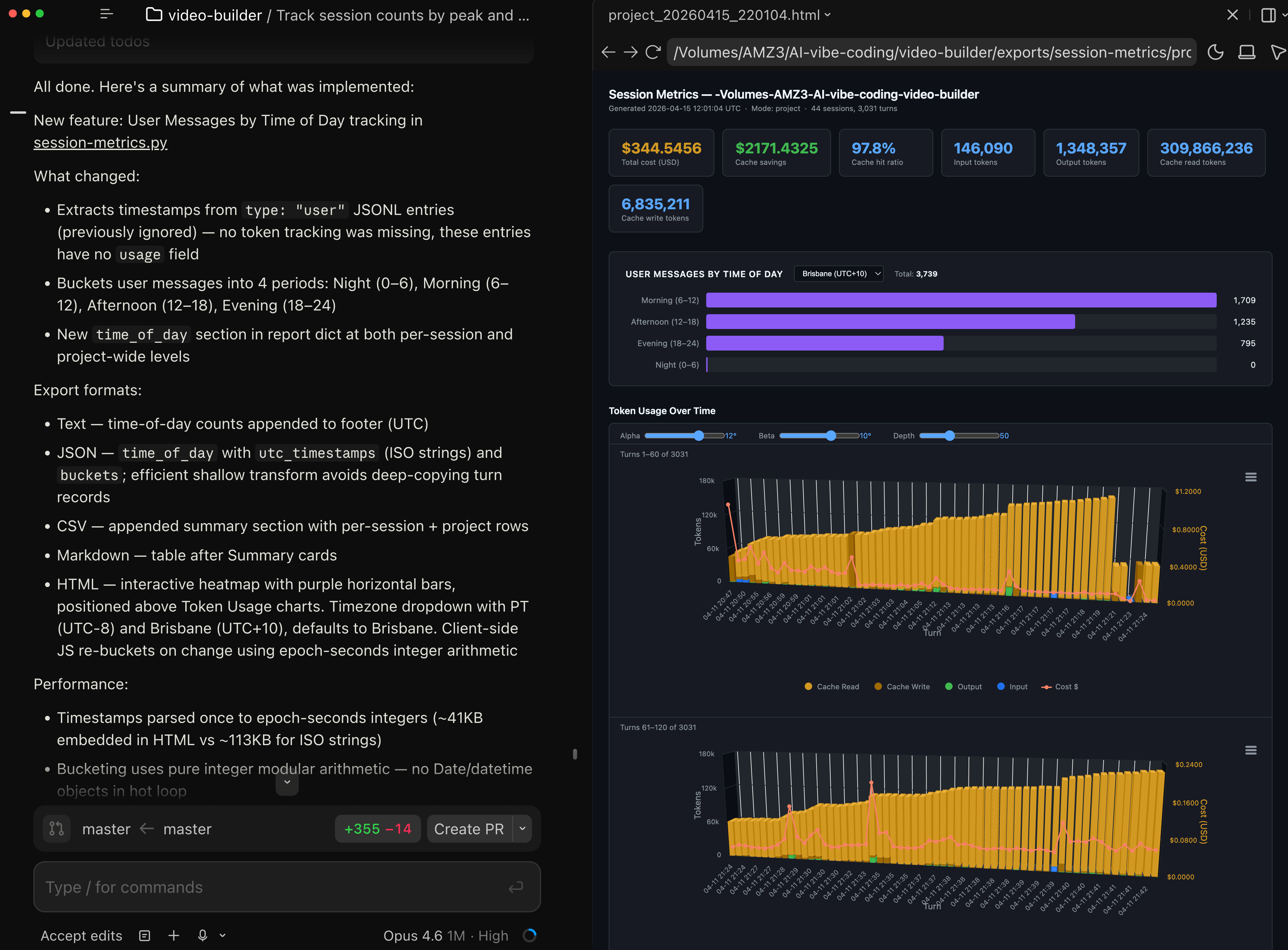
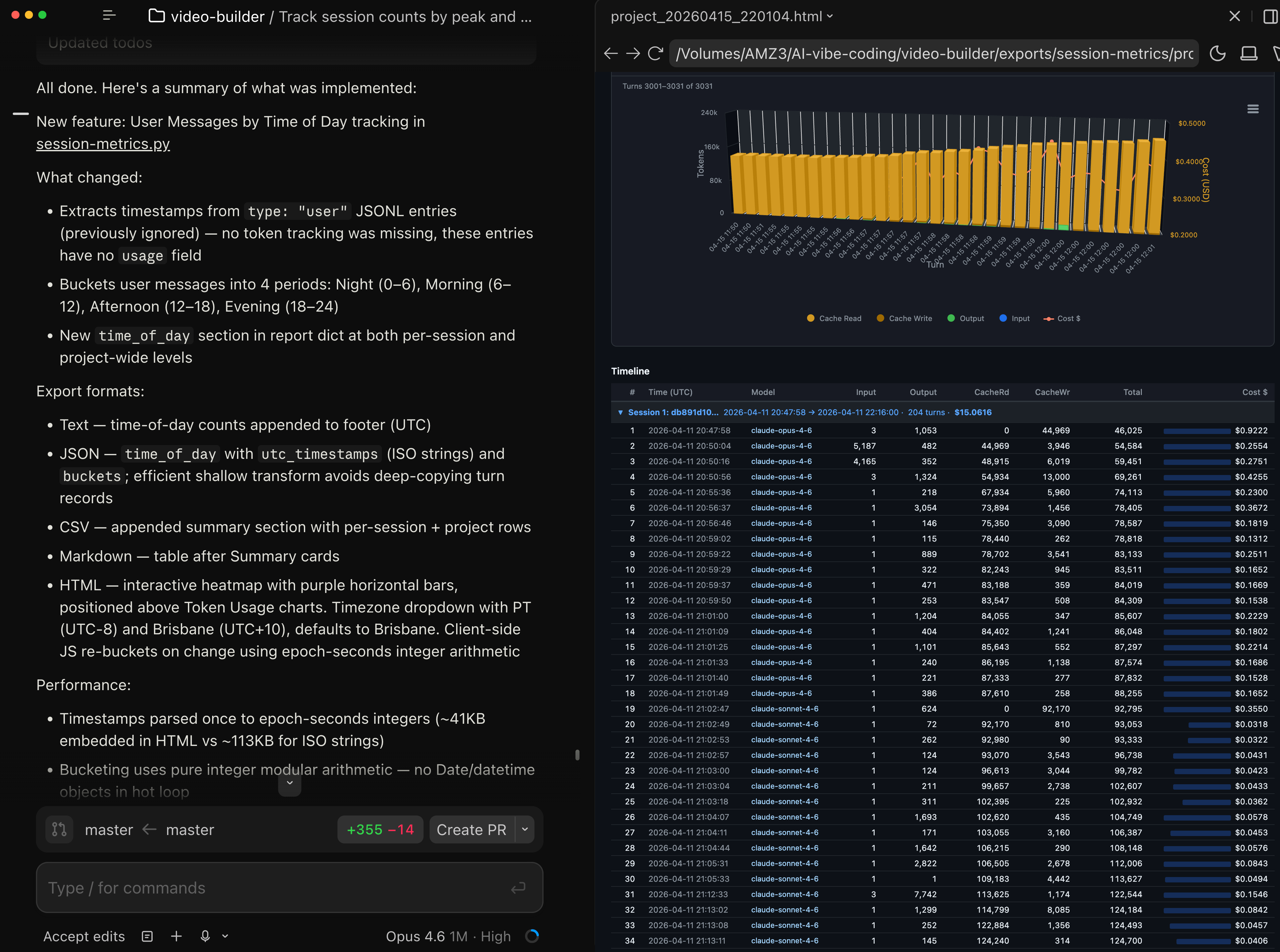
My Claude Code sessions-metric Skill for a specific project - changing my time of day habits to Claude Code off-peak usage 5am to 10pm.
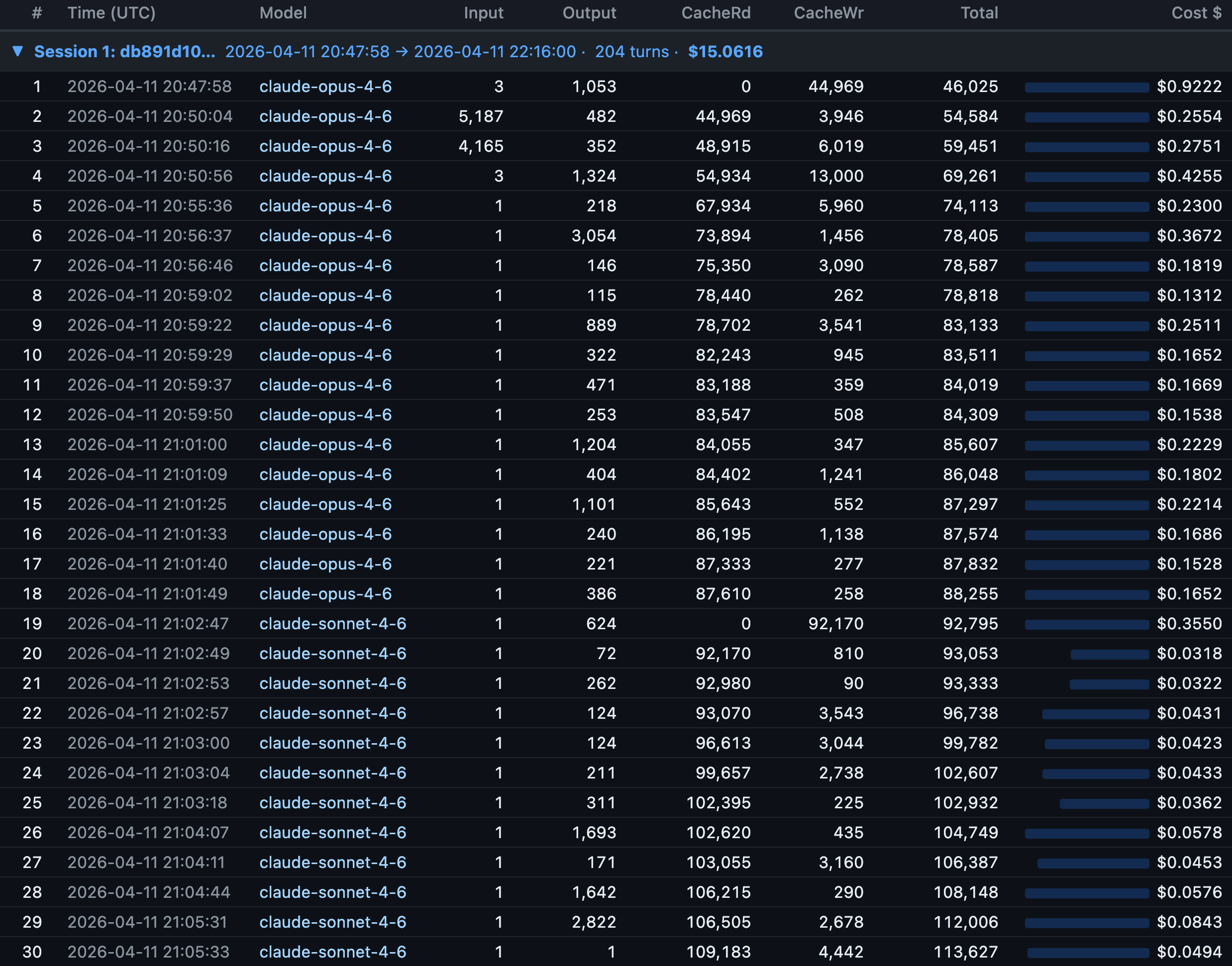
Allows me to visually confirm what Anthropic folks have stated, when you switch LLM models mid session, it triggers a cache miss and all prior context is re-read. At turn 19 in session, I switched from Claude Opus 4.6 to Claude Sonnet 4.6 and cache reads = 0 and cache writes 92,170 tokens.
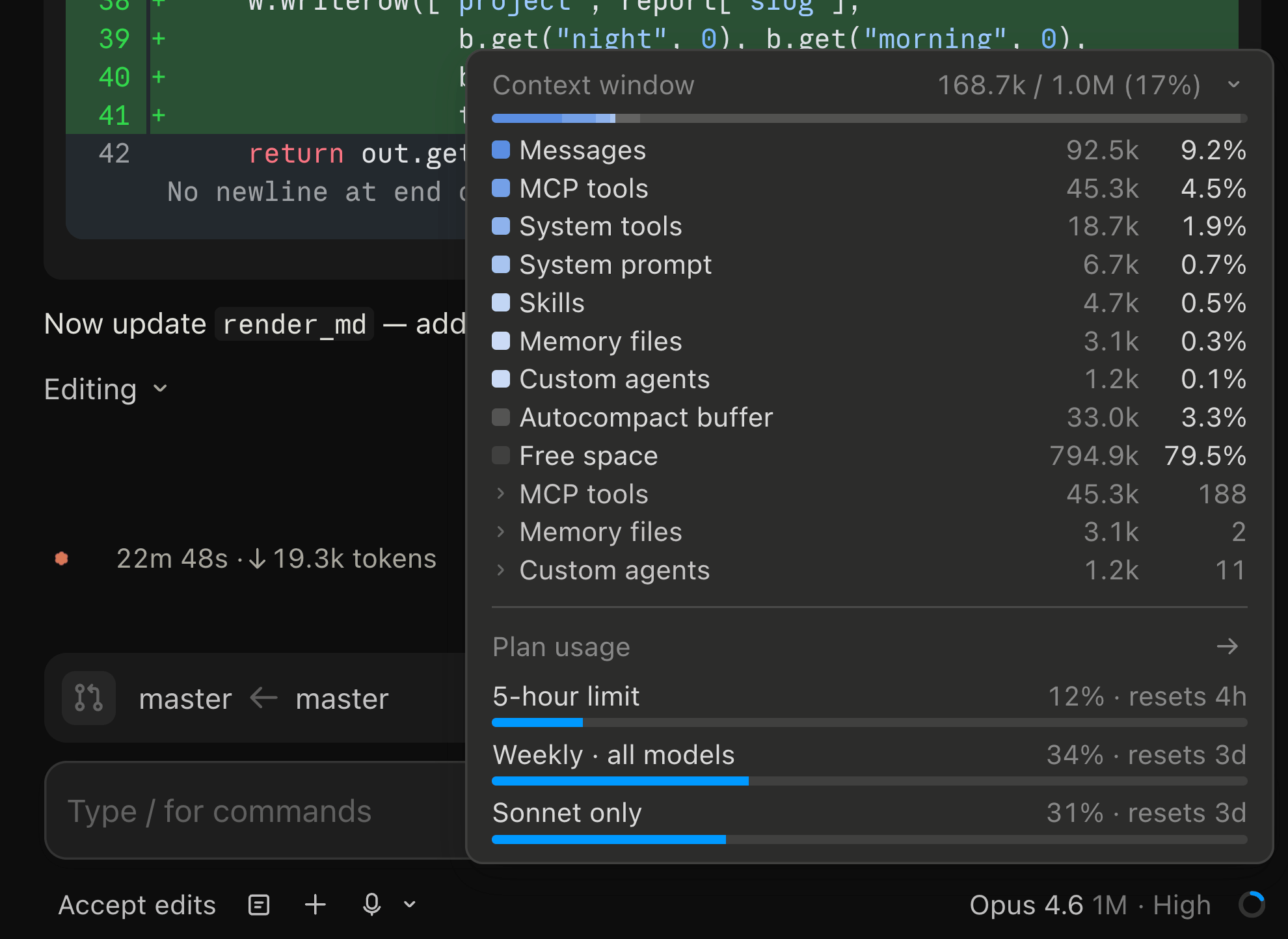
Found out that the new Claude Code desktop app’s context usage display updates in real-time as you code. You can see Claude Opus, Sonnet, Haiku chew through your tokens live! 🤓
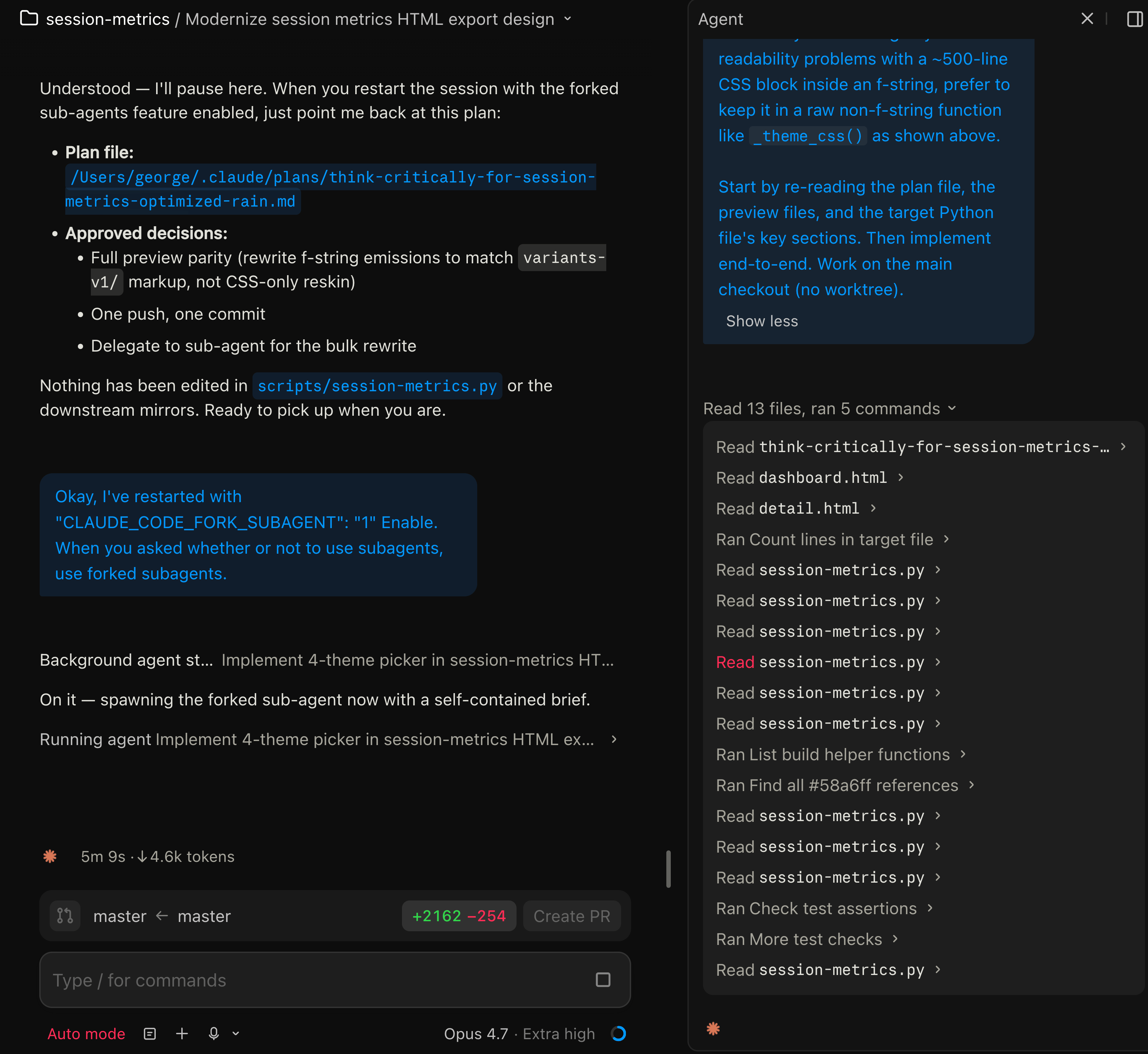
The more I use the new Claude Code desktop app for MacOS, the more I like it. I just enabled forked sub-agents, and there’s actually a preview pane on the right which can show you what the agent’s doing 😎
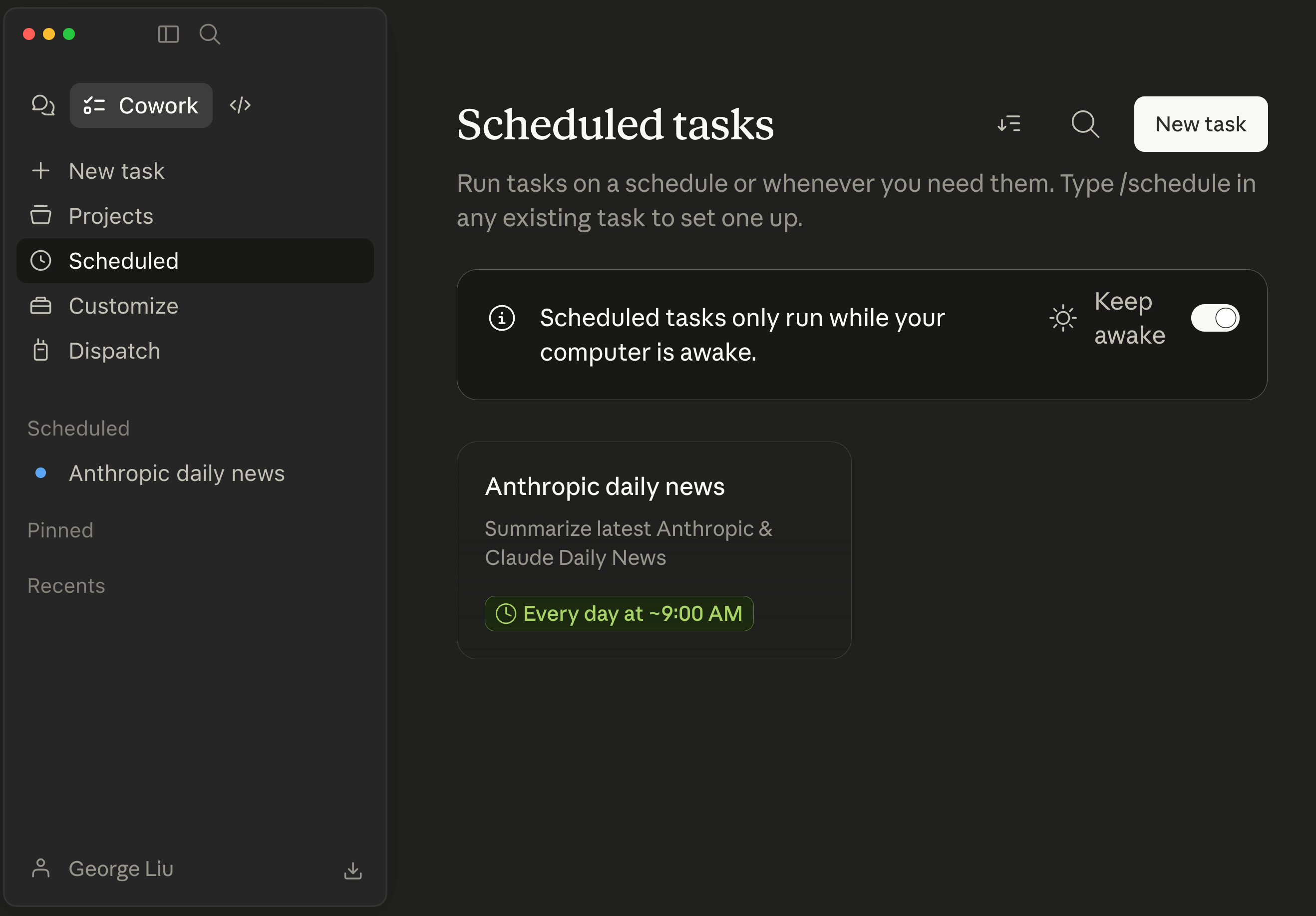
Claude Cowork within desktop app. I have a Claude Cowork scheduled task for Anthropic/Claude AI daily news running daily at 9AM.
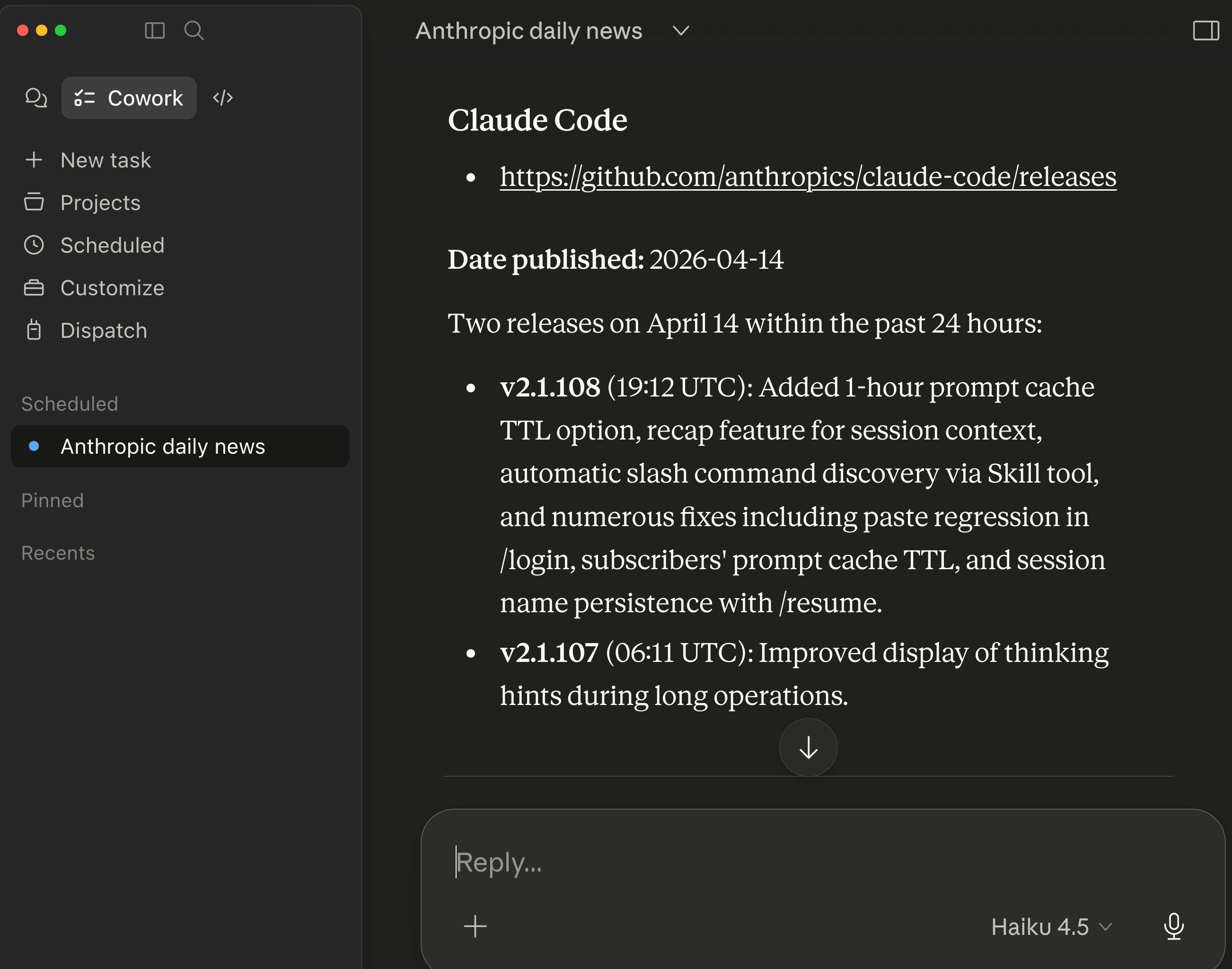
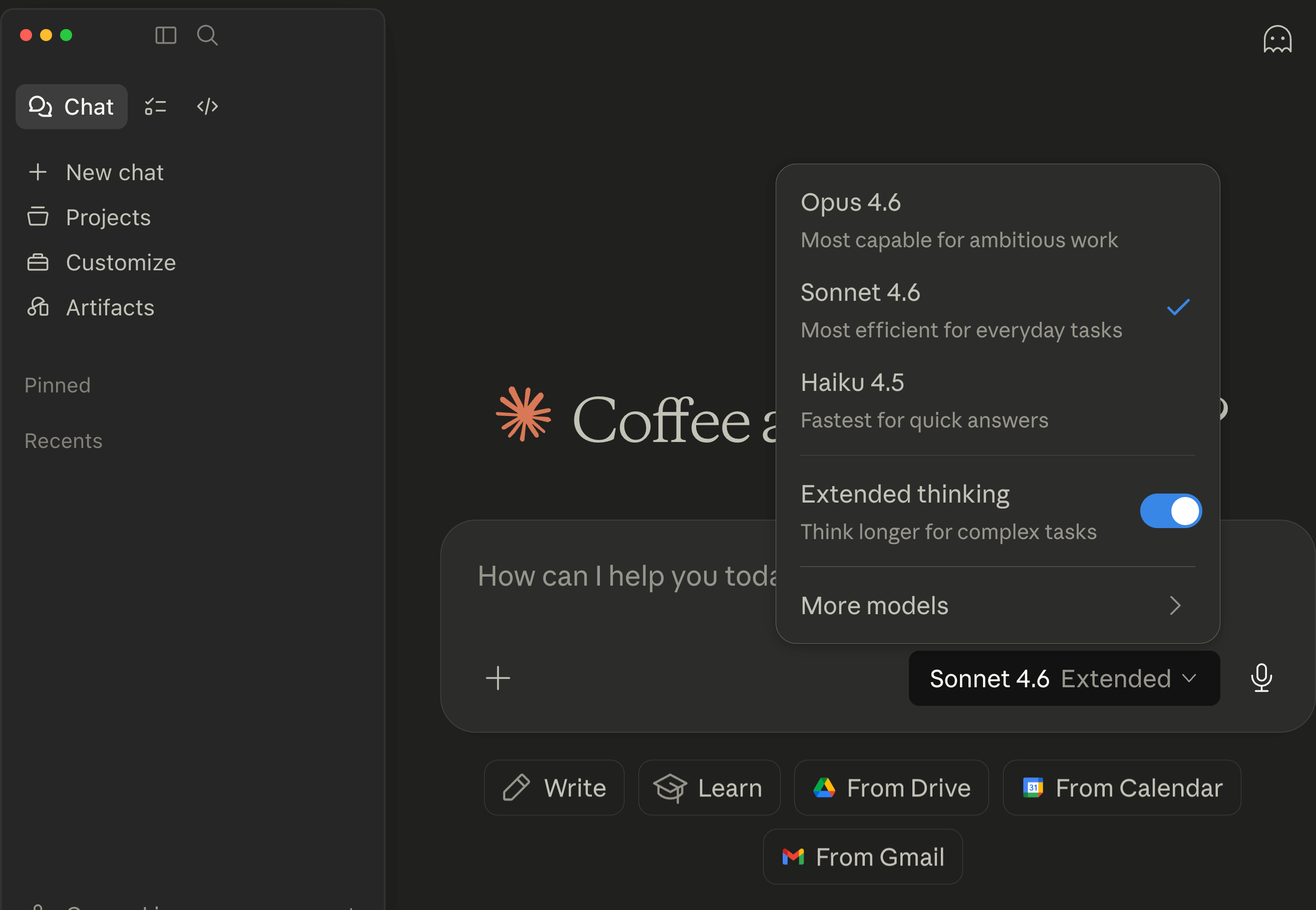
And the regularly Claude Chat interface within new desktop app.
Anthropic Youtube video.
If you’re interested in practical AI building for web apps, developer workflows, and infrastructure, subscribe for future posts. You can also follow my shorter updates on Threads (@george_sl_liu) and Bluesky (@georgesl.bsky.social) or subscribe and follow along.