
ChatGPT Codex Flagged My Security Code. Here’s How OpenAI Trusted Access for Cyber Works
OpenAI’s Trusted Access for Cyber program interrupted my Codex session. Five minutes and a driver’s license later, I was back to work

I was in the middle of a Codex MacOS desktop app session on my Macbook Pro laptop, building a script to detect and analyze malware signatures across a set of files. Sixteen years of server infrastructure work means security tooling is part of the job. Nothing unusual about the task.
Then the Codex app flagged me.

A banner appeared at the bottom of my session: “This content was flagged for possible cybersecurity risk.” Pointing to chatgpt.com/cyber and OpenAI’s “Trusted Access for Cyber” program.
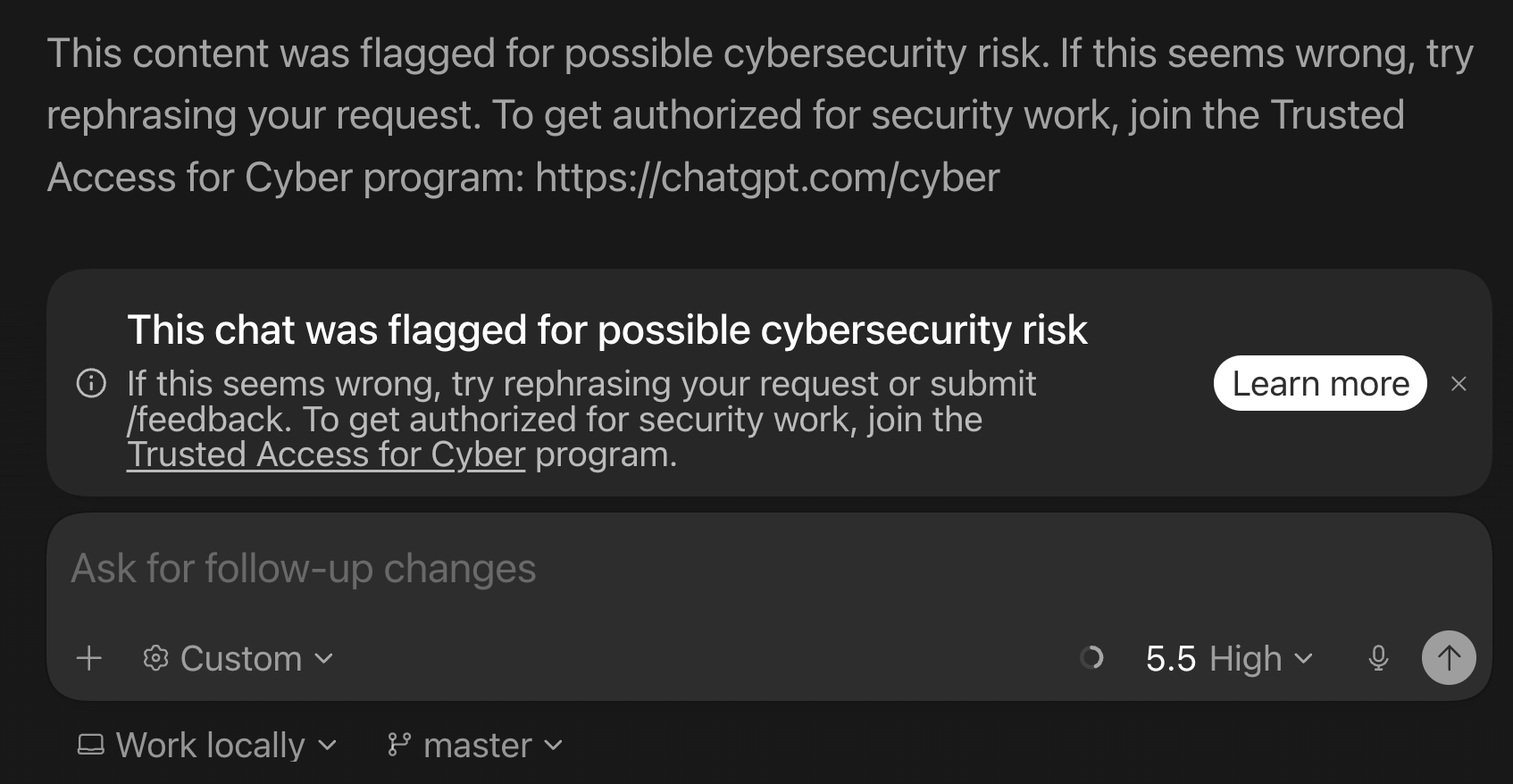
I was writing detection logic - the defensive side of security work. But OpenAI’s automated classifiers do not distinguish intent from content. If your prompts involve malware patterns, vulnerability scanning, or reverse engineering, the system treats you as a potential risk until you prove otherwise.
What Trusted Access for Cyber is

Trusted Access for Cyber is OpenAI’s identity and trust-based framework for cybersecurity professionals. OpenAI announced it in February 2026 alongside GPT-5.3-Codex, their most cyber-capable frontier reasoning model.
The problem it solves is ambiguity. “Find vulnerabilities in my code” could be responsible patching or exploitation reconnaissance. OpenAI’s models are trained to refuse clearly malicious requests and automated classifiers monitor for suspicious activity, but those mitigations also create friction for legitimate defensive work. Trusted Access for Cyber is designed to reduce that friction for verified users.
Individual users verify at chatgpt.com/cyber. Enterprises can request trusted access for their entire team through an OpenAI representative. Security researchers who need even more permissive models can apply to an invite-only program. Verified users must still follow OpenAI’s Usage Policies and Terms of Use - data exfiltration, malware creation or deployment, and destructive or unauthorized testing are still prohibited.
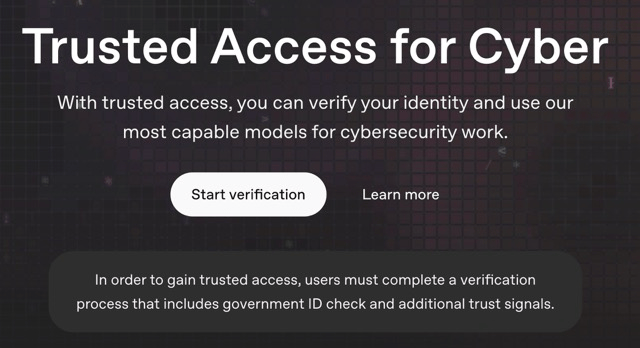
How verification works
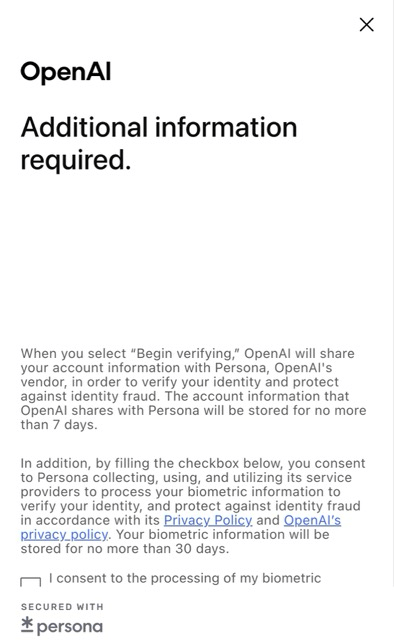
Clicking “Start verification” on the chatgpt.com/cyber landing page hands you off to Persona, OpenAI’s third-party identity verification vendor. The flow is quick and formulaic: consent to biometric processing (data stored up to 30 days), select your country, photograph your government ID.
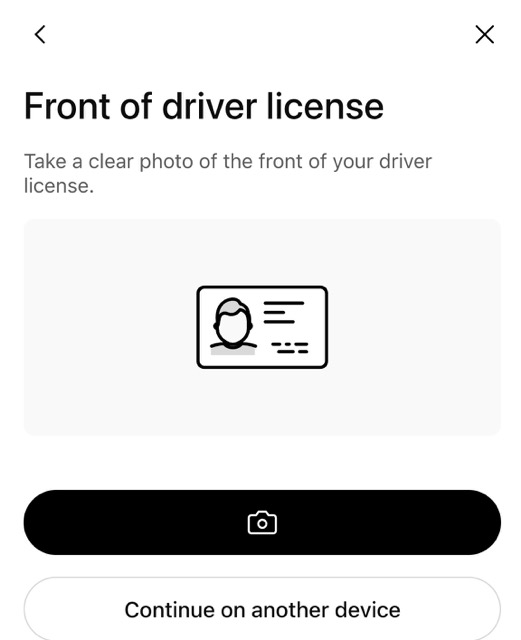
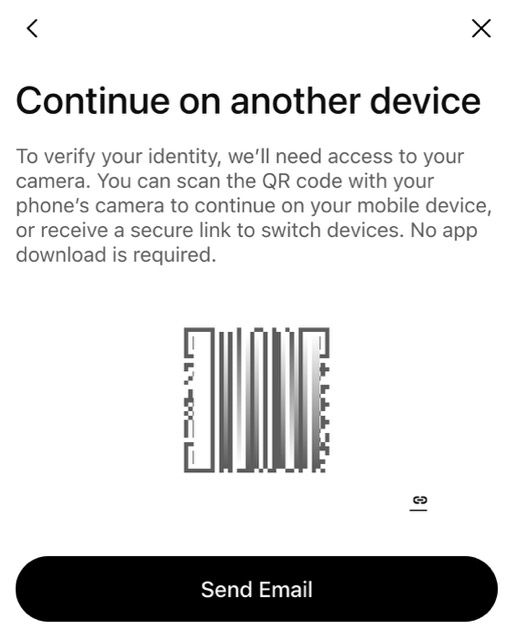
I was on my Macbook Pro so I opted to continue on my phone - Persona generates a QR code you scan, which opens the camera flow on your mobile device. No app download required. I photographed my Australian driver’s license, the system processed it, and within a couple of minutes I saw the confirmation: “Congratulations, you’re done.”
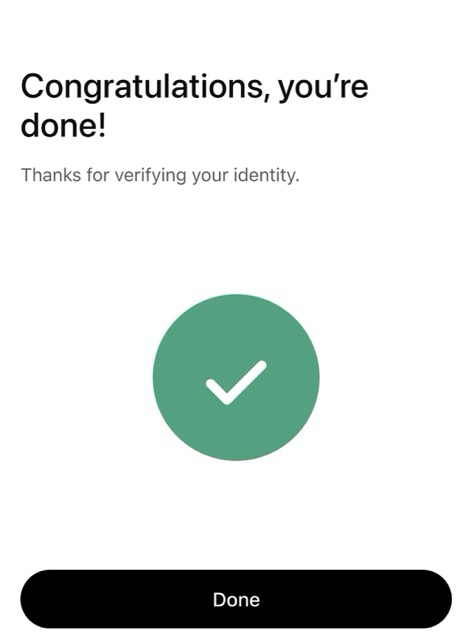
Back on my desktop, the chatgpt.com/cyber page updated to “You’re verified” with a green “Go to Codex” button. The fine print confirmed what trusted access covers: “legitimate, good-faith cybersecurity work, including finding and patching vulnerabilities, defensive attack-chain simulation, and vulnerability research. Use is limited to systems you own or are explicitly authorized to assess.”
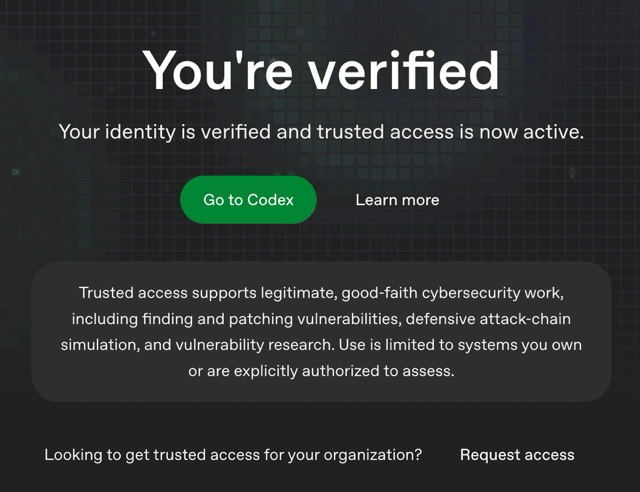
From clicking “Start verification” to seeing “You’re verified” took less than five minutes. Most of that was switching to my phone.
What changes after verification
The constant flagging stops. Prompts that previously triggered warnings now process normally. You can work with malware analysis, detection scripts, vulnerability patterns, and binary analysis without the model refusing or adding disclaimers to every response.
For Codex users, this matters because Codex works against your local codebase. If you are building security tooling or writing detection logic, the pre-verification experience is a constant stream of interruptions. Post-verification, it works the way you would expect.
OpenAI also offers an invite-only program for security researchers and teams who need access to more capable or permissive models for legitimate defensive work. The verified access tier is the baseline for that pipeline.
Worth knowing before you verify

Persona collects your government ID and facial biometrics for liveness detection. Biometric data is stored for up to 30 days, account information for up to 7 days. OpenAI screens against international sanctions watchlists. For security professionals used to handling sensitive data, submitting government ID to a third-party vendor is a reasonable friction point to weigh - but the program is optional, and skipping it just means you keep hitting flags.
The trigger is content-based, not intent-based. Writing malware detection gets flagged the same way as writing malware. Verification is how you tell the system you are on the defensive side.
If you use Codex or ChatGPT for any security-related development - vulnerability scanning, threat detection, malware analysis, penetration testing on systems you own - you will likely hit this wall eventually. Getting verified early saves you the mid-session interruption.
The whole process took less time than writing this article about it. And my malware detection script? It works fine now.
If you’re interested in practical AI building for web apps, developer workflows, and infrastructure, subscribe for future posts. You can also follow my shorter updates on Threads (@george_sl_liu) and Bluesky (@georgesl.bsky.social) or subscribe and follow along.