
AI Video Generation in Claude Code and Cowork: I Wired Up 11 LLM Models
One API key, one command, eleven models – Seedance, Kling, Veo, Grok Imagine, Runway, and more, all from your terminal or desktop.

After building the AI image creator skill - one command, one API key, image lands in your project folder - the obvious next question was: can video work the same way? Turns out it can, but the path there is a lot messier.
So I built ai-video-creator as a companion skill: same pattern, same philosophy, now covering 11 AI video models from your terminal or Claude Cowork desktop with a single API key.
It’s called ai-video-creator, and it’s built on top of KIE.ai - a unified API that aggregates ByteDance Seedance, Kling, Google Veo, Grok Imagine, Wan, Runway, ElevenLabs, and Suno AI behind a single authentication flow. From research, KIE.ai seems to be the cheapest PAYG option that doesn’t require a monthly subscription plan or paying for yearly plans to get a discount.
This post is the honest build story: what I decided and why, what broke in ways I didn’t expect, and what I’d do differently.

Why build an AI video generation skill at all
A few months ago I built an AI image creator skill that generates images from the terminal using OpenRouter as a unified API for five image models. The pattern was straightforward: write a prompt, pick a model, get a file. I’ve used it for every image on this publication.
Video is the same idea, but harder. A lot harder.
With images, every model accepts a text prompt and returns a file. With video, every model has its own rules. Some accept a reference image as the first frame. Some accept a reference image as the last frame. Some accept both. Some only accept one. Some generate audio alongside the video automatically. Some have discrete duration options – you can only request 4, 8, or 12 seconds, not a free number. One model takes 11 to 21 minutes to render and gives you a task ID instead of a result.
KIE.ai solves the account and billing problem: one API key, one credit balance, access to all the models. That part is genuinely useful. What it doesn’t solve is API divergence – each model still has different payload shapes, different polling mechanisms, and different failure modes hiding underneath the unified surface.
Building this skill meant deciding how much of that complexity to hide, and how much to make explicit. I’ll explain the choice I made and why in the architecture section.
How the Claude Code skill is structured
Before getting into the models themselves, it helps to understand what a “skill” is in Claude Code.
A skill is a folder you drop into .claude/skills/ in your project (or globally at ~/.claude/skills/). It contains a SKILL.md file that tells Claude what the skill does and when to load which reference documents. The skill can also contain scripts that Claude runs on your behalf.
The ai-video-creator skill follows the same structure I used for the image creator: one Python script as the single entry point, a lean SKILL.md router, and per-model reference documents that Claude loads only when you’re working with that specific model. Loading all the documentation for all 11 models on every request would burn context window unnecessarily. Instead, if you ask for a Kling 3.0 video, Claude reads kling-3.md. If you ask for a Grok Imagine video, it reads grok-imagine.md. That’s it.
Claude Cowork installed ai-video-creator skill:
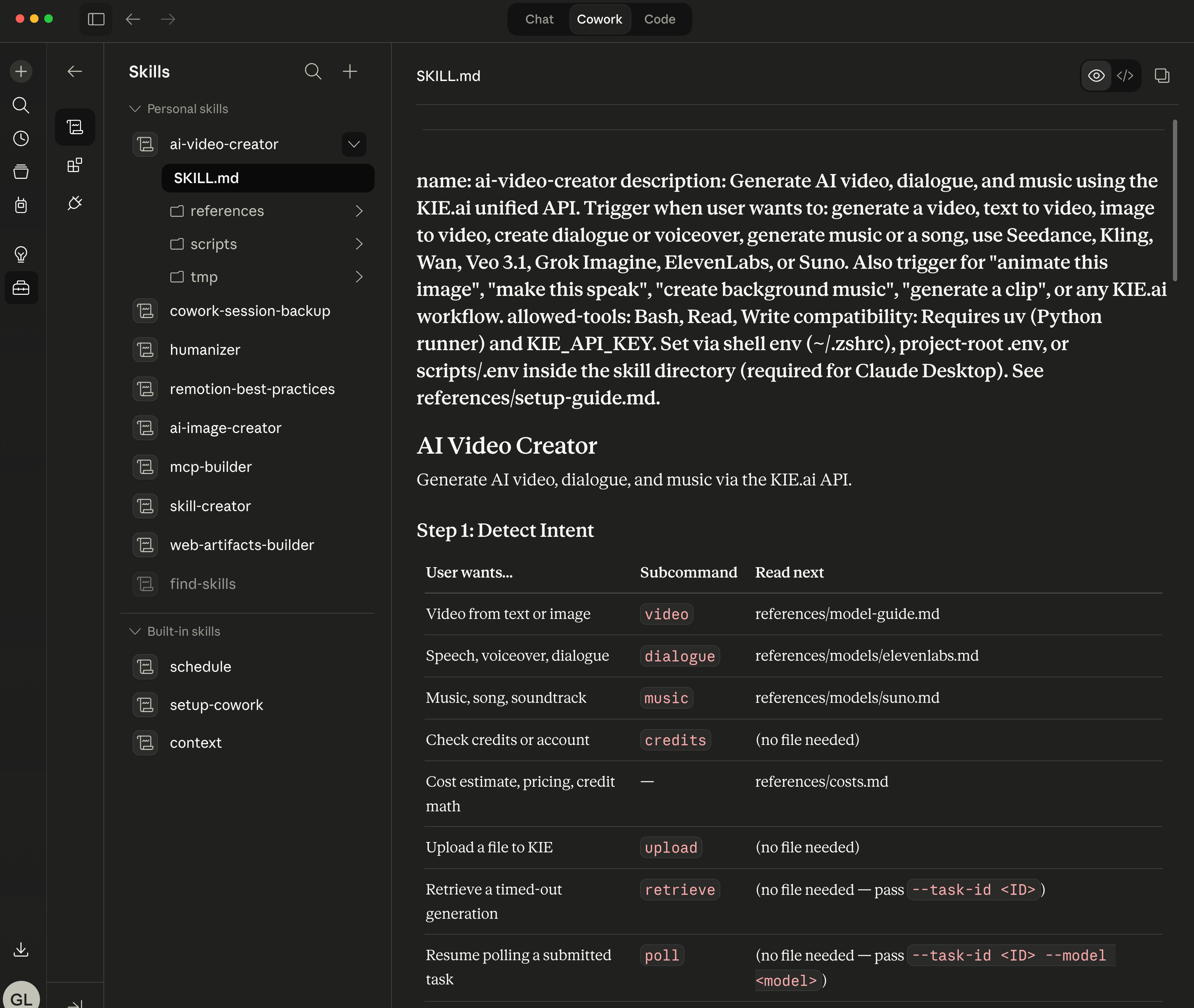
The script is stdlib-only Python – no pip install, no virtual environment. This matters because Claude Cowork runs skills in a sandboxed shell where you can’t install packages on the fly. The script has to run with just what Python ships. (Multipart file upload, which you need for reference images, means writing about 30 lines of manual boundary construction that would be a one-liner with the requests library. Worth the trade-off.)
The entry point has seven subcommands:
# Generate a video
uv run python ai-video-create.py video \
  --model seedance-2 \
  --prompt "A cinematic drone shot over a neon-lit city at night" \
  --duration 5 \
  --aspect-ratio 16:9

# Check your KIE.ai credit balance
uv run python ai-video-create.py credits

# Generate AI voiceover (ElevenLabs)
uv run python ai-video-create.py dialogue \
  --voice "Rachel" \
  --text "Hello, this is your AI narrator"

# Generate music (Suno AI)
uv run python ai-video-create.py music \
  --prompt "Lo-fi hip hop beat, relaxed, 90 BPM" \
  --suno-model V4_5
Every video generation follows the same loop: submit a task, get a task ID back, poll every 5 seconds for the first minute then every 10 seconds after that, download the file when it’s ready. Output files are auto-named (seedance-2_20260413_120000.mp4) and land in exports/videos/kie/YYYY-MM-DD/.
The model landscape
Eleven models sounds like a lot. In practice they split into a few families with different strengths.
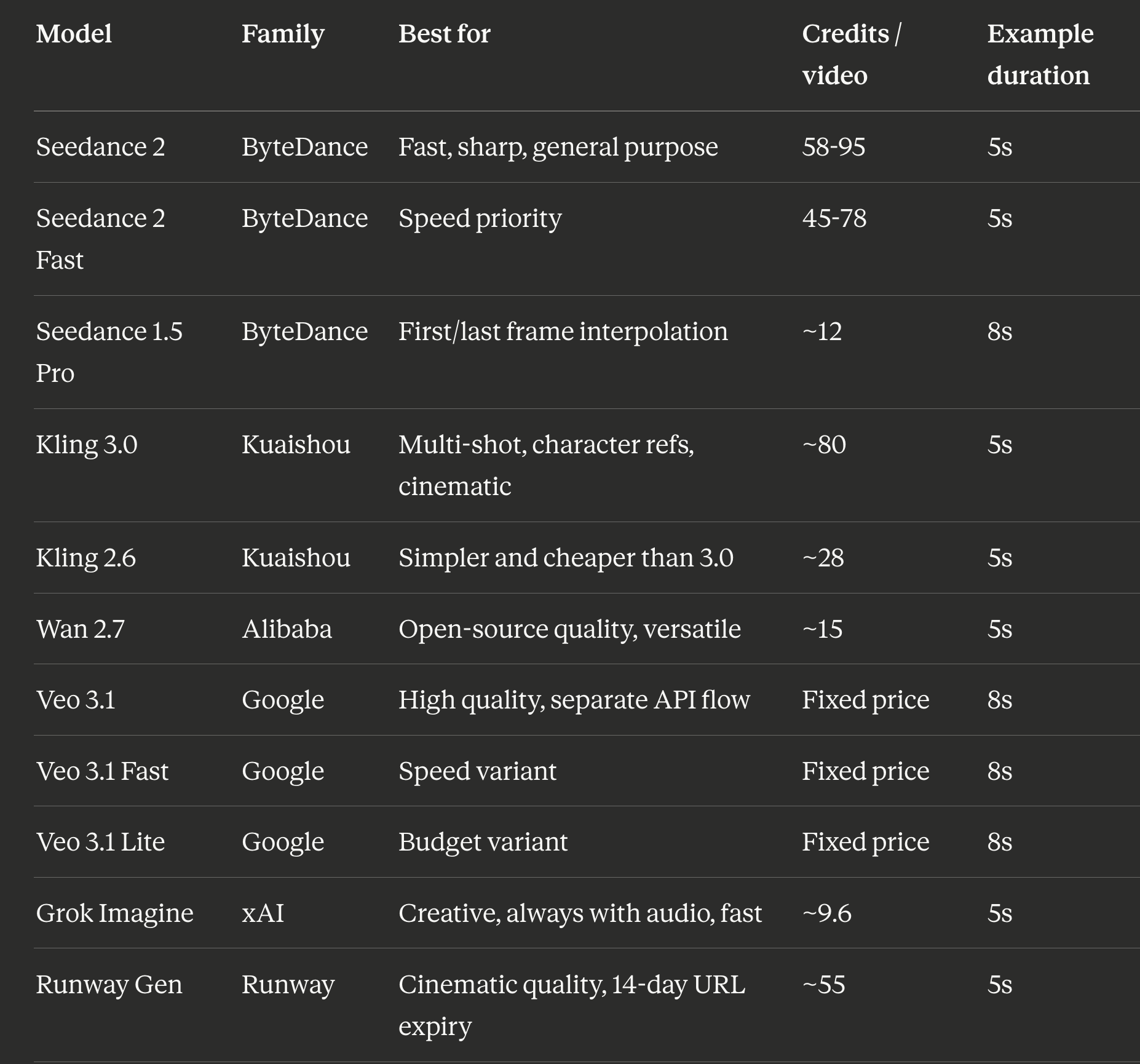
Credit costs are approximate via KIE.ai as of April 2026. Seedance 2 and Seedance 2 Fast ranges are for 480P at 5s: lower end is image-to-video (reference frame provided), upper end is text-to-video (no reference). 720P roughly doubles the credit cost at both tiers. At $0.005 per credit, a Seedance 2 Fast text-to-video 480P clip runs about $0.39 - confirmed from a real 8s run at 124 credits (15.5 cr/s). The cheapest model I actually tested was Grok Imagine at about $0.05 per clip. Kling 3.0 is the priciest at $0.40+ per clip but the output quality is noticeably more cinematic.
Start with Grok Imagine. Fastest (~32 seconds), cheapest (~$0.05), and it generates audio automatically with every clip – which matters more than it sounds. A short video with ambient sound is meaningfully more shareable than the same clip silent. Validate your prompt here before spending on a pricier model.
One thing nobody documents clearly: Kling 3.0 takes 11 to 21 minutes. If you submit a task and your terminal timeout is 10 minutes, you will never see the result. I added a retrieve subcommand for exactly this:
# Submit the task -- you'll see a task ID and then a timeout message
uv run python ai-video-create.py video --model kling-3 --prompt "..."
# > Task ID: abc123, polling...
# > Timeout reached. Retry with: retrieve --task-id abc123

# Come back later and pick up the result
uv run python ai-video-create.py retrieve --task-id abc123
The retrieve subcommand polls once, downloads if the video is ready, or exits cleanly with the retry command printed out if it’s still rendering. No state file to manage, safe to run multiple times.
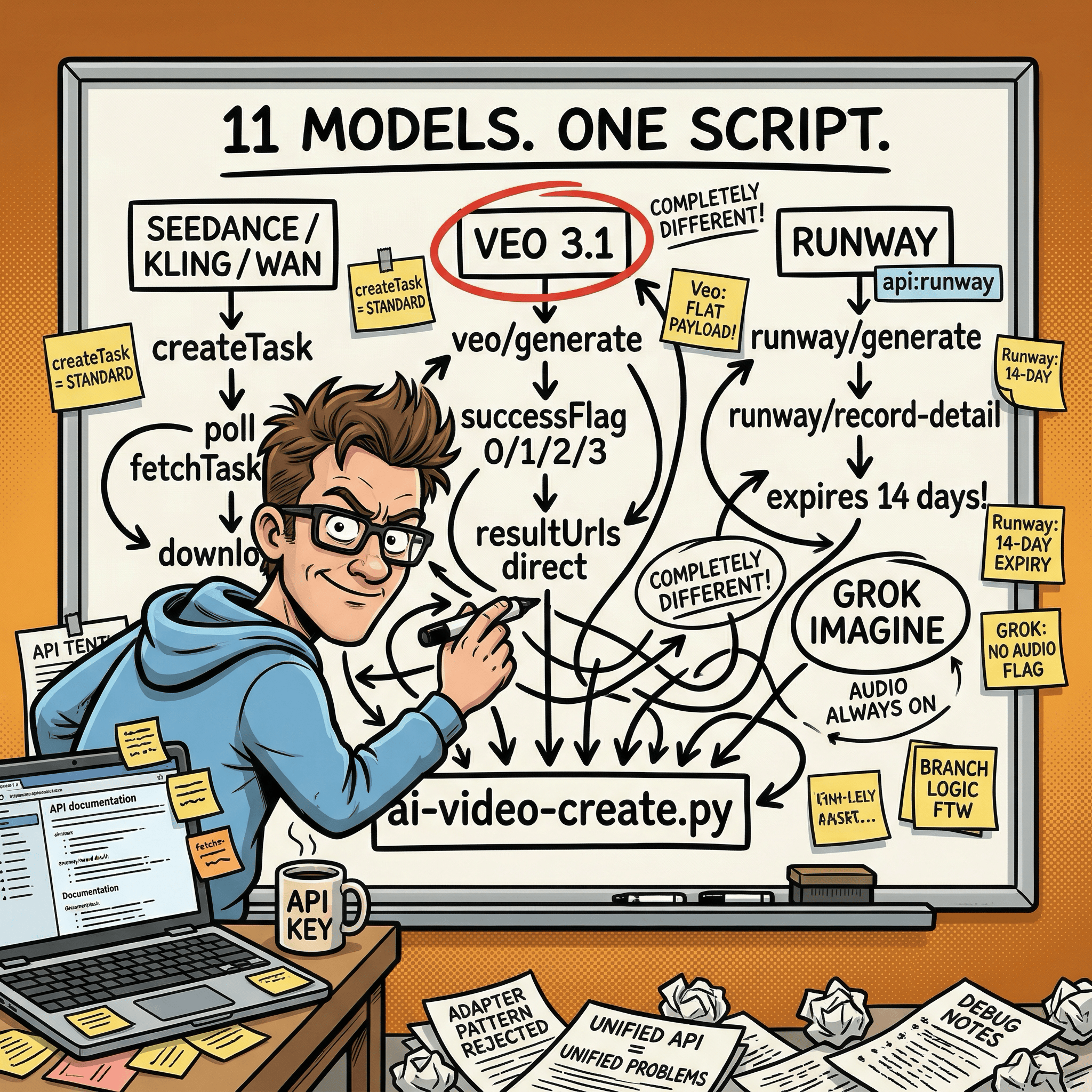
When a “unified API” means three completely different APIs
Here’s where experienced developers will want to look more closely.
KIE.ai bills itself as a unified API. The standard flow is: POST /api/v1/jobs/createTask, poll GET /api/v1/jobs/fetchTaskResult, download. About 90% of the models follow this path and the code for them is largely shared.
The other 10% is the interesting part.
Google Veo 3.1 doesn’t use the standard createTask endpoint at all. It has its own endpoint (/api/v1/veo/generate), its own flat payload format (not the standard {model, input} wrapper), and its own polling endpoint (/api/v1/veo/record-info) that returns successFlag integers – 0, 1, 2, or 3 – instead of the state strings every other model uses. Even the response structure is different: you get data.response.resultUrls with direct download links, no URL conversion step needed.
Runway Gen has its own separate endpoint pair too: runway/generate for submission and runway/record-detail for polling. Runway video URLs also expire after 14 days, so the script always downloads immediately on completion rather than storing the URL.
Suno AI for music uses /api/v1/generate instead of the unified task endpoint. Same music subcommand on the surface, completely different code path underneath.
When I ran into this I had to decide: do I write adapters to make Veo and Runway look identical to the standard flow, or do I handle them as explicit branches?
I went with explicit branches. Each divergent API gets an "api": "veo" or "api": "runway" flag in the model registry, and the dispatcher routes accordingly. The code is longer but every failure is easy to trace to its actual cause. A leaky abstraction that hides API differences saves you code until the moment it doesn’t, at which point debugging becomes much harder.
Advanced readers will reasonably argue that adapters are the right pattern here for extensibility. My counter: this is a skill, not a library. It runs on behalf of one user against a fixed set of models. Explicit is better than implicit when you are the person debugging it at 11pm.
The documentation drift problem
Within 24 hours of finishing the implementation I had three silent bugs -- not logic errors, but mismatches between what the script accepted and what the reference docs told Claude to pass. --aspect-ratio documented as --ratio. A disable flag documented as its enable inverse. Wrong subcommand name for Suno. None throw an error; Claude just silently uses the default. You get a video, not the one you asked for.
I did a manual cross-reference, fixed those three, then built a second skill - kie-drift-audit - to automate the same grep-and-compare check. First run found 30 more issues I’d missed. Benchmark result: 100% pass rate with the skill vs 80% without, because the skill routes to non-model reference files a manual read skips.
Any skill complex enough to have multiple reference files will drift. Build the audit tool before you need it.

The GUI nobody asked for (and a useful bug it exposed)
After the CLI was working I built a local web GUI using NiceGUI – a Python library that spins up a local web server with no frontend build step. Six tabs: Video, Dialogue, Music, History, Credits, Setup.
This was not a planned feature. I built it because the CLI flags for video models are dense and I wanted something visual to see all the options for a model without reading a reference doc. The GUI dynamically switches its layout when you change models: Veo gets a panel with first-frame, last-frame, and watermark options. Grok gets a mode selector with fun, normal, and spicy options. Kling 3.0 gets a character reference image uploader. Options that don’t apply to the selected model collapse out of the way.
The implementation went through five design iterations in a single day:
v1: Default NiceGUI dark theme. Functional, not pretty.
v2: Neural Terminal – neon-green-on-black glow effects. Looks great. Immediately feels like a developer meme. Reverted.
v3: ShadCN-inspired “Refined Zinc” palette.
v4: KIE Playground clone, matching KIE.ai’s own product design.
v5: Linear/Vercel-inspired layout with Inter and JetBrains Mono fonts. Shipped.
The most useful finding came from a bug in v4, not the final design.
All the pill-shaped model selector buttons appeared active – all highlighted blue at once – regardless of which model was selected. Turned out NiceGUI’s default color='primary' on button constructors injects bg-primary through the quasar_importants CSS layer, which has higher specificity than any !important rule you write. The fix was color=None on every pill button constructor – five characters per button across about 20 buttons. NiceGUI was silently overriding every custom CSS rule and there’s nothing in the docs warning you about it.
If you’re building UI with NiceGUI and custom styled buttons are all rendering in the same active state: check whether you’re passing color=None.
One important caveat: the GUI doesn’t work as a Cowork plugin. NiceGUI requires its own package, which can’t be installed in the sandboxed stdlib-only environment. The CLI works fine in both Claude Code and Cowork. The GUI requires running the skill locally from a terminal where you can install packages. Two modes of operation with different capabilities – documented, but worth knowing upfront.
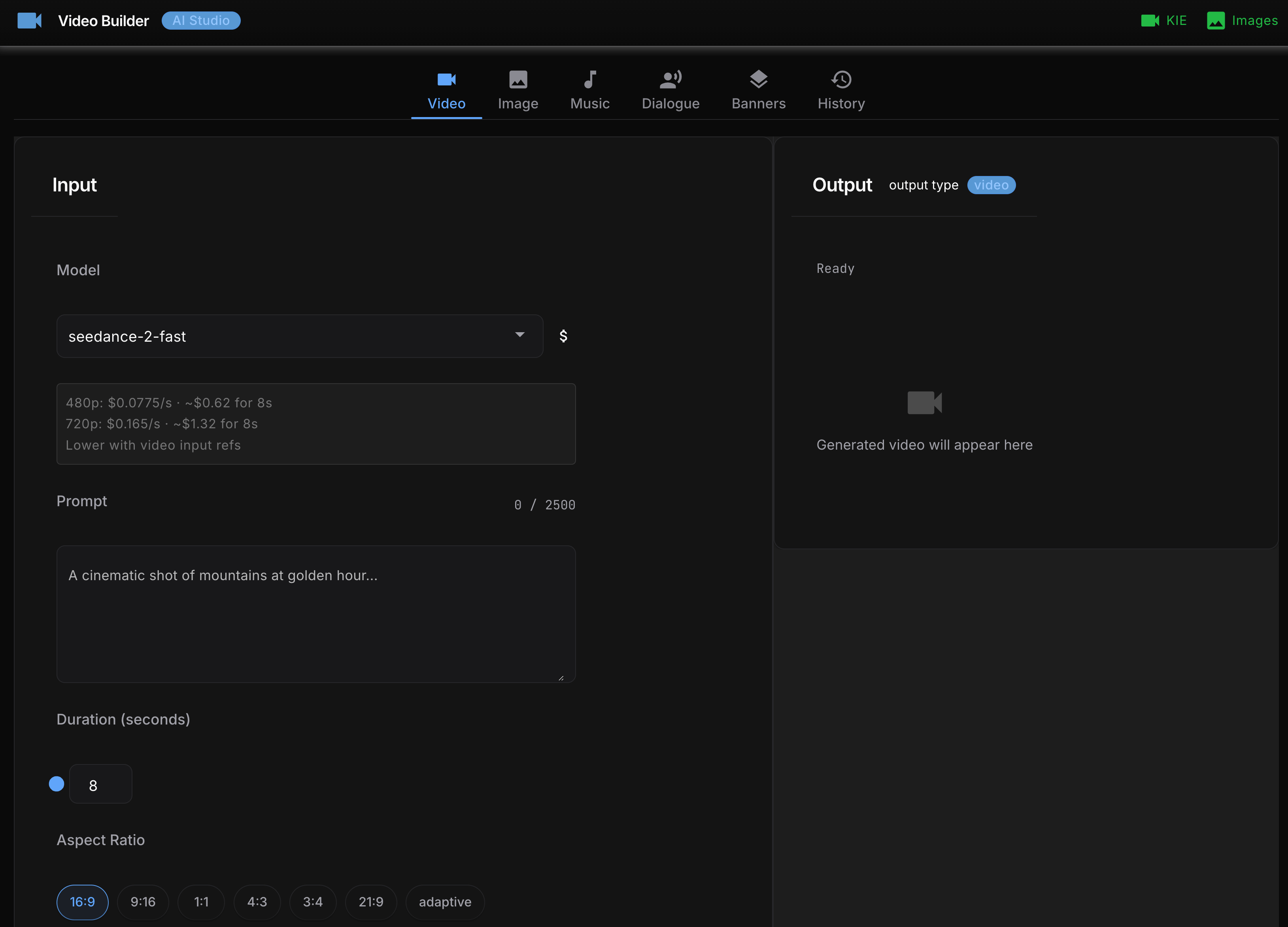
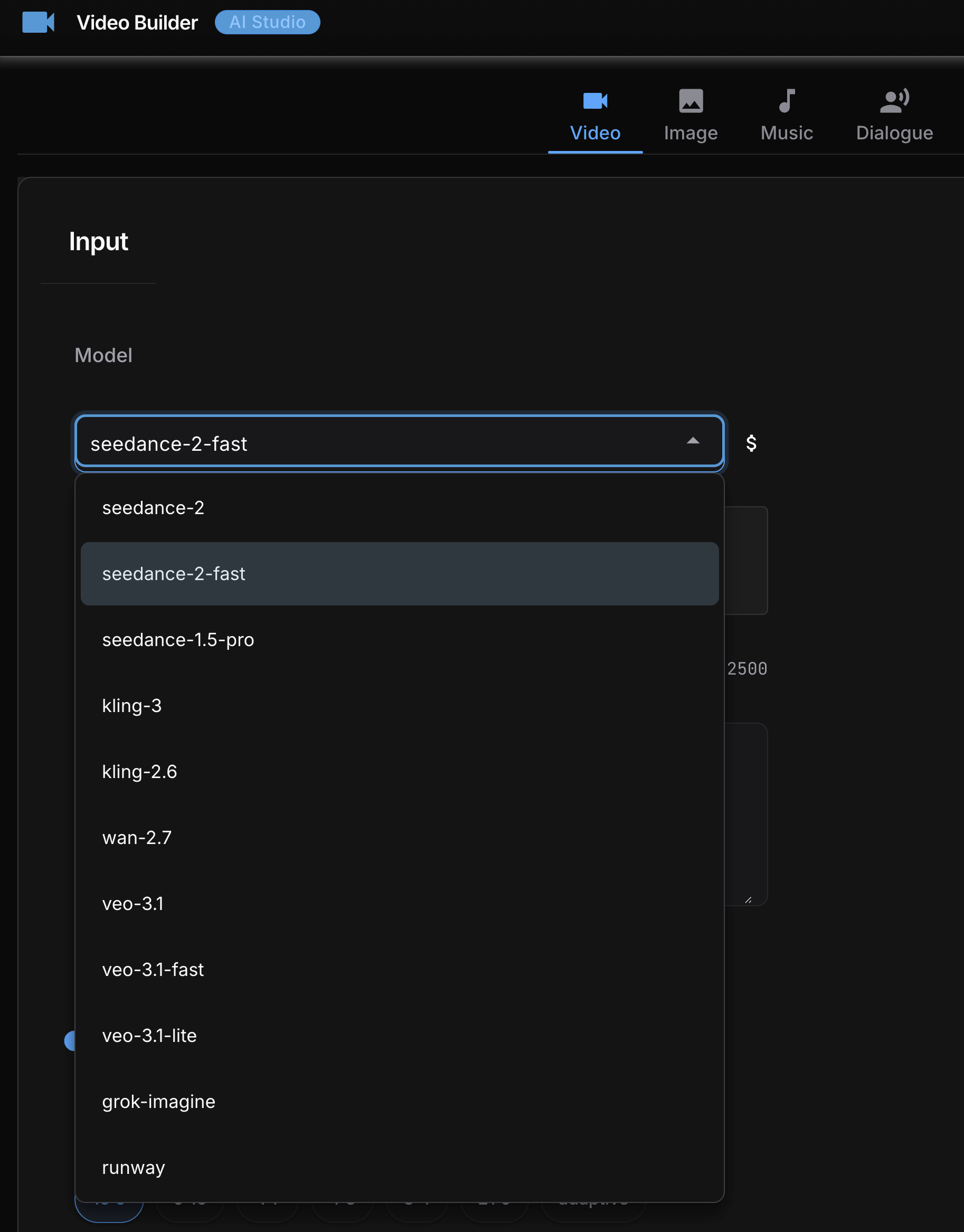
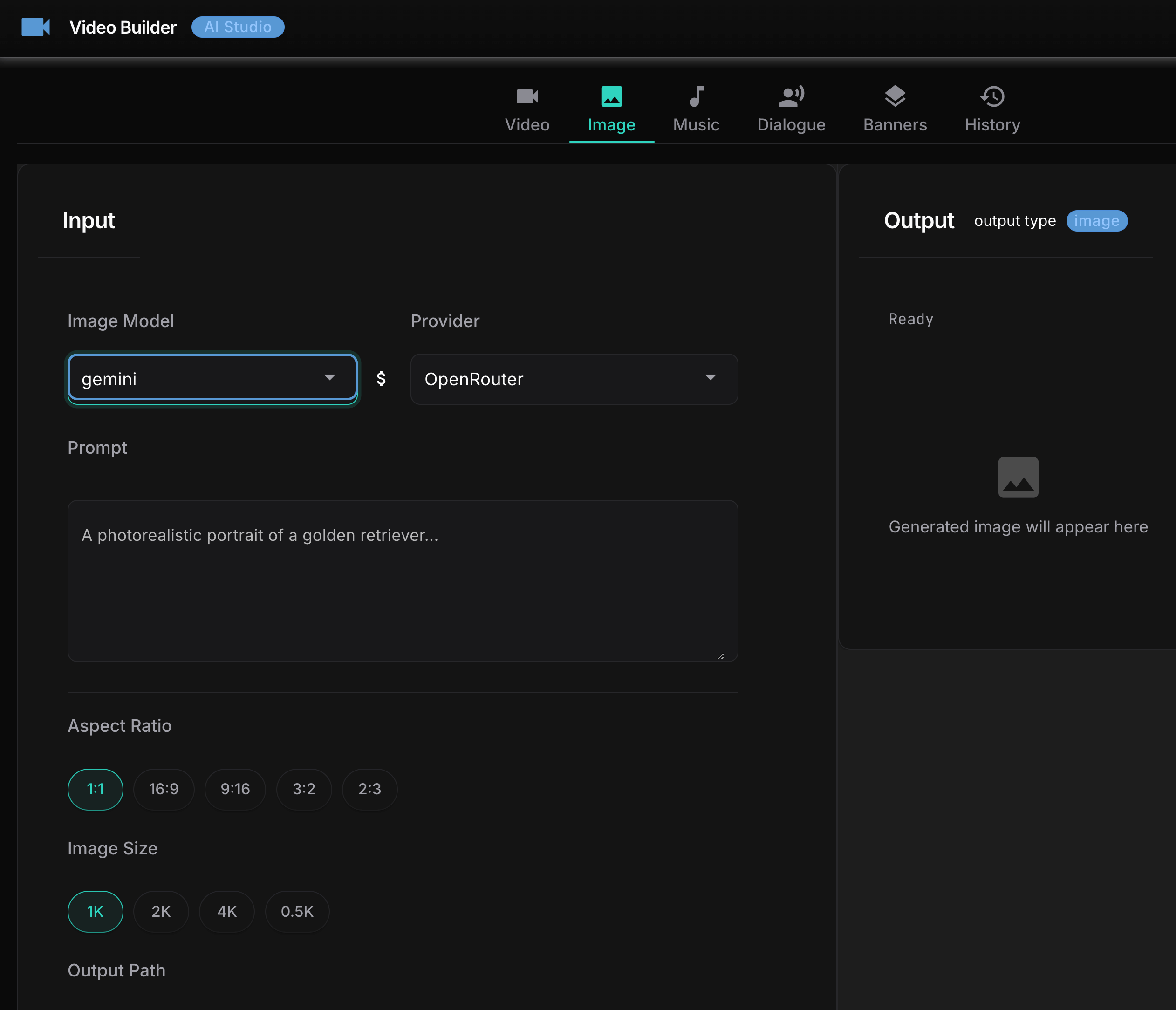
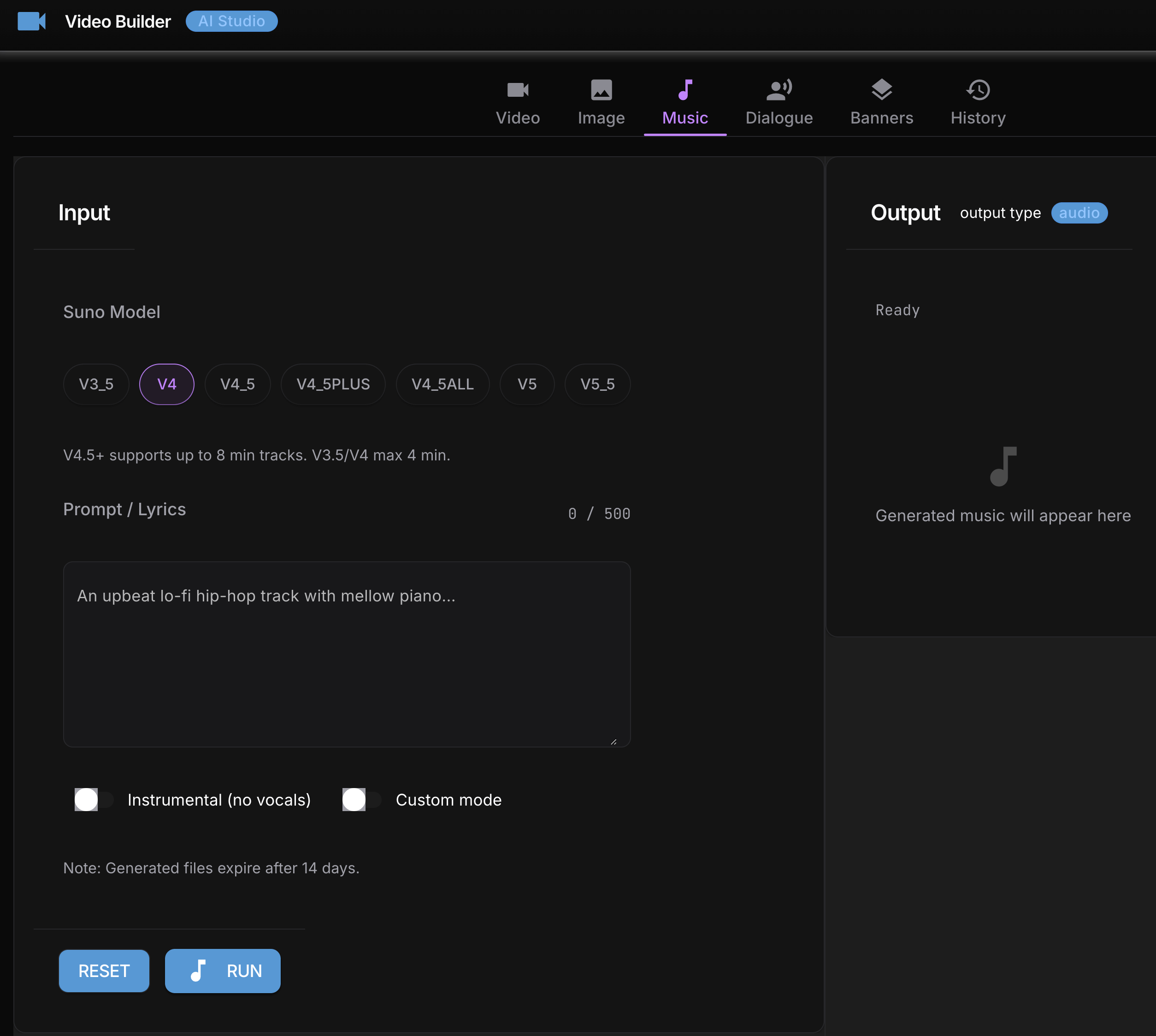
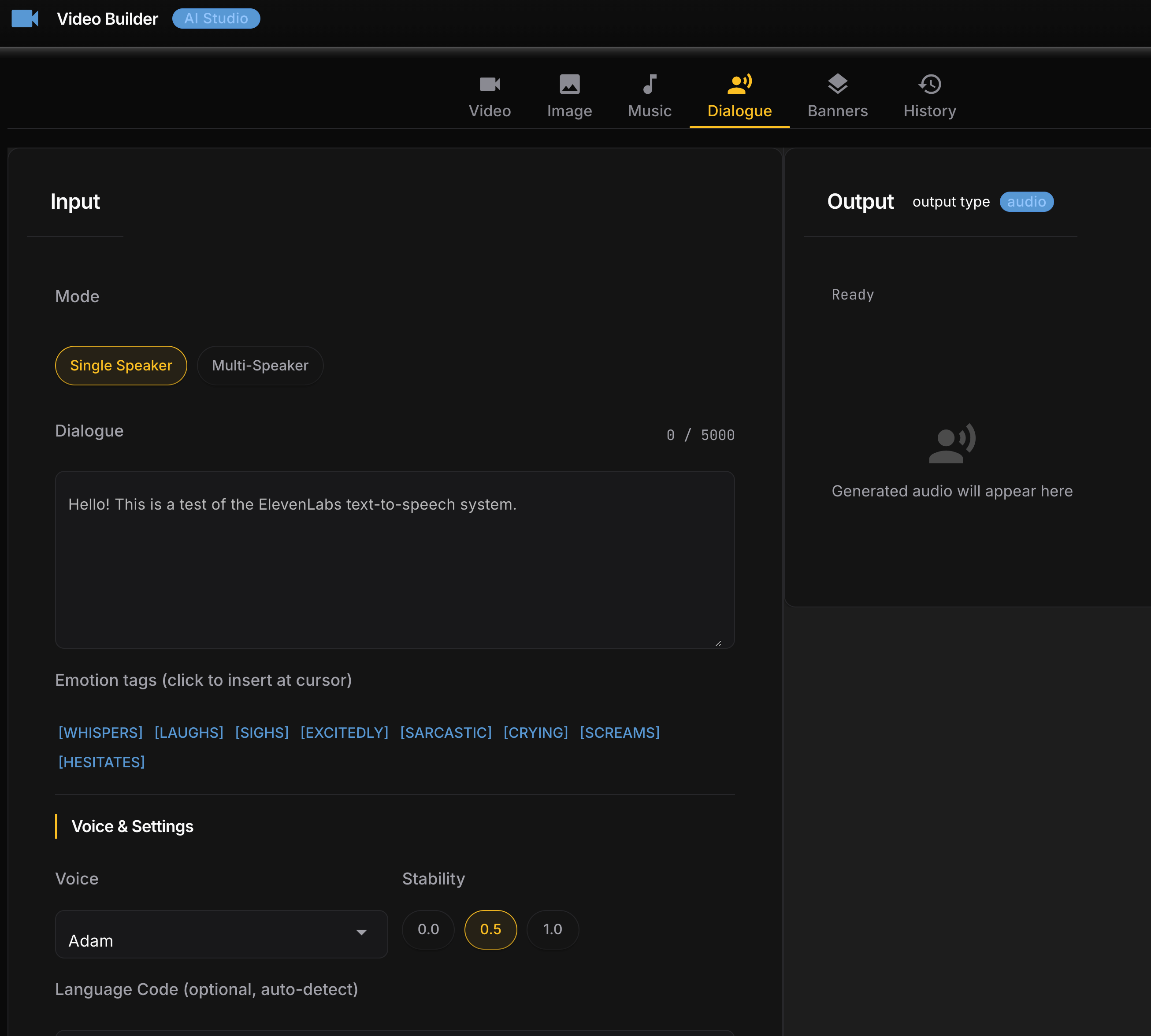
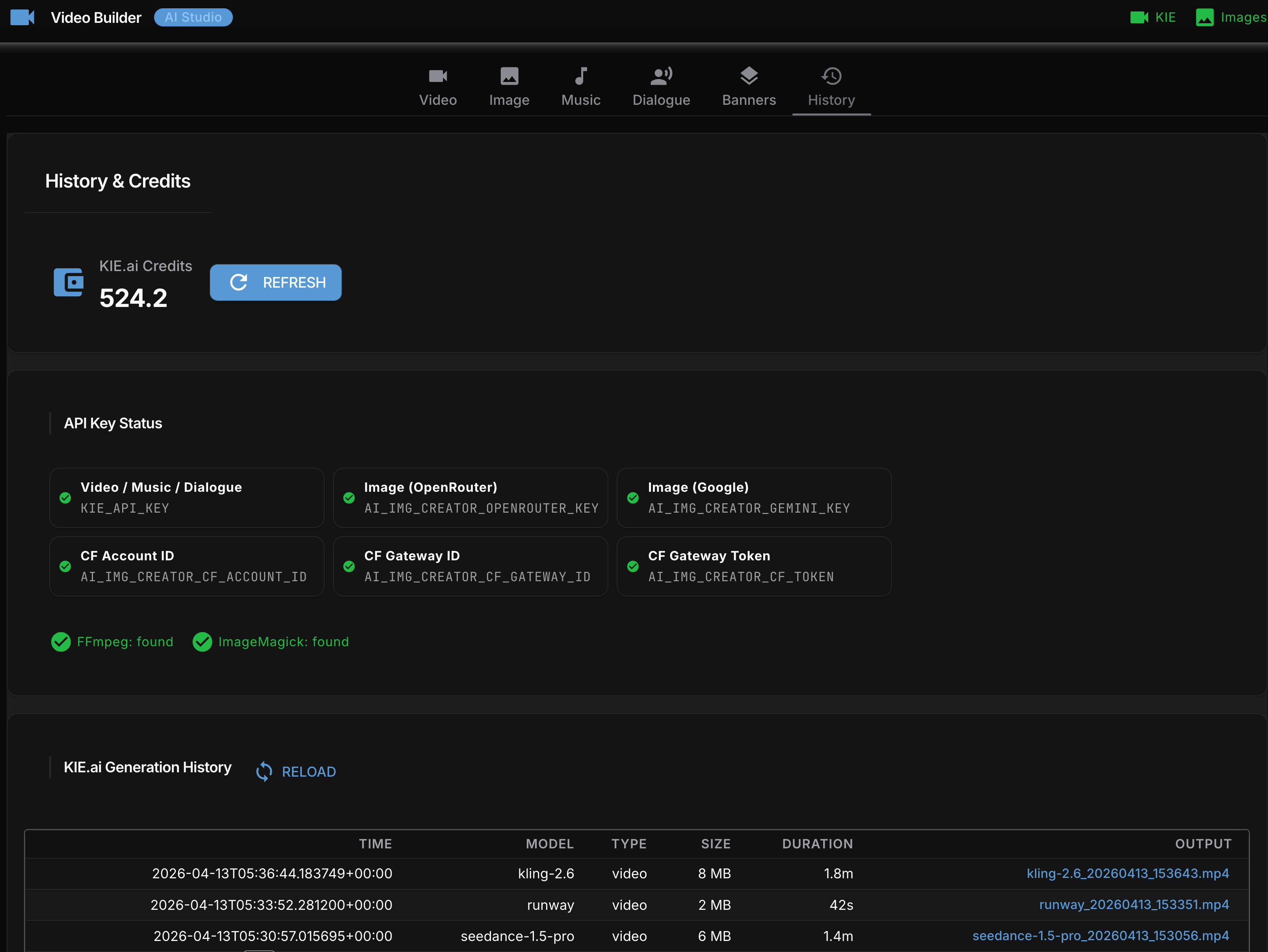
Grok Imagine video generation from GUI interface:
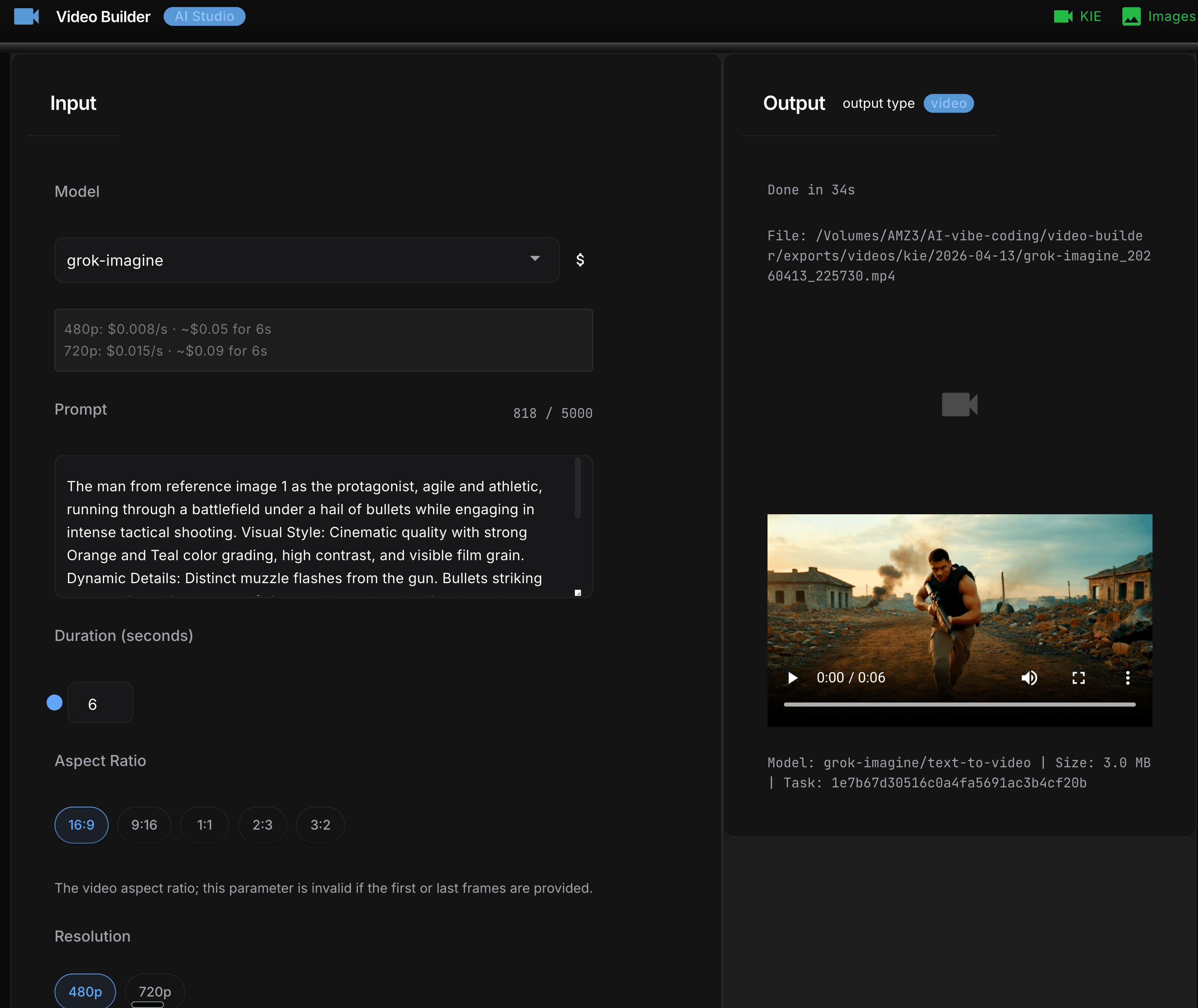
Getting Claude Cowork to save files in the right place (four bugs)
Getting the CLI working in Cowork took four debugging sessions, each one revealing the next bug.
Recall that Cowork mounts your project at /sessions/<name>/mnt/<project>/, not its normal path. Any script that writes to a relative or assumed path will land in the wrong place and lose files when the session ends. The skill needed a sandbox detector to handle this – and that detector had four consecutive bugs.
Bug 1: wrong path check. The detector checked whether /outputs existed at the filesystem root. It doesn’t. Sandbox mode never triggered; videos went to the ephemeral session directory and vanished. Fix: replace with _find_sandbox_project_root(), which navigates /sessions/ and returns the actual mounted project folder.
Bug 2: silent exception. Videos now landed correctly but companion .md notes were missing. save_generation_notes() reconstructs the original prompt by re-calling resolve_prompt(args). If the prompt came via a temp file that Cowork had already cleaned up, resolve_prompt calls sys.exit(1). sys.exit raises SystemExit, which inherits from BaseException – not Exception – so the except Exception block silently swallowed it. Fix: cache the resolved prompt at generation time and pass it directly, skipping re-resolution.
Bug 3: wrong session. The path finder used iterdir()[0] to grab the first alphabetical directory under /sessions/. If another user’s session sorted before yours, it would hit a PermissionError. Fix: use /sessions/$USER directly.
Bug 4: dot-directory. With the session correct, the script picked .remote-plugins as the project root because the exclusion list named specific directories (.claude, outputs, uploads, tmp) but didn’t filter all dot-prefixed names. Fix: exclude any directory whose name starts with ..
Four bugs, one function, each hiding behind the last. The lesson is the same every time: don’t assume what a sandboxed filesystem looks like. Navigate it, read it, then write the detector.
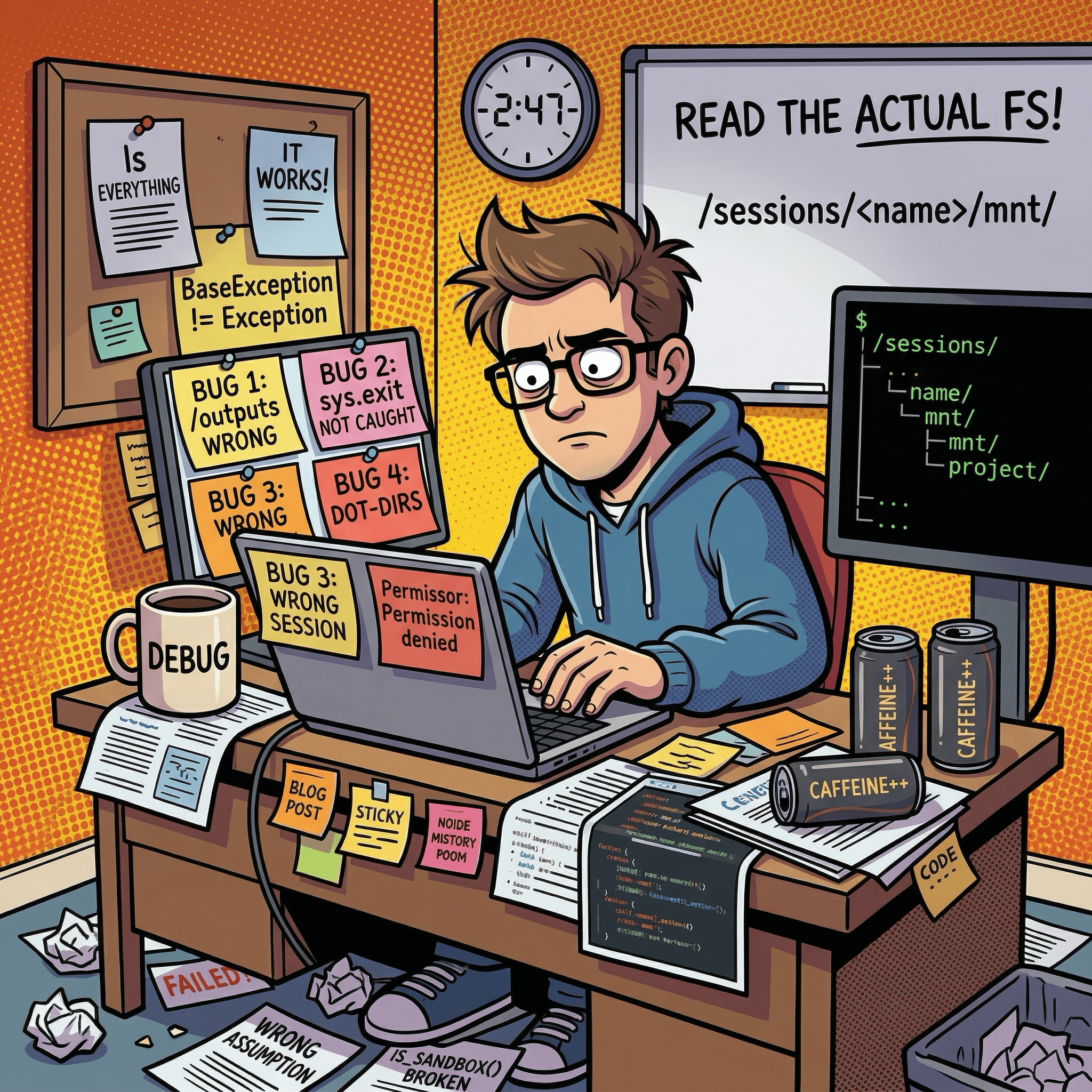
Knowing what you generated
Every successful generation writes a companion .md file alongside the video:
exports/videos/kie/2026-04-13/
  grok-imagine_20260413_120205.mp4
  grok-imagine_20260413_120205.md
The companion file has the full prompt, the exact CLI command that produced the video (copy-paste to regenerate), and a parameters table. I added this after losing track of which model-duration-aspect-ratio combination produced a result I liked. Every output is self-documenting.
Every generation also appends to a local costs.json. Running the costs subcommand shows per-model breakdowns: generation count, elapsed time, approximate spend. Three Grok Imagine test clips cost $0.14 total. Visible cost-per-generation changes how you iterate – at $0.05 a clip you run more variations before committing to a pricier model.
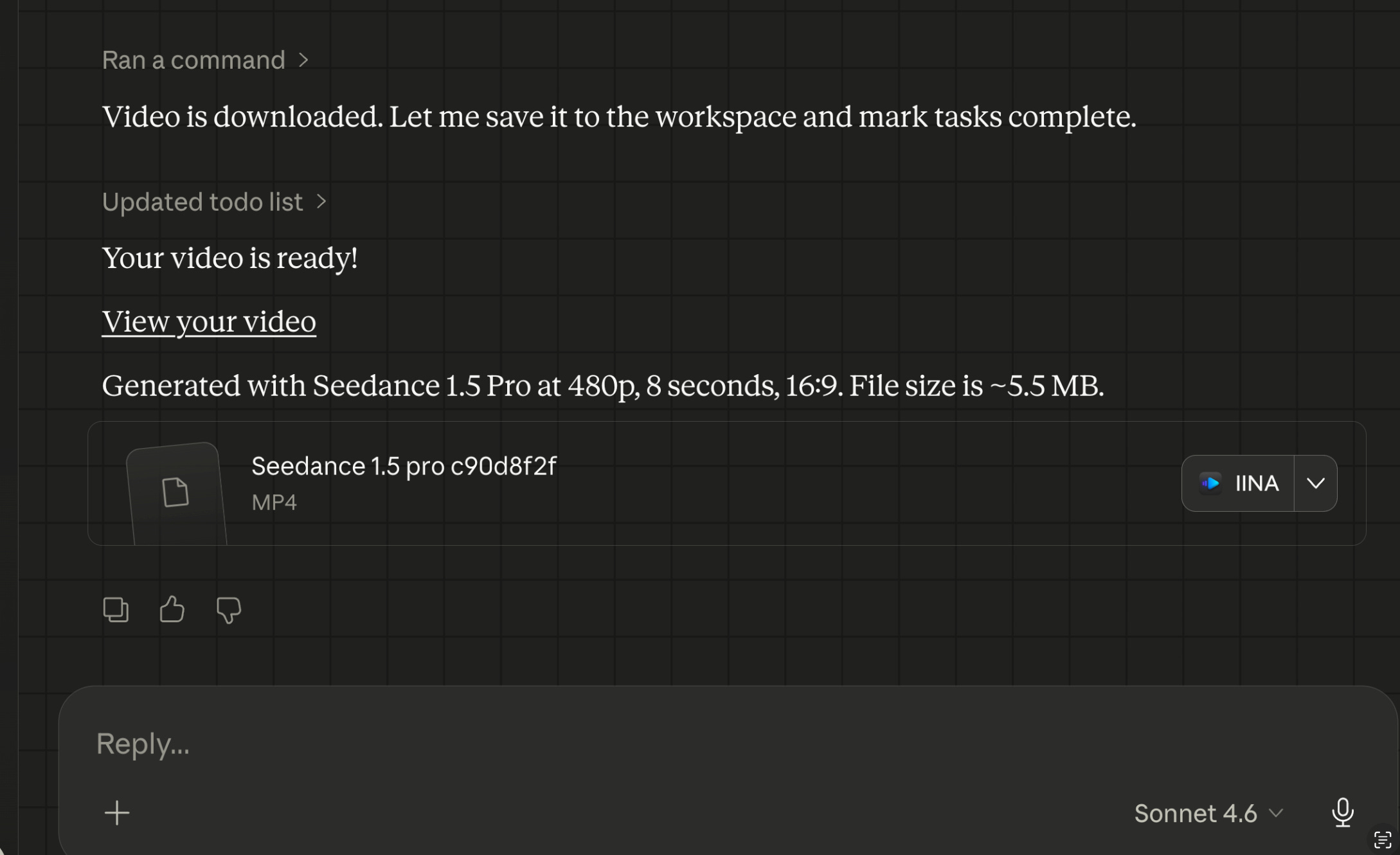
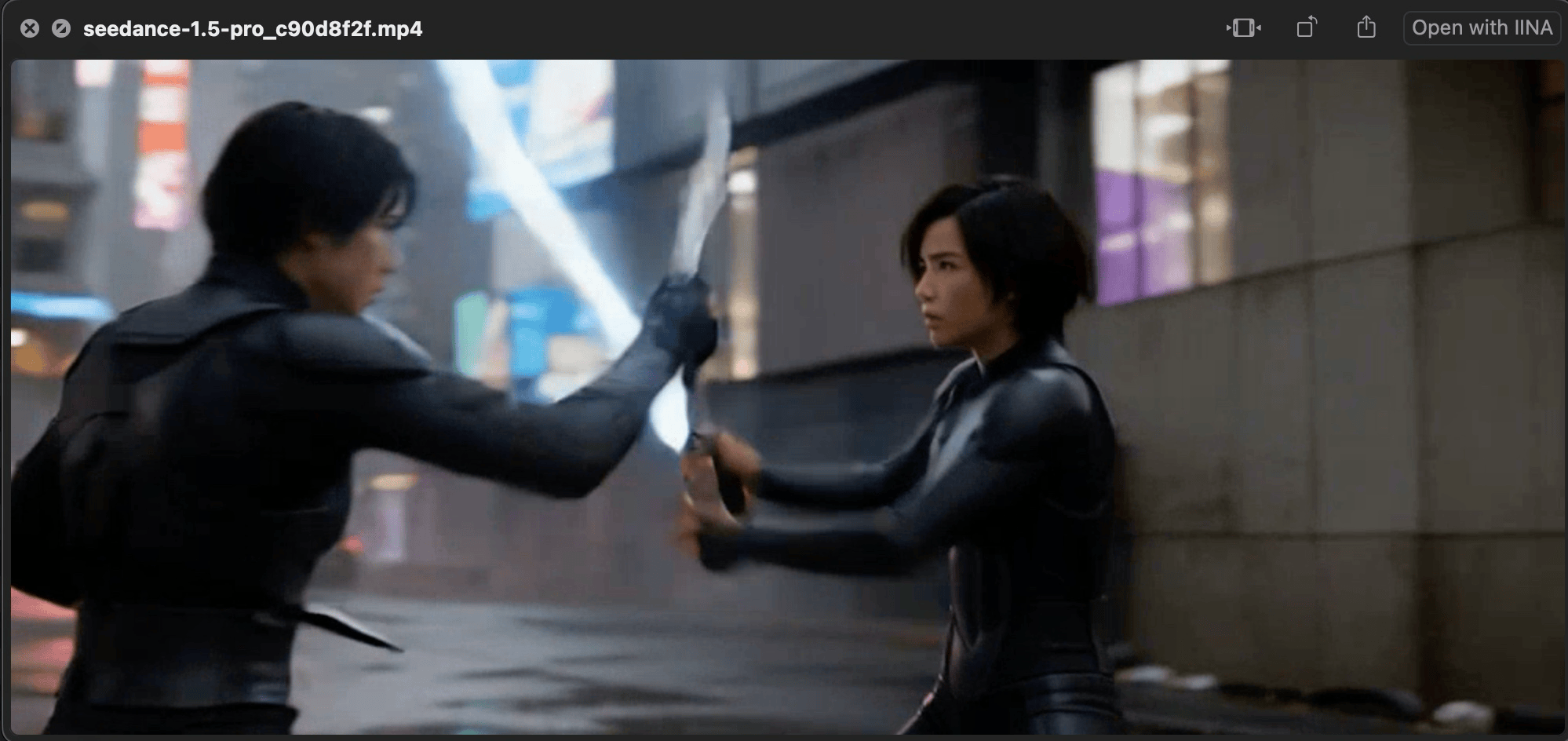
Claude Cowork example video generation using ByteDance Seedance 1.5 Pro:
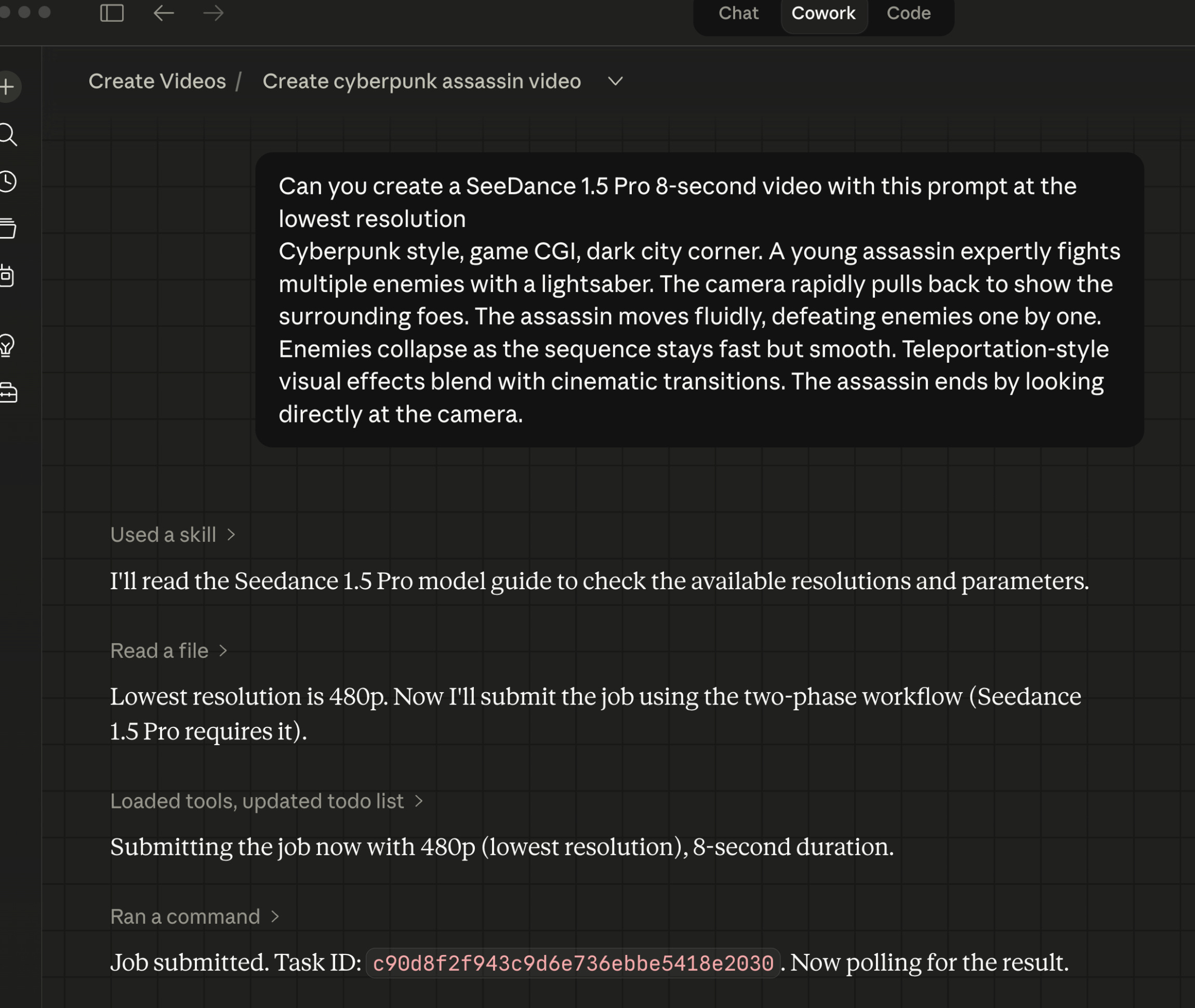
Generating ByteDance Seedance 2.0 Fast video within Claude Cowork desktop app:
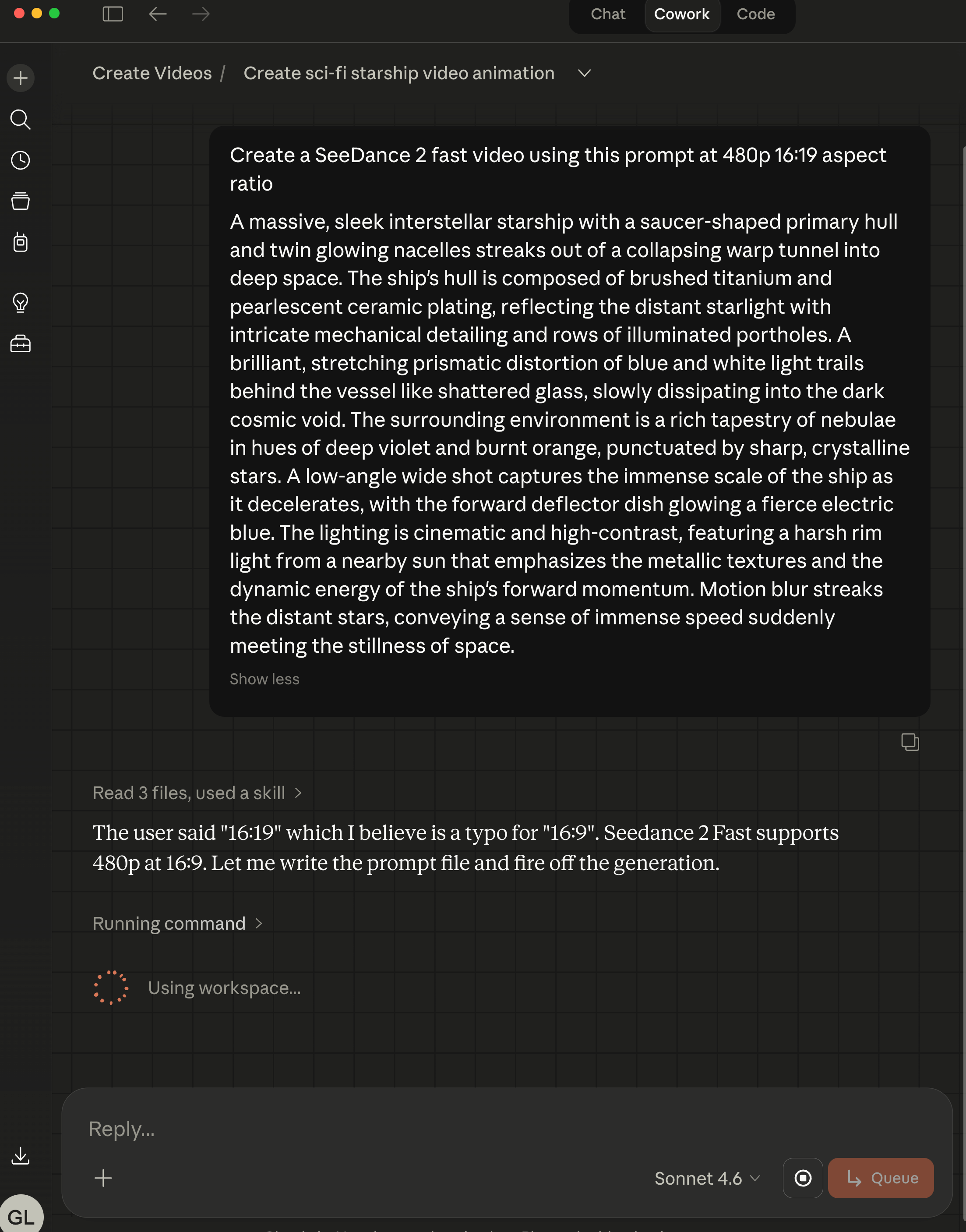
This ByteDance Seedance 2.0 Fast 480p 8 second video cost 15.5 credits/s ($0.0775/s) = 15.5x8 = 124 credits or $0.0775 x 8 = $0.62 via the KIE.ai API.
What didn’t work
Kling 3.0 timeout is a workaround, not a fix. The retrieve subcommand exists because the model takes longer than any reasonable polling window. A better solution would be a persistent state file that tracks pending task IDs, with automatic polling on the next invocation. That’s on the list.
The Veo reference docs were wrong before I tested them. The initial veo-3.1.md had both endpoint paths wrong, used camelCase payload fields where the actual API uses snake_case, and listed firstFrame and lastFrame as top-level keys when they’re actually nested under imageUrls with a generationType discriminator. None of this was visible until the first live Veo generation failed with a 400 error. The lesson: write example files and test them against the real API before writing reference documentation. Testing first would have caught all three errors immediately.
Runway URL expiry is a silent trap. Runway-generated video URLs expire after 14 days. The script downloads immediately at generation time so you won’t lose files if you use the skill. But if you’re calling the raw KIE.ai API directly and storing URLs instead of files, you will lose your output without warning after two weeks.
"Fast" is relative. After publishing, a Cowork session submitted a Seedance 2 Fast job using the single-command flow and got charged twice. Seedance 2 Fast takes 120-180 seconds -- fast compared to its sibling (~300s), not fast compared to the 45-second sandbox timeout. The sandbox cleared with no output, Cowork assumed the submission had failed, and resubmitted a task that was still running fine on KIE's servers. The fix was to stop classifying models as fast or slow entirely: in Cowork, every model now uses a two-phase flow (--submit-only, then poll separately). One rule, no exceptions. The same review also turned up a copied-and-wrong prompt length limit in the Seedance 2 docs (2500 characters, lifted from Seedance 1.5 Pro; the real limit is 1536) -- the kind of error that never throws an exception, it just silently truncates your prompt.
What I learned
Unified API doesn’t mean uniform behaviour. KIE.ai’s single API key and credit balance are genuinely valuable – I’d use it again. But each underlying model has its own payload shape, polling mechanism, and quirks. The unification is at the authentication and billing layer, not the API layer. Build accordingly.
The audit tool pays for itself on the first run. Thirty issues found in the first automated audit, after I had already done a manual check. Any skill with multiple reference files will drift unless you build a way to catch the drift. Do that before you find bugs in production.
Actually read the filesystem. Four sandbox path bugs all came down to assumptions about where things should be, rather than checking where things actually are. When debugging any environment-specific issue, ls first.
Companion notes are worth the extra code. The video is the deliverable. The companion .md with the exact command and parameters is what makes it reproducible. Without it, every generation is a dead end.
How to use it
Note: The ai-video-creator skill is not publicly available yet – it’s still undergoing improvements before release. I’ll update this post and announce when it’s ready. What follows is a preview of the setup for when it is.
You’ll need a KIE.ai account for an API key and credits. One account covers all 11 models.
Setup for Claude Code CLI:
Copy the
ai-video-creator/skill folder to.claude/skills/in your projectExport your API key in your shell profile:
bash export KIE_API_KEY="your-key-here"Verify the connection:
bash uv run python ai-video-create.py credits
Setup for Claude Cowork (desktop app):
Cowork runs in a sandboxed shell that doesn’t inherit your shell profile, so the export approach won’t work. Instead, create a .env file at scripts/.env inside the skill folder:
KIE_API_KEY=your-key-hereThe script loads this automatically on startup. Shell exports always take priority over the .env file if both are present, so the two modes stay compatible.
Your first video:
uv run python ai-video-create.py video \
  --model grok-imagine \
  --prompt "A developer typing furiously at a glowing terminal, cinematic" \
  --duration 5 \
  --aspect-ratio 16:9
Start with Grok Imagine to validate your prompt cheaply, then step up to Seedance 2, Kling 2.6, or Veo 3.1 once you know what you want.
One configuration step worth doing before any batch job: set your Safe-Spend limit in the KIE.ai dashboard under API settings. The default is low and will block generations mid-run if you hit it. Set it to whatever your comfortable hourly ceiling is, or 0 for unlimited.
The setup guide at references/setup-guide.md in the skill folder covers the full credential flow and per-model parameter reference.
What’s next
Wan 2.7 and Kling 3.0 example generations are still pending – Kling 3.0’s render time makes iterative testing slow. The README comparison table has placeholder cells for those two model families.
Longer term: batch generation from a config file (generate a set of clips from a single spec, similar to how the image skill handles multiple banner sizes), and Veo extend support for concatenating clips beyond 8 seconds.
I’m also planning to write up how I combined this skill with Remotion – an upcoming article on building animated product tours where AI-generated clips and Remotion-composited transitions work together in the same pipeline. Two different tools, different strengths, one polished output.
If you’re building with Claude Code or Claude Cowork and want to add AI video generation, dialogue, or music to your workflow, this is the pattern I’d start with: one script, one API key, models from ByteDance, Google, xAI, Runway, ElevenLabs, and Suno, all accessible from your terminal without switching tools or browser tabs. Check out KIE.ai (referral link) - one of cheapest PAYG video generation providers. Think of them like the OpenRouter AI but for video LLM models.
If you’re interested in practical AI building for web apps, developer workflows, and infrastructure, subscribe for future posts. You can also follow my shorter updates on Threads (@george_sl_liu) and Bluesky (@georgesl.bsky.social) or subscribe and follow along.